

How do I link the Client Area with Google, Facebook, or Twitter?
You can link Facebook, Google, or Twitter to simplify future logins.
- Log in normally to your Client Area.
- Open the profile menu and select Security Settings.
- Under Linked Accounts, choose the provider you want to connect.
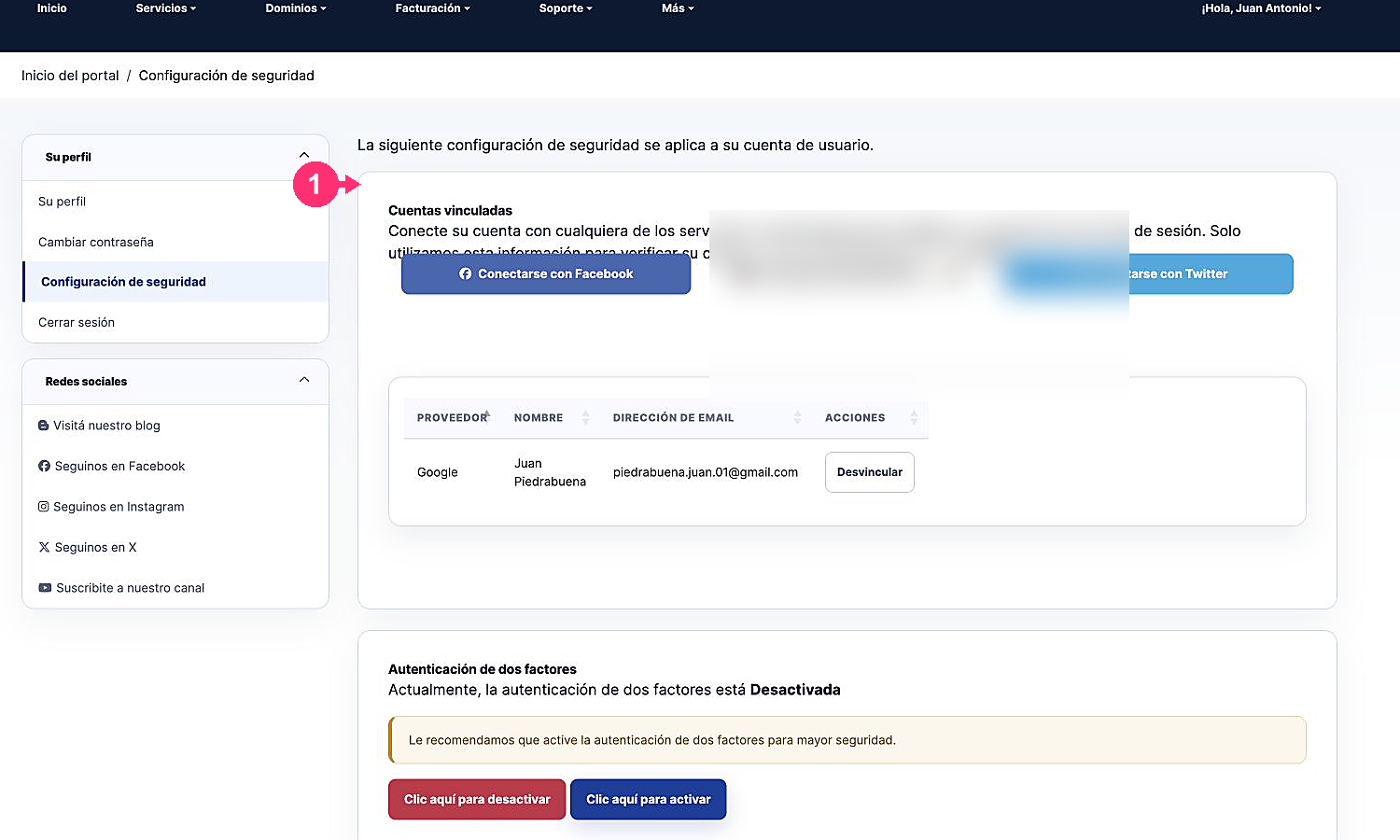
- Complete the authorization in the provider’s window.
- Return to the Client Area and verify that it appears in the list of linked accounts.
Next time you will be able to choose that provider on the login screen. SitiosHispanos.Com does not receive the password for your social account.