

How to change the PHP version of an account in HestiaCP?
To change the PHP version used by a hosting account you created, follow these steps:
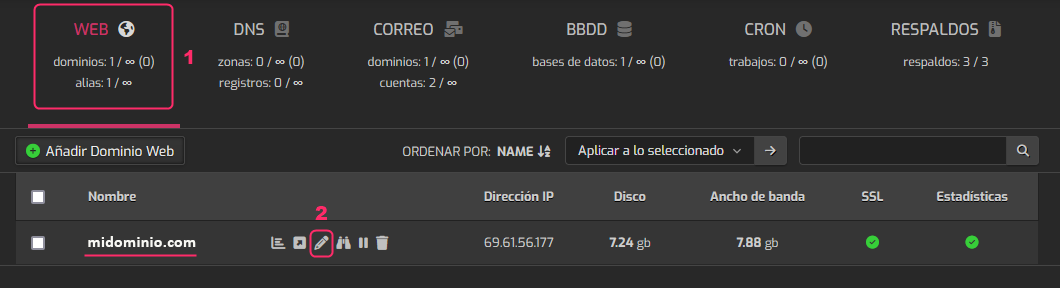
- Within the account you want to modify, go to the WEB area.
- Then, edit the domain details by clicking the pencil icon.
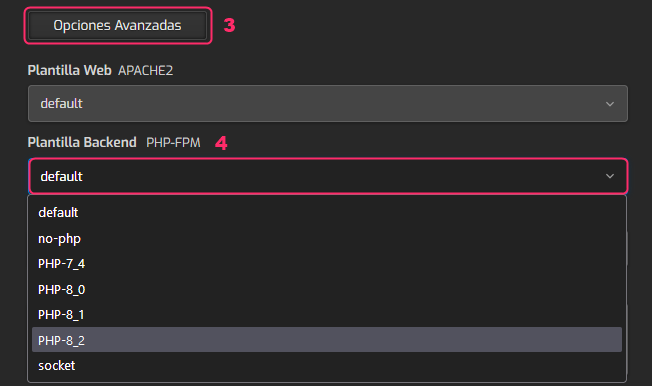
- In the domain settings area you must scroll down until you find the button that says Advanced Options. Press this button to open more options.
- Among the new options that appear you must open the dropdown menu that says Backend Template.\ Choose the PHP version your website needs.
- Finally, save the changes by pressing the Save button, in the bar you will see at the top of the account settings screen.
