

How to view my domain as HTTPS in my browser in Plesk?
This guide assumes that the SSL Certificate has already been installed on the hosting account.
If you have not yet enabled the SSL Certificate on your account, you can do so by following the steps in this guide: How to install an SSL Certificate in Plesk?
If you have already installed the SSL Certificate, it is recommended that your domain always display the secure version (https) in the browser. This automatic redirection to https can be done in two ways:
- From your account control panel.
- By editing the htaccess file in the website’s root directory.
Redirect to HTTPS from the Plesk Control Panel:
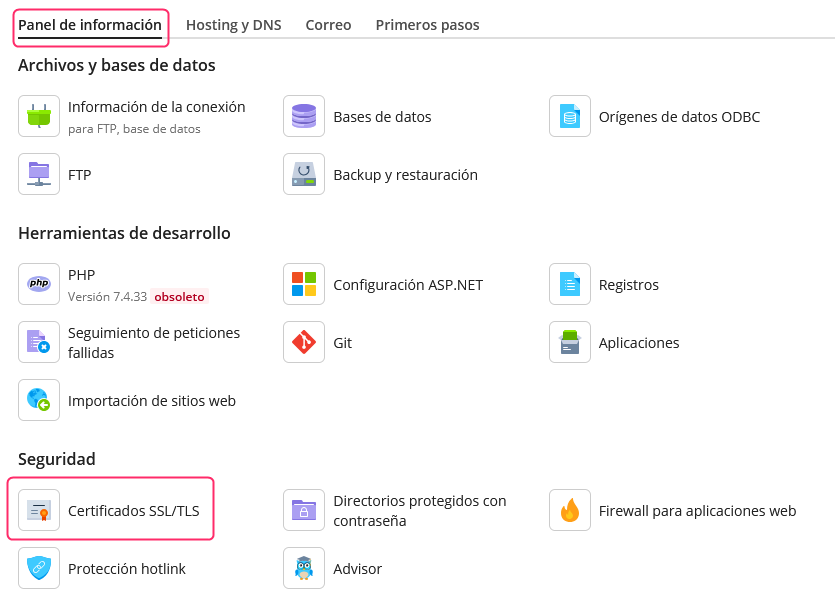
- Log in to your control panel and then click on the Information Panel tab.
- In the screen options go to SSL/TLS Certificates.
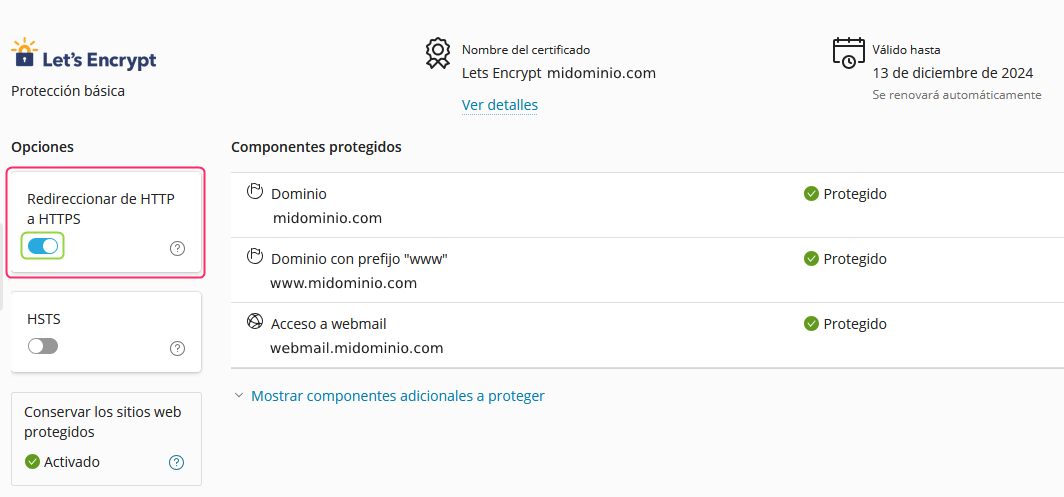
- On the left of the screen you will see an option called Redirect from HTTP to HTTPS. Enabling that option will make the domain always show the secure https mode.
Redirect to HTTPS from the htaccess file:
It may happen that the method from the control panel does not work for some reason.
Another possible method to generate an automatic redirection to https is by adding a line to the htaccess file that you will find in the /httpdocs directory or the main directory of your website.
RewriteEngine On
RewriteCond %{HTTPS} off
RewriteRule ^(.*)$ https://%{HTTP_HOST}%{REQUEST_URI} [L,R=301]
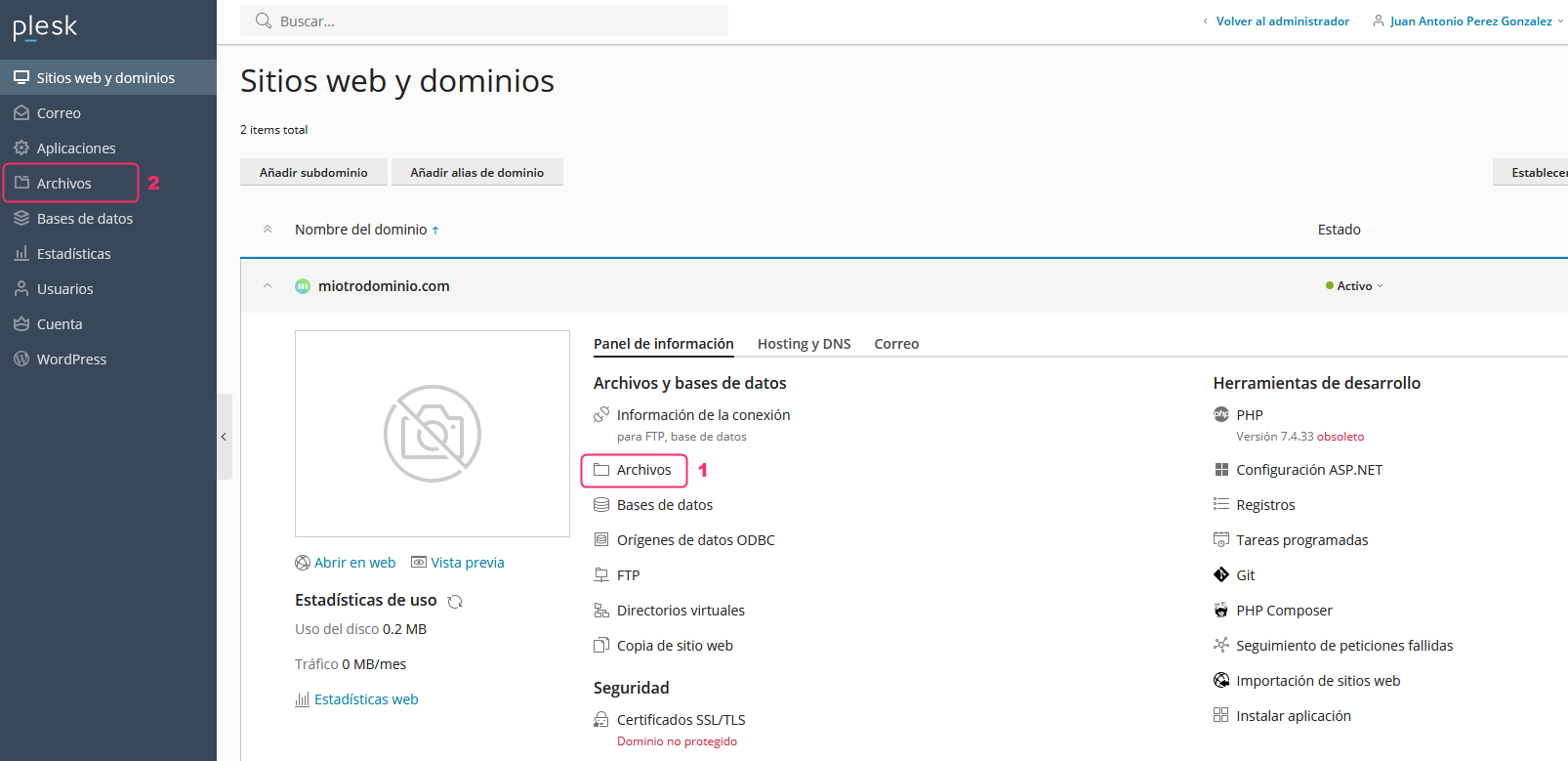
- You will find the File Manager on the main screen of the control panel. You can access it from the Files button marked as point 1 or from the left menu, marked as point 2.
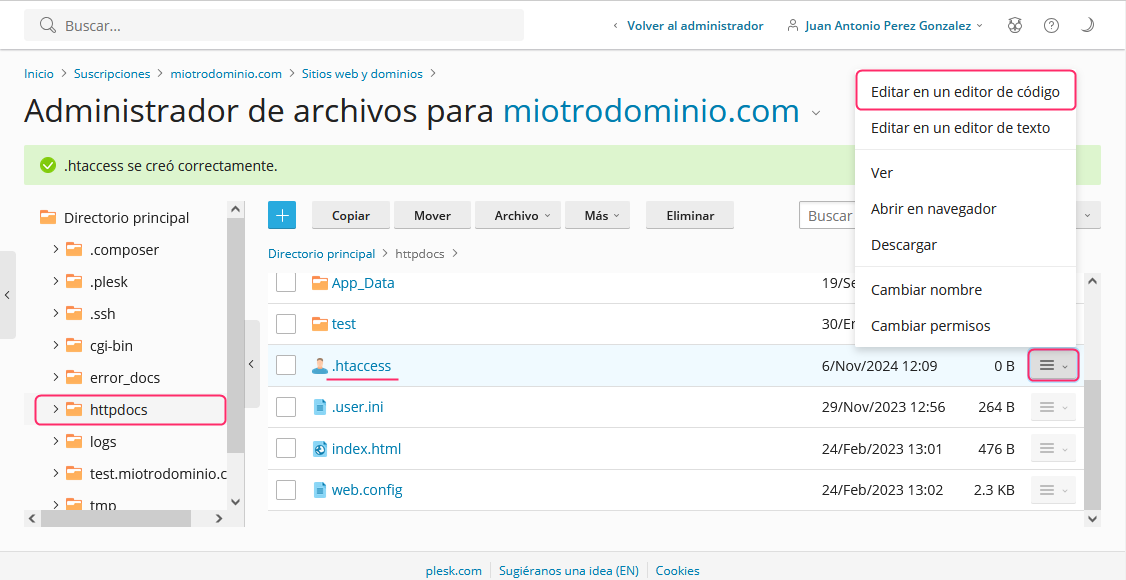
- Once in the File Manager, look for the “httpdocs” directory or the main directory where your website is created.
When you find the .htaccess file you will need to edit it by pressing the options button on the right and choosing the option “Edit in Code Editor”.
- At the top of the file, add the code shown below:
RewriteEngine On
RewriteCond %{HTTPS} off
RewriteRule ^(.*)$ https://%{HTTP_HOST}%{REQUEST_URI} [L,R=301]
Editing the htaccess file from an FTP Client:
The same procedure can be done by connecting via FTP instead of using the File Manager.
To access via FTP follow the steps in the following guide:
FTP sessions in Plesk