How to enable or disable ModSecurity in cPanel?
If you find that your website displays a 403, 405, or 406 error, it is very likely that some element of your site is being blocked by a ModSecurity rule.
ModSecurity is an application firewall. It blocks certain requests or code executions that it considers dangerous. You can configure ModSecurity to allow or block certain executions, as required by your website.
In the cPanel control panel, you can access the ModSecurity settings by following these steps:
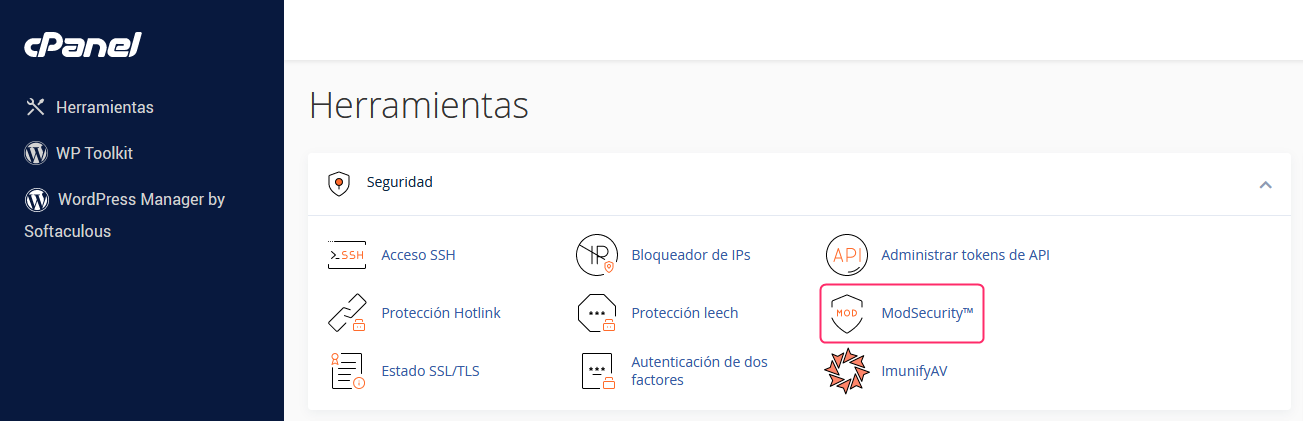
- In the cPanel control panel, go to the option Security=>ModSecurity.
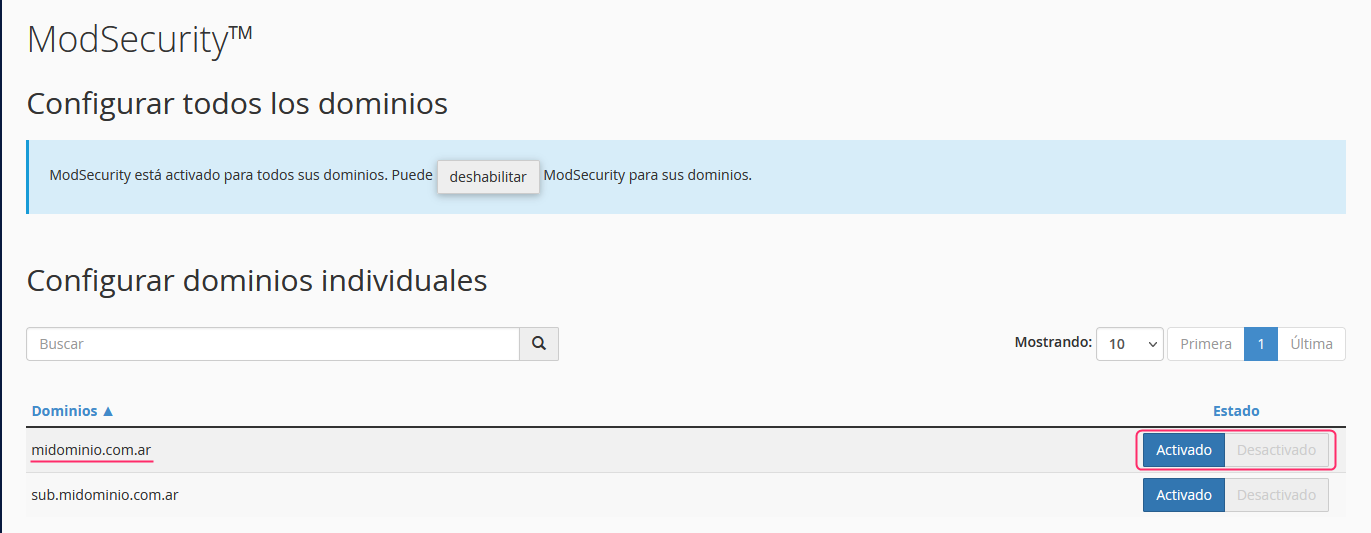
- On the new screen you’ll see your main domain and its subdomains. You can enable and disable ModSecurity for each one using the buttons on the right.