How to delegate or modify DNS at nic.ar?
What do I need to operate?
- CUIT/CUIL number
- Clave Fiscal Level 2 or higher.
Do you have everything? You can now delegate your domain.
- Go to Trámites a Distancia and sign in using the AFIP option with your CUIT/CUIL number and Clave Fiscal Level 2 or higher or via NIC Non-Resident, as applicable.
If you are representing a Natural Person or Legal Entity, click the dropdown menu on the left and select from the list the name of the person, company or organization that will carry out the procedure. If it is not listed, it means you are not their authorized representative. To be able to perform procedures on their behalf, they must authorize you by following the instructions for Natural Person or Legal Entity as appropriate.

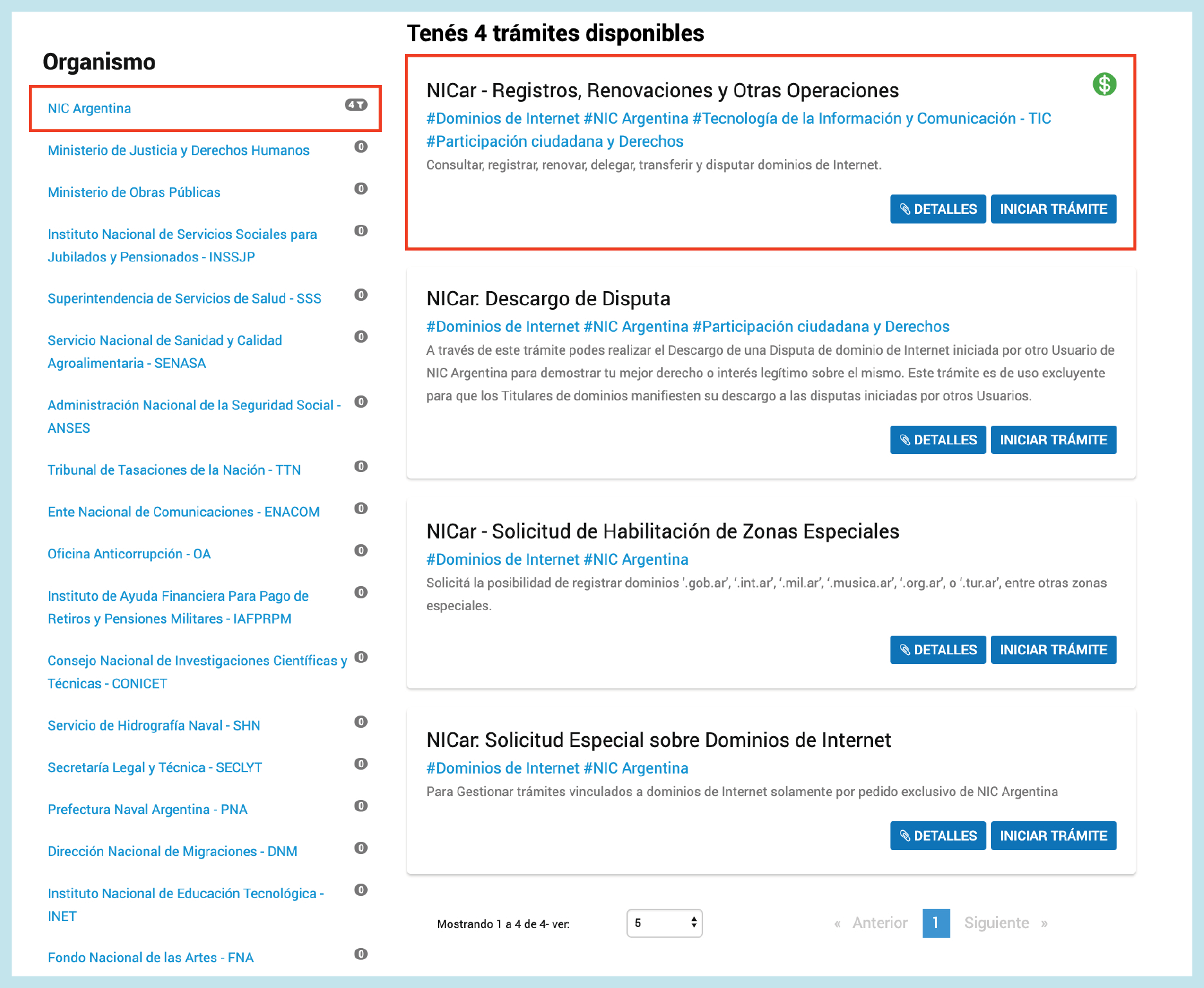
2- Under Organismo, you will find the procedures for NIC Argentina. Select the option NICar - Registros, Renovaciones y Otras Operaciones and click Iniciar Trámite.
- From the Domain list select the domain you want to operate on and click the Delegate option. For faster searching use the filter of that list.
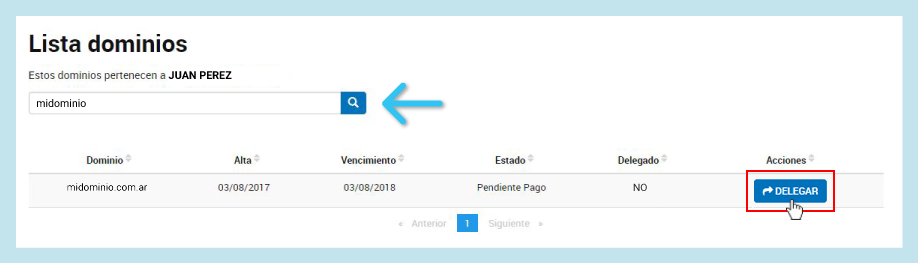
You can also enter the domain name in the Domain Search, choose the zone and click Consultar. Then, from there you can select the Delegate option.
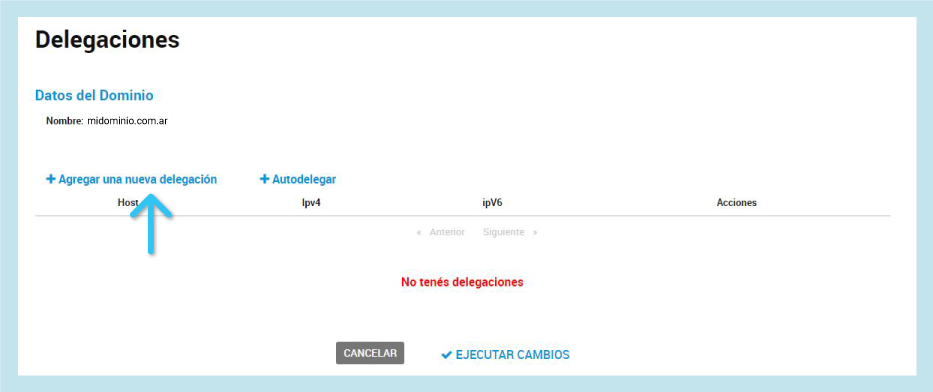
- Click Add a new delegation.
- Then, enter the DNS we gave you or the ones you need to delegate and save the changes.

Example with our DNS ns1.sitioshispanos.com
- If the DNS configuration looks like the image below press the Execute Changes button to confirm the operation.
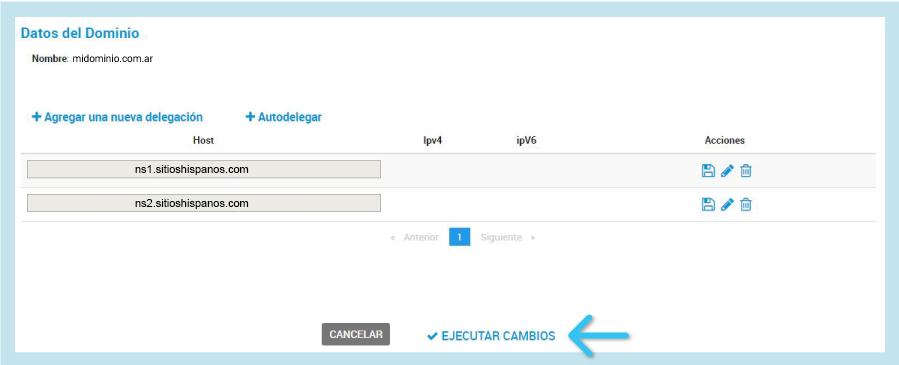
Only two DNS should be visible on this screen before saving.
The domain will be active as soon as the DNS change has propagated across the networks.
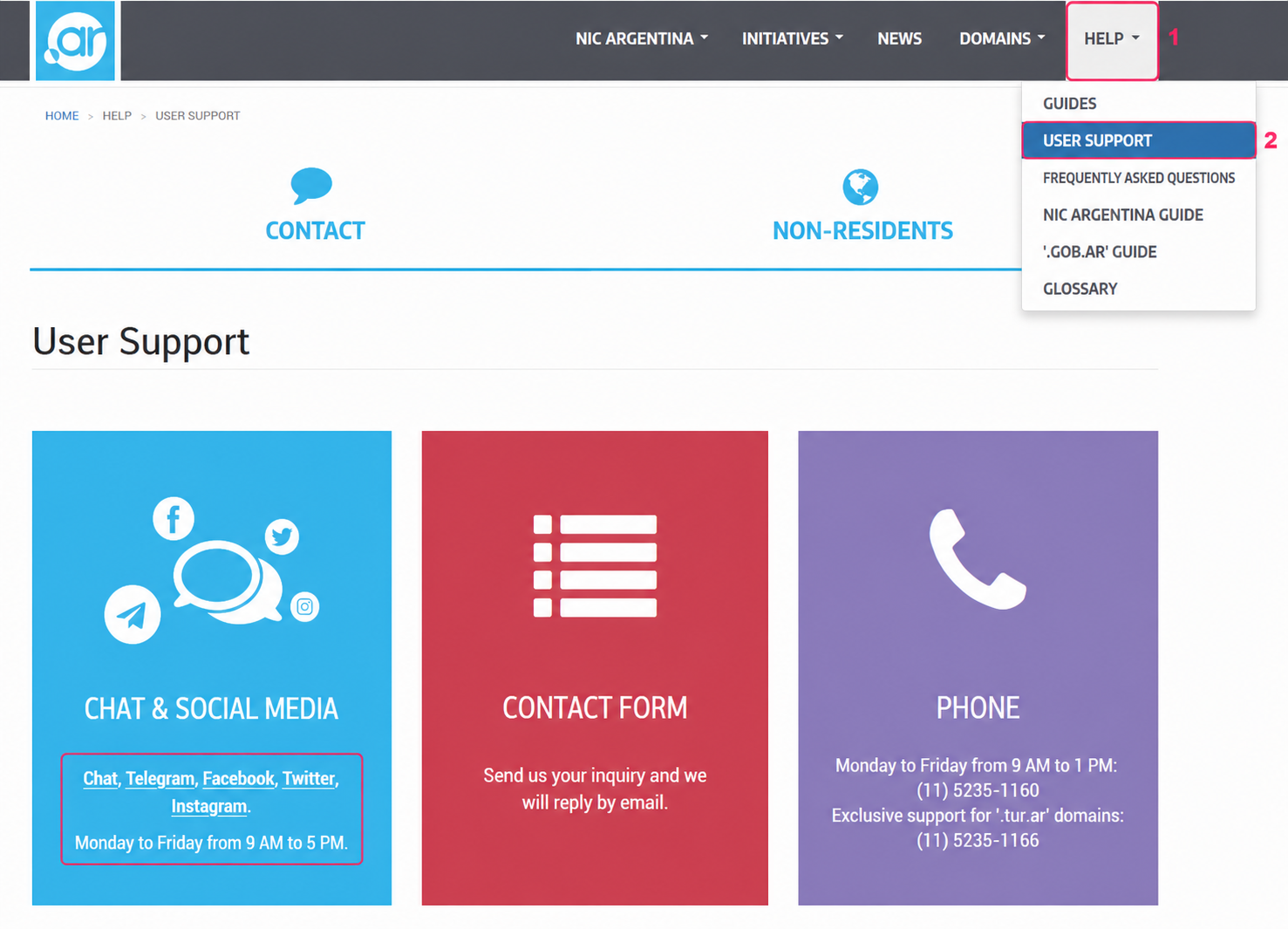
You can request support by following these steps:
- In the top gray menu go to HELP=>USER SUPPORT.
- You will see the different contact methods on the screen.