How do I configure the server?
The global server configuration is a complex area but you can modify several aspects of the server services.
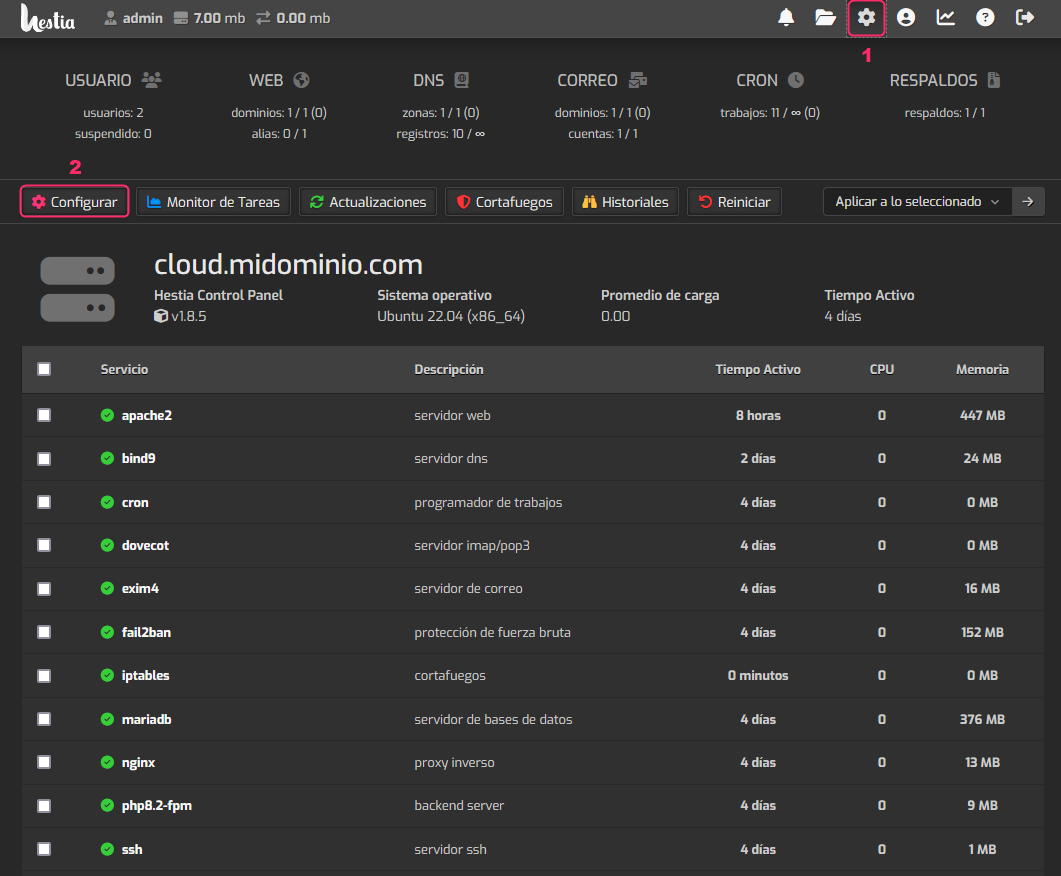
To modify the server configuration follow these steps:
- Click the gear icon in the top menu.
- Then, go to the Configure option.
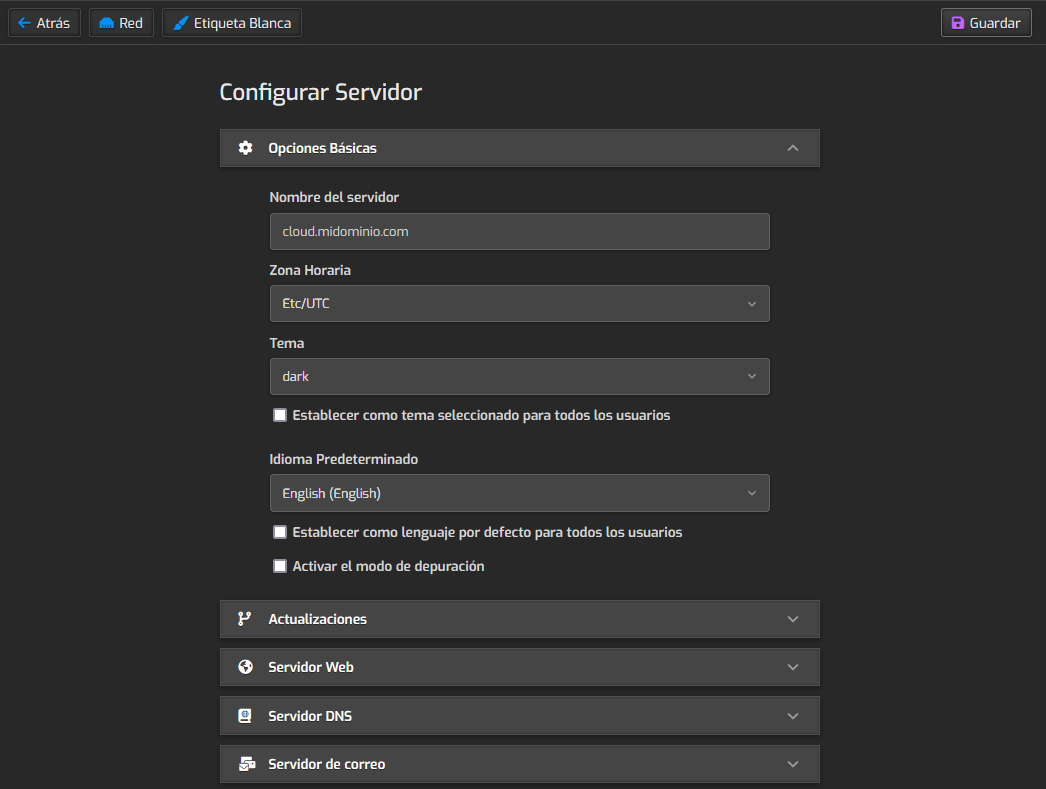
You will find a dropdown menu for each main area you can configure:
The options that may be of most interest are the following:
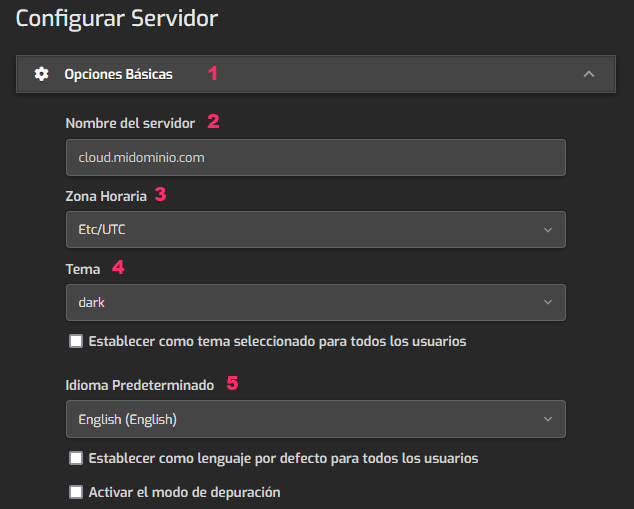
- Under Basic Options you will find:
- Server Name: the server’s hostname.
- Time Zone: you can set and synchronize the server time.
- Theme: you can change the HestiaCP interface theme.
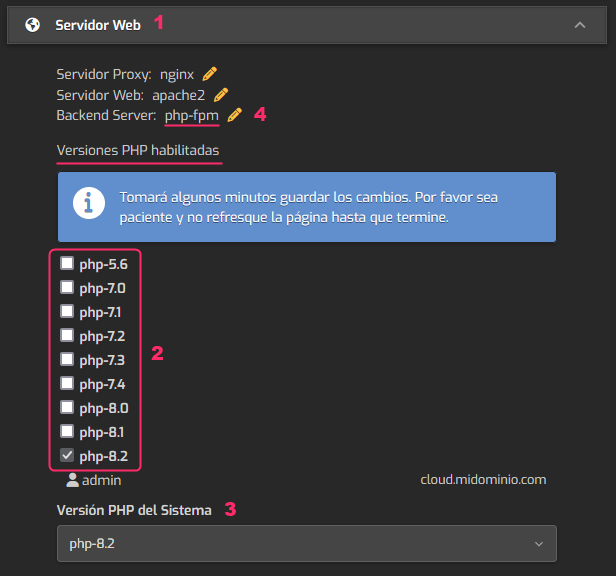
- Under Web Server you will find:
- The different PHP versions you can enable or disable.
- The global PHP version selector for the server.
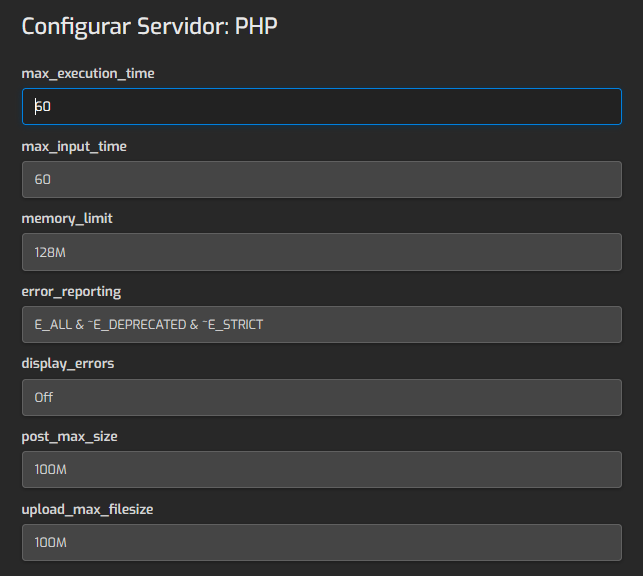
- The configuration of PHP variables for PHP-FPM.
The PHP variables configuration for PHP-FPM mentioned in point 4 is this:
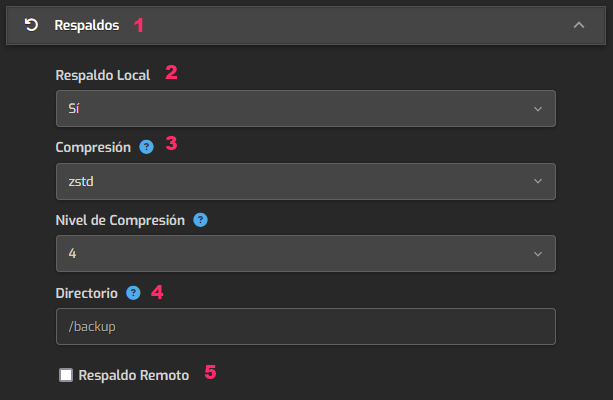
- Under Backups you will find:
- Whether the backup will be made locally on the server or on a remote one.
- The type of compression extension (zstd or gzip).
- The directory where backups will be stored.
- The remote server configuration if that option was chosen in point 2.
This is an FTP configuration.