How do I change the time zone in Webmail?
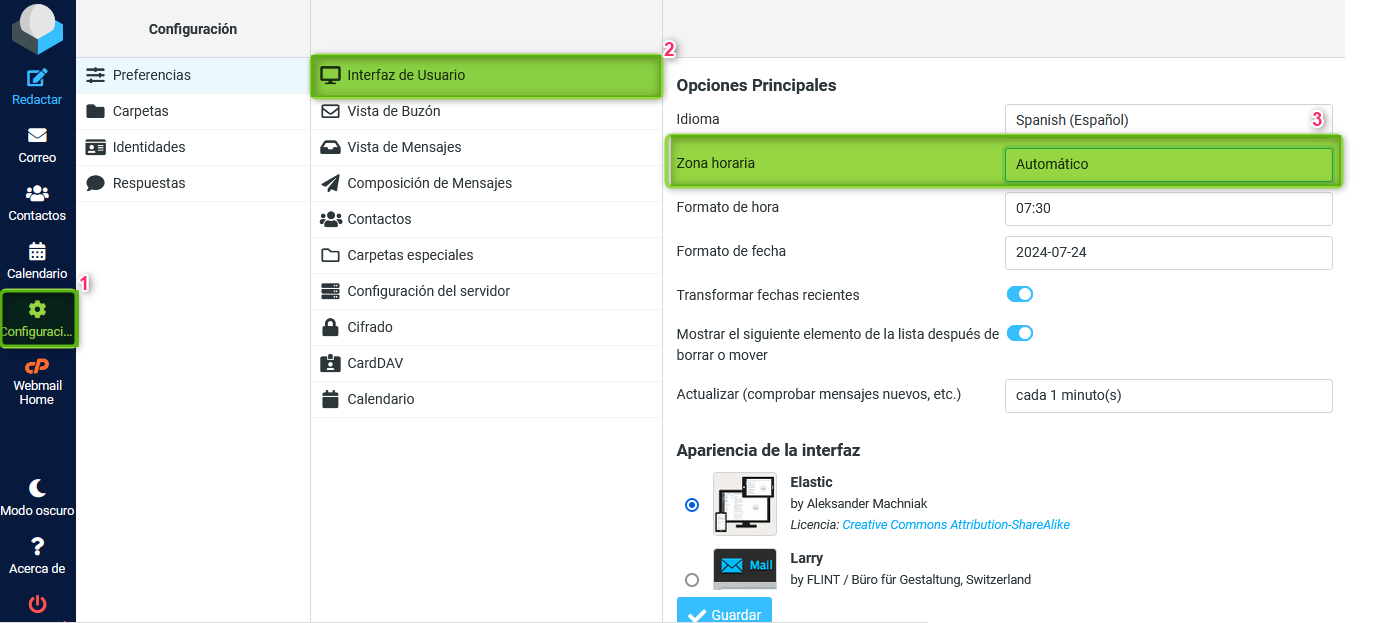
To modify the time zone of your emails it is necessary to perform the following steps after accessing your Webmail:
1 - Go to the left column and click on “Settings”.
2 - Then click on “User Interface”.
3 - In “Time Zone” expand and select the zone you want to set for your mailbox. Save the changes made with the “Save” button.