

How do I modify the configuration of a database?
To modify the parameters of an already created database, follow these steps:
- Go to the Databases area.
- In the database you want to modify, click the yellow pencil icon.
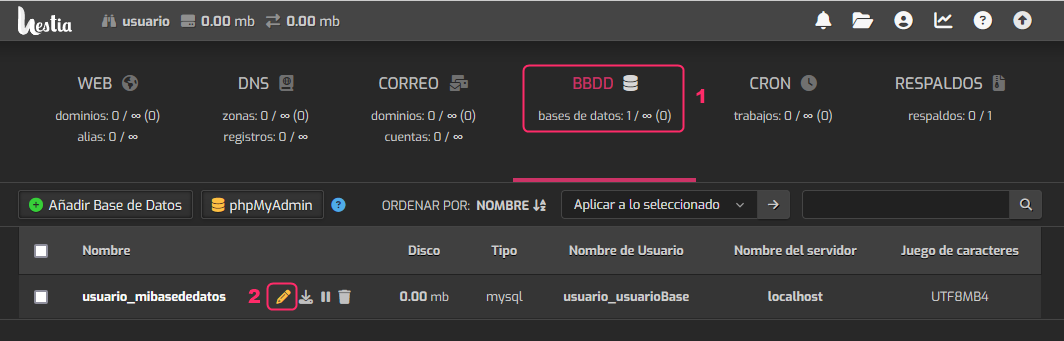
Other useful actions you can perform from this floating menu are:
- You can download the database as a file.
- You can suspend the database.
- You can delete the database.