How to create a domain alias in HestiaCP
To create a domain alias you must follow these steps:
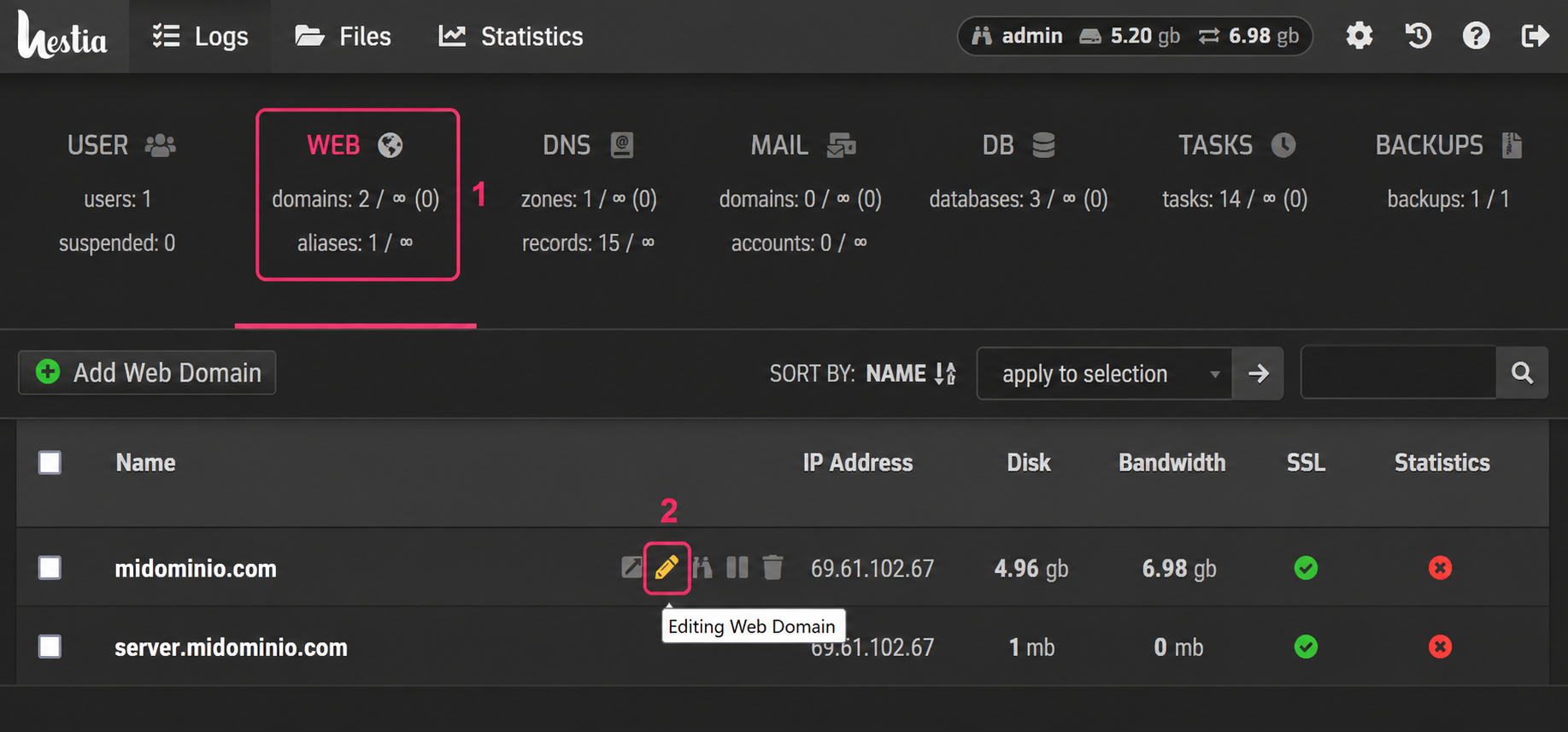
- Go to the WEB section of the control panel.
- For the domain to which you want to add the alias, click the pencil icon.
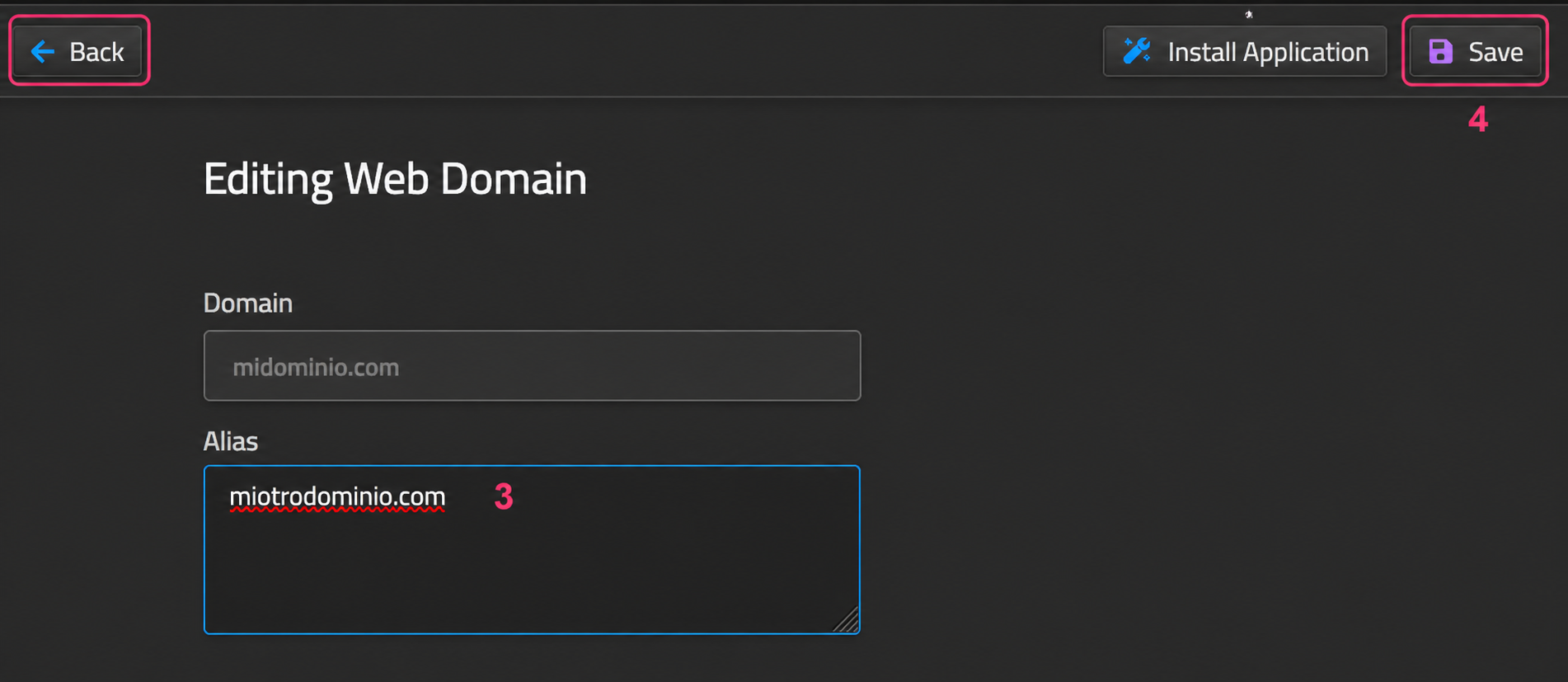
- In the first option, within the account edit, you will see the Alias field. Type the new domain in this field.
- Finally, save the changes with the Save button. You can cancel the operation with the Back button.