Backups
Backups in the Website Editor are managed by the Backup Manager, which captures the state of your site at a given time. While you are actively working in the editor, backups are automatically created every 5 to 10 minutes.
At the end of the day a cleanup process runs that keeps:
- The last copy for each hour during the last 24 hours.
- The last copy for each day during the last 7 days.
- The last copy for each week during the last 52 weeks.
When the limit of 400 copies is reached, the oldest one is deleted. Manually created backups are not deleted because of the time intervals; they are only removed if the maximum number of backups is exceeded, with the oldest manual backup being deleted first.
It is important to note that a backup of a page is created only if changes are made to it within the Website Editor.
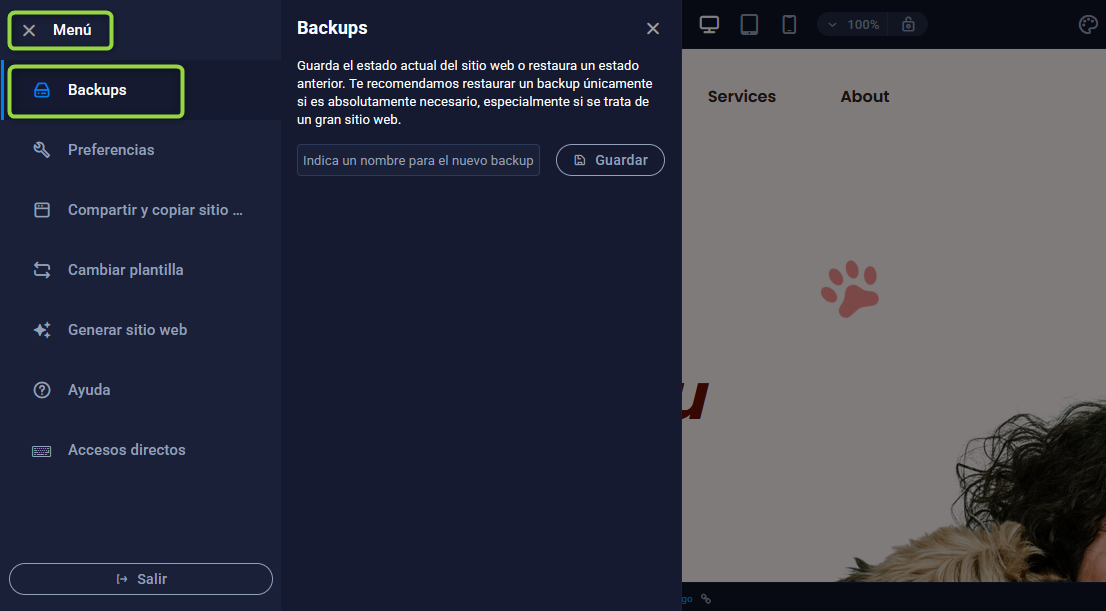
The Backup Manager (Menu ⇒ Backups) is located at the top left of the menu.
Manual backups
If you want to keep a specific version of your website, you can create manual backups and assign them a custom name. To do this, access the Backup Manager and save the version with the name you prefer.
Restoration
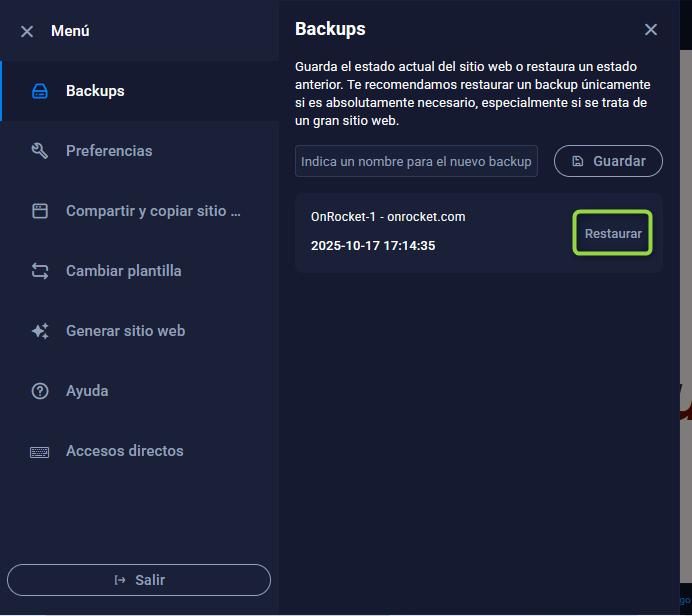
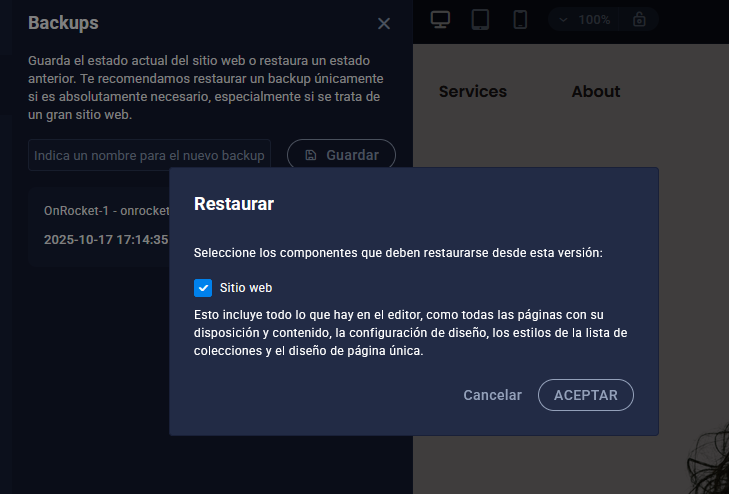
In the same place where the backups are located, you can restore your site using any of the backups generated there.