How do I access the Affiliates and Referrals area?
Did you know you can earn a commission by referring our services?
To join the affiliate program, follow these steps:
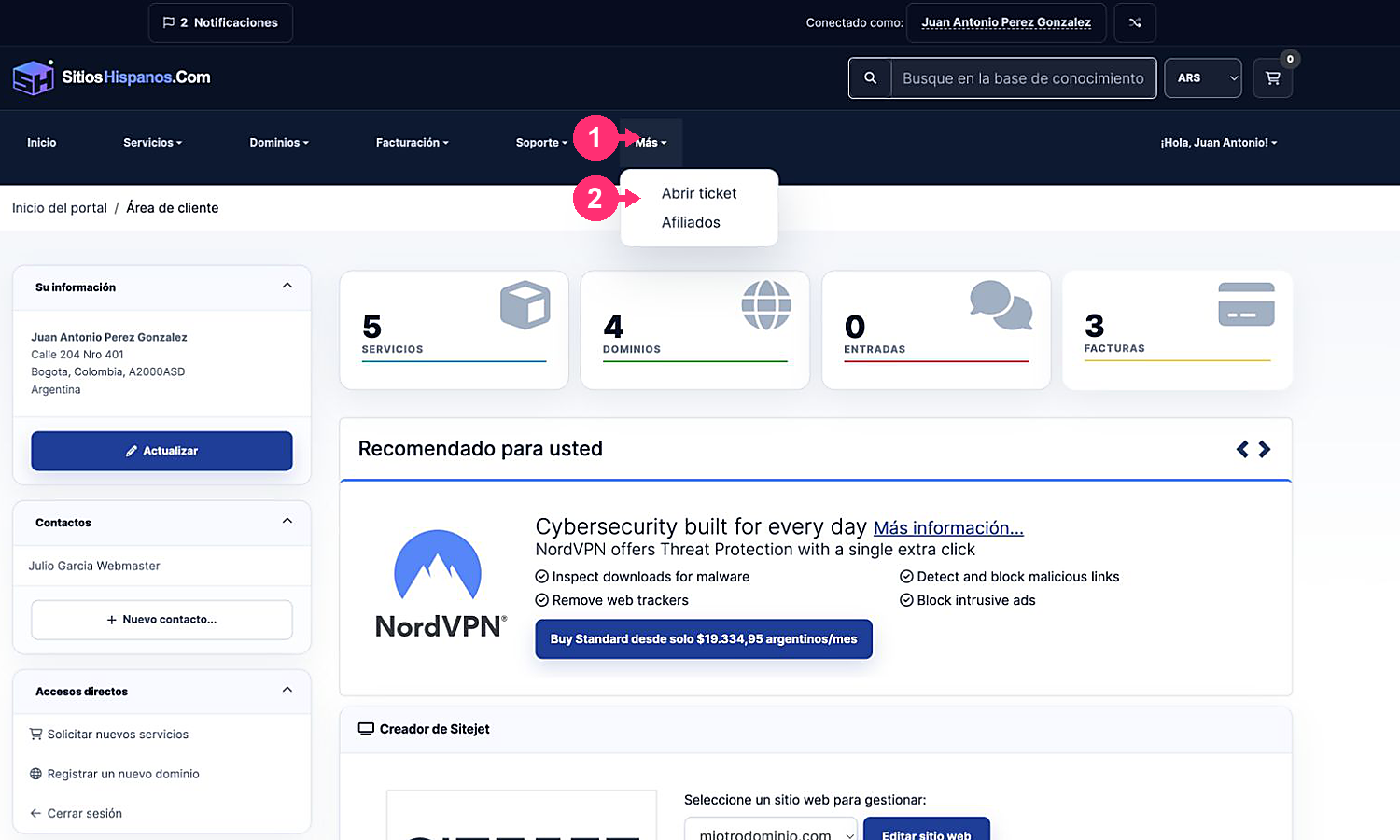
- Access your Client Area. If you don’t remember how to do it, consult How to access the Client Area.
- Open the More menu and select Affiliates.
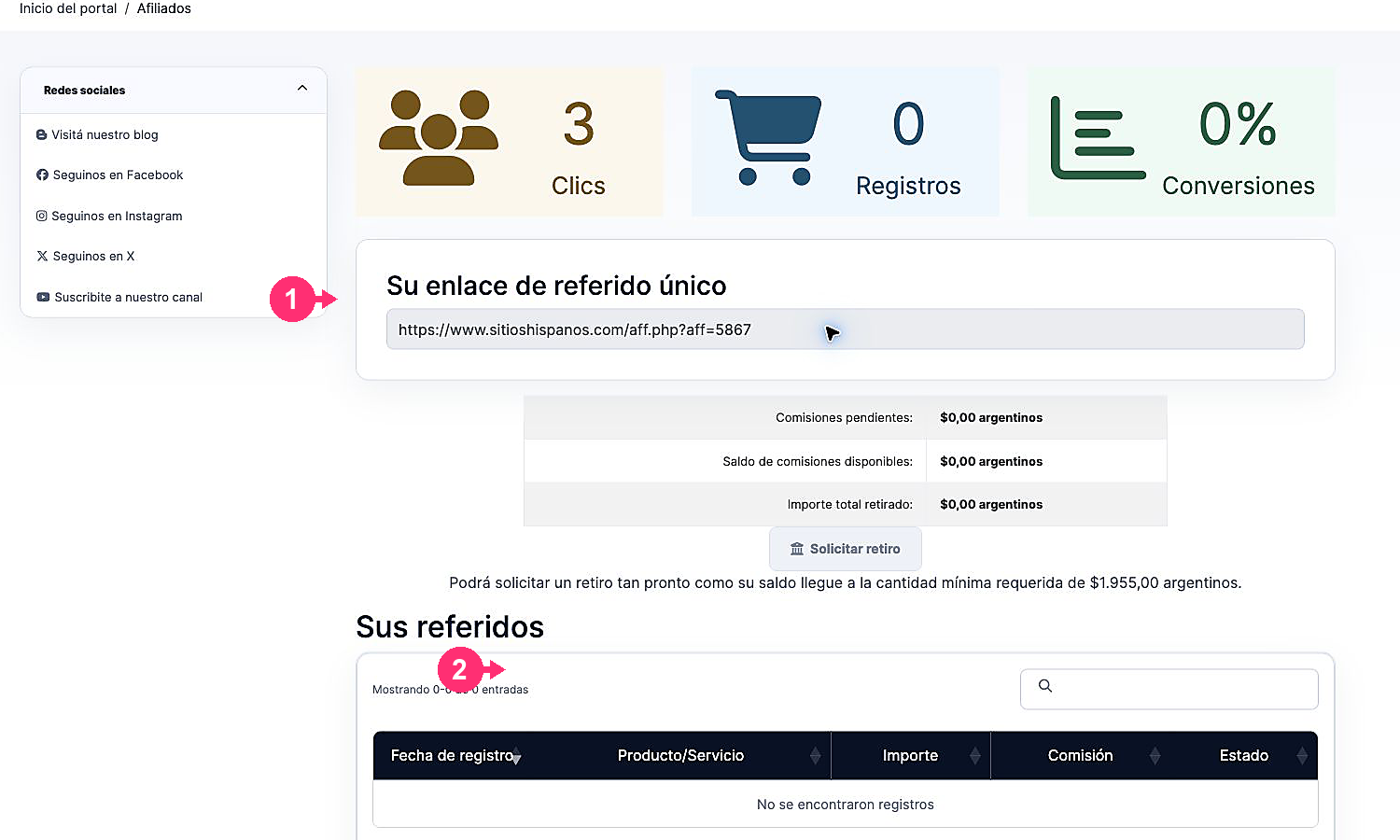
On the affiliates screen you will find:
- Statistics: clicks, registrations and conversions obtained.
- Unique referral link: copy it and share it with potential clients. If a person registers through that link, they will be associated as a referral.
- Commissions: pending amounts, available balance, total withdrawn and minimum amount required to request a withdrawal.
Further down you will see:
- Your referrals: recorded transactions, product, amount, commission and status.
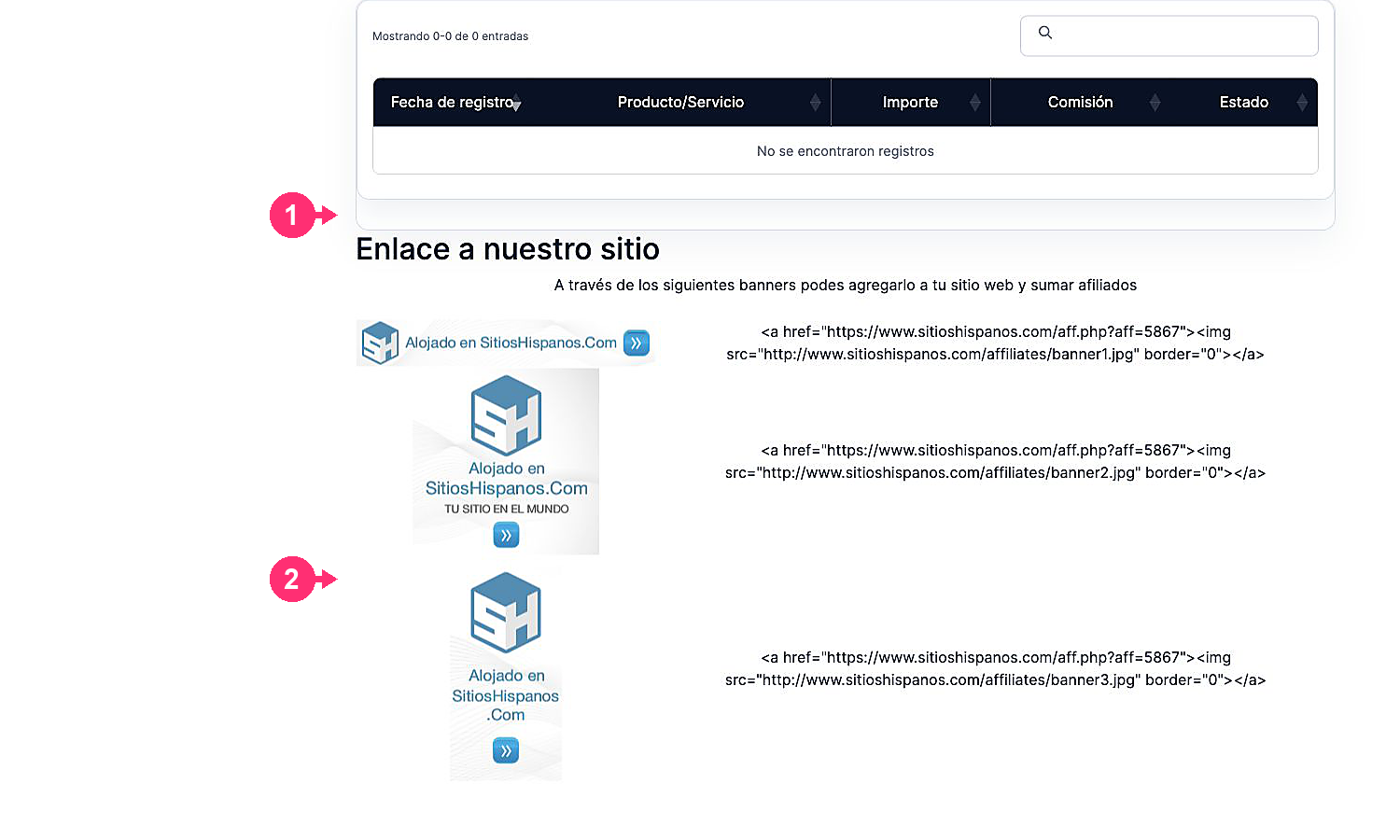
- Banners: images and HTML code to incorporate the affiliate link on your website.