How to configure the anti-spam filter?
Below we'll show you how to activate the Anti-Spam Filter.
By activating the Spam Assassin Anti-Spam Filter you will be able to stop the spam messages you receive in your mailboxes.
Accessing the Anti-Spam Filter
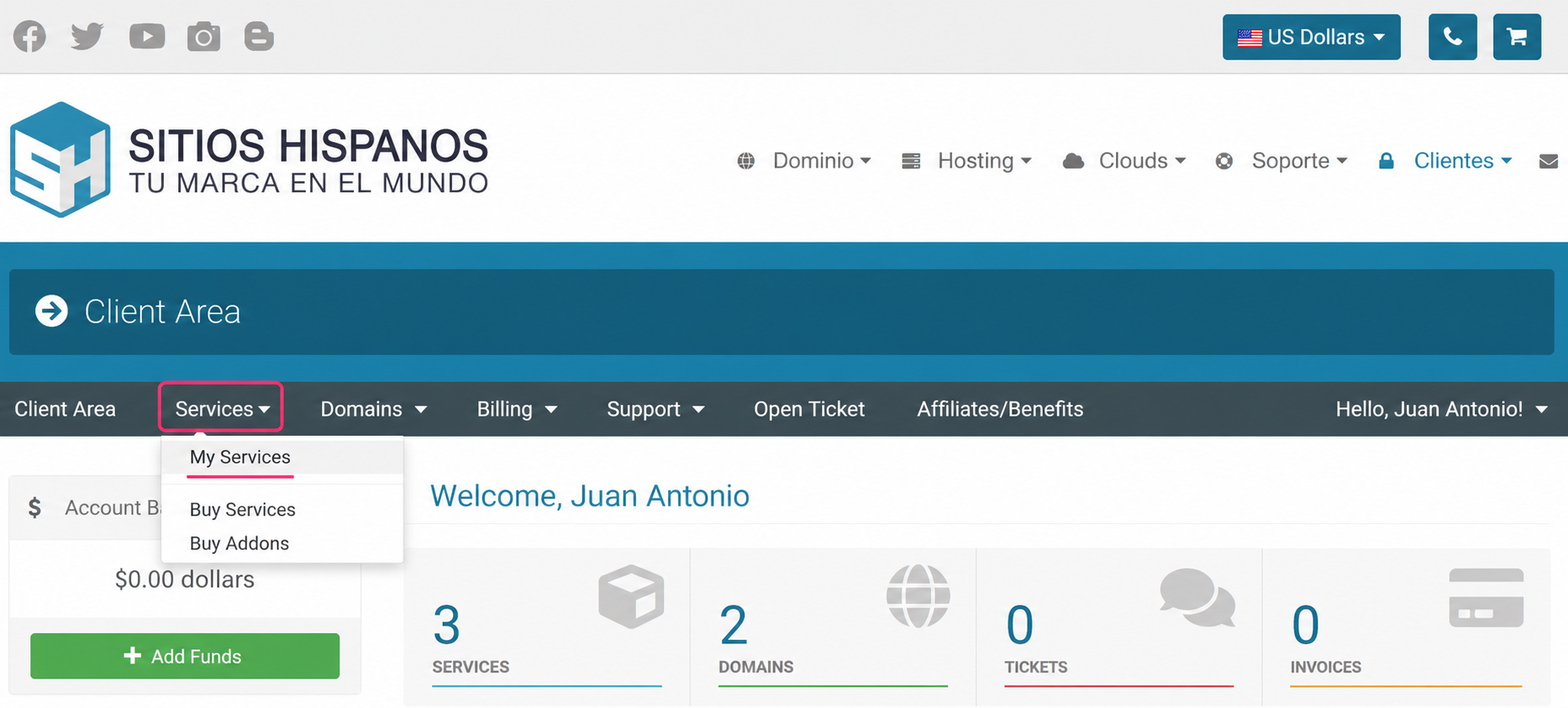
- Go to the Client Area and click on Services, then My Services
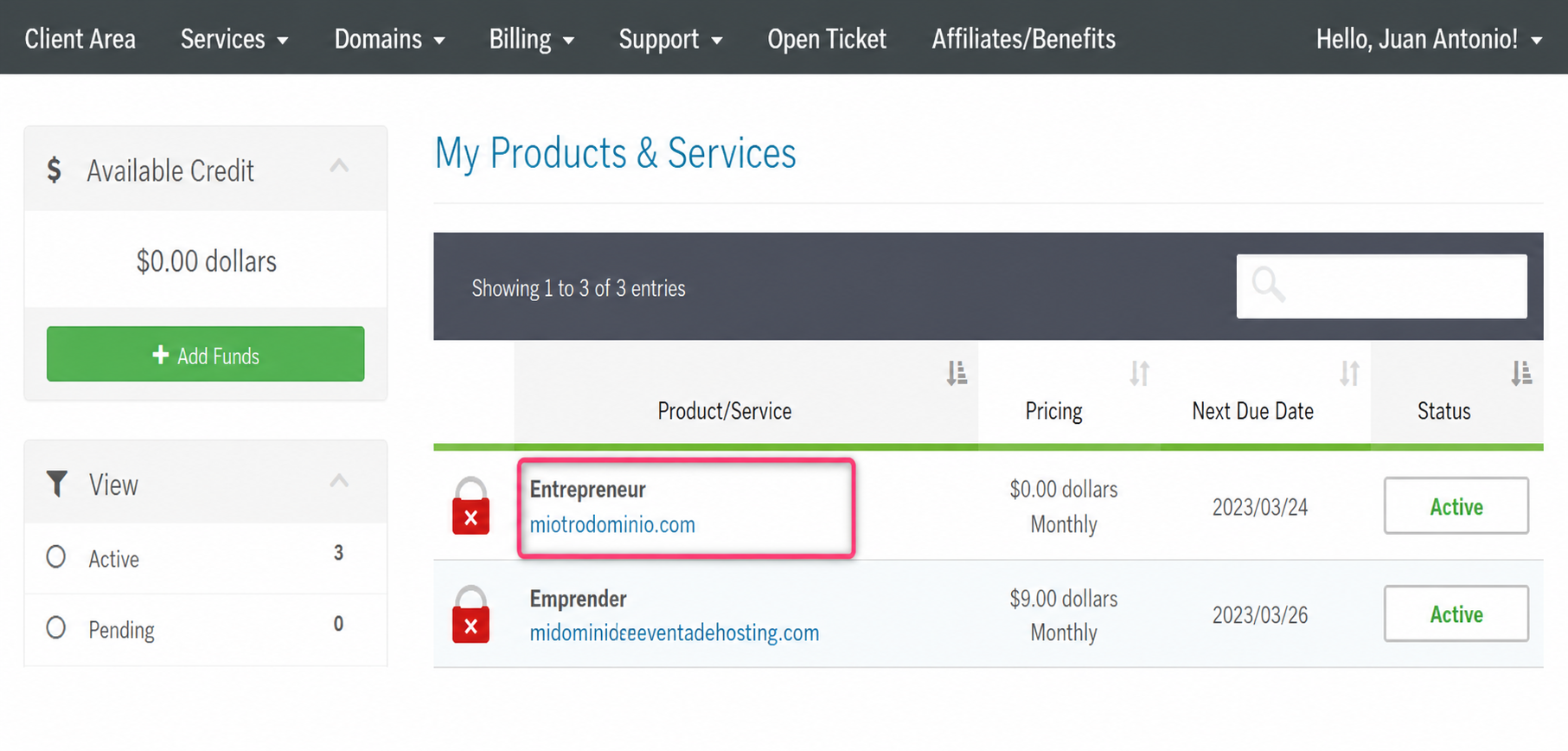
- From the list of hosting plans you have, enter the one where you want to activate the Anti-Spam Filter.
- On the new screen you will see, in the Actions box on the left, the option to enter the cPanel control panel. You will also see, in the central Technical Information box, the direct access to the panel from your browser.
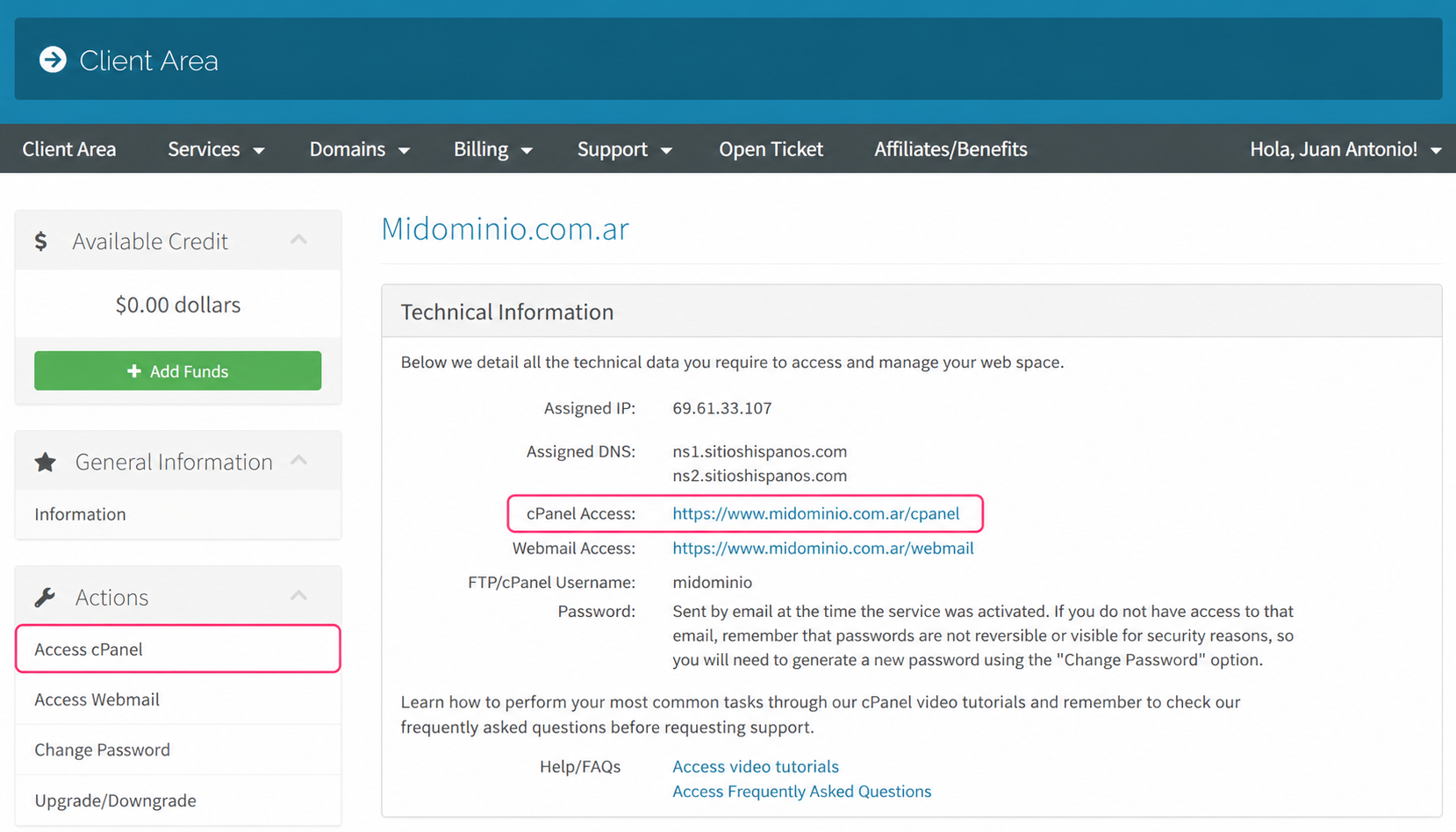
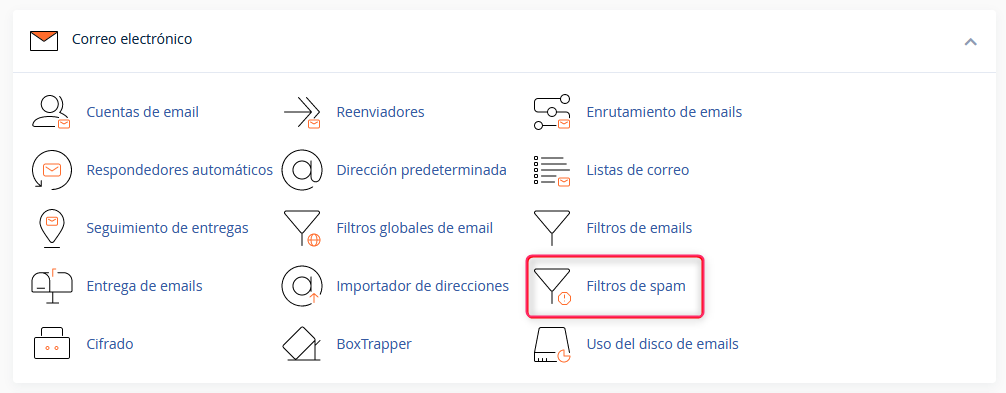
- Once in the cPanel control panel, go to Spam Filters, in the Email box
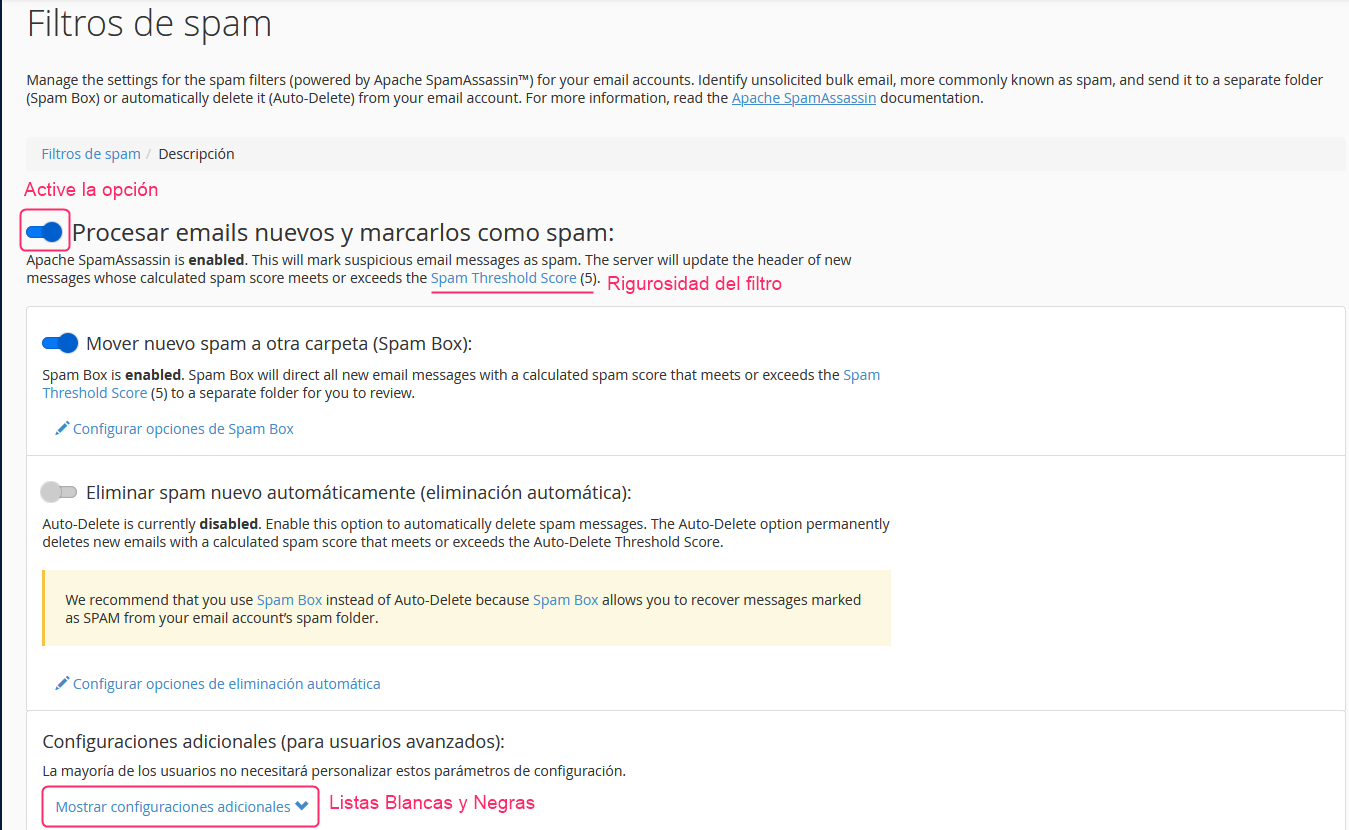
- First, enable the options that interest you for your filter. You will see three options:
Process new emails and tag them as spam:
This option is the filter itself. You must enable it for the other options to be processed.
Move new spam to another folder (Spam Box):
This option will create a spam folder in your mailboxes. Detected spam will be moved to this folder automatically.
Automatically delete new spam (automatic deletion):
This option will automatically delete emails detected as spam. It is recommended to set a higher strictness for it than for the normal filter.
Spam Threshold Score
In these options that the Anti-Spam Filter has you will see a link called Spam Threshold Score with a given value.
This is the strictness of the filter. It is recommended to set a value of 8 for a not-too-strict filter or a value of 5, which will make it a bit stricter. It is not recommended to lower it below 4 or it could filter legitimate mails.
Manage Whitelists and Blacklists
Below the main options of the Anti-Spam Filter you will find an option called Show additional settings.
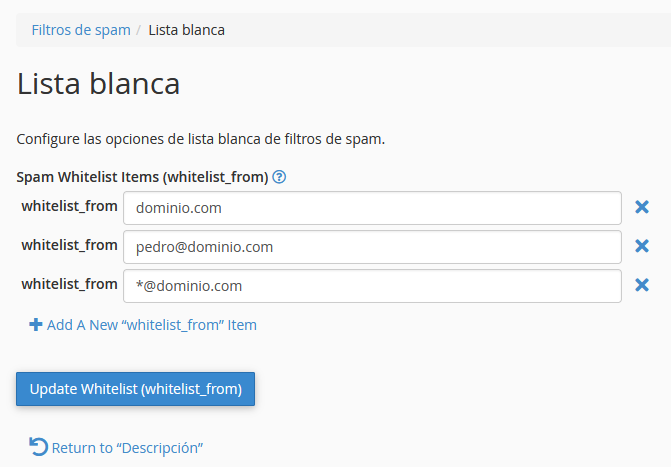
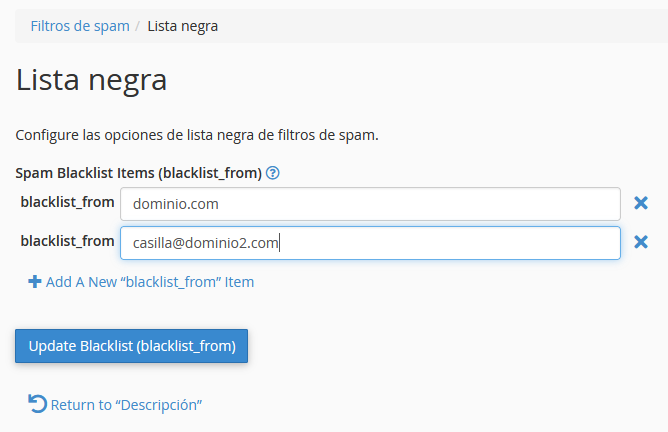
This option will open the manager for Whitelists and Blacklists.
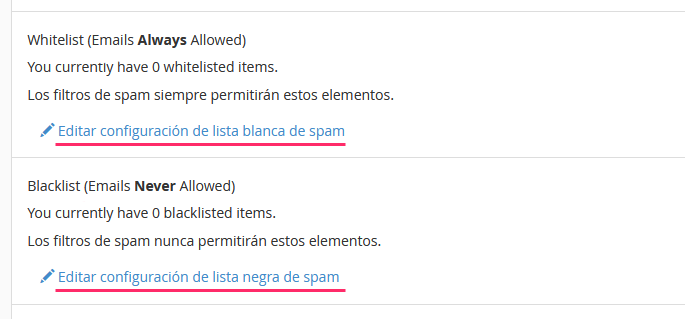
Inside each list type you can define domains or email addresses that you always want to accept or block. This way, you will ensure that certain emails always arrive or are always blocked by the Anti-Spam Filter.