

How to modify the DNS Zone of an account?
In this WHM instance you can make changes to the DNS zone of your domains without needing to access cPanel.
After logging into WHM, go to “DNS Functions” => “DNS Zone Manager”.
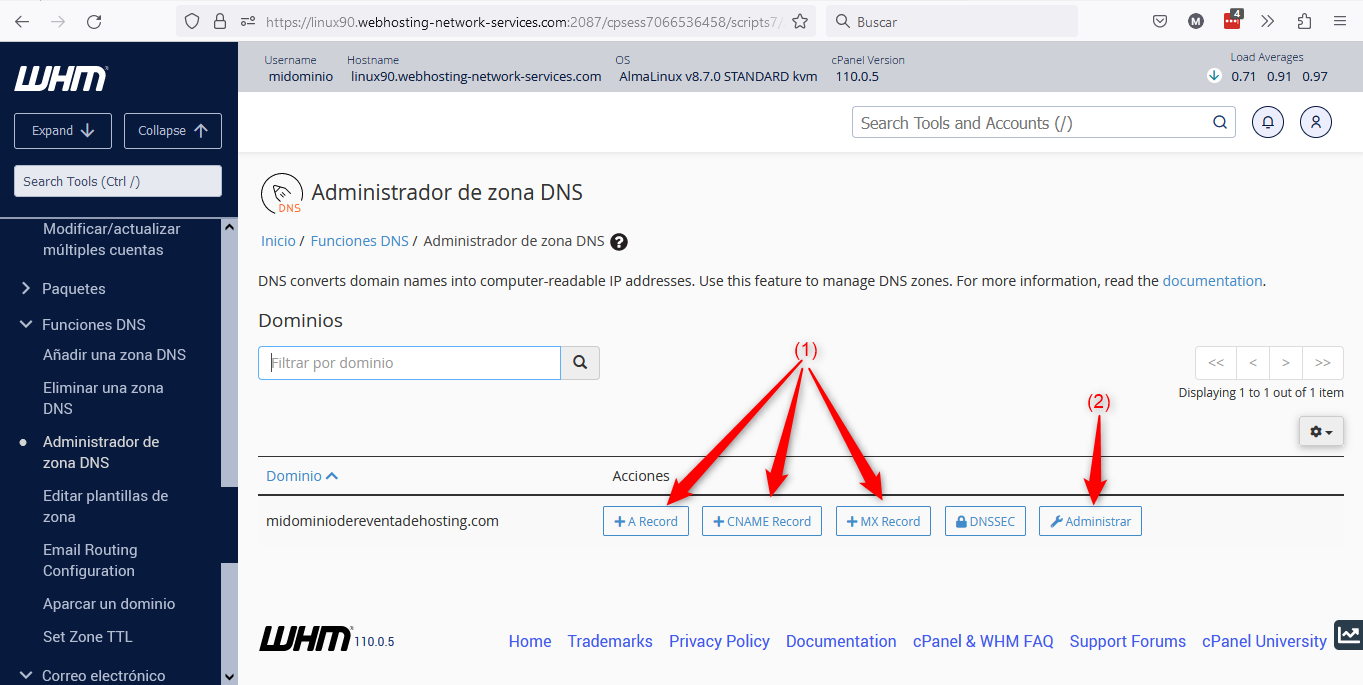
Below we explain the points marked in the image:
(1) => Using these buttons you can create records in the domain’s zone without needing to access the zone itself. They allow you to create A, CNAME and MX records quickly. Clicking any of these buttons will open a window like the one shown in the image below:
 (2).png)
(2) => If you click that button, you will access the DNS zone editing screen for the domain in question.
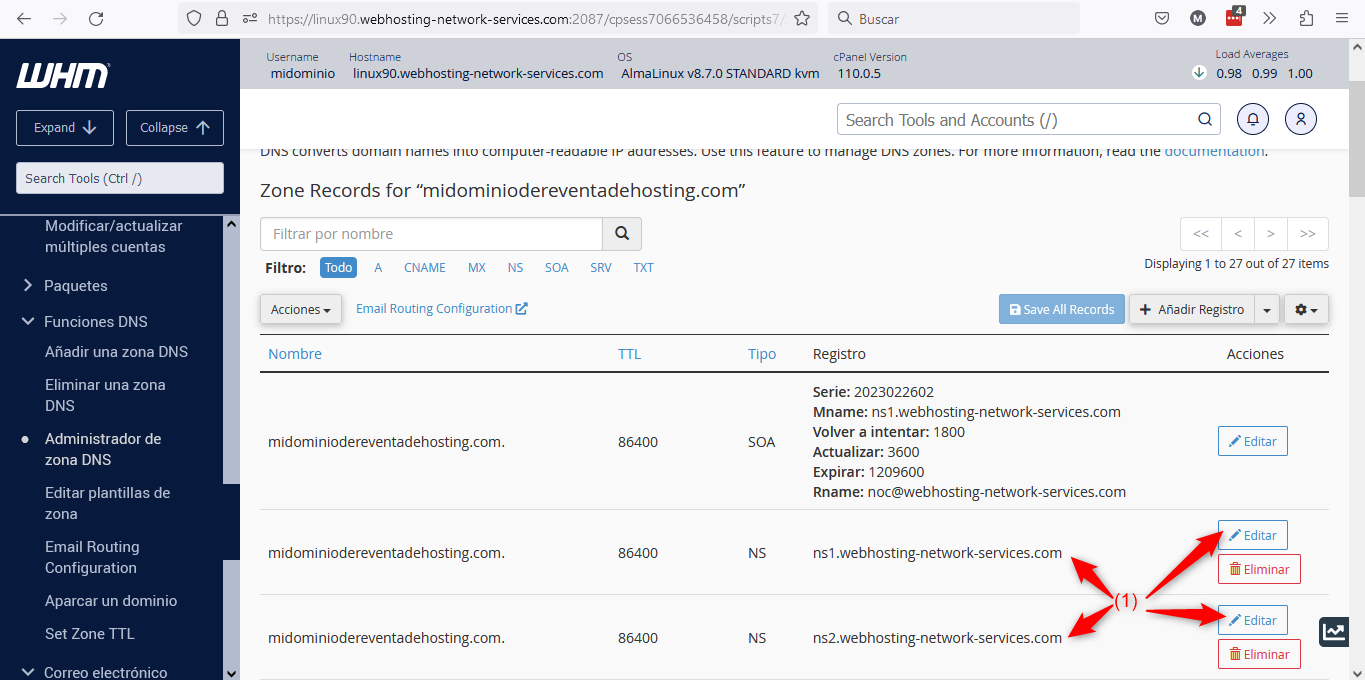
Here you can create new records or edit existing ones.
One feature that is not present in the DNS zone within cPanel is that here you can edit the DNS or NameServers used by the domain, as shown in point (1) of the image above.