How to generate Backups in cPanel?
- To generate or download backups of your account go to Backups, in the Files section.
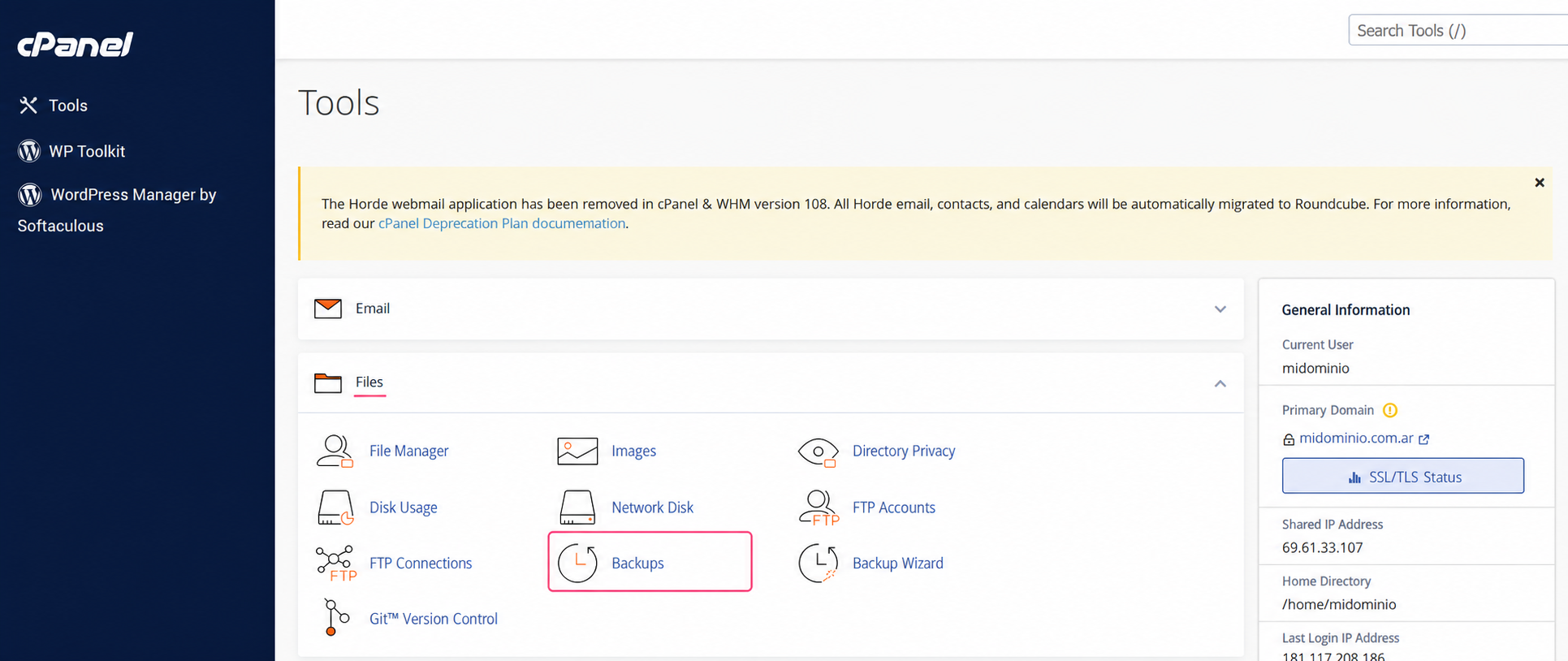
- You will see several options to generate or download different types of backups for different services (the website, databases, email forwarders, etc).
Full Backup
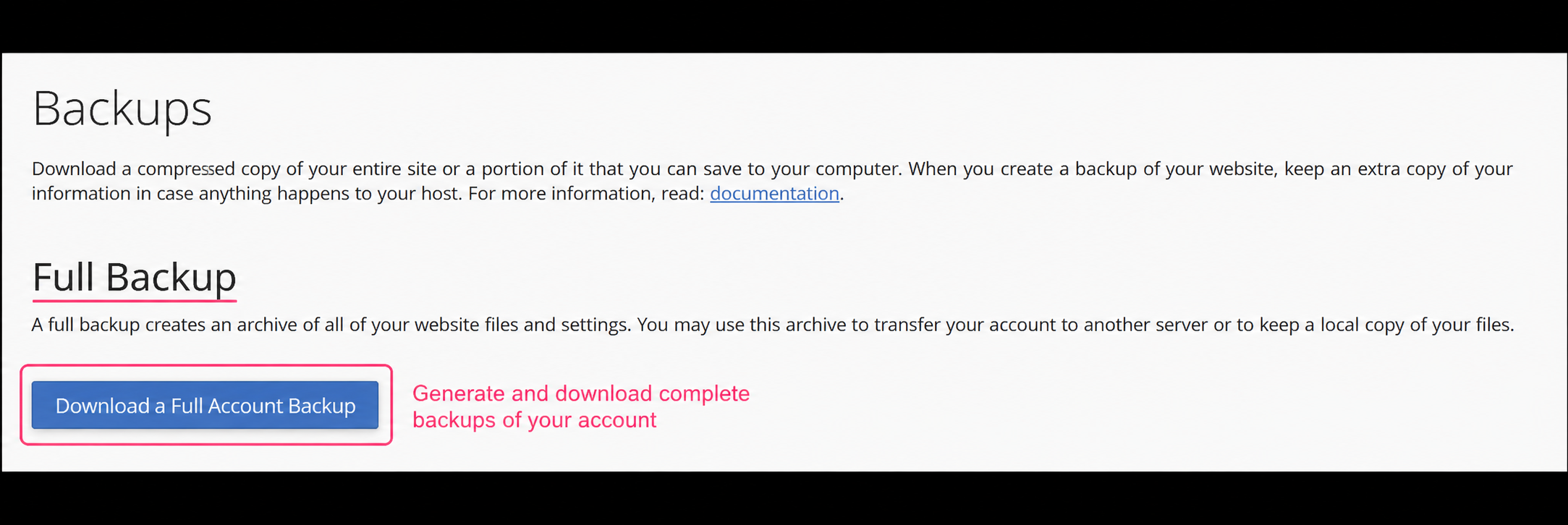
With the Download a Full Account Backup button you can generate and download a complete backup of your entire account. This type of backup can be used to restore your entire account to the state it was in when the backup was created.
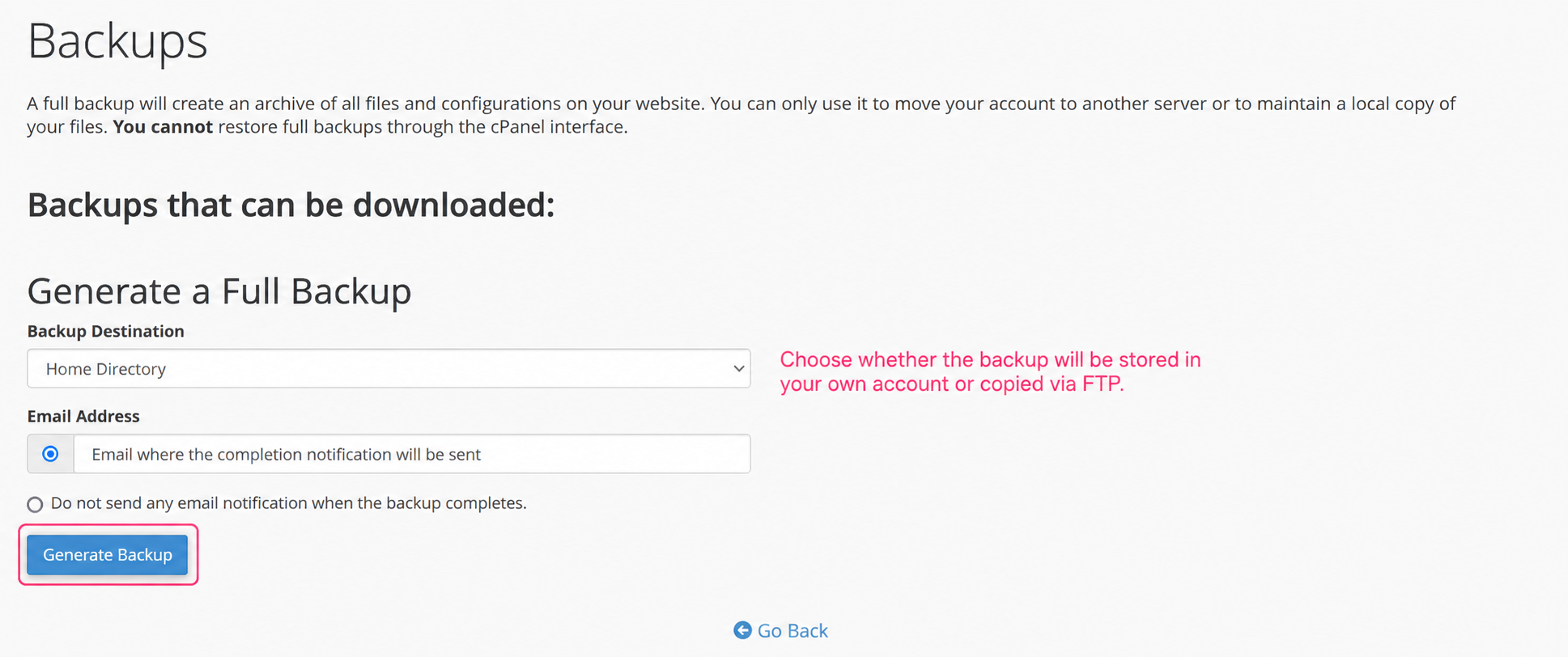
If you enter the option to generate a Full Backup you will see a screen where it will ask where to generate the backup, either in your account Home, or to send it via FTP.
Below it will ask for an email address to send the notification that the backup has completed.
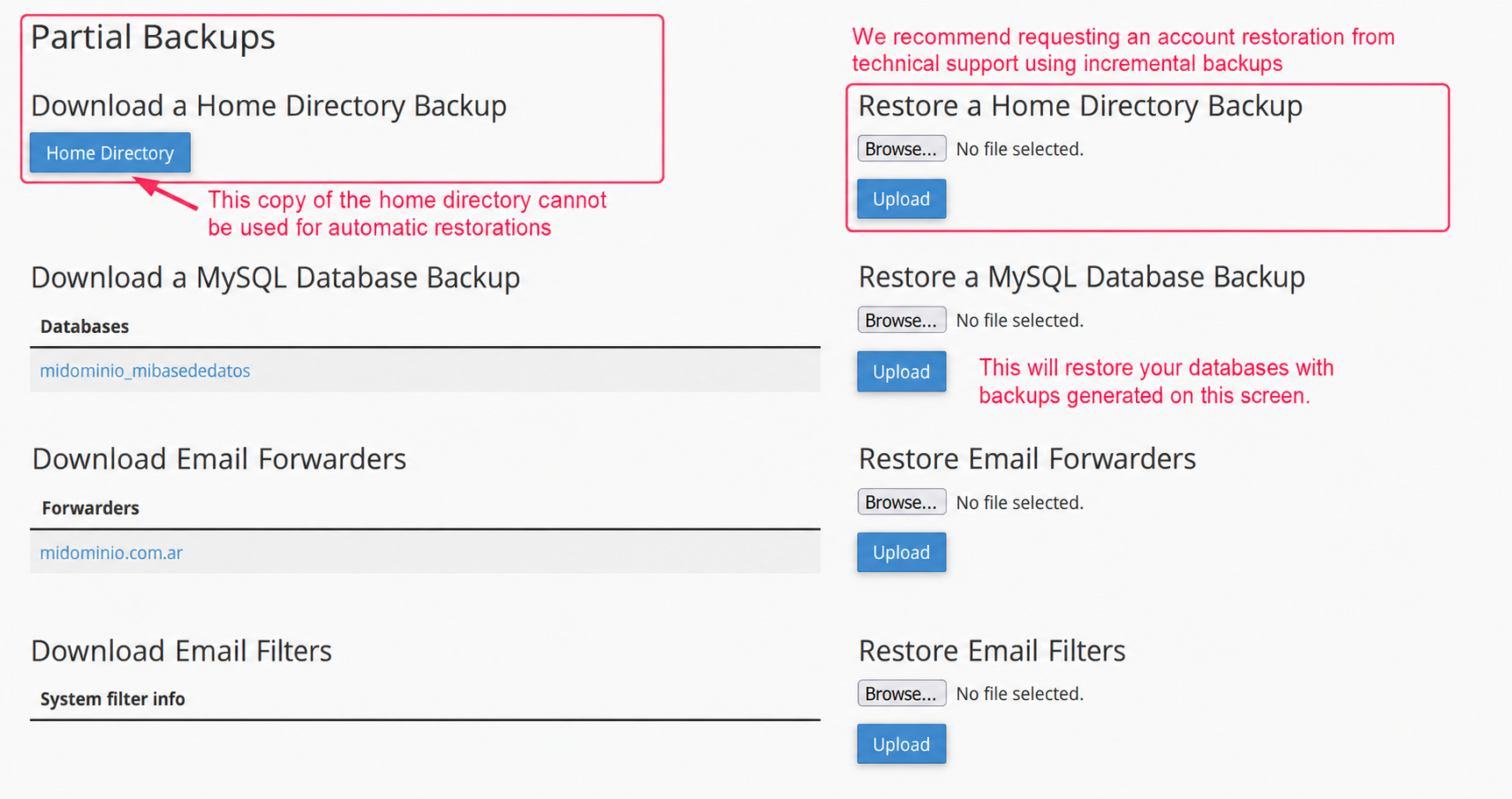
Continuing with the main Backups options you will see several options:
- You can generate a backup of your account with the Home Directory button. These backups are only for downloading the files to a PC or device.
- From the Download a MySQL Database Backup option you can download a backup of your databases. By clicking the name of your database you can download it in .sql format.
- On the right, in the Restore a MySQL Database Backup option, you can restore a database from a generated backup.