

How to access the cPanel Control Panel?
You can enter cPanel automatically from the Client Area or use the direct address with your technical credentials.
Log in from your Client Area
-
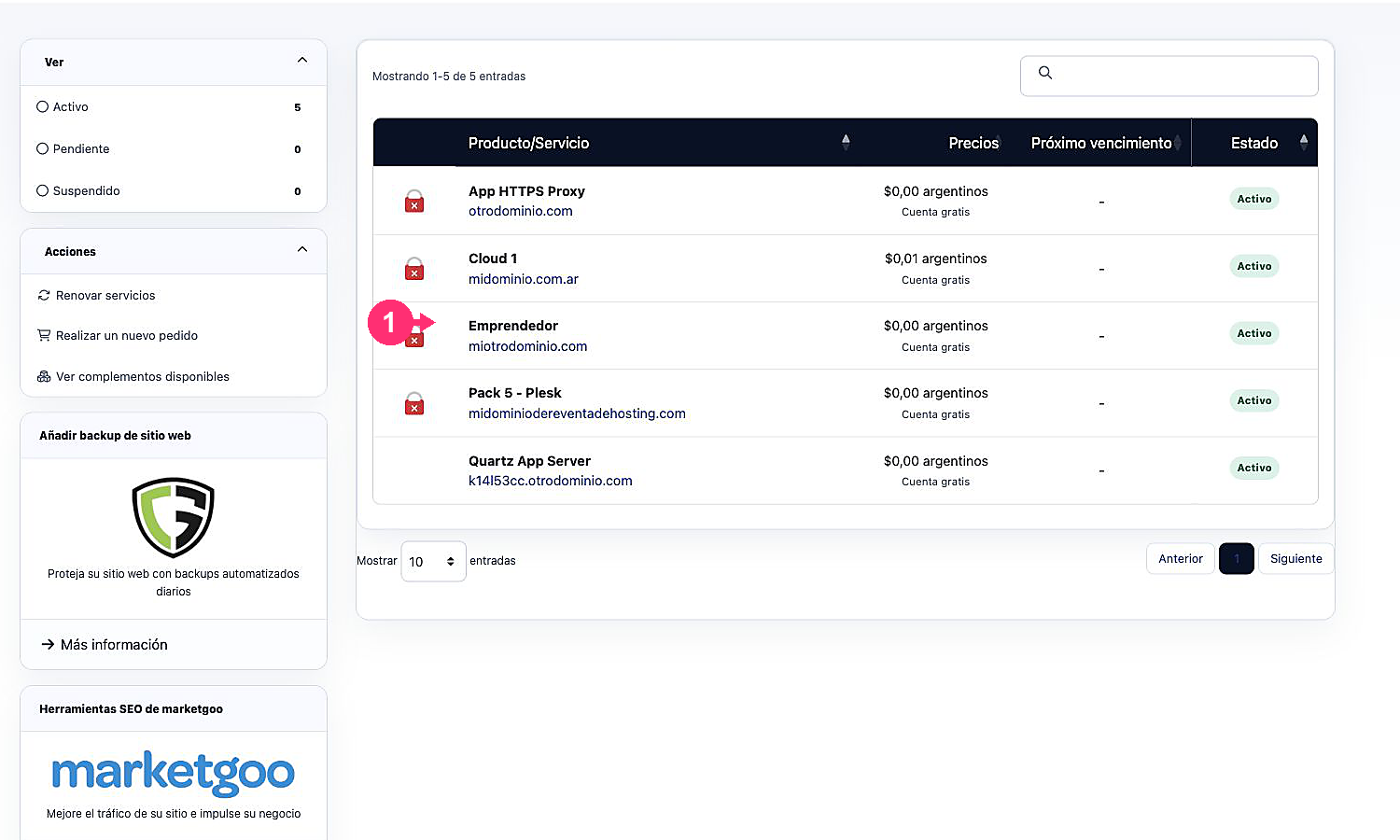
Log in to your Client Area and click Services, then My Services.
-
From the list of hosting plans you have, click on the plan whose control panel you want to access.
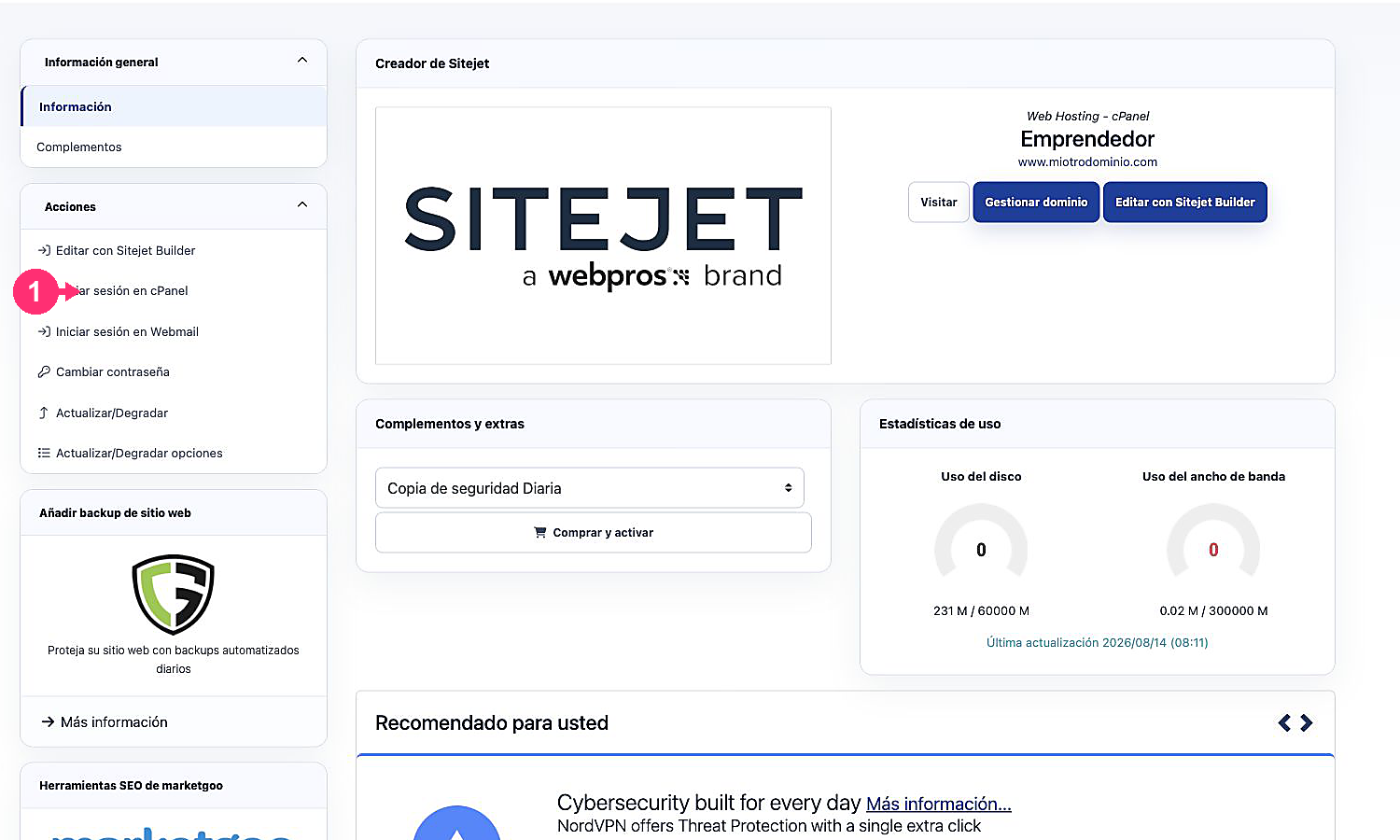
- Under Actions, click Log in to cPanel. This access uses automatic login and does not show the password.
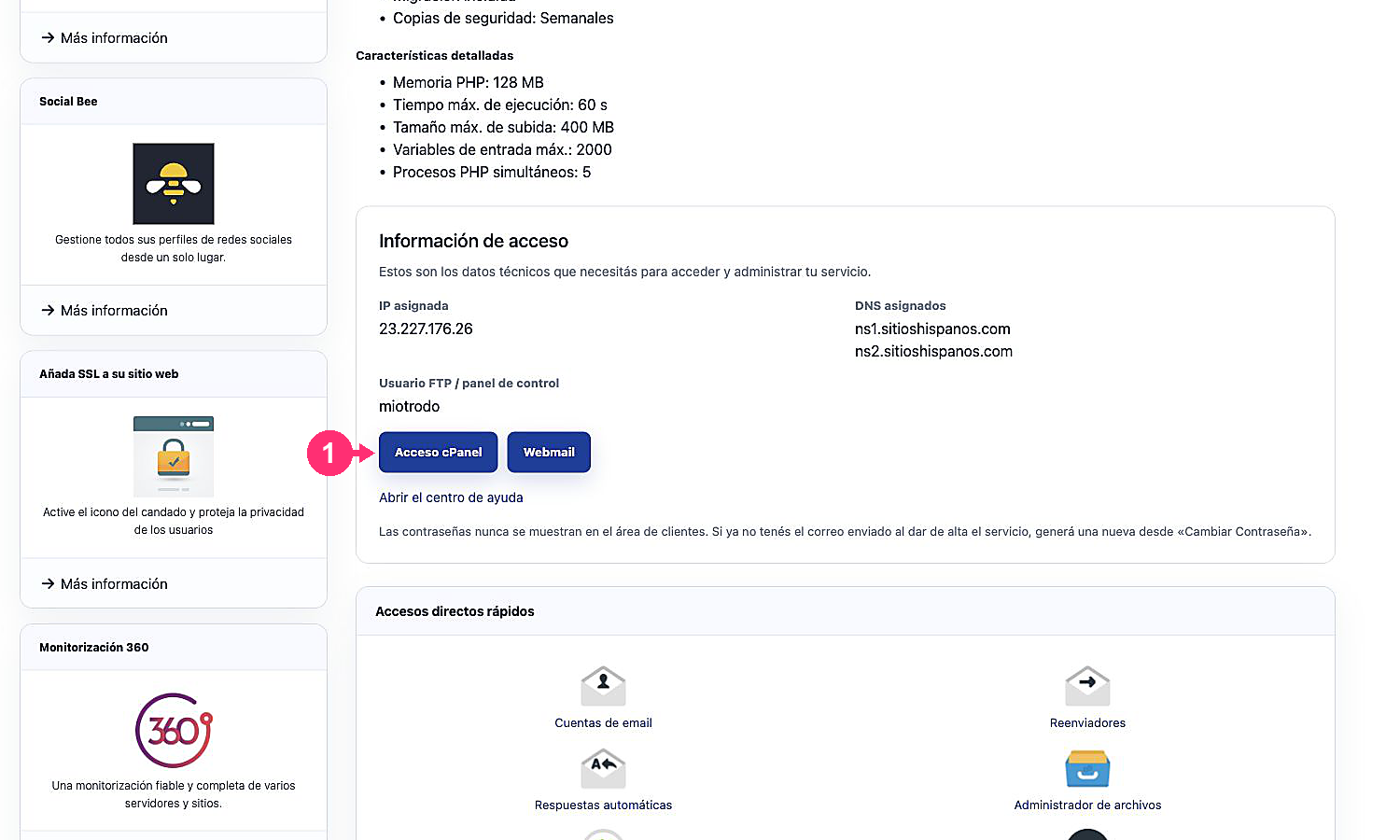
- In Access information you will also find the technical username and the cPanel Access button. This button opens the direct address of the panel and may request the cPanel credentials.
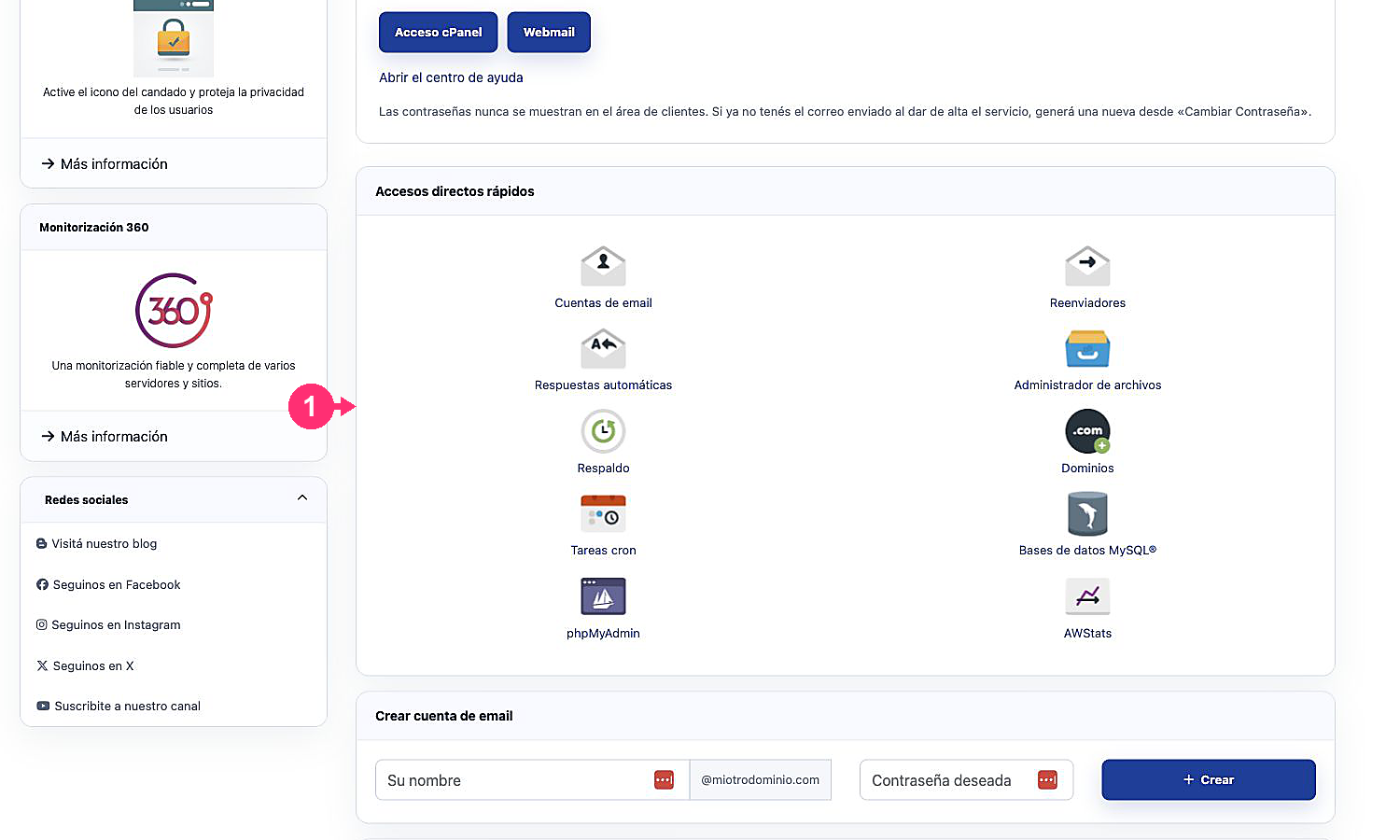
- Further down, Quick access shortcuts allows you to open specific cPanel tools without navigating through the full panel.
Log in directly from the browser
If you have the cPanel username and password you can log in directly from your browser.
You can enter any of these three web addresses:
- [midominio.com]/cpanel
- [midominio.com]:2083
- [midominio.com]:2082