How to configure automatic email responses?
Automatic responses or an auto-responder are configured from the control panel.
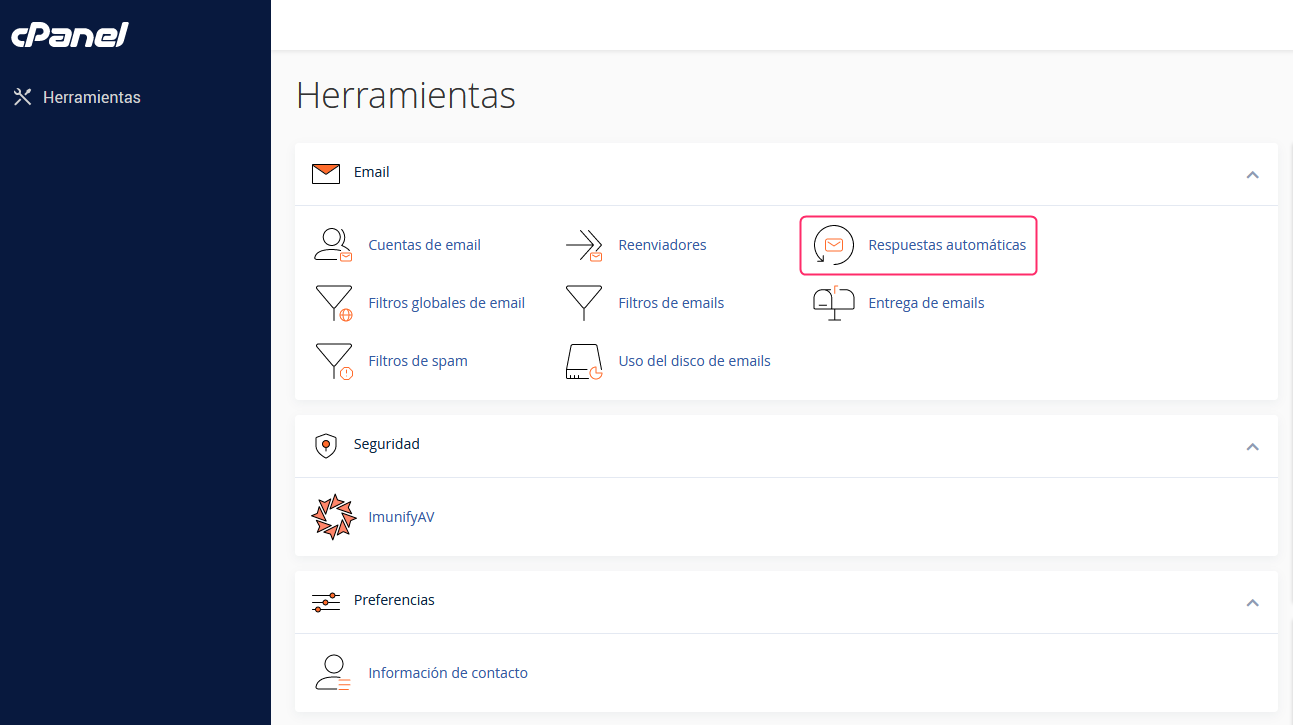
- In the control panel cPanel, go to Autoresponders, in the Email section.
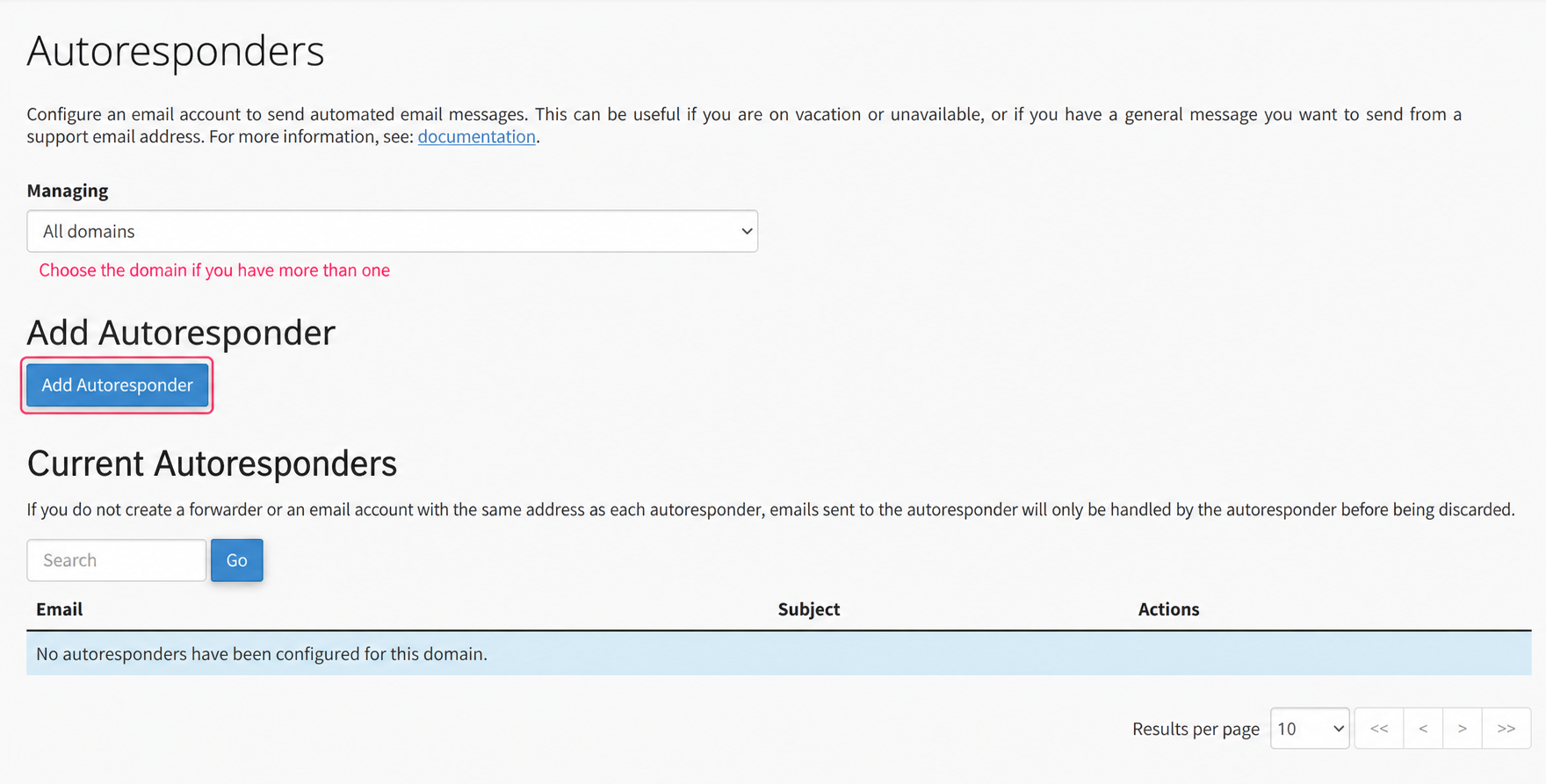
- First, choose the domain for which you will generate the Autoresponses, under Managing. Then click Add Autoresponder to create it.
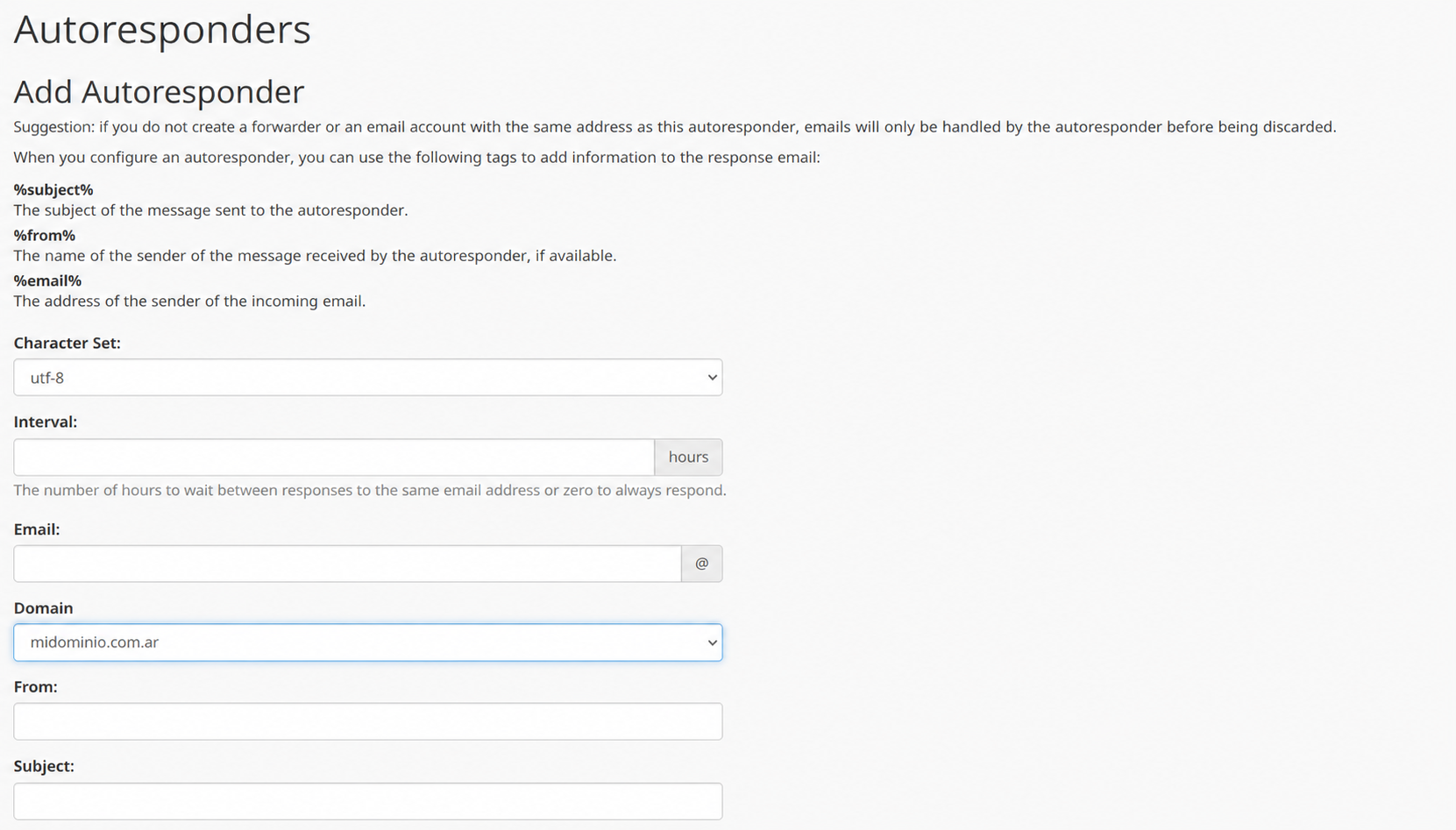
- The Autoresponder configuration is quite simple. The form will ask for the email account that will generate the autoresponses, the sender’s name, the subject, and the body of the message to send.
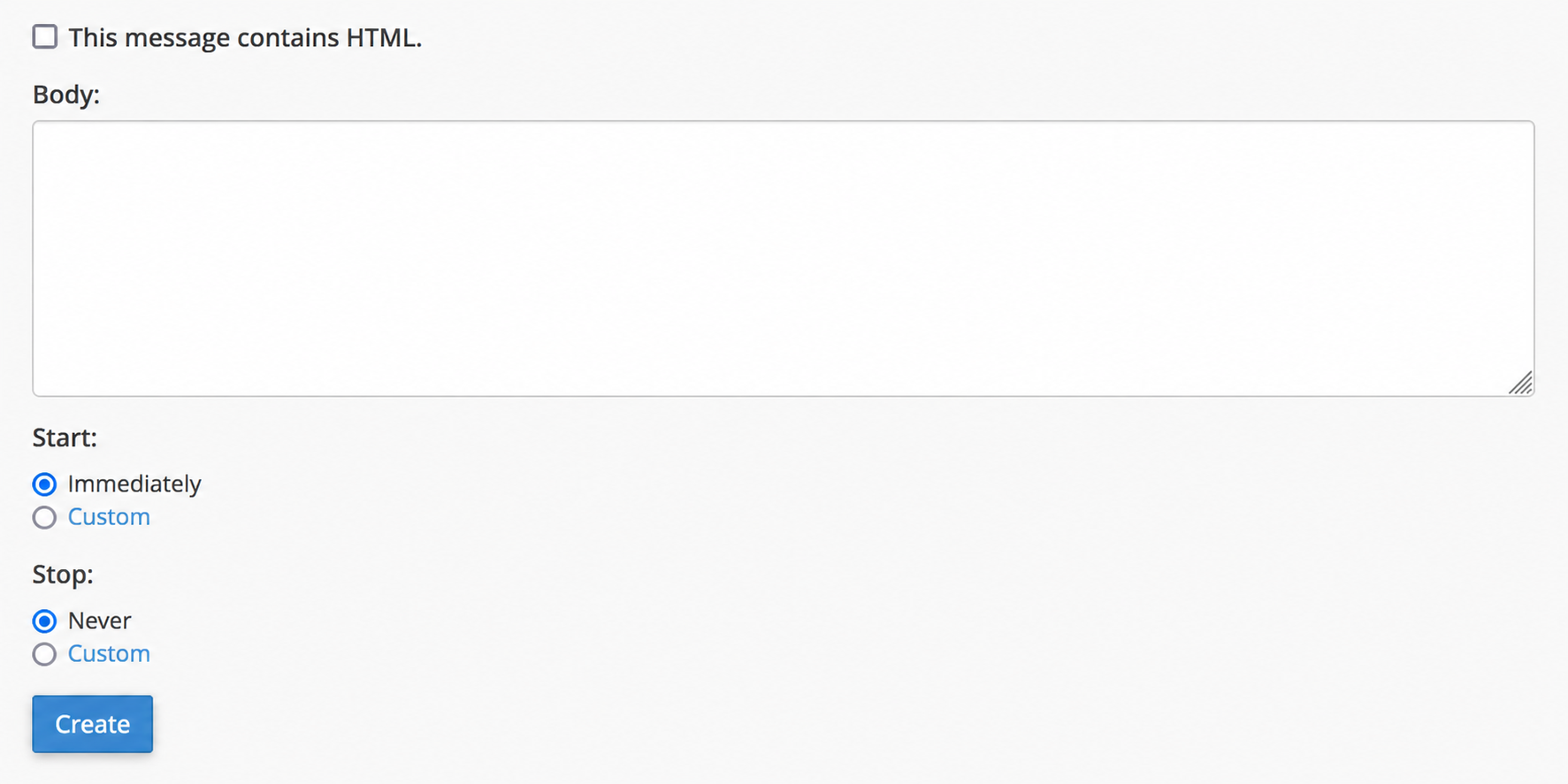
- You can configure when the Autoresponses will be activated and when they will end. You can set this in the Start and Stop options.
- Finally, click the Create button and the autoresponder will be created.