

How do I create backups of my accounts?
To create backups of an account, follow these steps:
- Go to the BACKUPS area.
- You will see the list of already generated backups and their information, such as the space they occupy and when they were generated.
- Using the Create Backup button, you can create a new backup for an account.
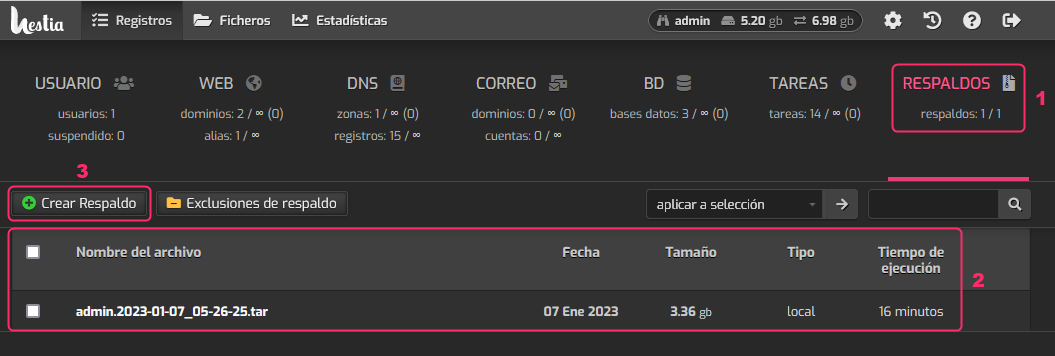
When the backup finishes generating it will appear in the list as shown in item 2.