How do I create a DNS zone for a domain?
To create a DNS Zone follow these steps:
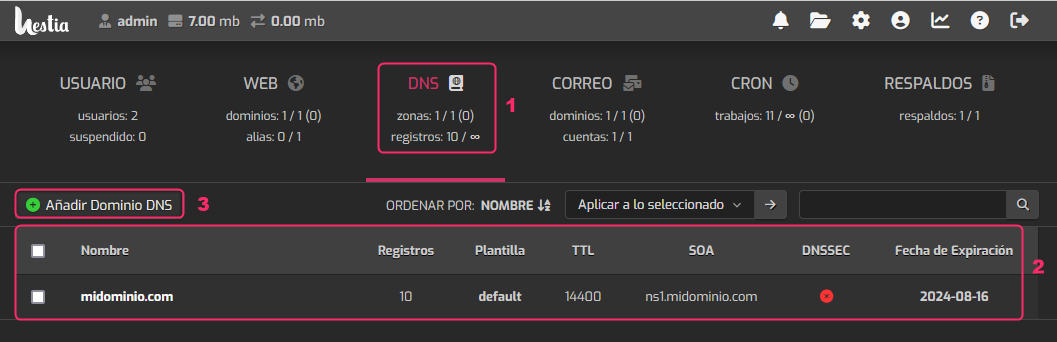
- Go to the DNS area.
- You will see the list of existing DNS Zones. In this case, one was created for midominio.com.
- Press the Add DNS Domain button to add a new DNS zone for a domain.
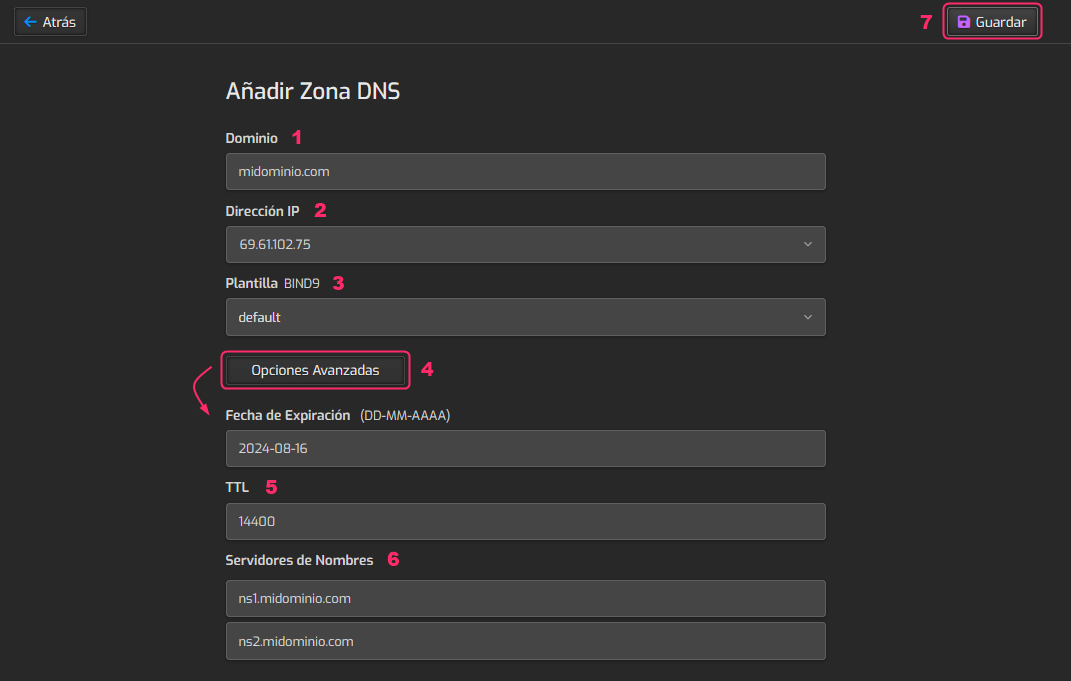
The information the system will ask for is the following:
- First, enter the domain for the DNS Zone.
- The IP address is that of your server.
- The template should remain default.
- You could save the DNS zone with the Save button in step 7, but clicking the Advanced Options button will reveal additional options that may be useful.
- The TTL can be changed to a lower value, such as 600 or 300.
- At this point you can define the domain’s DNS in the configured DNS Zone.
- When you have everything configured, save the changes with the Save button.