How do I modify my mailboxes?
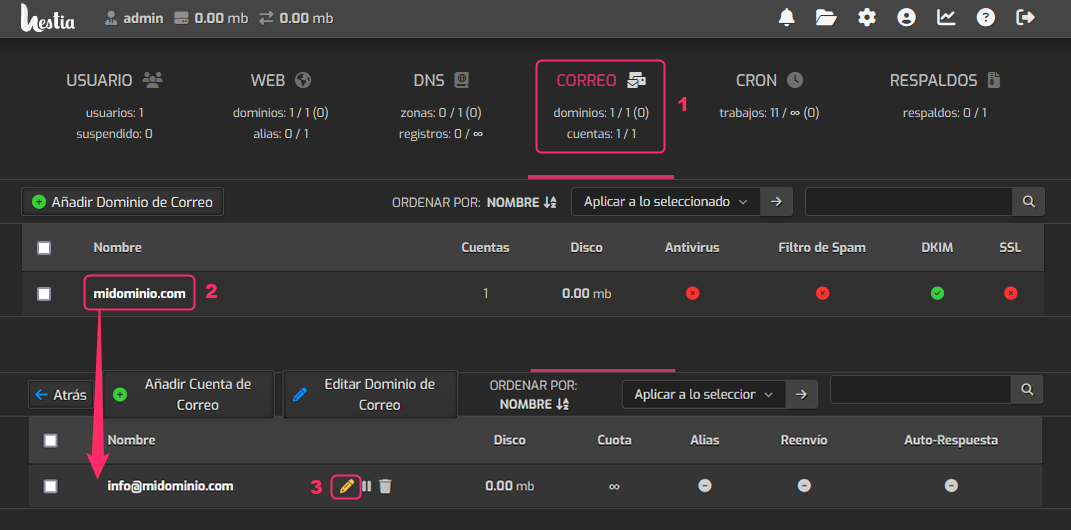
If you have a mailbox created and want to modify any of its parameters, such as its password, the limit of mails per hour, etc., you can do so by following these steps:
- Go to the MAIL area.
- Click the domain of the mailbox you want to modify.
- You will see the list of created mailboxes. On the right, click the pencil icon.