

How to configure DKIM and SPF authentications?
DKIM and SPF authentications are configured from the control panel.
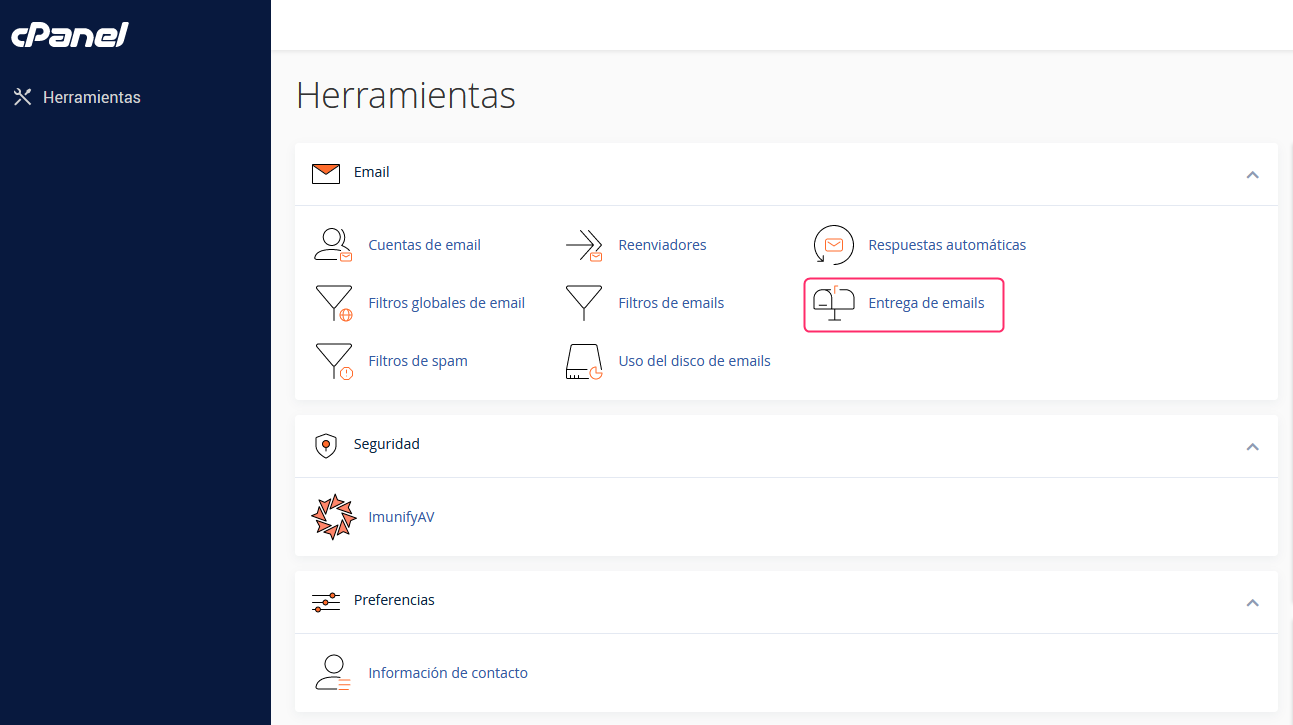
- In the cPanel control panel go to Email Delivery, in the Email box.
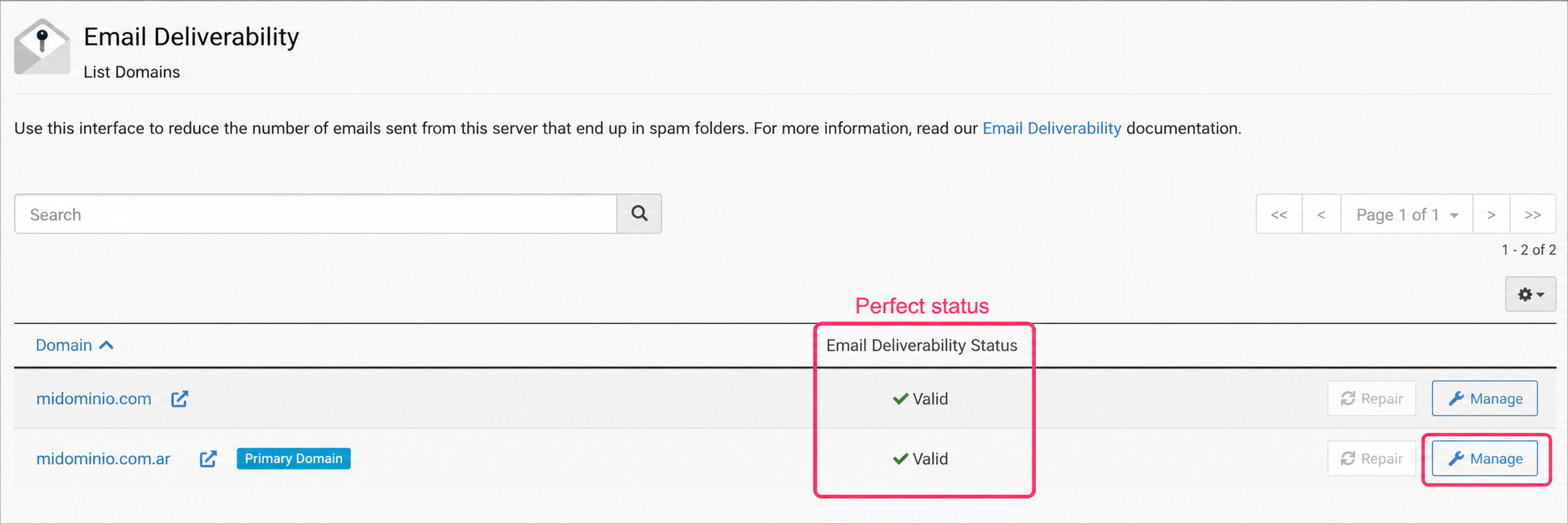
- Upon entering the email authentication settings screen you will see their status. The server will attempt to install the DKIM and SPF authentications automatically.
If the DKIM and SPF authentications are installed correctly, the status will show as Valid.
You can always modify the DKIM and SPF records from the Manage button on the right.
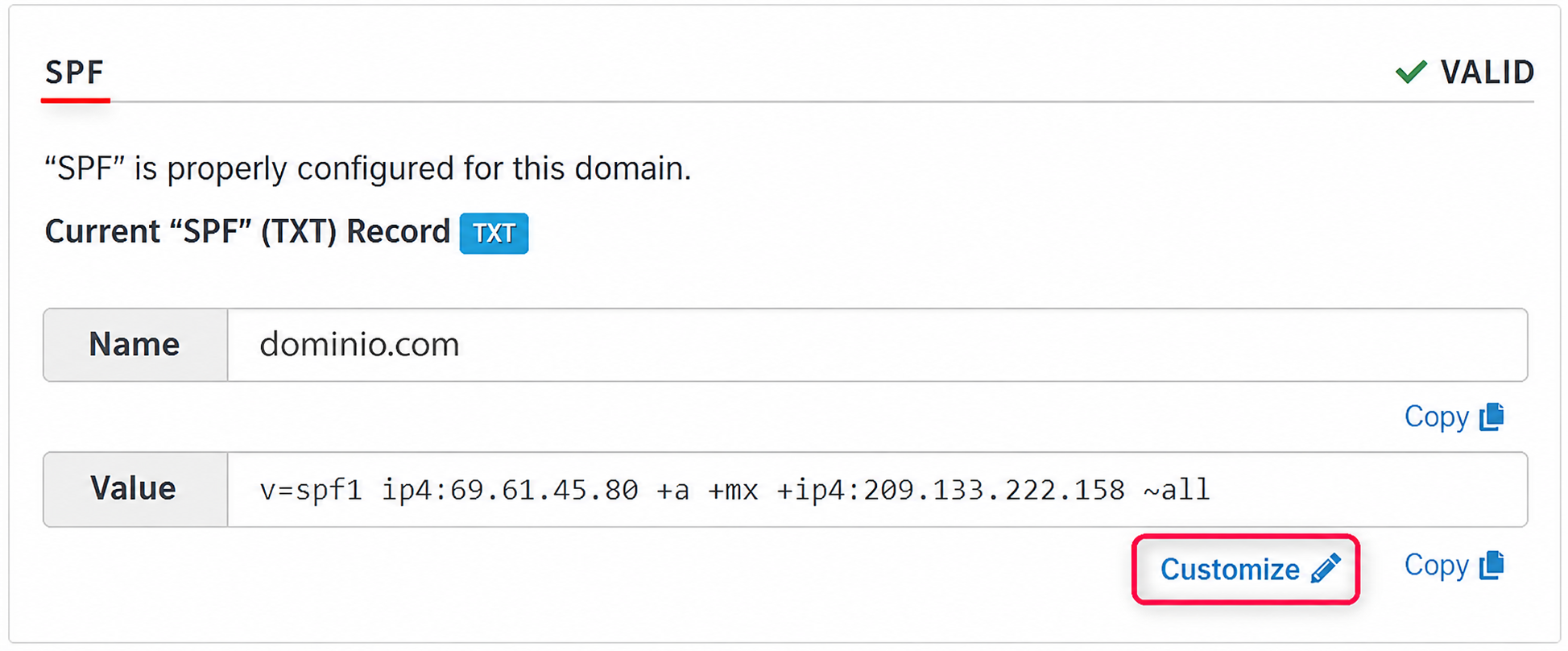
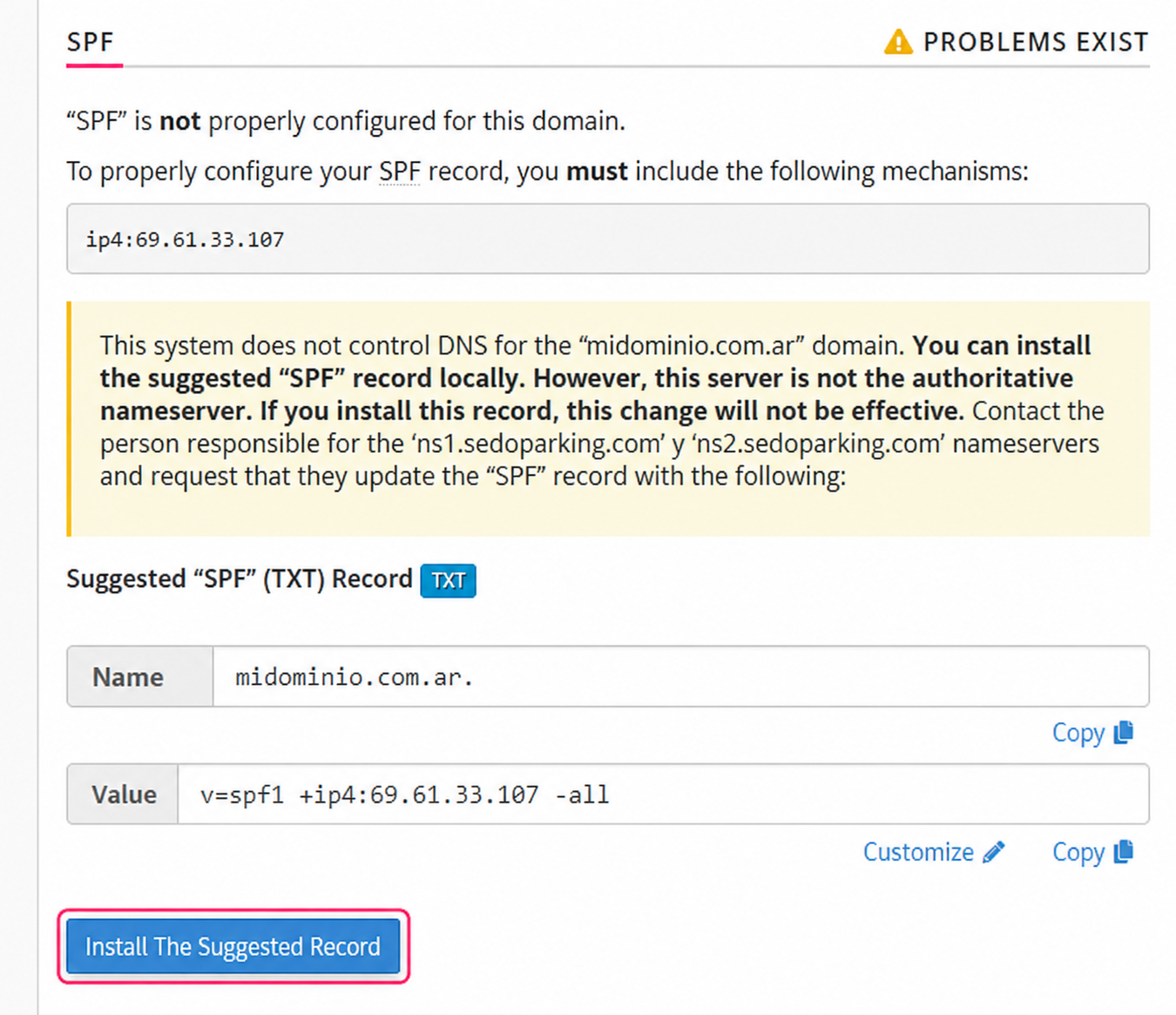
For example, you can modify the SPF record from the Customize button that you will see in its box. Often different external services will ask to add a value to this record.
Repair or install Email Authentications:
If one or more records (DKIM or SPF) have an issue, you will see it in the Email Delivery Status.
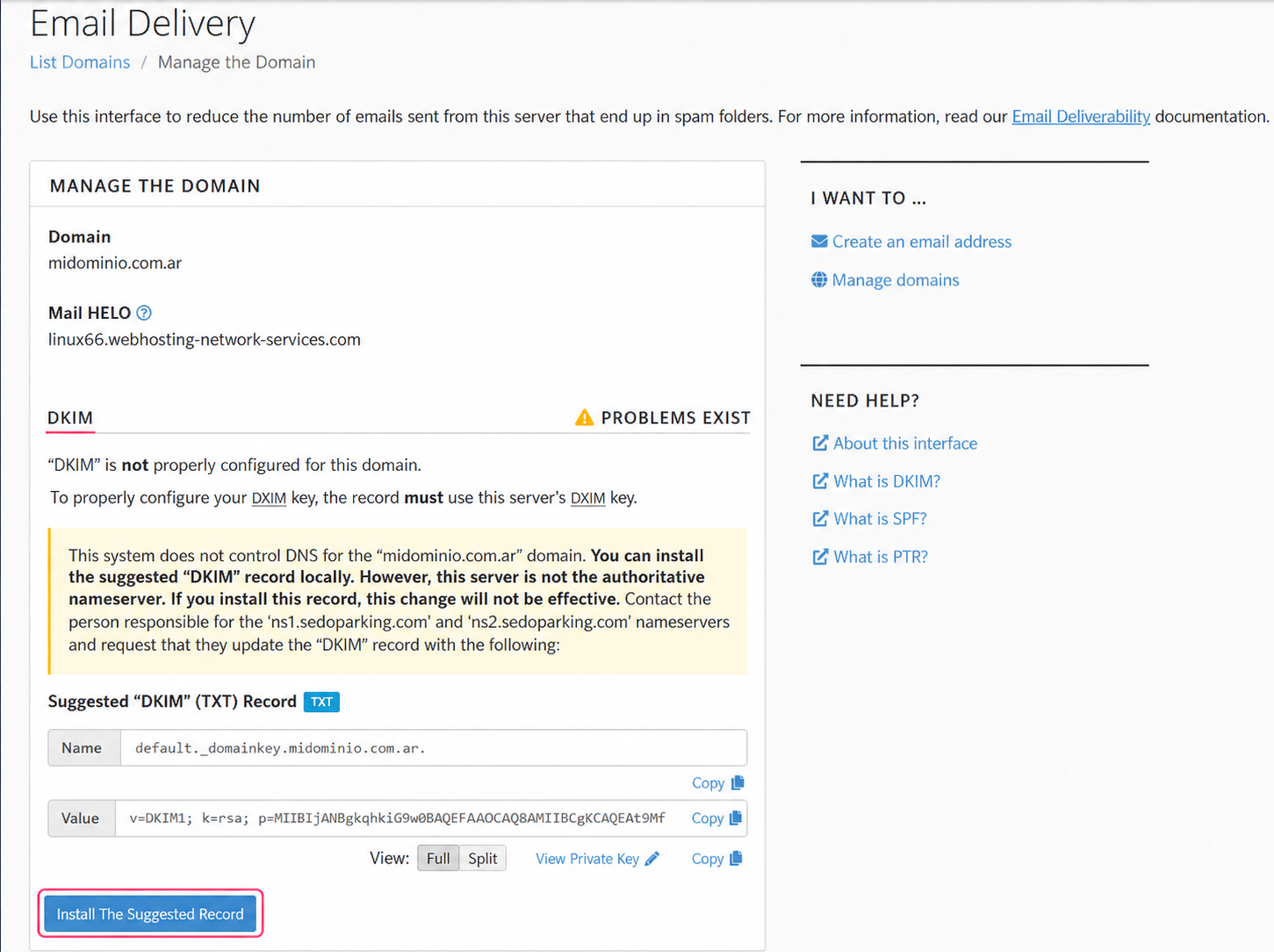
You can repair them automatically, if possible, with the Repair button or you can install them by entering Manage.
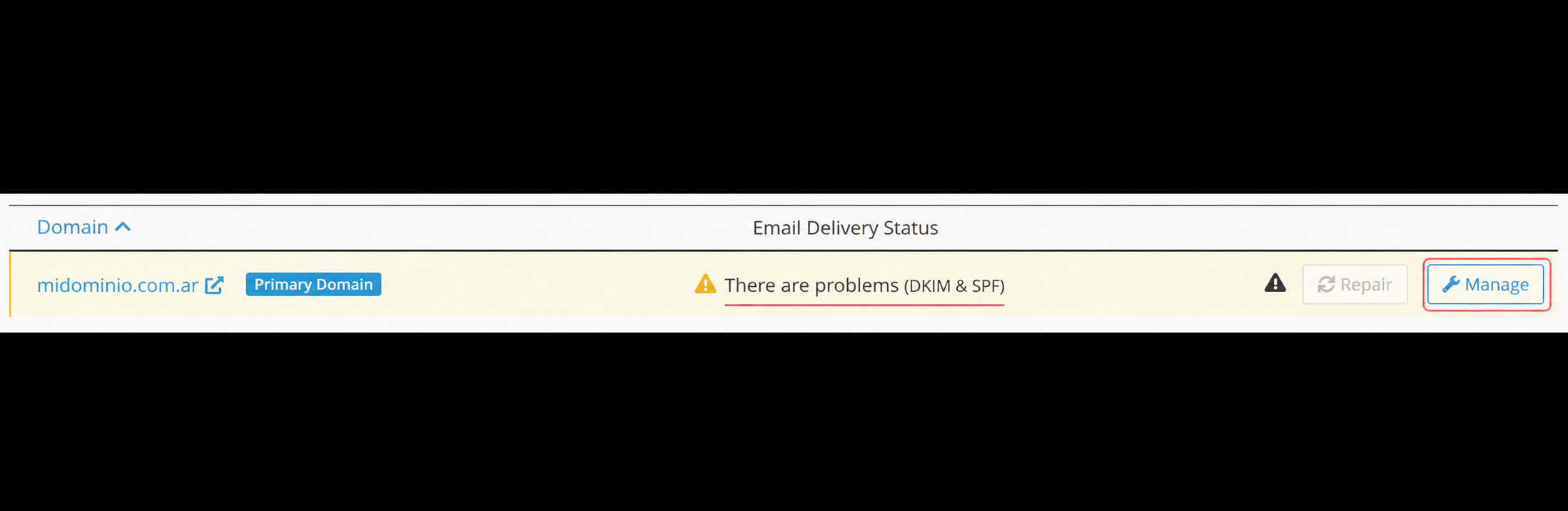
The administration of the DKIM and SPF records will show the status of each one and, if necessary, you will be able to install each record with the Install The Suggested Record button.
If everything was installed or repaired correctly you should see the status box as Valid.