How to configure automatic email forwarding?
Automatic forwarding or autoresponder is configured from the control panel.
- In the cPanel control panel, go to Autoresponders, in the Email box.
.png)
- In the configuration screen select the domain with which your forwarders will be generated.
Then, choose Add Forwarder to forward emails from a specific mailbox to another or Add Domain Forwarder, so that all mailboxes of your domain forward to the same mailboxes at another domain.
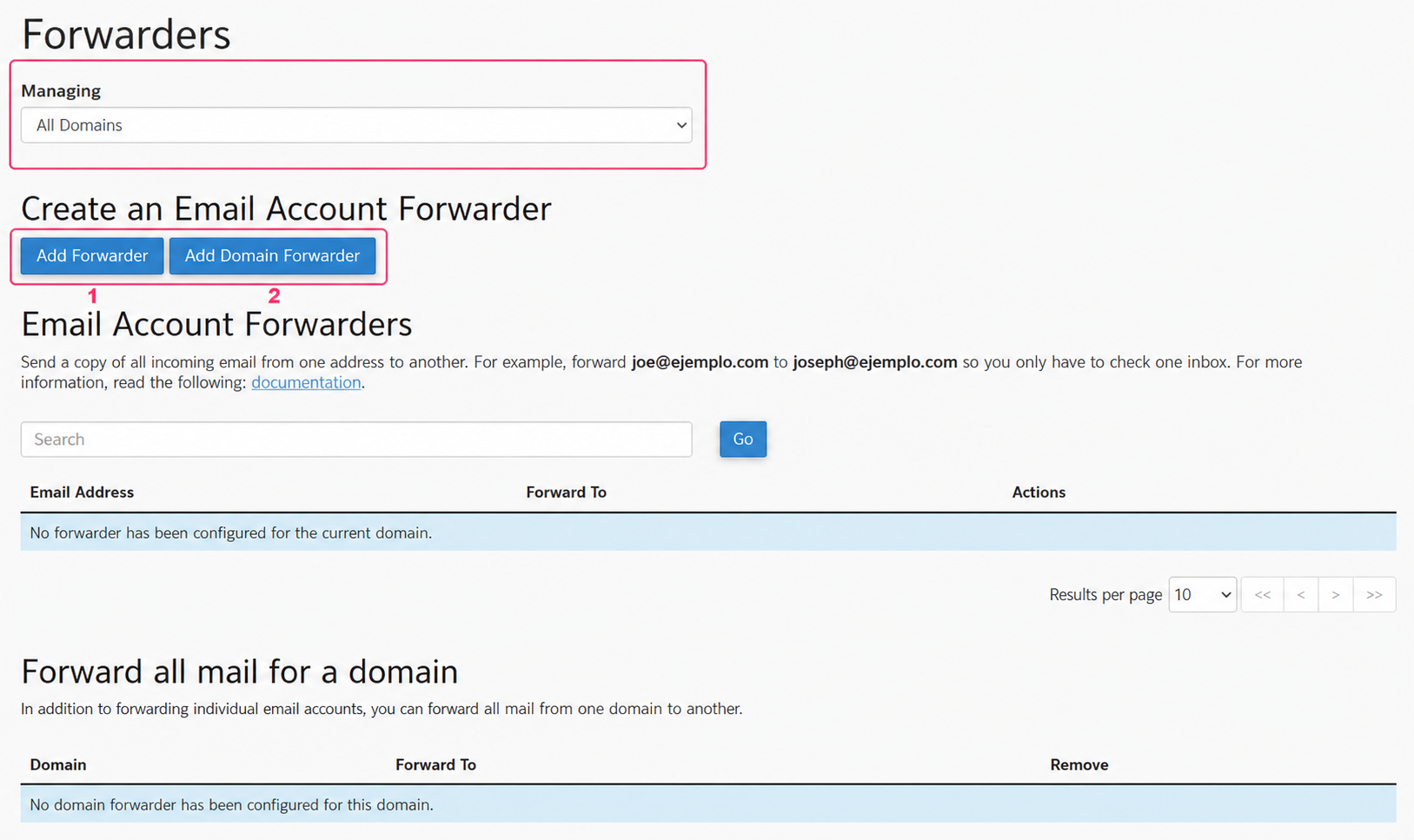
Let’s look at the two options in detail:
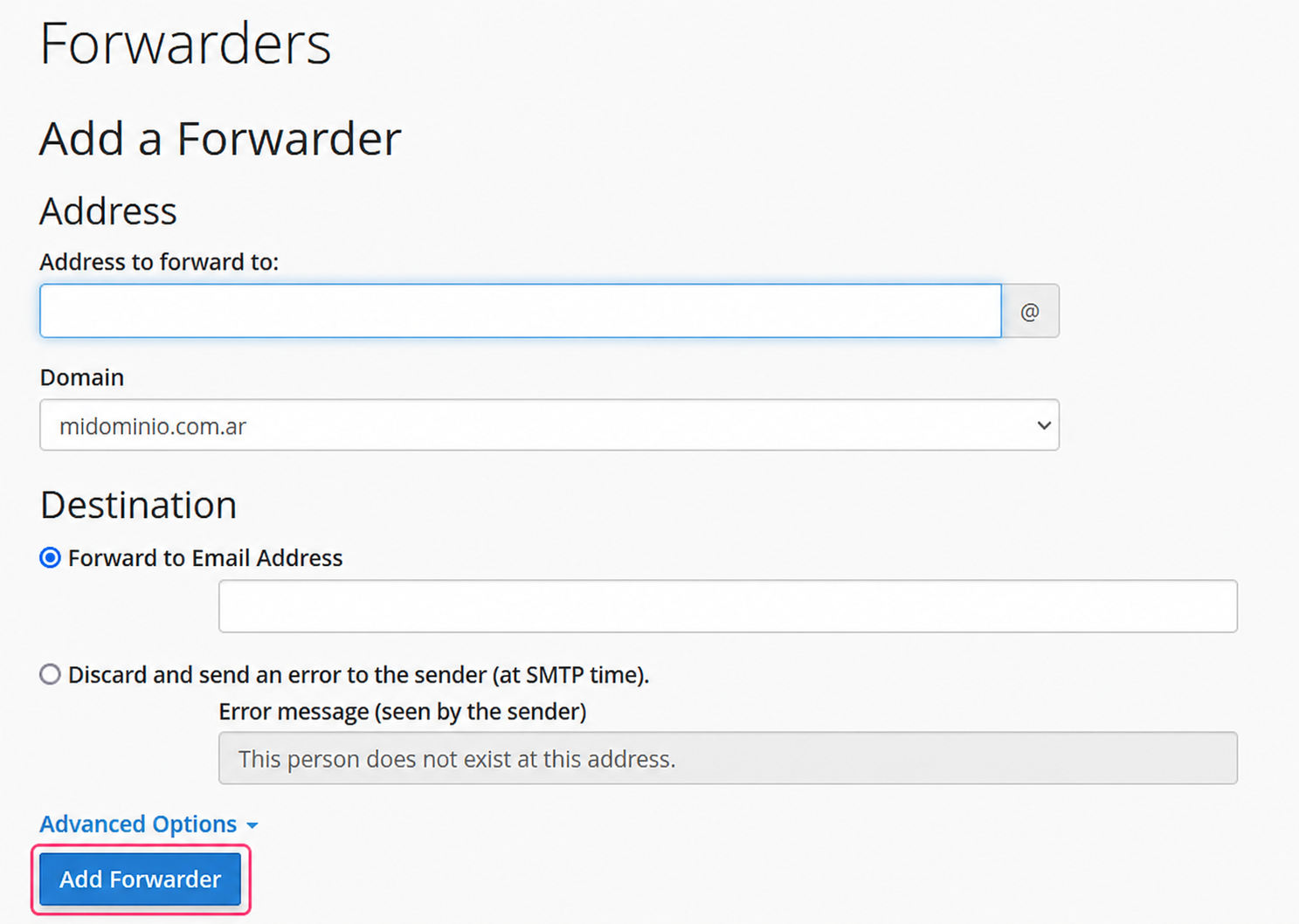
Add Forwarder:
The individual forwarder will ask you to configure the mailbox that will forward your emails and to which mailbox to forward them.
Click the Add Forwarder button to save your forwarder.
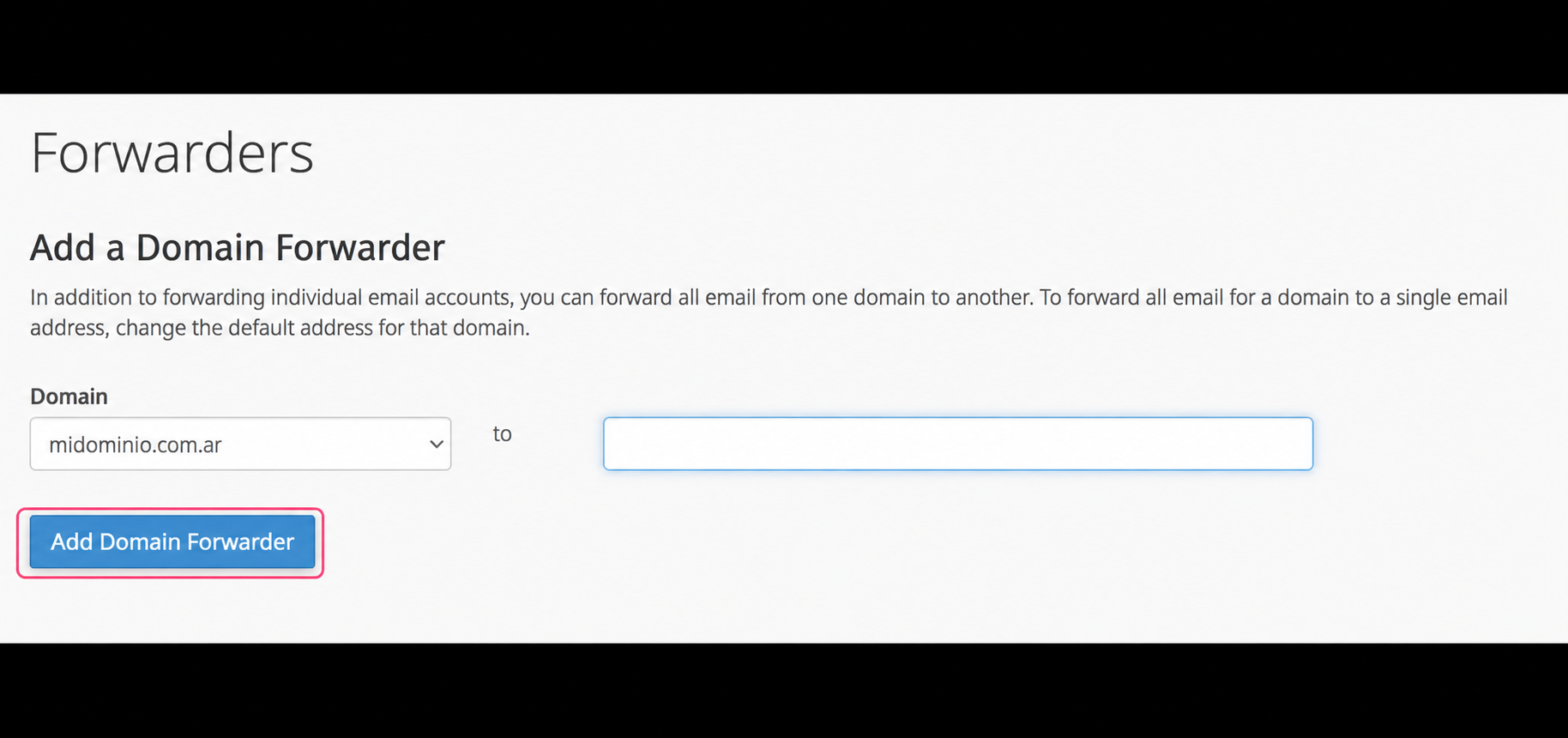
Add Domain Forwarder:
The domain forwarder will allow you to forward all emails that arrive to the mailboxes of your domain to the same mailboxes at another domain.
For example, if you have an address info@ all emails that arrive there will be forwarded to info@otherdomain. You won’t have to configure this type of mapping, it will be done automatically. You only need to configure the domain to which you will forward your emails.
Click the Add Domain Forwarder button to save your forwarder.