How to create mailboxes from the Plesk control panel?
Below we will show you how to create an email mailbox from the Plesk control panel.
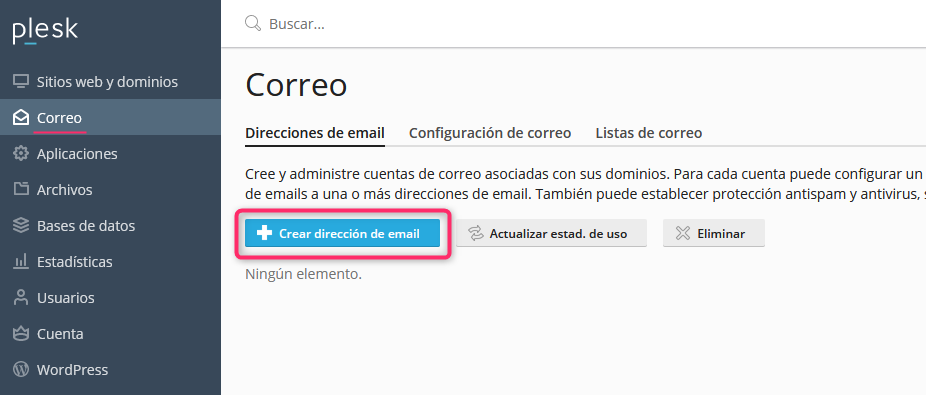
- Once you have logged into your Plesk control panel you will find the Mail option. Click the Create Email Address button to create your mailbox.
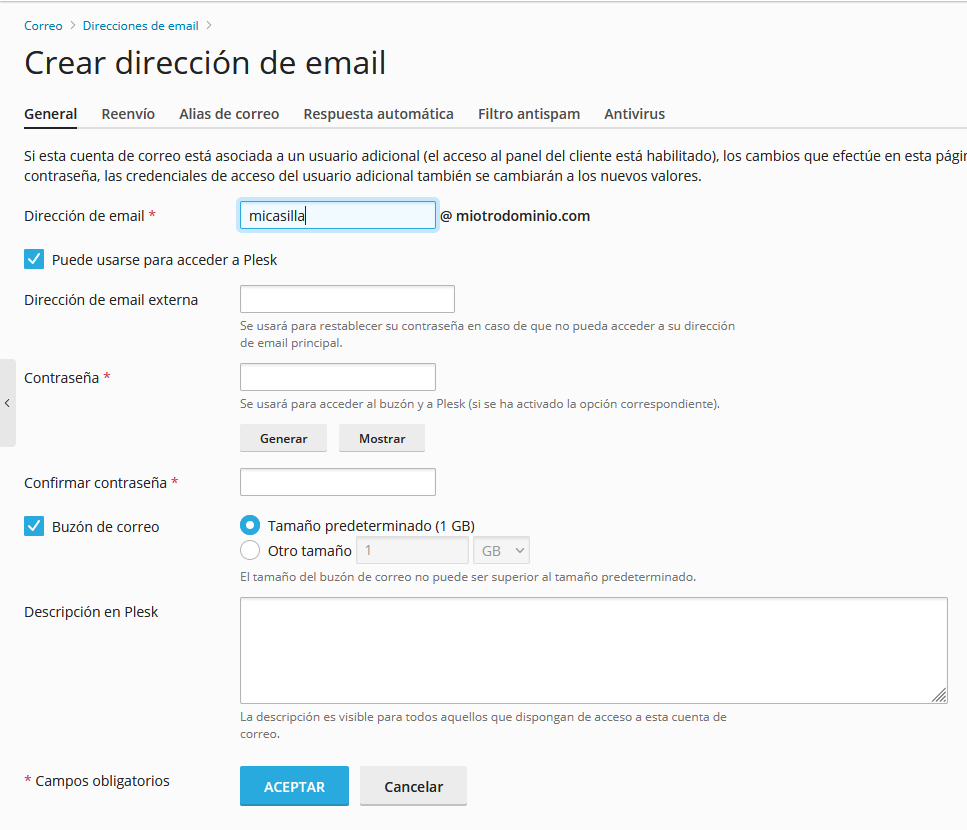
- The account creation form will ask you for:
- The name of your mailbox
- Whether the new mailbox can be used to access the control panel
- An alternate email address for forgotten password recovery
- A maximum space limit that the mailbox may occupy.
- After completing the information, click the OK button to create your new mailbox.
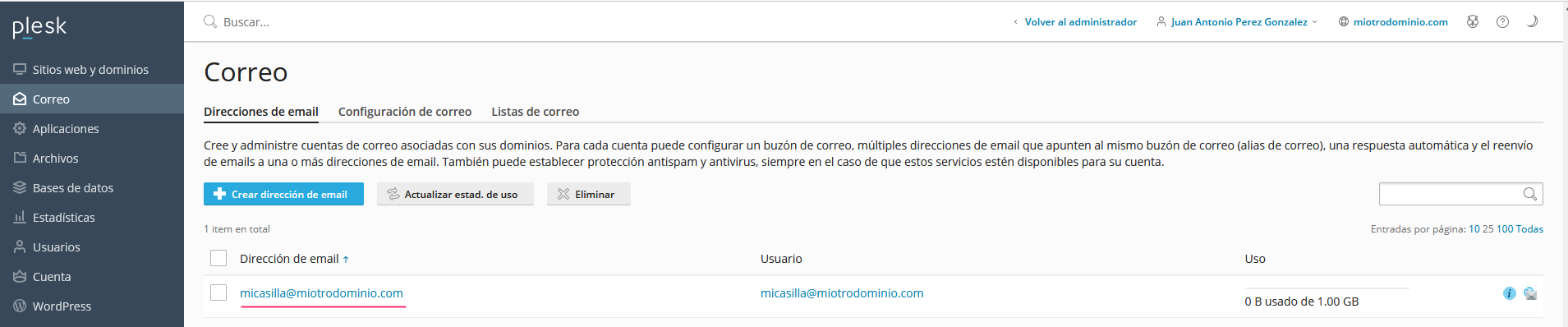
Once your mailbox is created, you will be able to see it from the Mail option in the left-hand menu.