How do I start, restart, or stop services?
You may need to stop, restart, or start a service. This could be because it is causing overload, has crashed, or for any other reason.
To do this, follow these steps:
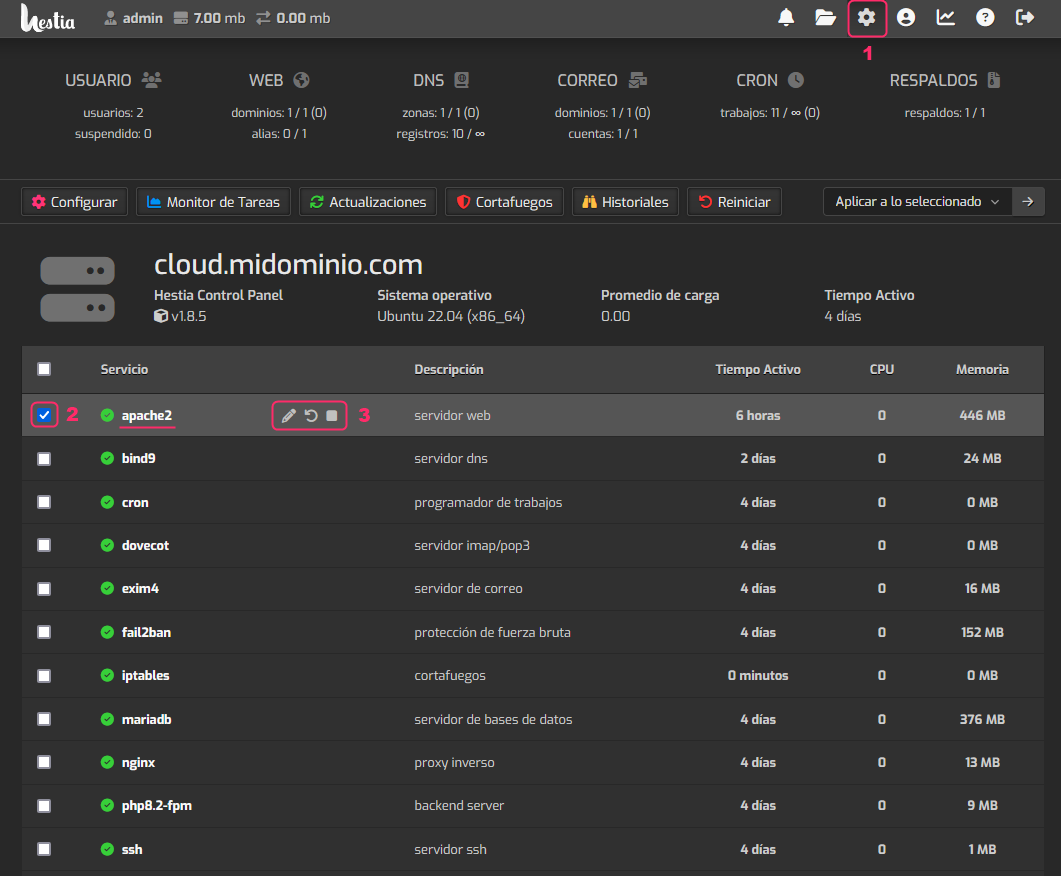
- Click the gear icon in the top menu.
- From the list of main services, choose the one you want to affect by checking the box on the left.
- You will see a floating options menu where you can stop, restart, or even modify the service configuration.