How to change the access password for an account in HestiaCP?
To change the access password for a user’s Control Panel and FTP, follow these steps:
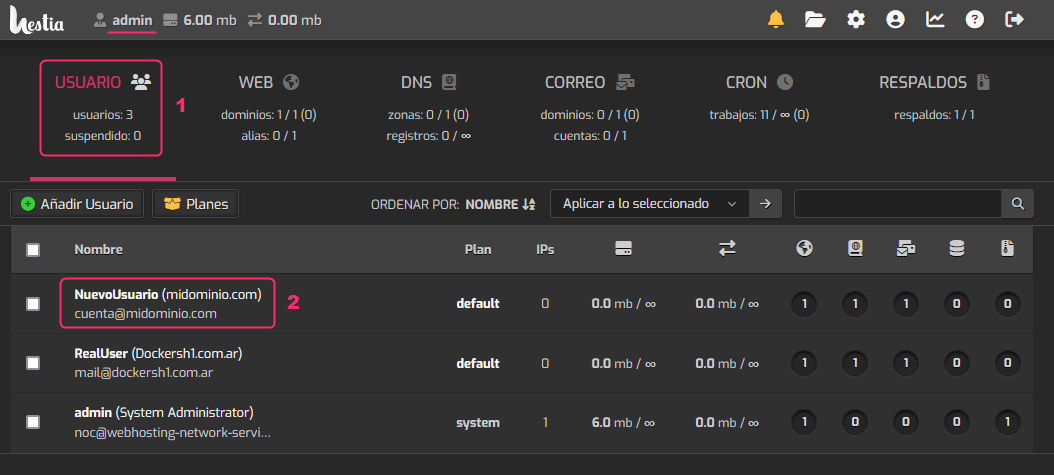
- From the main screen, logged in as admin, navigate to the USER area.
- Then, click on the account for which you want to change the FTP or Control Panel access password.
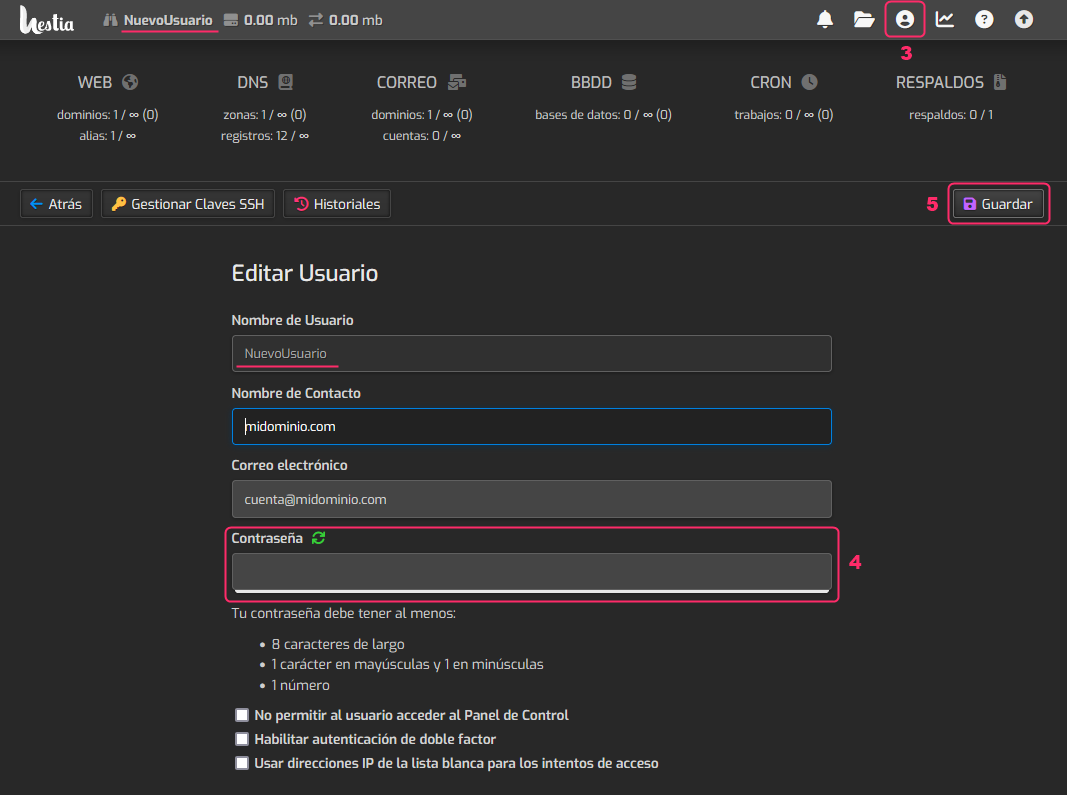
- On the selected user’s screen, click the top-right icon shown in the image.
- The user edit fields will appear. Among the fields you will see the box to change the password.
- When finished, click the Save button.