

How to change a domain’s package?
In this section we’ll show you how to change the package or plan a domain has to another.
After accessing the WHM of your Reseller plan, you have two ways to reach the interface from which to change the package or plan of a domain in your Reseller plan.
First option
In your WHM go to “Account Information” => “List Accounts”. Once there:
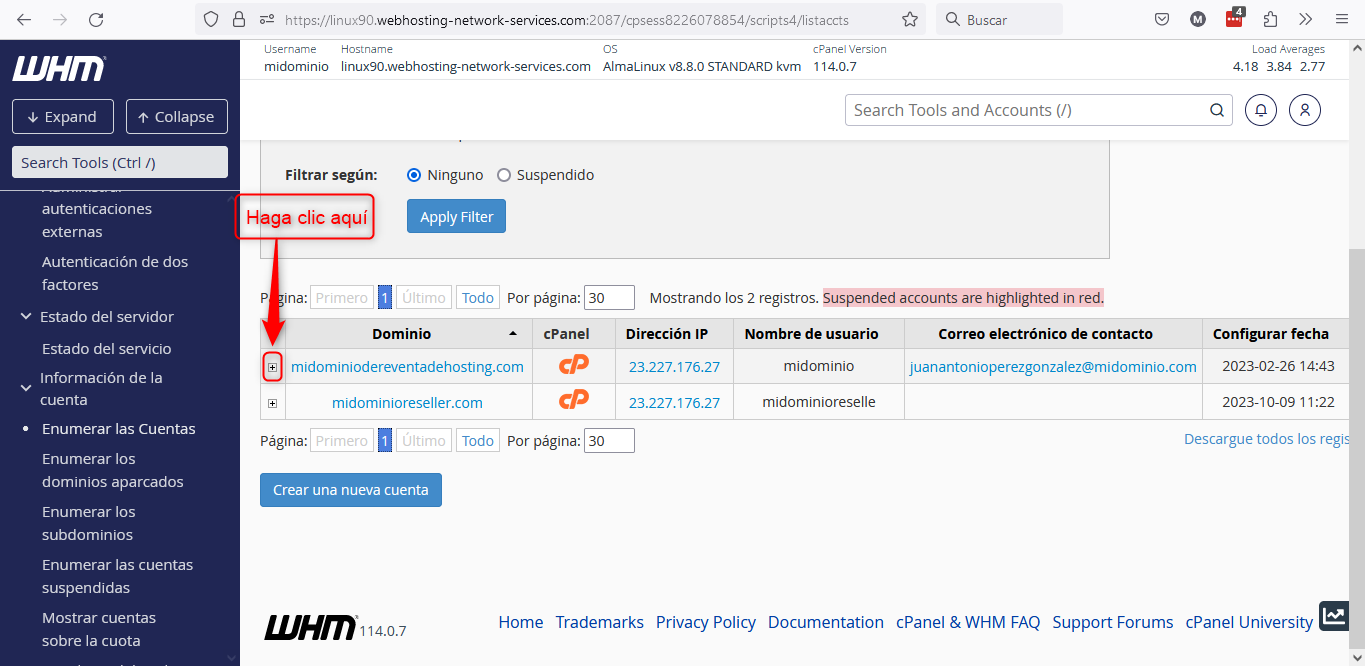
By clicking the + sign you'll open a submenu here
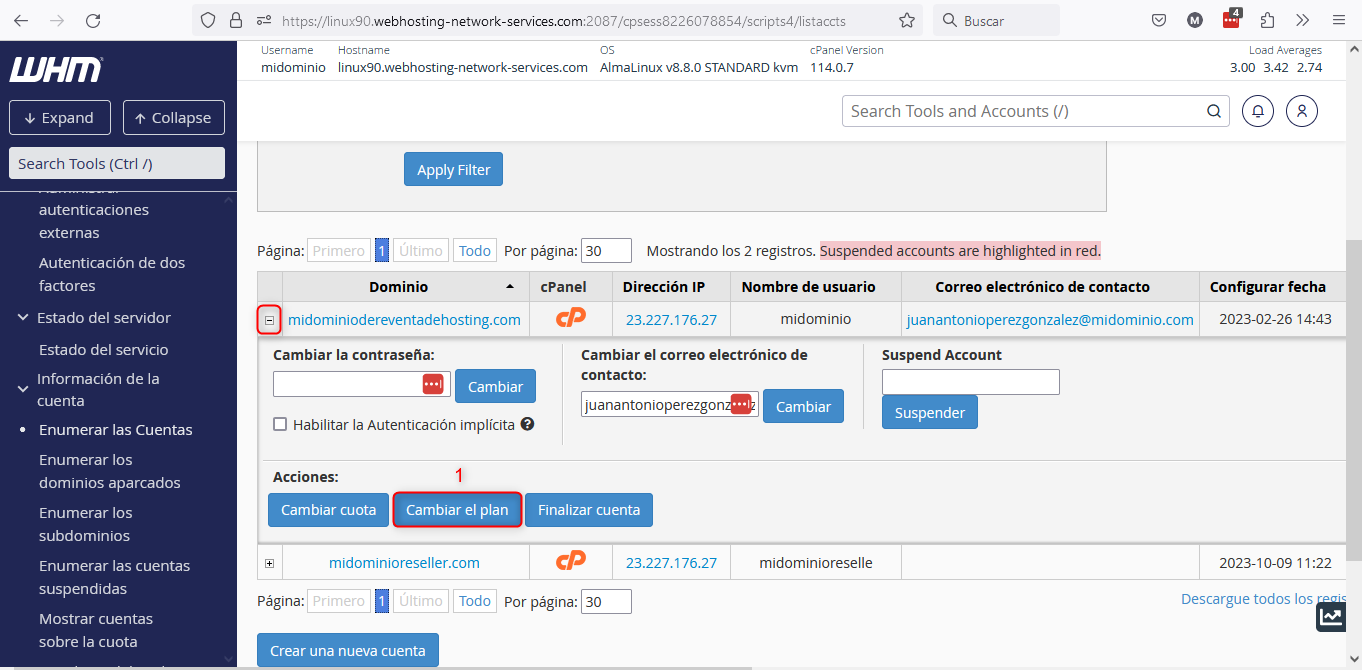
Once you have opened the submenu of the domain you wish to modify, click the button indicated at point 1 in the image above: “Change the Plan”.
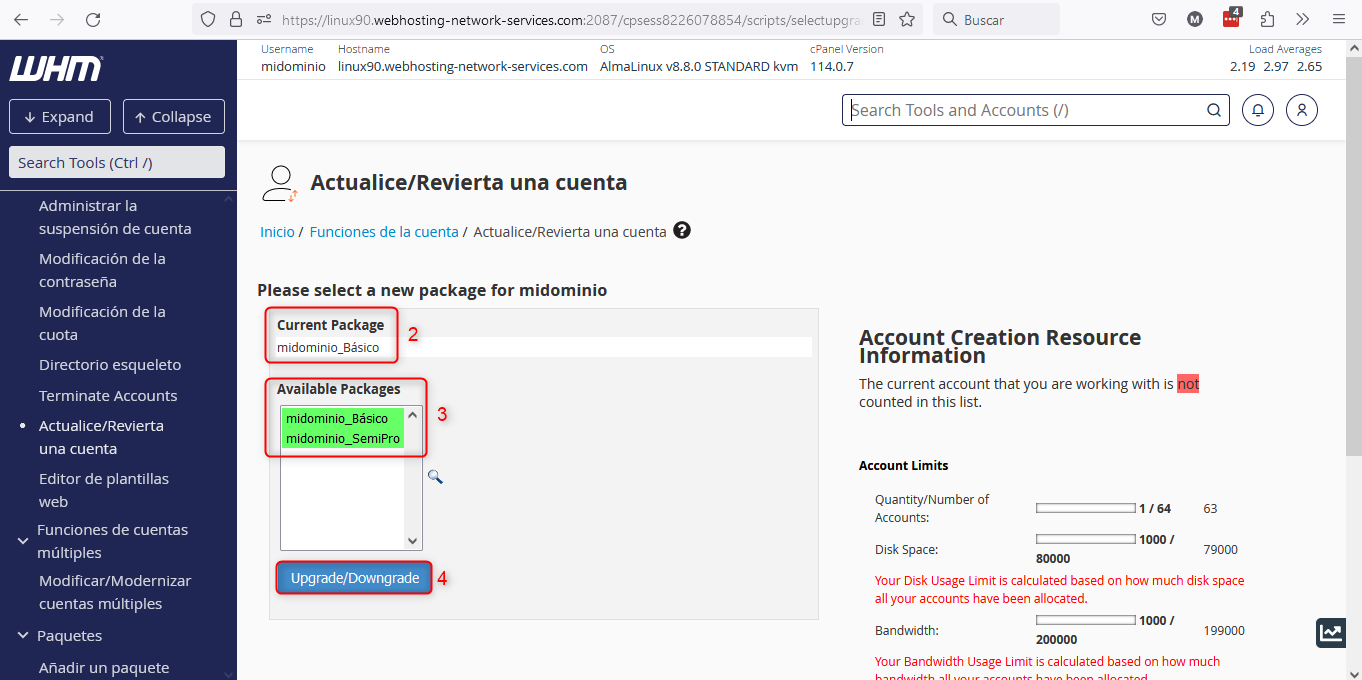
Upgrade/Downgrade an Account
This will take you to the screen shown in the image above, where:
- Point 2: indicates which package the domain currently has.
- Point 3: packages you can use to modify the domain’s resources will appear in green. If packages appear marked in red it means you cannot use those packages, because using them would exceed the resource limits of your Reseller plan.
- Point 4: use this button to perform the package change.
Second option:
You can go directly to the WHM interface that will allow you to modify the package of your domains. Go to “Account Functions” => “Upgrade/Downgrade an Account”.
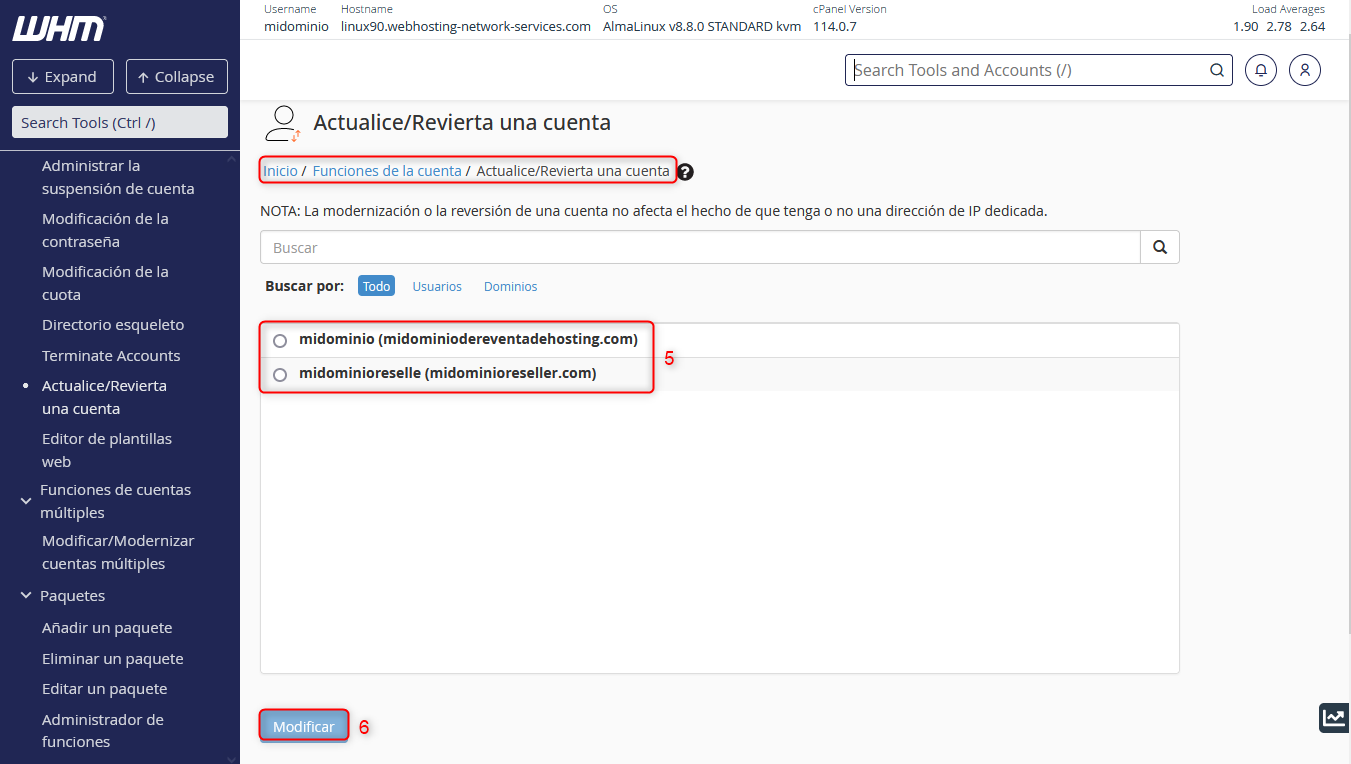
In point 5 shown in the image above, you must enter the domain whose package you wish to modify. Once done, click the “Modify” button at point 6.
The next screen will be exactly the same as the image named “Upgrade/Downgrade an Account”.