

How to point a website to a remote server?
To point your website to a remote server from the DNS Zone, follow these steps:
- In the control panel, go to Zone Editor, inside the Domains box.
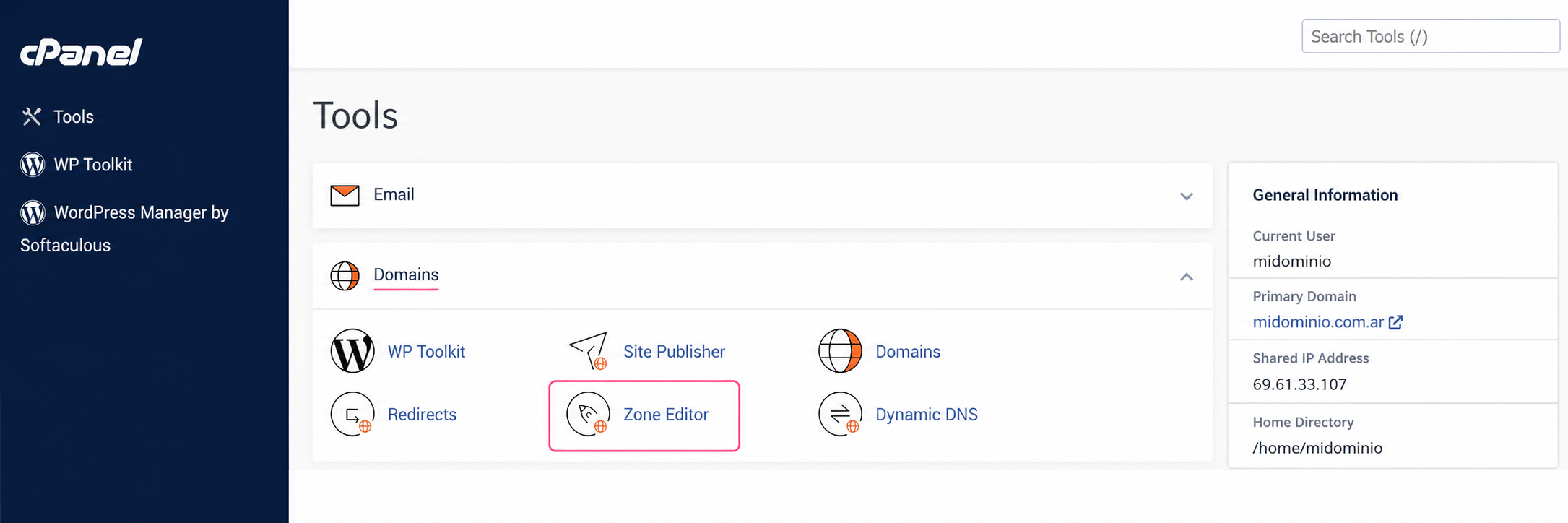
- Then, press the Manage button on the domain you want to modify.
.webp)
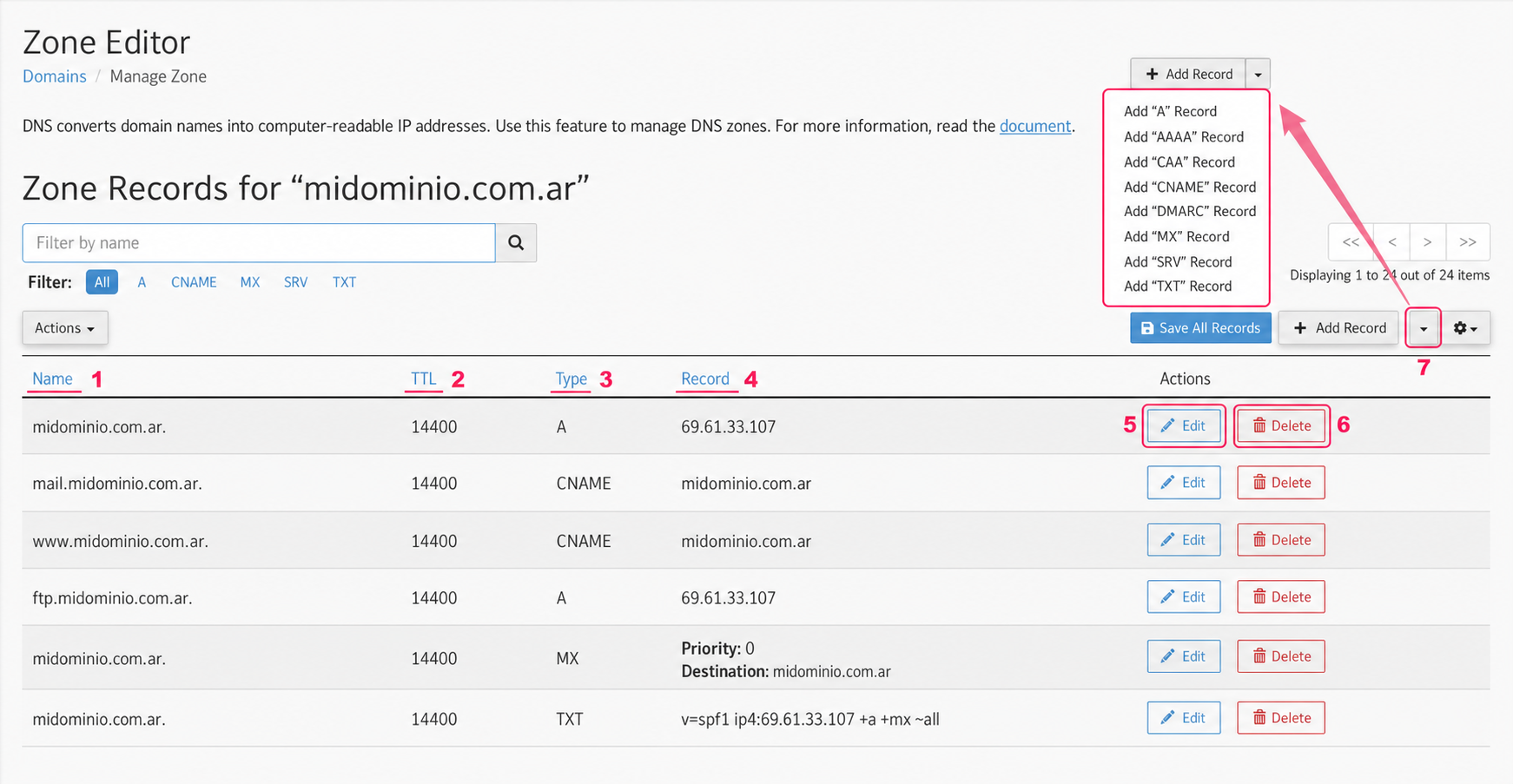
- You will enter the DNS Zone editor. On this screen you will see many pieces of information you should know:
- In the Name column you will see your domain and all subdomains created in your account. Each domain or subdomain, depending on its Record, will point to one server or another.
- The TTL column will show you the time (in seconds) it will take for the record change to be processed.
- The Type column is very important. It defines the Record Type assigned to the domain. Each Record (A, CNAME, MX, etc.) allows a specific type of data (IP, domain, string, etc.).
- The Record column defines where the domain or subdomain will point, using the defined record type. This is where you will configure the destination server.
- The Edit button will allow you to edit the record. When modifying it, it will change to the Save Record button.
- The Delete button will remove the record from the DNS Zone.
- At the top right you will see a dropdown menu. This menu will allow you to add a new Record to the DNS Zone.
- For your website to point to a remote server, you will need to modify the domain’s A record, replacing our IP with the remote server’s IP. Then save the change.
By changing the IP number of your domain’s A record, you will point it to another server. You can do the same with any subdomain in the DNS Zone or a new subdomain.
.png)
There is another record type that is also commonly used to point a website to a remote server. The CNAME record will allow you to point a domain using a domain name instead of an IP number. This method is often used in services like Tienda Nube.
The procedure is the same but you will need to replace the domain in step 3 with the remote server’s domain. Usually the WWW subdomain is pointed this way.
.png)
That’s it. By modifying the A record (IP) or the CNAME record (domain) you can point your domain or subdomain to different servers or external services.