How to change the password and other options for my mailboxes?
The password change, total space and other options for your mailboxes are modified from the control panel.
Change password and other settings from the control panel:
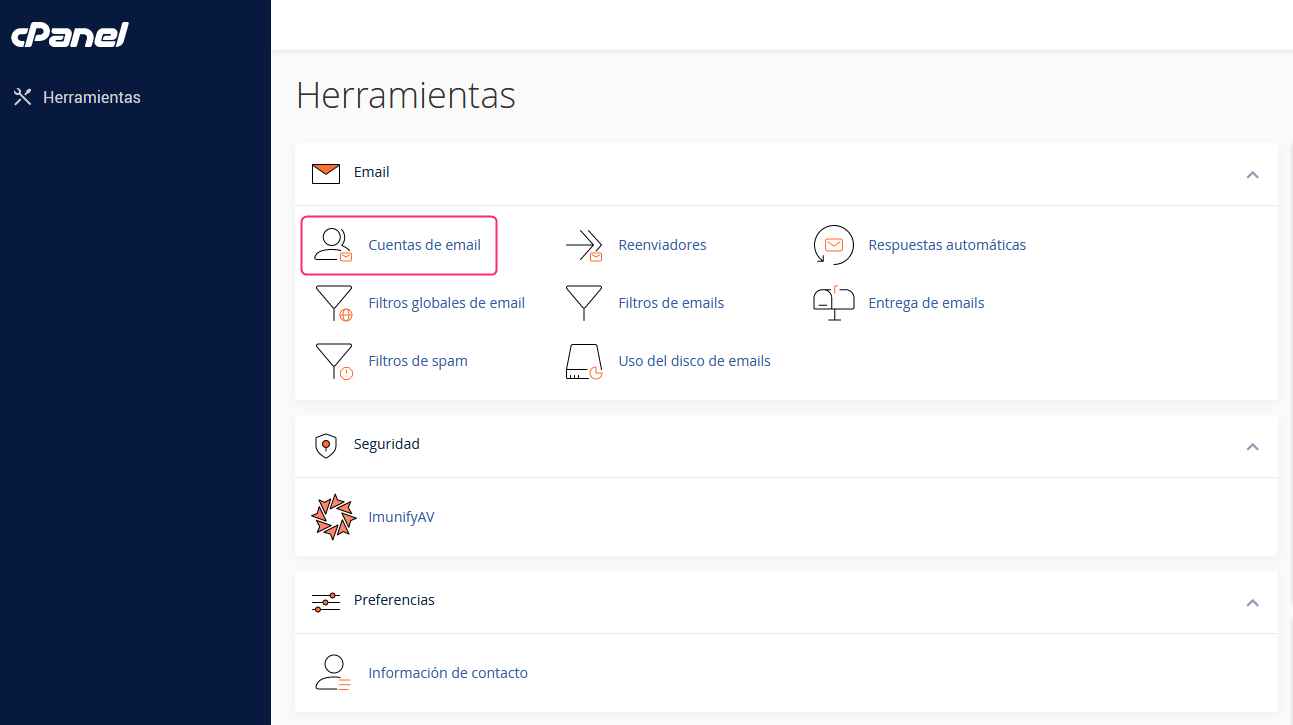
- In the cPanel control panel, go to Email Accounts, in the Email box.
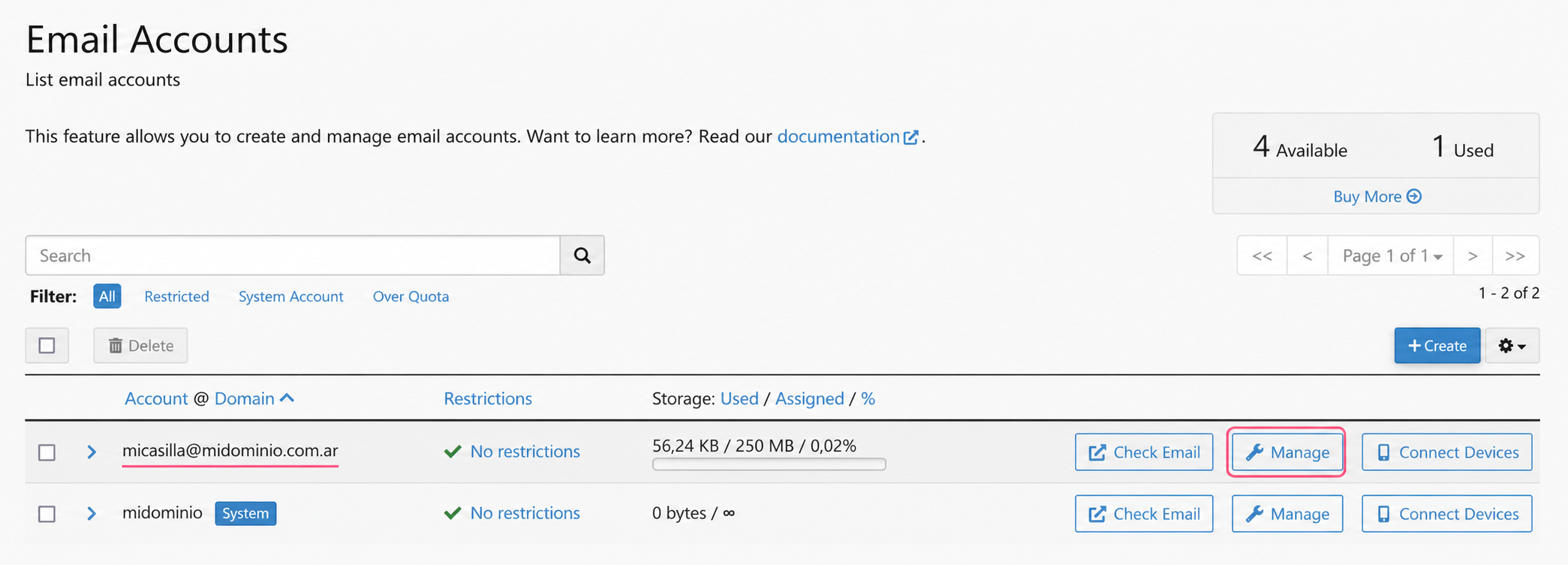
- You will see the list of created mailboxes. Press the Manage button on the one you want to modify.
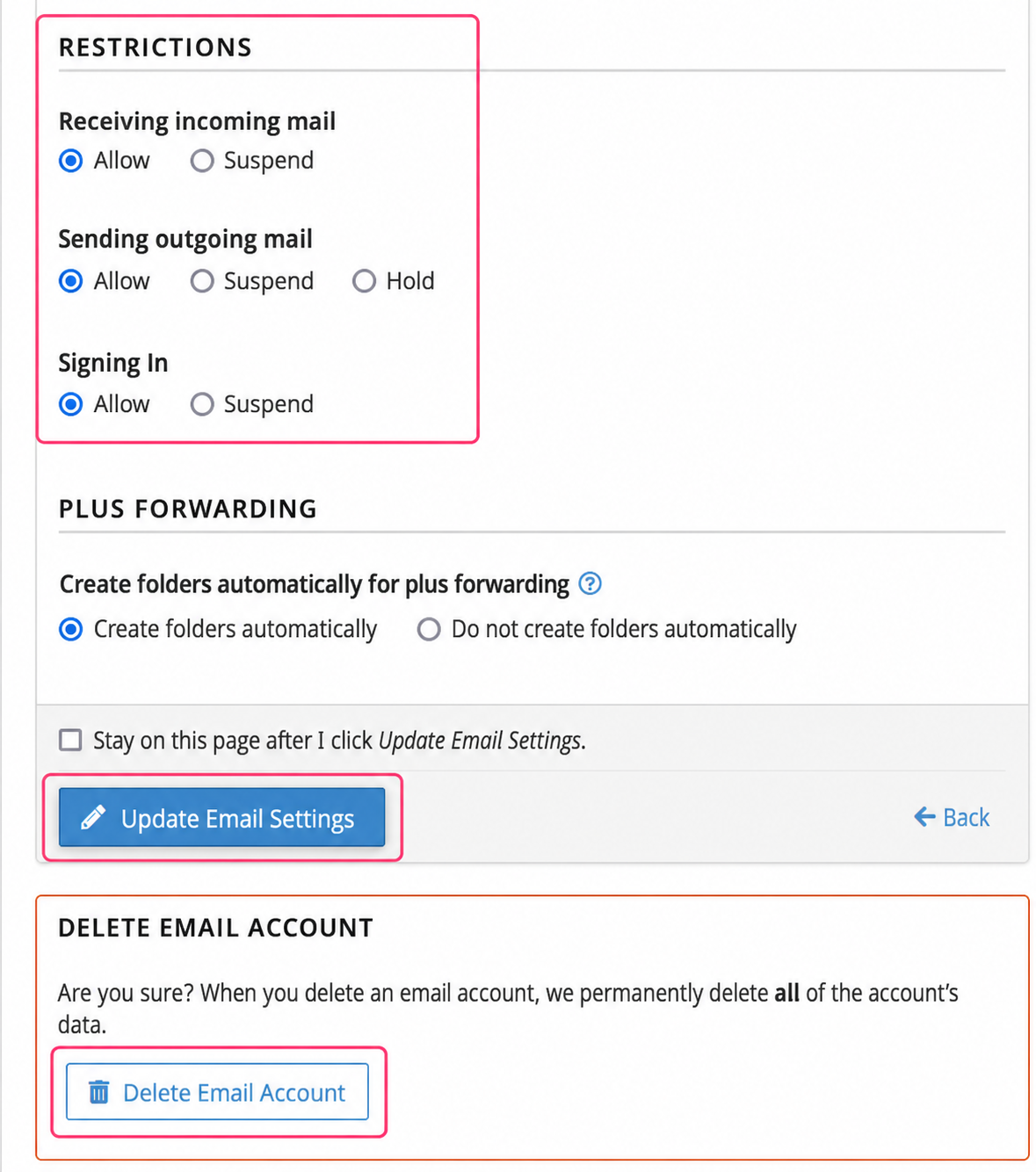
- On the new screen you will see several options you can modify:
- The mailbox password
- The maximum space it can use
- Restrictions and permissions
- Delete the mailbox.
.png)