

How to create email accounts from the Client Area? (cPanel only)
Below we will show you how to create an email account from your Client Area.
Create a new email account
Remember that to create an email account you must have a registered domain delegated to a hosting plan.
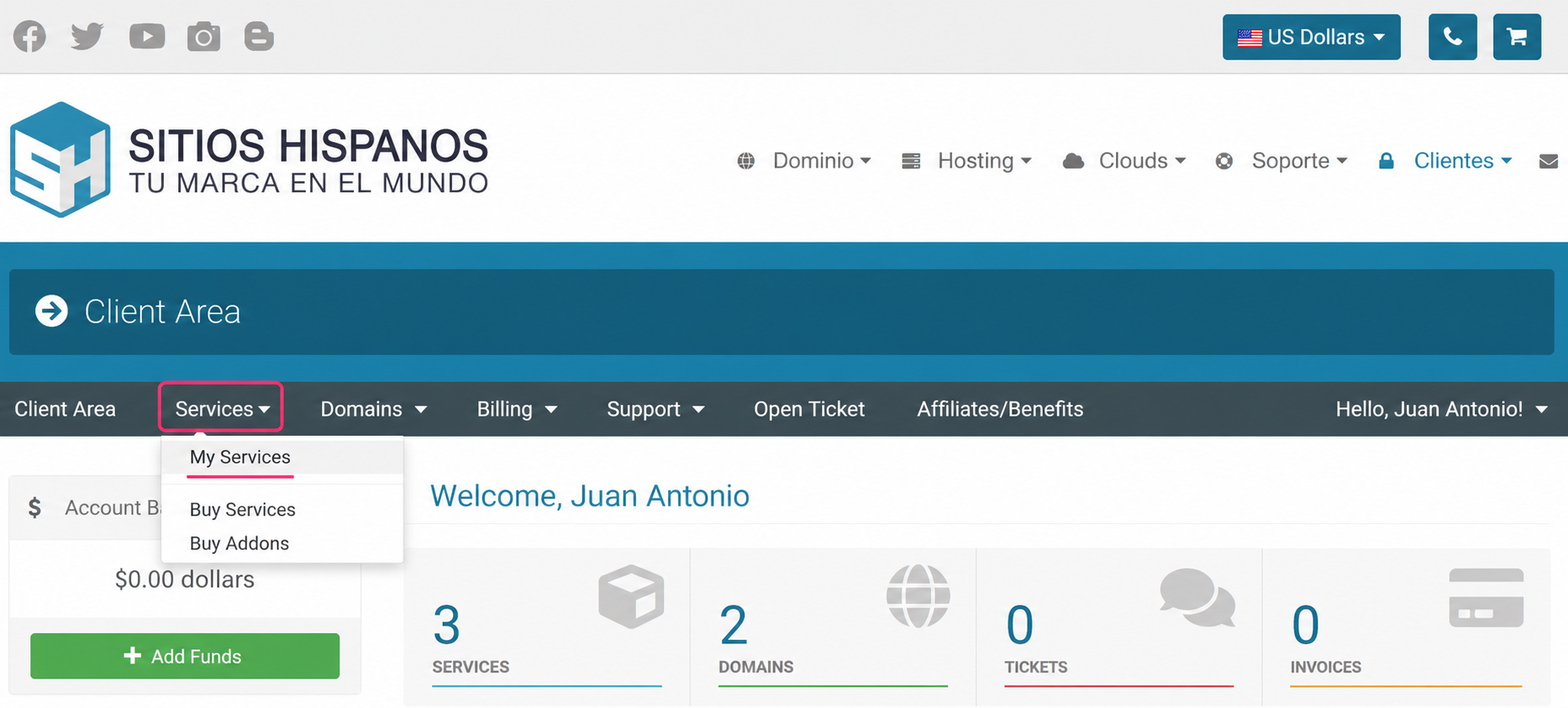
- Log in to your Client Area and click on Services and then My Services.
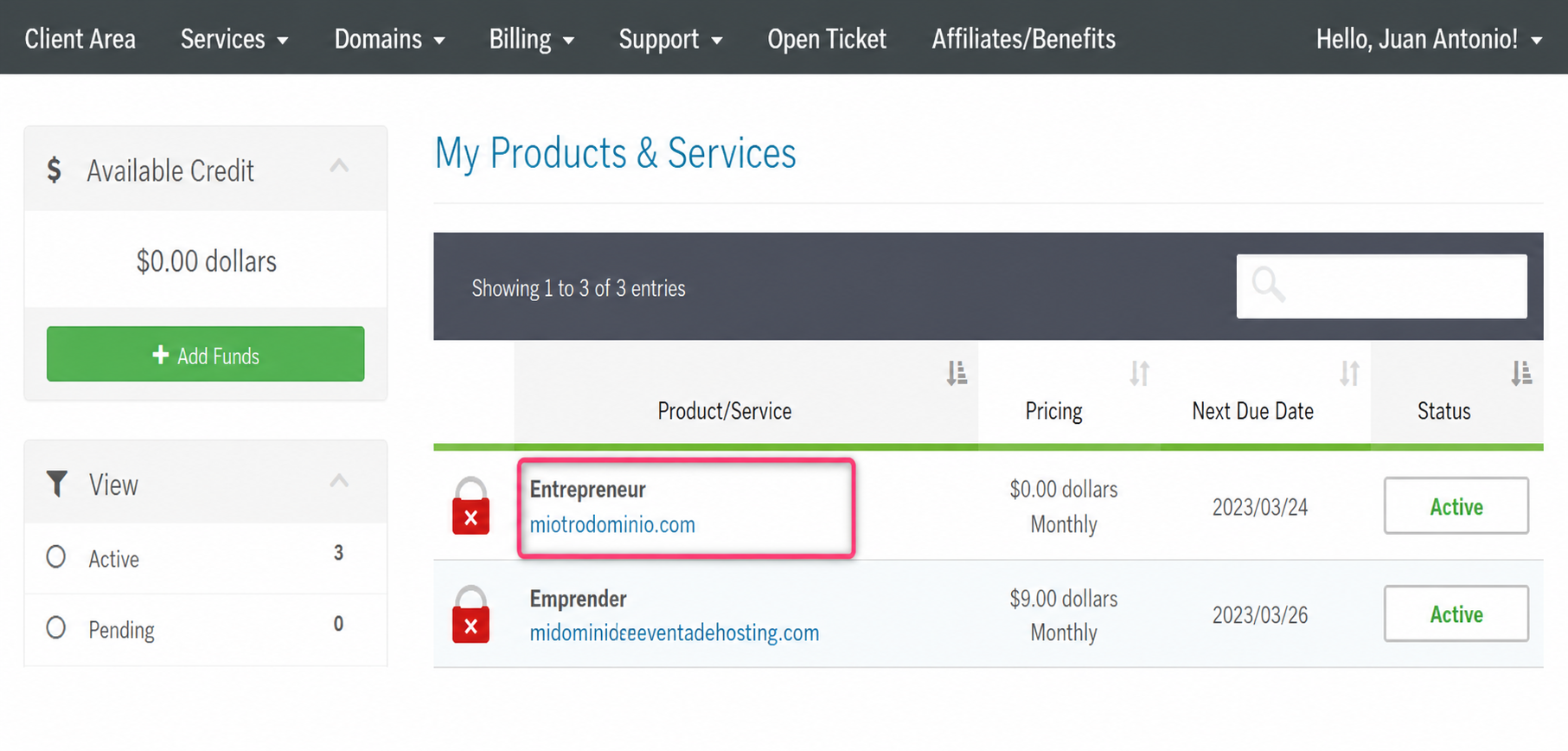
- From the list of hosting plans, enter the plan for which you want to configure an email account.
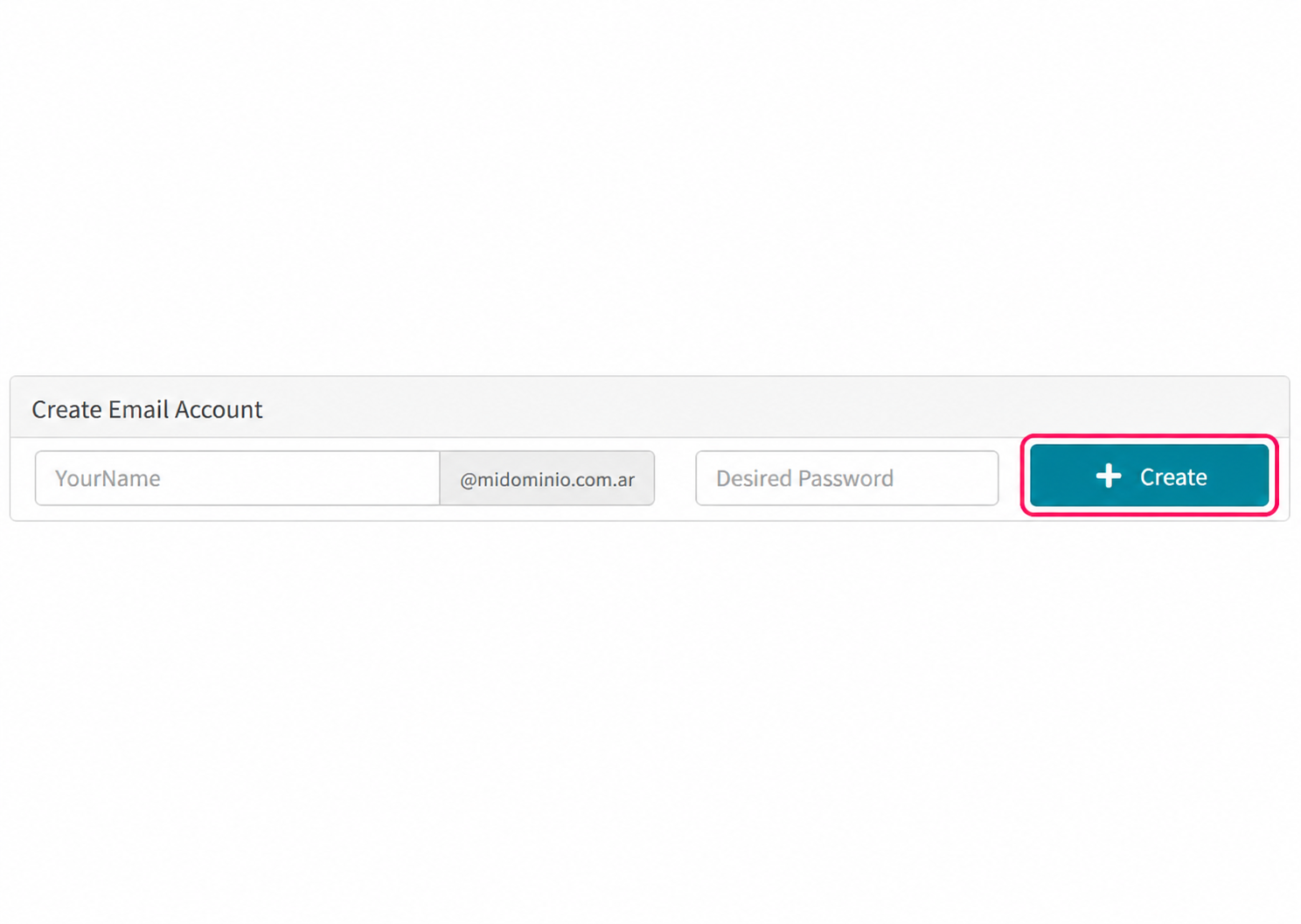
- On the new screen you will find the option Create Email Account, where you must complete your account name, the domain (if you have more than one) and the password.
Other methods
You can also create an email account by accessing the control panel (cPanel or Plesk) directly from your Client Area.
- On the same screen, after selecting the hosting plan, you will see the Quick Shortcuts box with access to the email account configuration area in the control panel used by your account.
.png)
- To create an email account from cPanel follow these steps.
- To create an email account from Plesk follow these steps.
- To configure an email account in an external mail client such as Outlook, Thunderbird, etc., follow these steps.