How to configure automatic email forwarding?
Below we will explain how to configure automatic email forwarding.
By configuring a Forwarder you will be able to automatically forward emails that arrive to one account to another email account.
Accessing the Forwarders tool
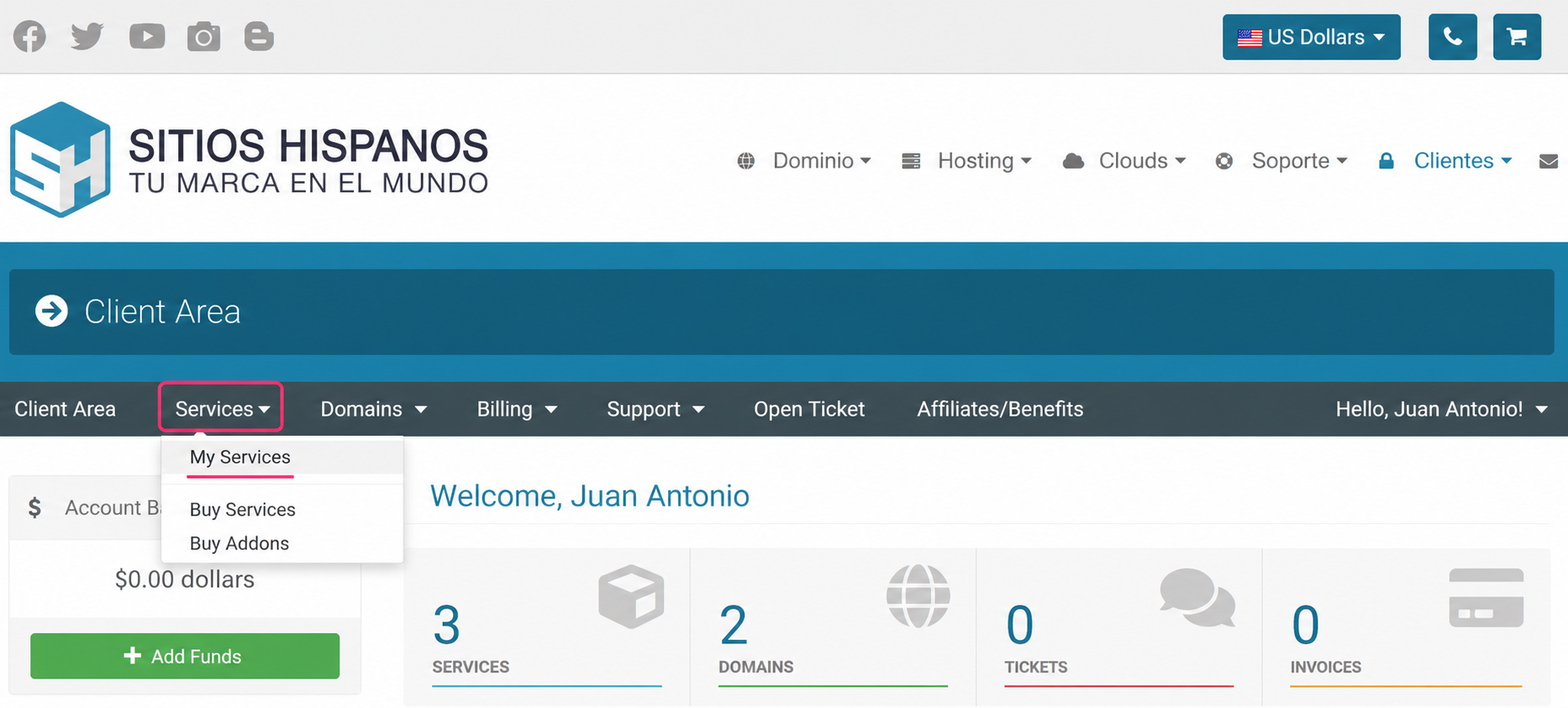
- Access your Client Area and click on Services, then on My Services
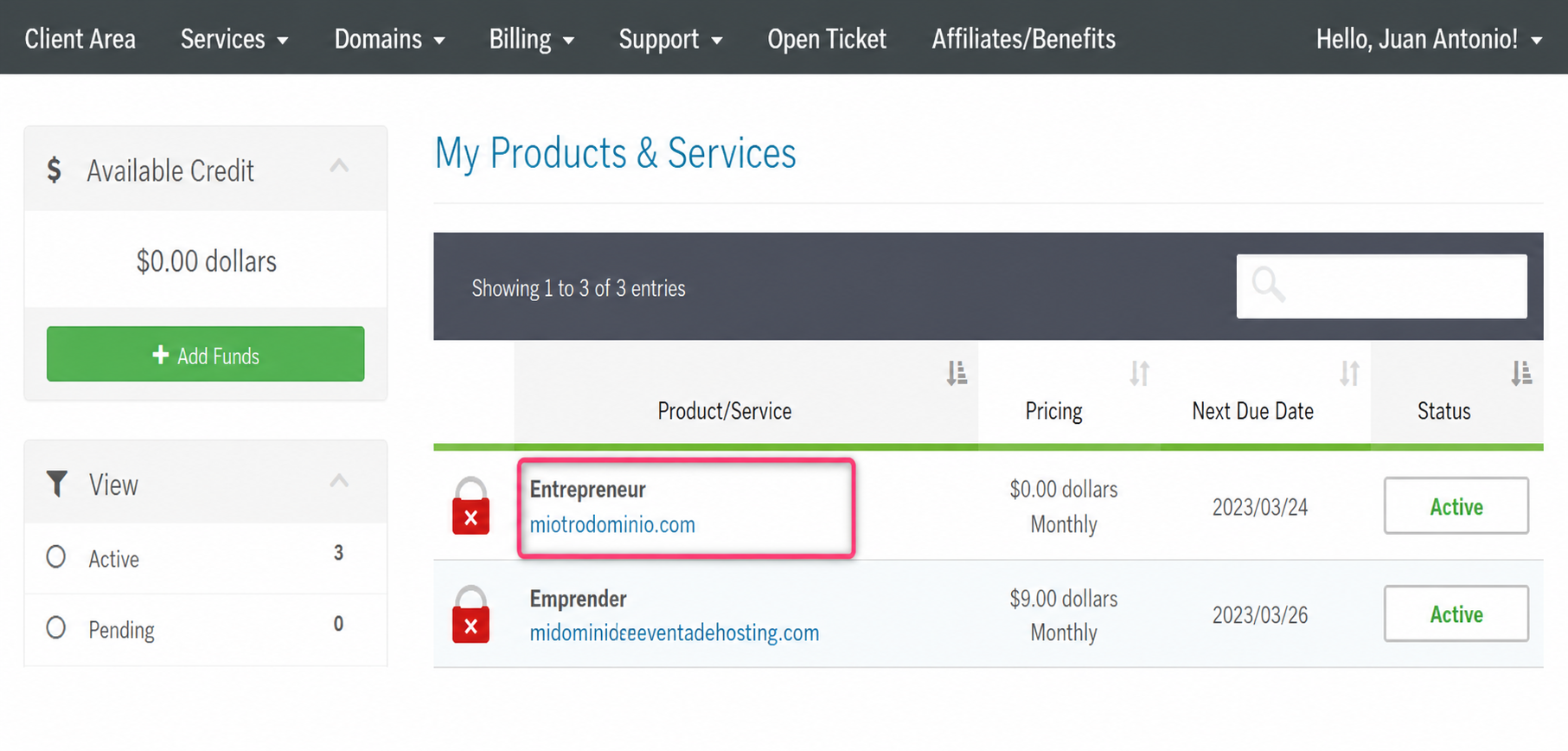
- From the list of hosting plans, select the one where you want to enable a Forwarder
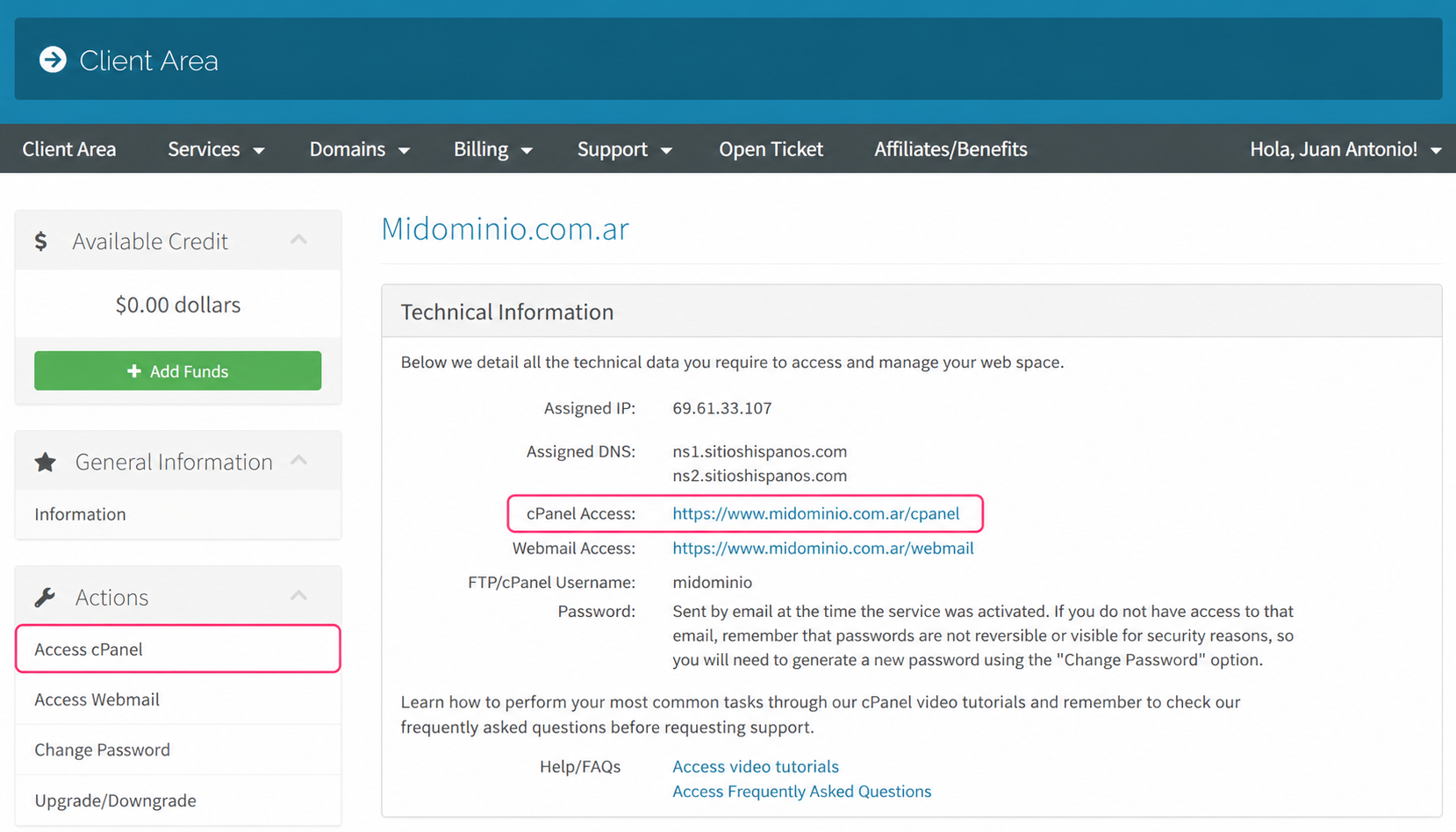
- On the new screen you will see, in the Actions box on the left, the option to access the cPanel control panel. You will also see, in the central Technical Information box, the direct link to the panel from your browser.
- Once in the cPanel control panel go to Forwarders, in the Email section
.png)
- On the configuration screen choose the domain for which you will create your forwarders. Then choose to create an individual forwarder for a single email account or a domain forwarder for all the accounts of a domain.
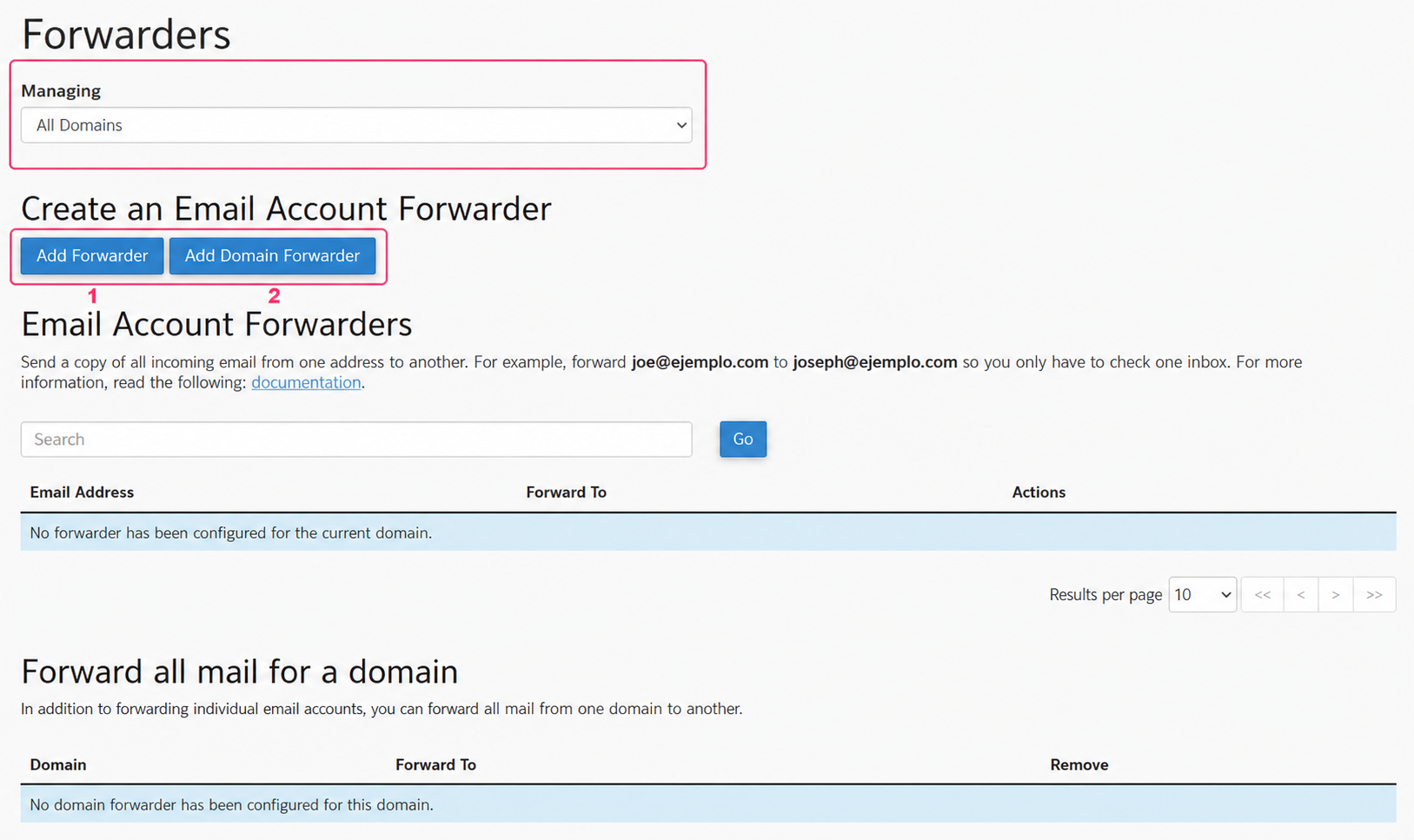
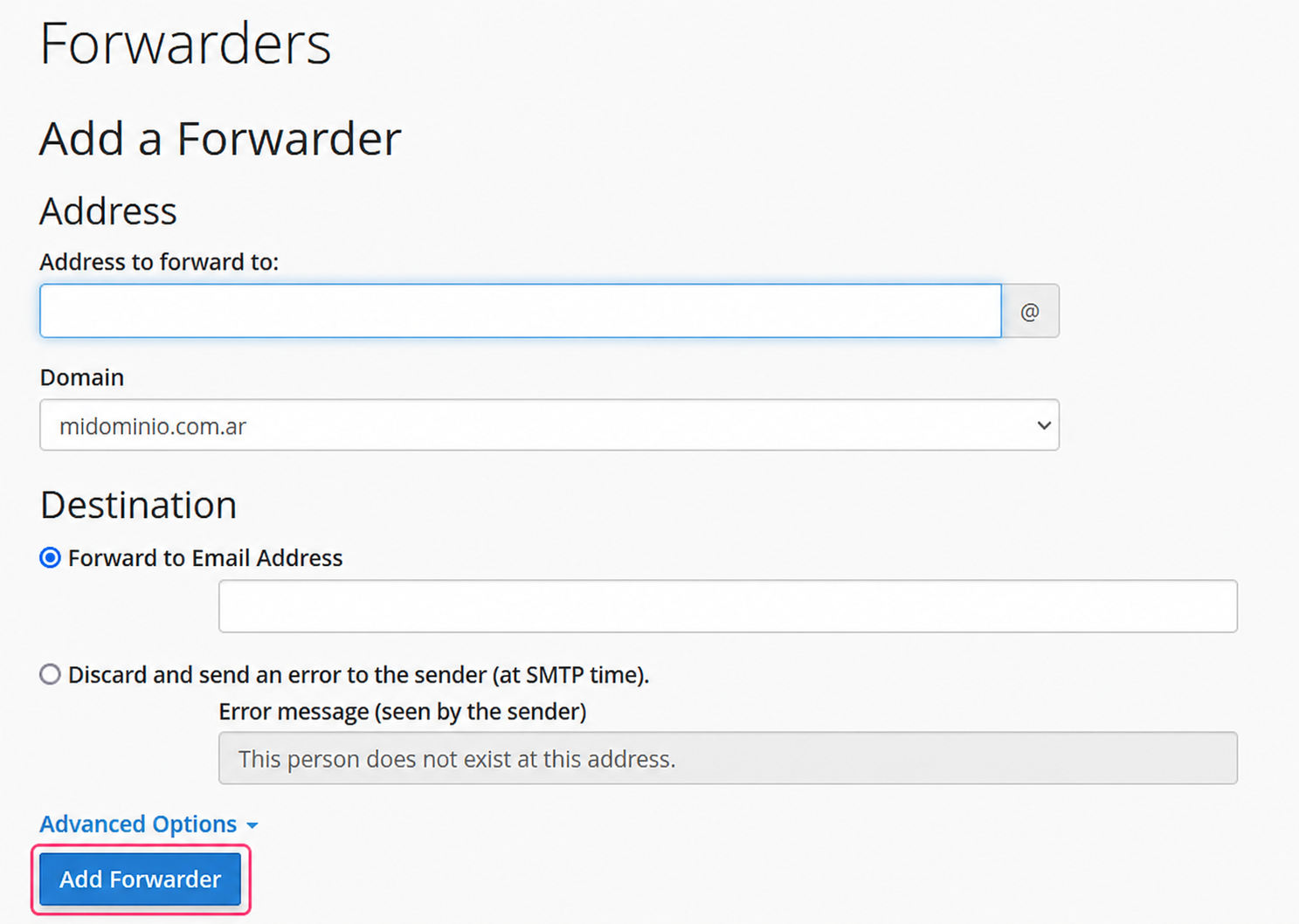
Individual Forwarder:
The individual forwarder will ask you to configure the email account that will forward your emails and the email account to forward them to.
Click the Add Forwarder button to save your forwarder.
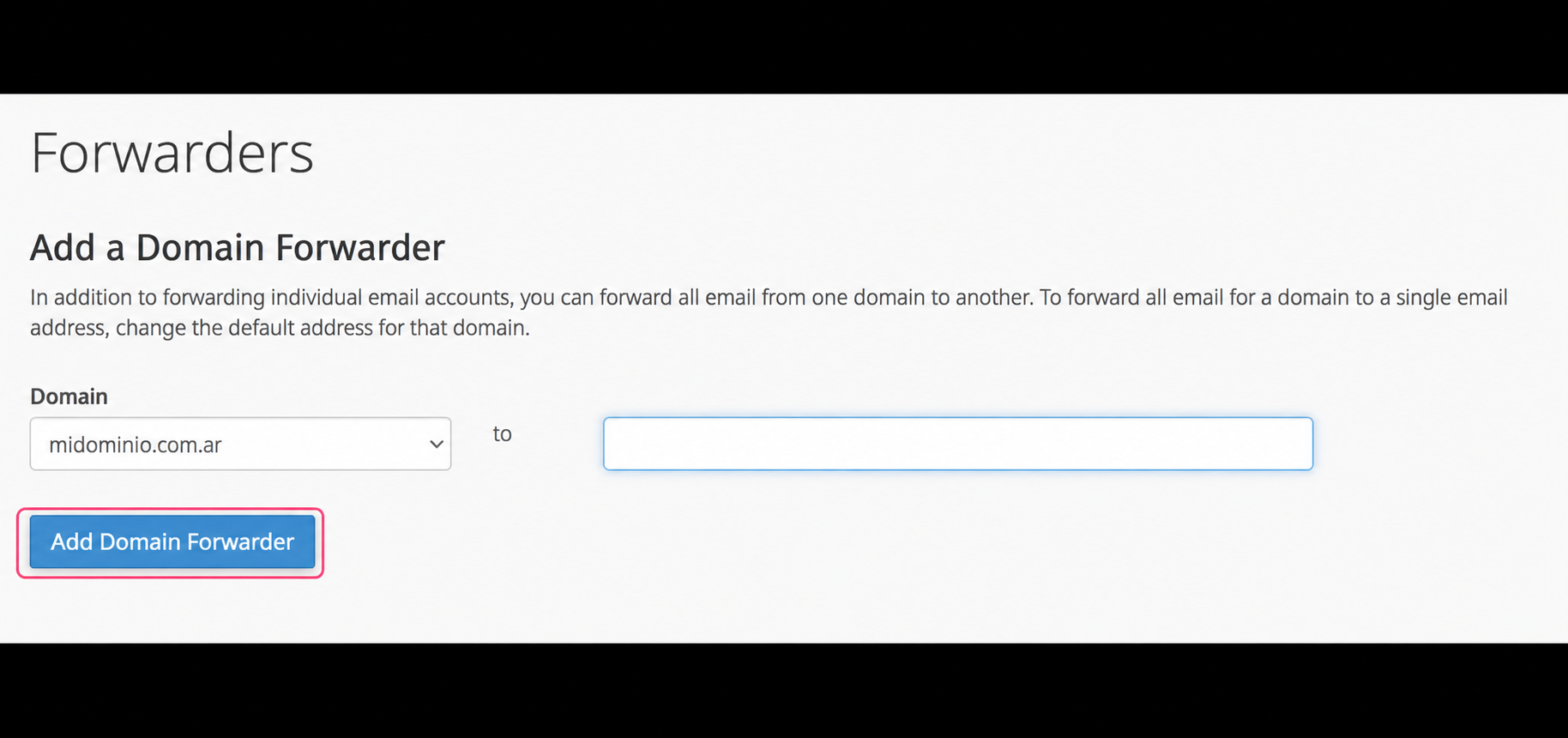
Domain Forwarder:
The domain forwarder will allow you to forward all emails sent to the accounts of your domain to the corresponding accounts of another domain.
Click the Add Domain Forwarder button to save your forwarder.