

Domain without SSL installed
If you reached this guide after trying to access your website in secure mode (https://tudominio.com), you should install the SSL certificate on your website by following these steps:
Installation of SSL certificate in cPanel
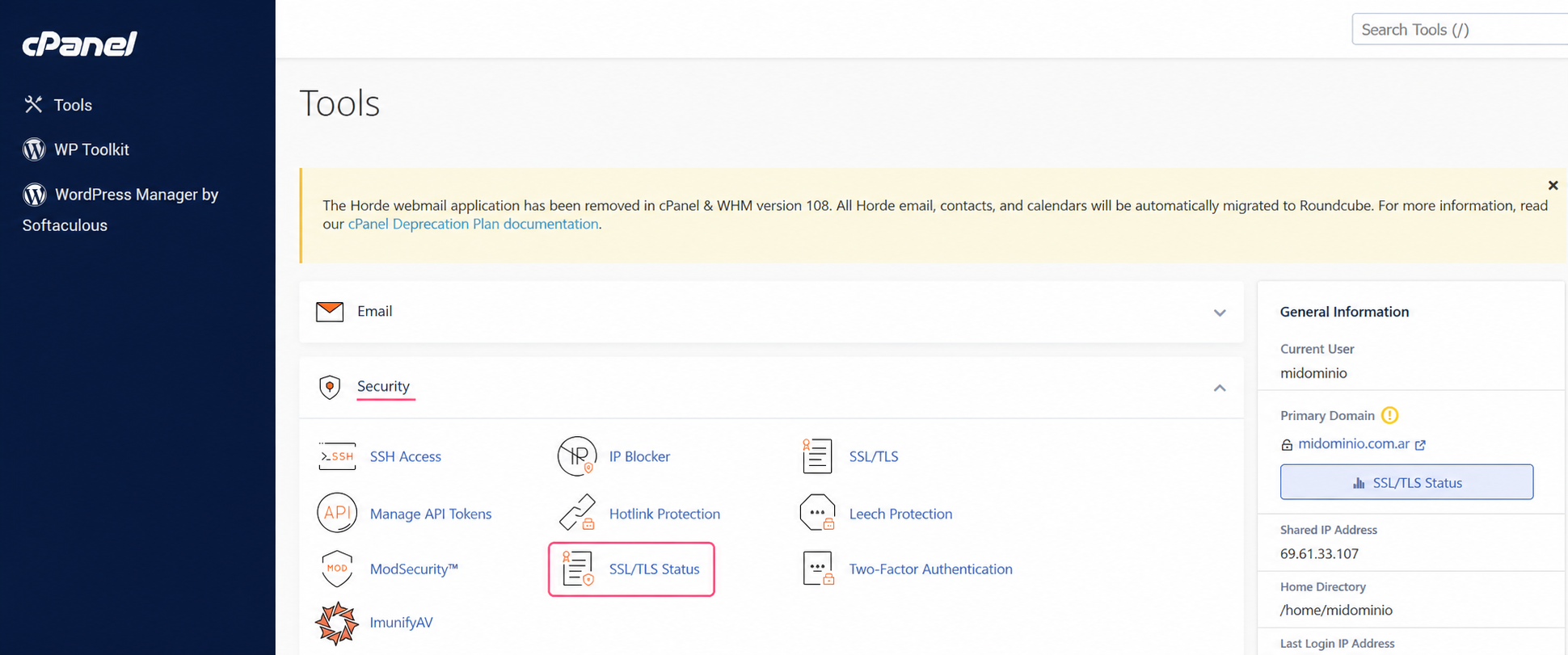
- In the control panel, go to SSL/TLS Status, in the Security box.
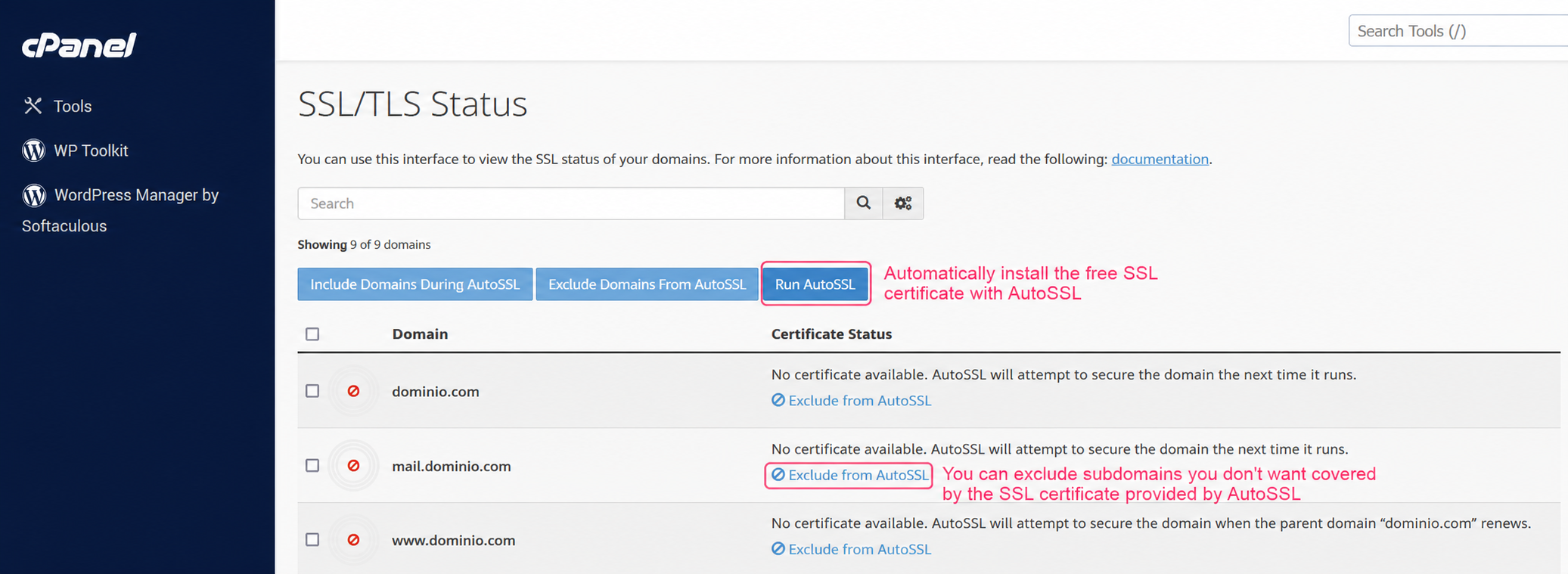
- On the SSL Status screen you’ll see your domains, subdomains and the status of their SSL coverage.
With the Run AutoSSL button you can install the certificate on all the domains and subdomains of your account. The process is automatic.
If you want to exclude a specific domain or subdomain from SSL coverage, you can do so from the Exclude from AutoSSL option available for each.
Once you have installed the SSL certificate on your website you will be able to see it in browsers by typing the domain as: https://tudominio.com.