

How to enable SSL for a domain in HestiaCP?
To enable an SSL certificate for a domain, the domain must have a web space created under a user.
The domain must point to the server where the SSL certificate will be installed.
Once those two requirements are met, to install SSL you should follow these steps:
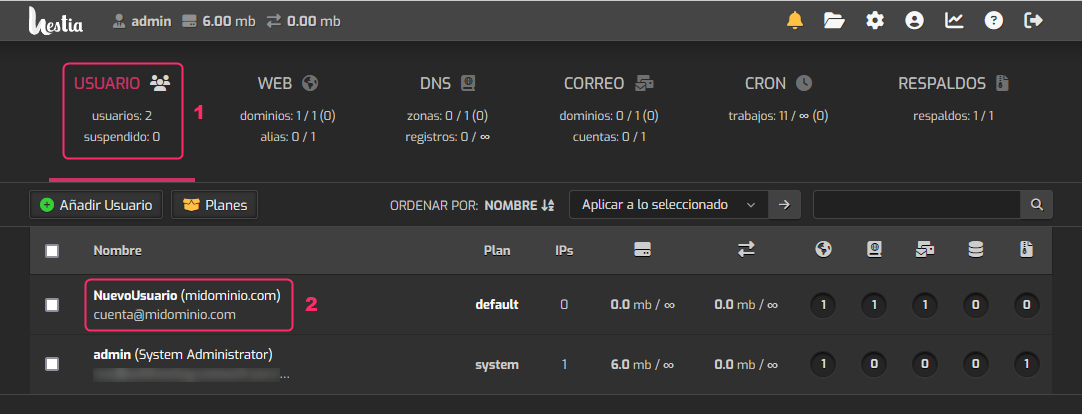
- Enter the USER area
- Click on the user that has the domain to be configured.
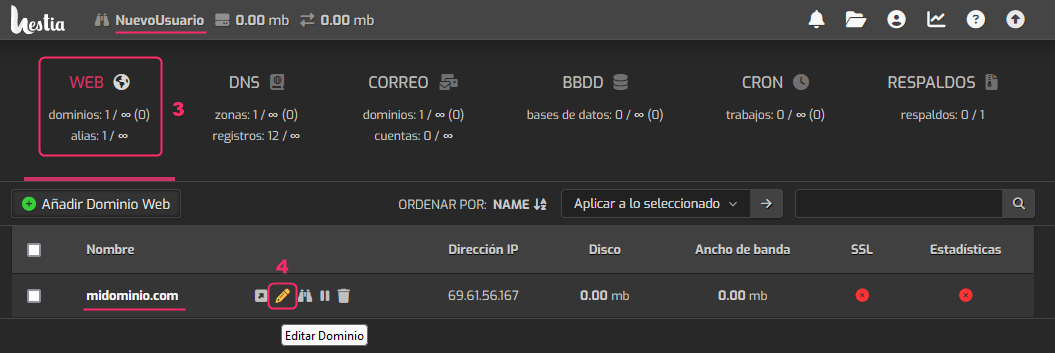
- You should be in the WEB area when the new screen opens.
- Position the mouse to the right of the domain for which you want to enable SSL.
You will see a pencil icon appear. Enter that option.
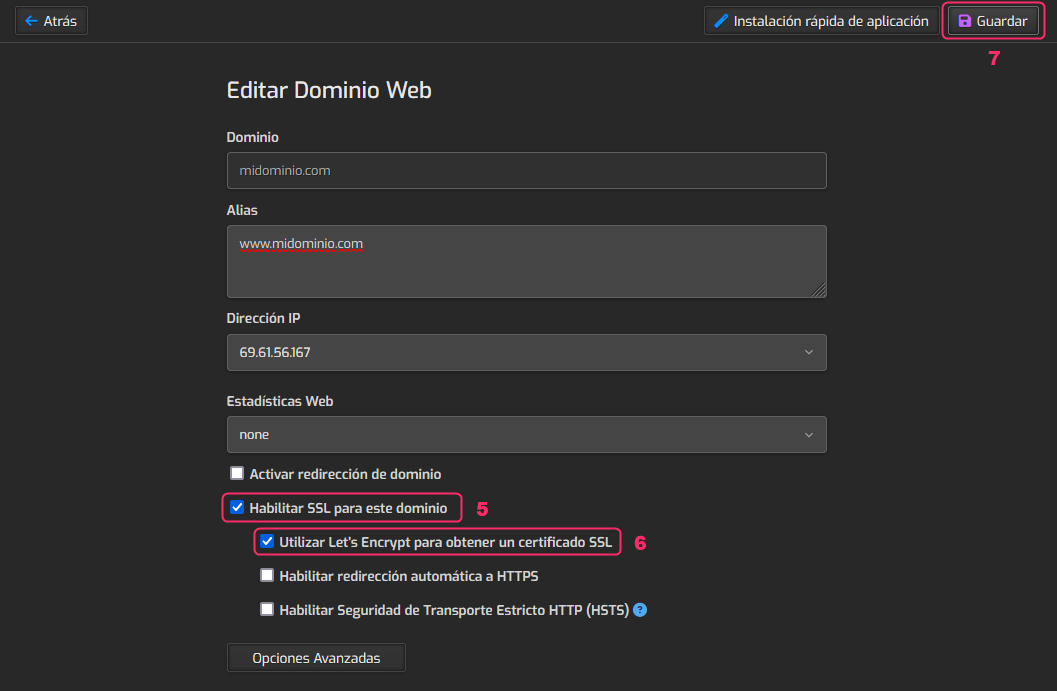
- In the domain options you must enable Enable SSL for this domain.
- Then, you must enable Use Let’s Encrypt to obtain an SSL certificate.
- Finally, press the Save button at the top right to save the changes.
After a few minutes the SSL certificate will be installed on the domain.