How do I upgrade or downgrade my service?
You can change a service to another available plan within the same product family.
- Go to Services > My Services.
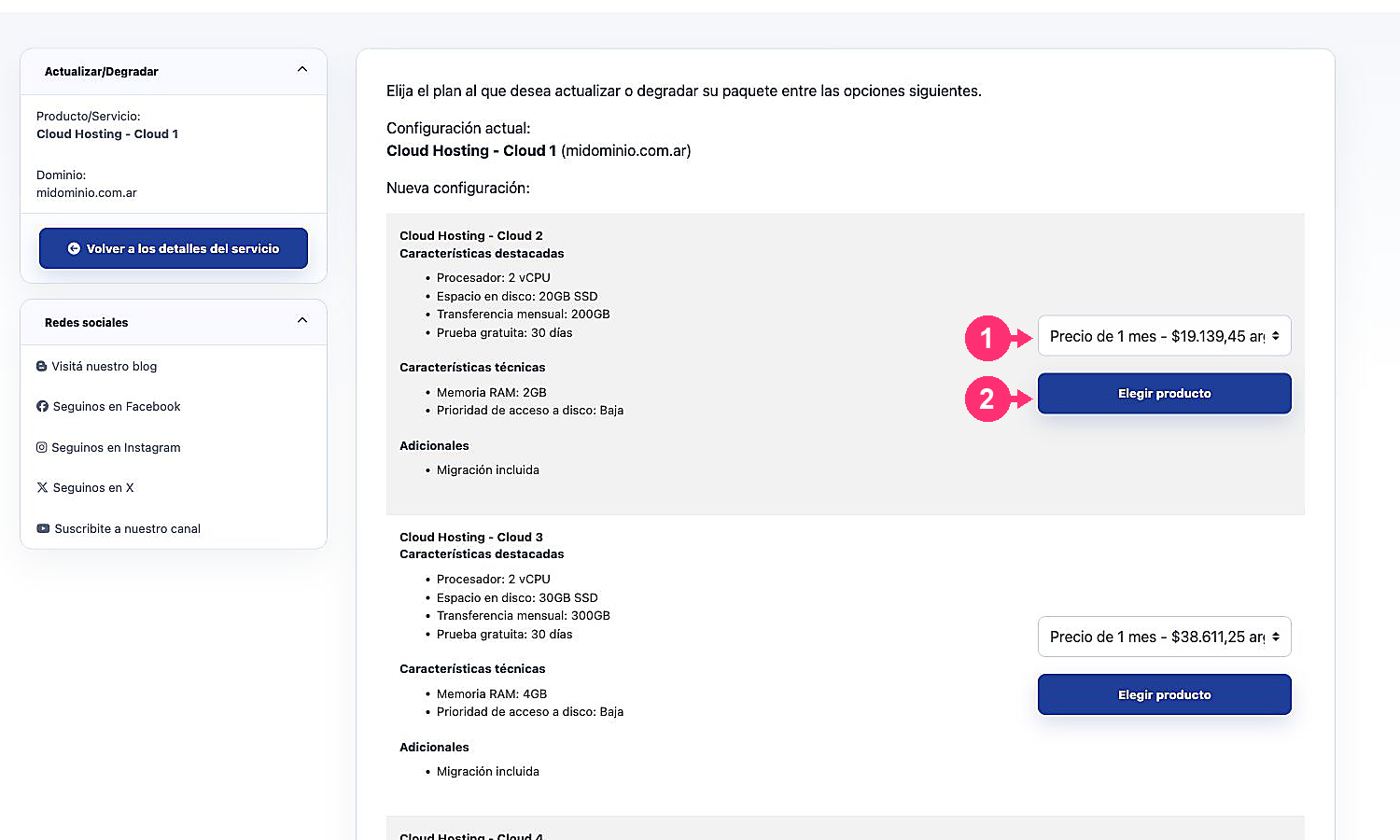
- Select the service you want to modify.
- Under Actions, choose Upgrade/Downgrade.
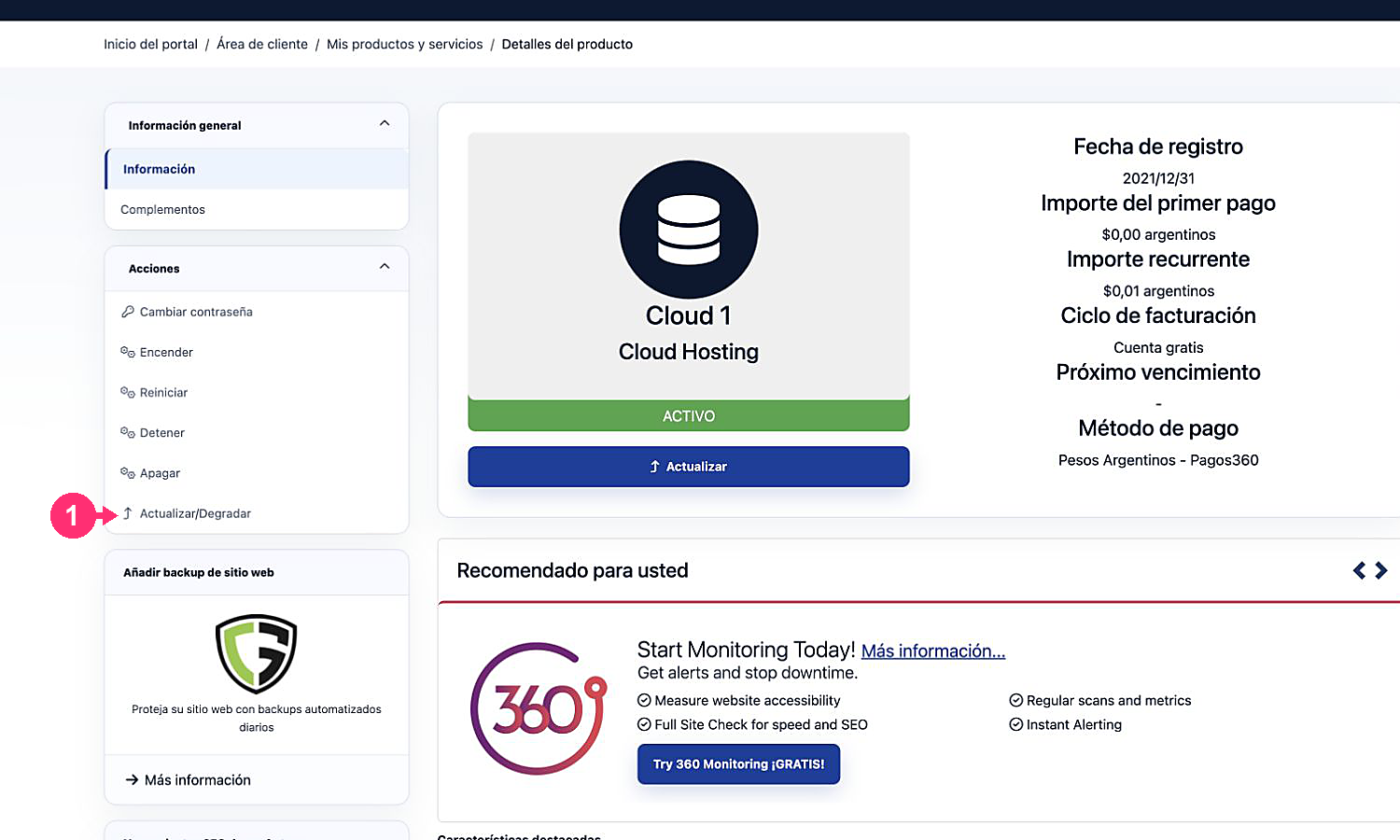
- Compare the features and available billing cycles.
- Click Choose Product next to the new plan.
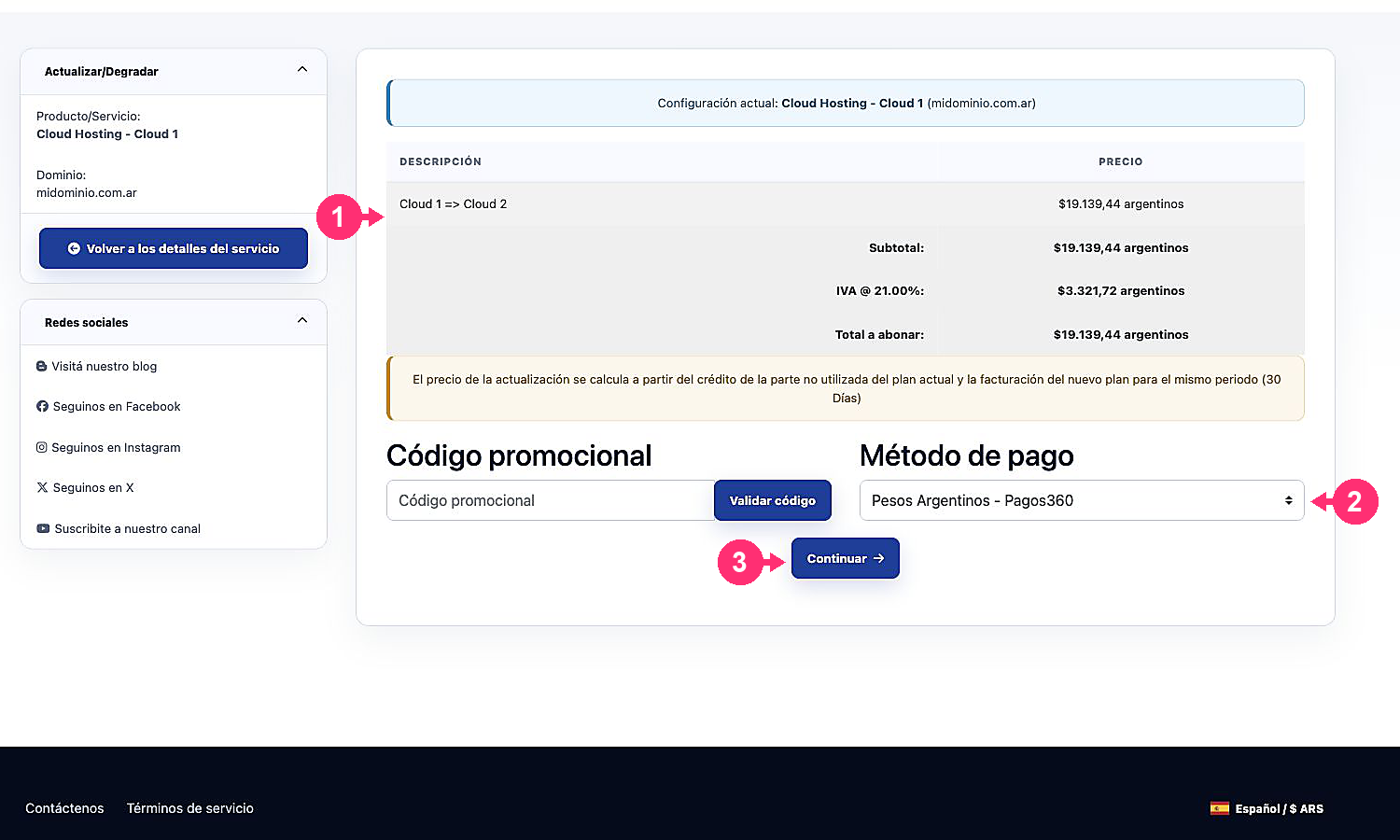
- Review the current configuration, the requested change, the prorated price, taxes and the total.
- Choose the payment method and click Continue only when you want to submit the change request.