

How to suspend and unsuspend an account?
We will show you in this section how you can suspend and unsuspend the domains of your clients in the WHM of your Reseller plan.
After accessing the WHM of your Reseller plan, go to “Account Functions” => “Manage Account Suspension”.
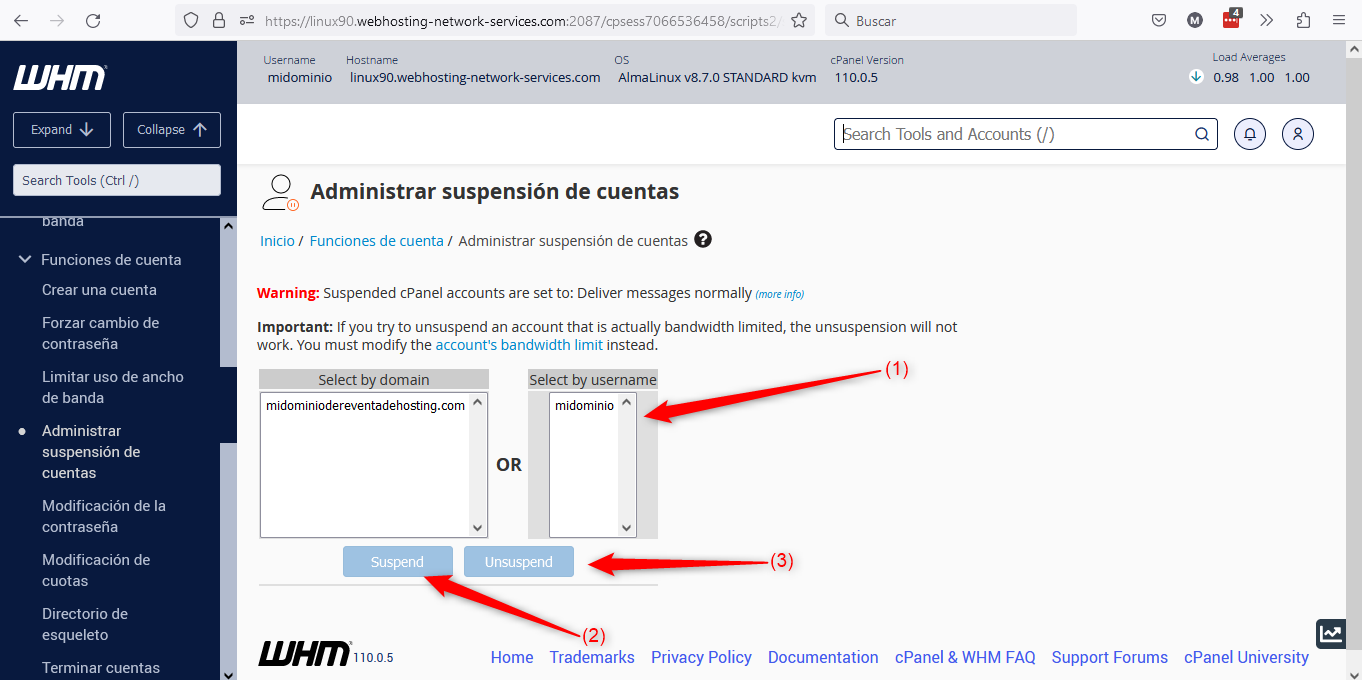
Below we detail the different items in the image:
(1) => allows you to select the domain to suspend or unsuspend. You can search by domain name or by cPanel username.
(2) => is used to suspend the selected site.
(3) => is used to unsuspend the selected site.