How to create email accounts from the control panel?
The control panel for Business Email plans is cPanel.
Creating email accounts from the control panel:
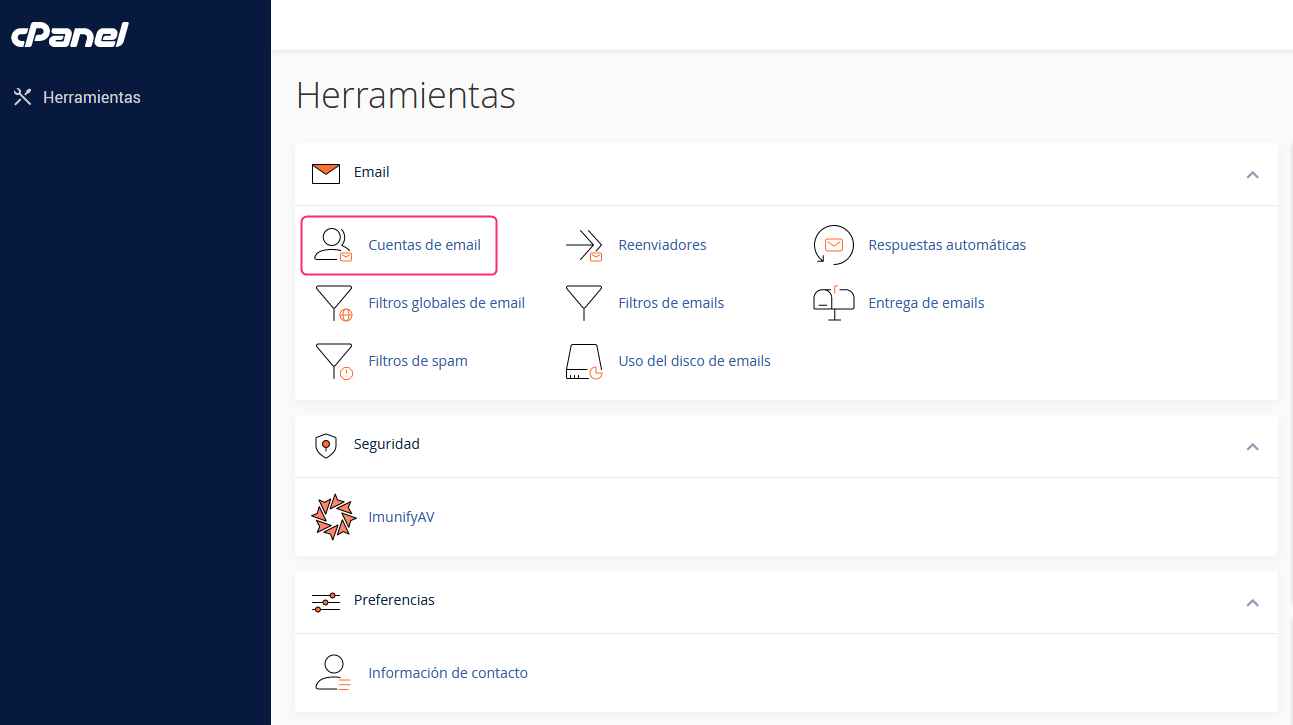
- In the cPanel control panel, go to Email Accounts, in the Email box.
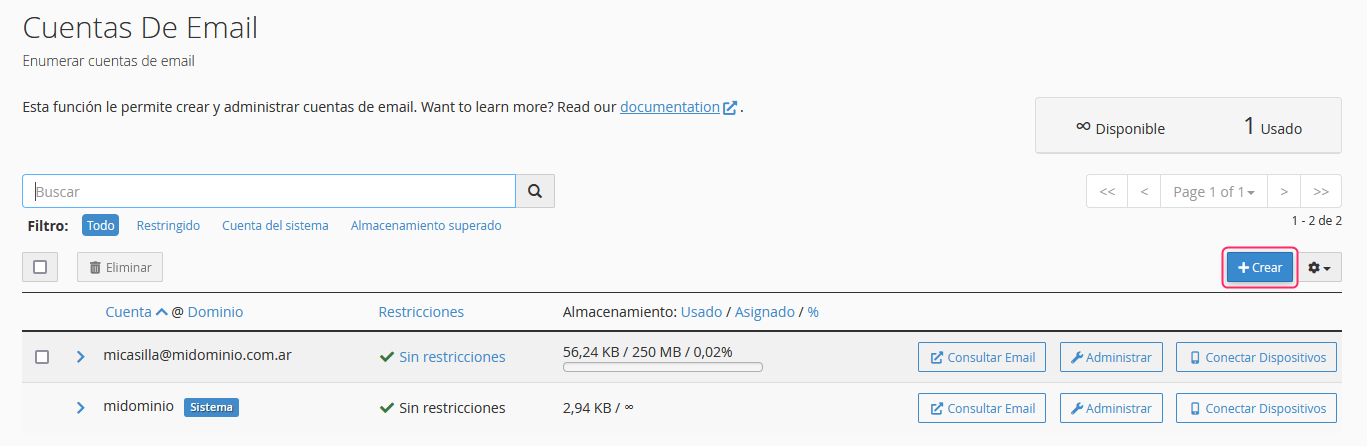
- You will see the list of email accounts you have already created. Press the Create button on the right.
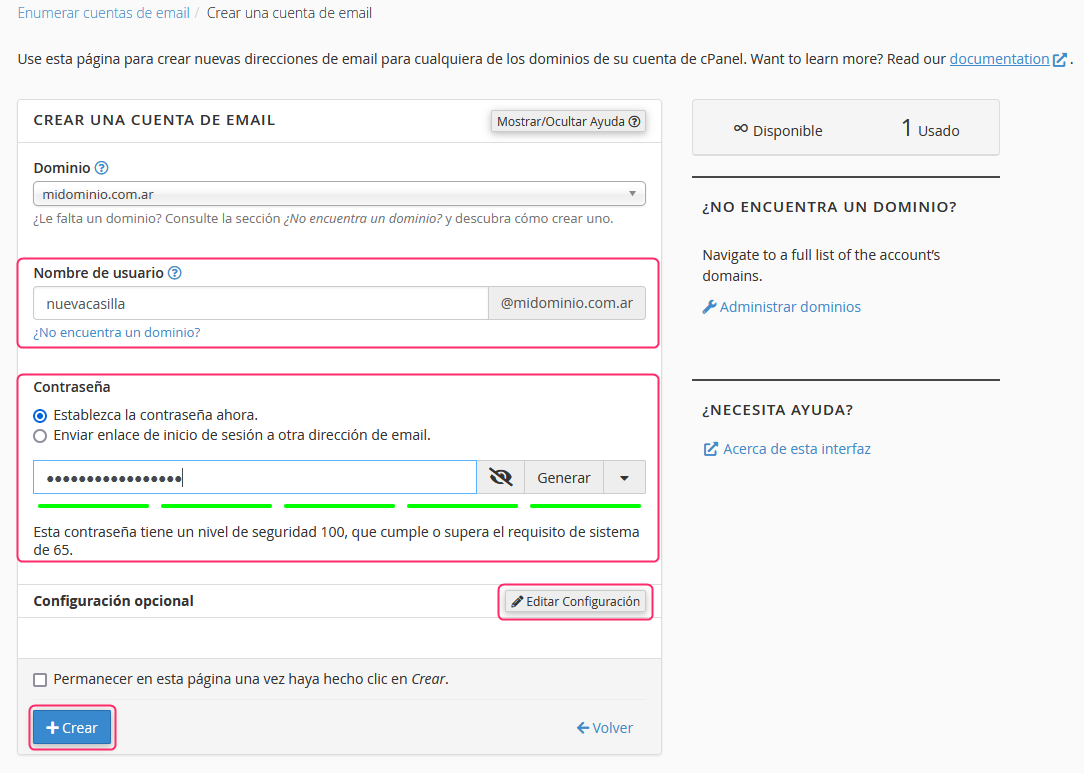
- The account creation screen will ask you to enter the name of your account and the password.
You will see an Edit Settings button, which will allow you to modify the maximum space the email account can occupy
Finally, with the Create button you will have finished creating your new email account.
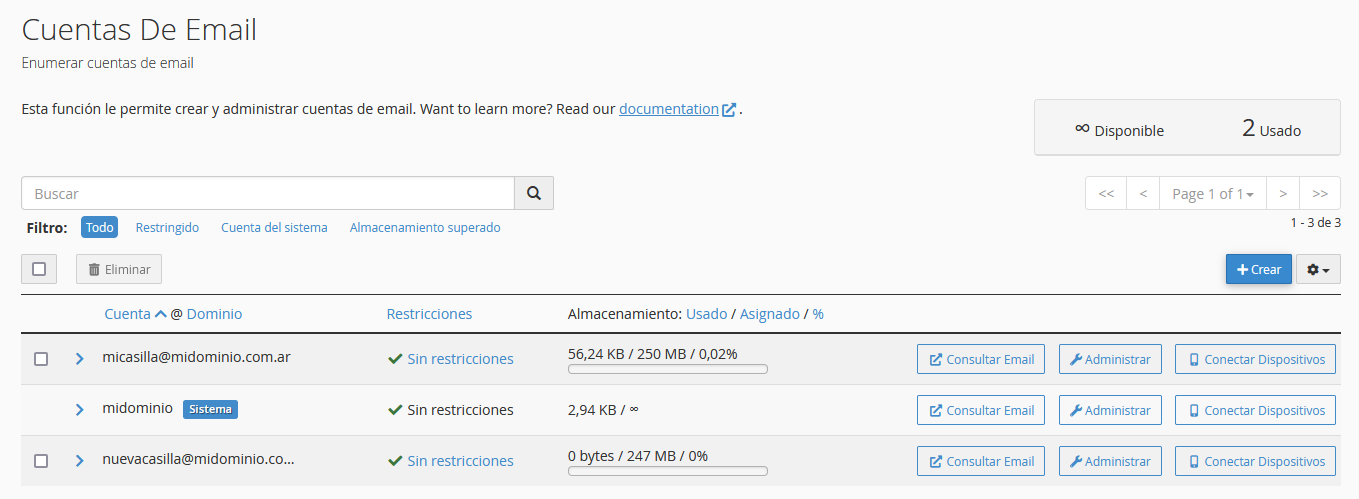
Back in the Email Accounts area you will see your new account and you can access it via Webmail or modify its details.