How do I change the password, storage and other options of my mailboxes in Plesk?
To modify options of a mailbox you must log in to the Plesk control panel from your Client Area.
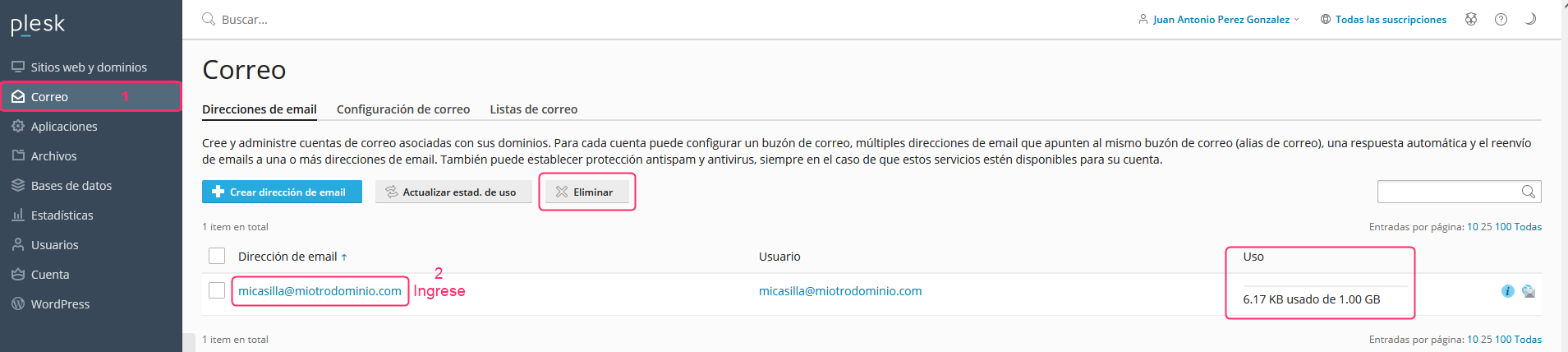
- In the Plesk control panel, choose the Mail option in the left-hand menu. You will see the list of created mailboxes, the space they occupy and a button to remove them.
- Enter the mailbox whose parameters you want to modify.
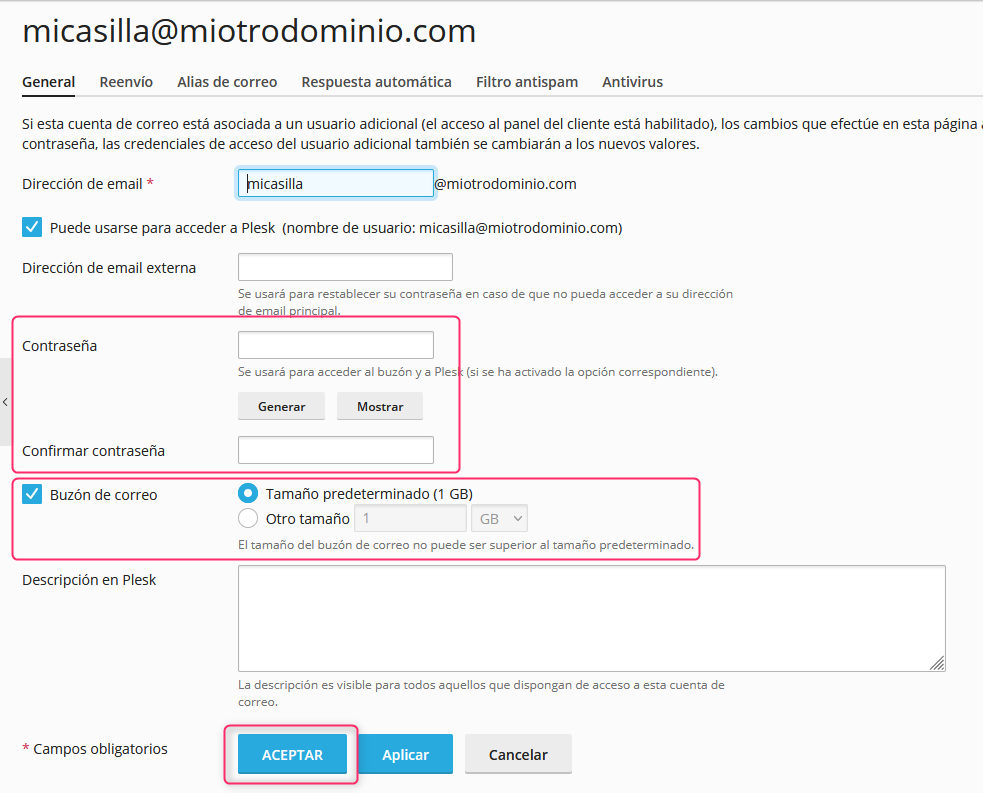
On the new screen you will see several options that you can modify:
- The mailbox name
- A secondary mailbox for password recovery
- Changing the mailbox password
- The maximum storage limit that the mailbox can use.
Pressing the OK button will save the changes made.