How to create Scheduled Tasks (Cron Jobs) in cPanel?
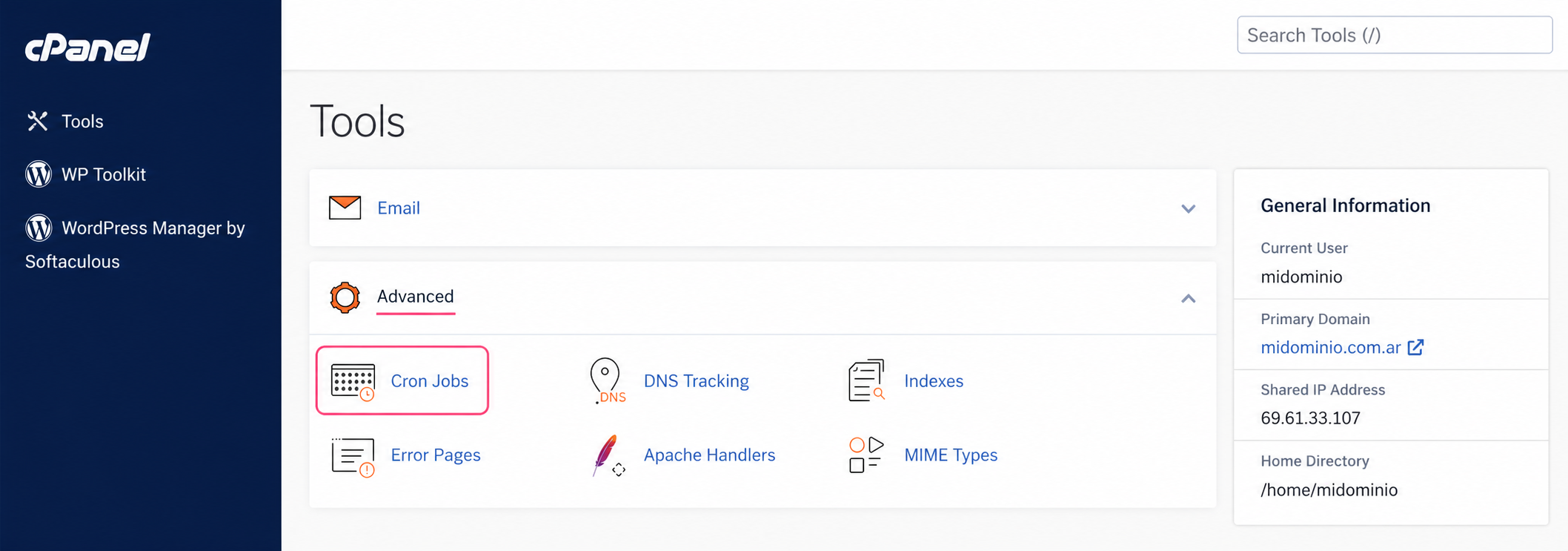
To create a scheduled task, log in to your control panel and then, in the Advanced box, go to Cron Jobs.
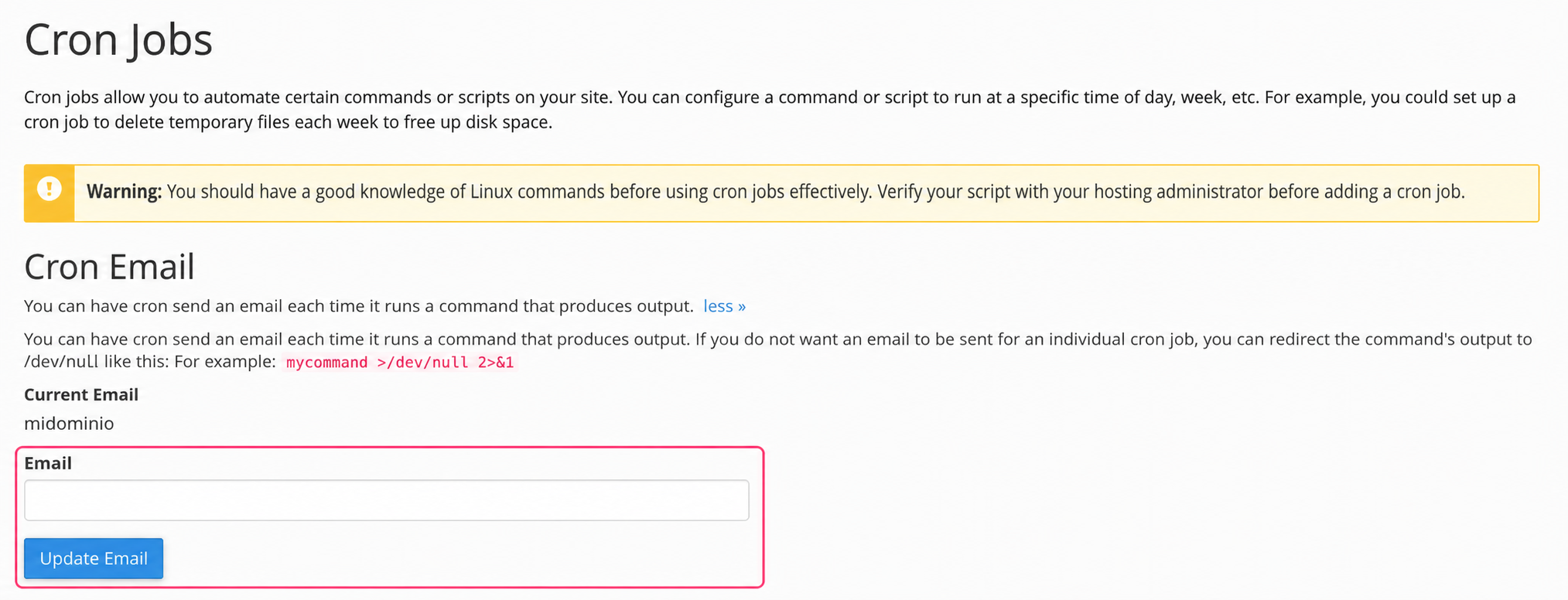
The Cron Jobs screen has several sections. First it will ask for an optional email to report the execution of the scheduled task. If you do not configure an email account the server will send the report to the account that cPanel creates by default.
In the second section we will see example information to create the command of the task that will be executed. It is very important to pay attention to those examples. Let’s look at each point:
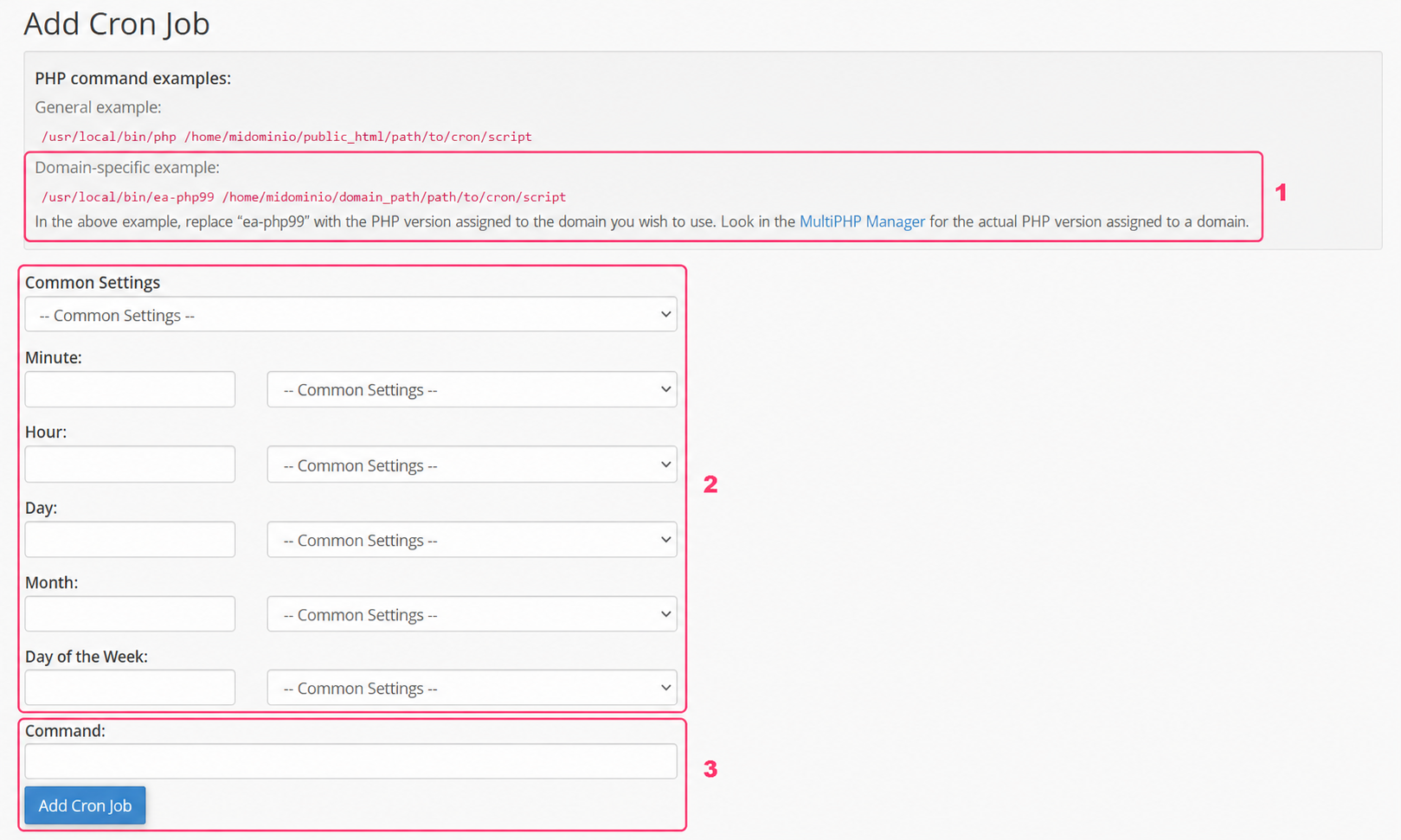
- The example indicates that, depending on your PHP version, you should write the command
/usr/local/bin/ea-php99according to the PHP version number you have. If your account uses PHP 8.0 you should write:/usr/local/bin/ea-php80
- In this section you should define how often your scheduled task will run. With each drop-down menu you can complete this point.
- Finally you will see the box where you must write the command to execute the scheduled task. This is where you must write the
/usr/local/bin/ea-phpcommand that we saw in point 1.
- An example would be:
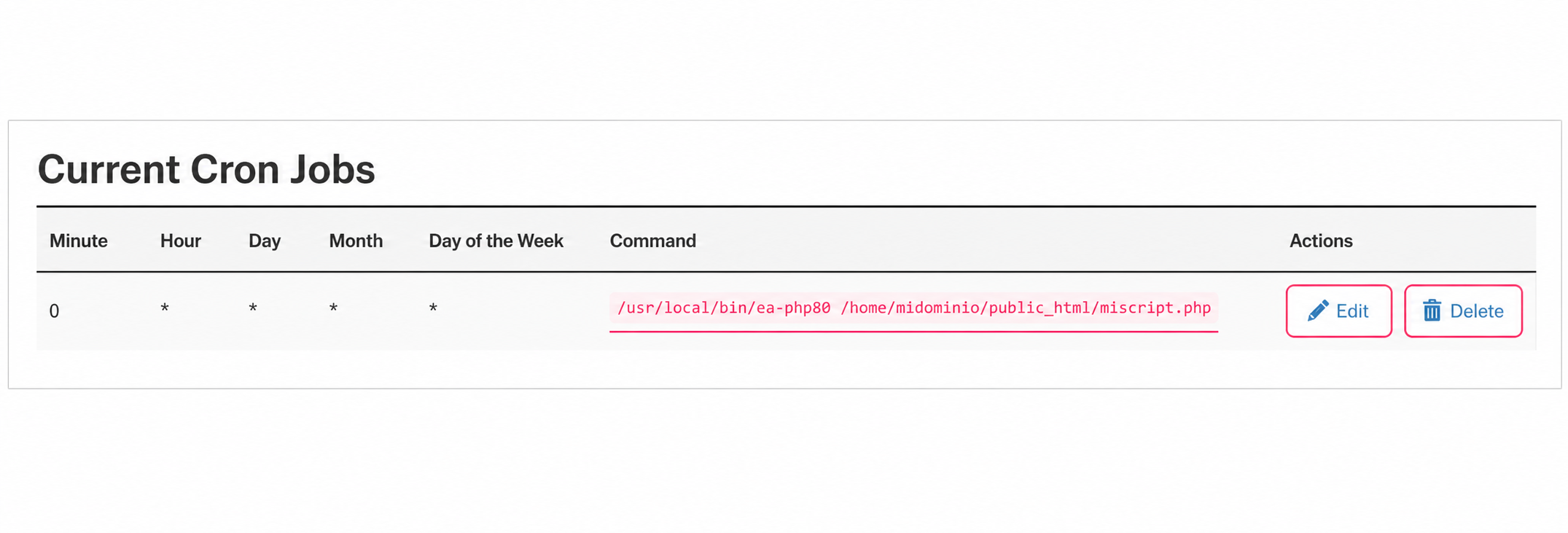
/usr/local/bin/ea-php80 /home/miUsuarioCpanel/public_html/miscript.php
The last section of Cron Jobs will show all the scheduled tasks you have created. You can edit or delete an already created task.