How do I cancel a service?
Service cancellation removes or schedules the removal of its resources and may cause data loss. Download beforehand any information you need to keep.
- Go to Services > My services.
- Select the service you want to cancel.
- Open the Request cancellation or Request termination option, when available for that product.
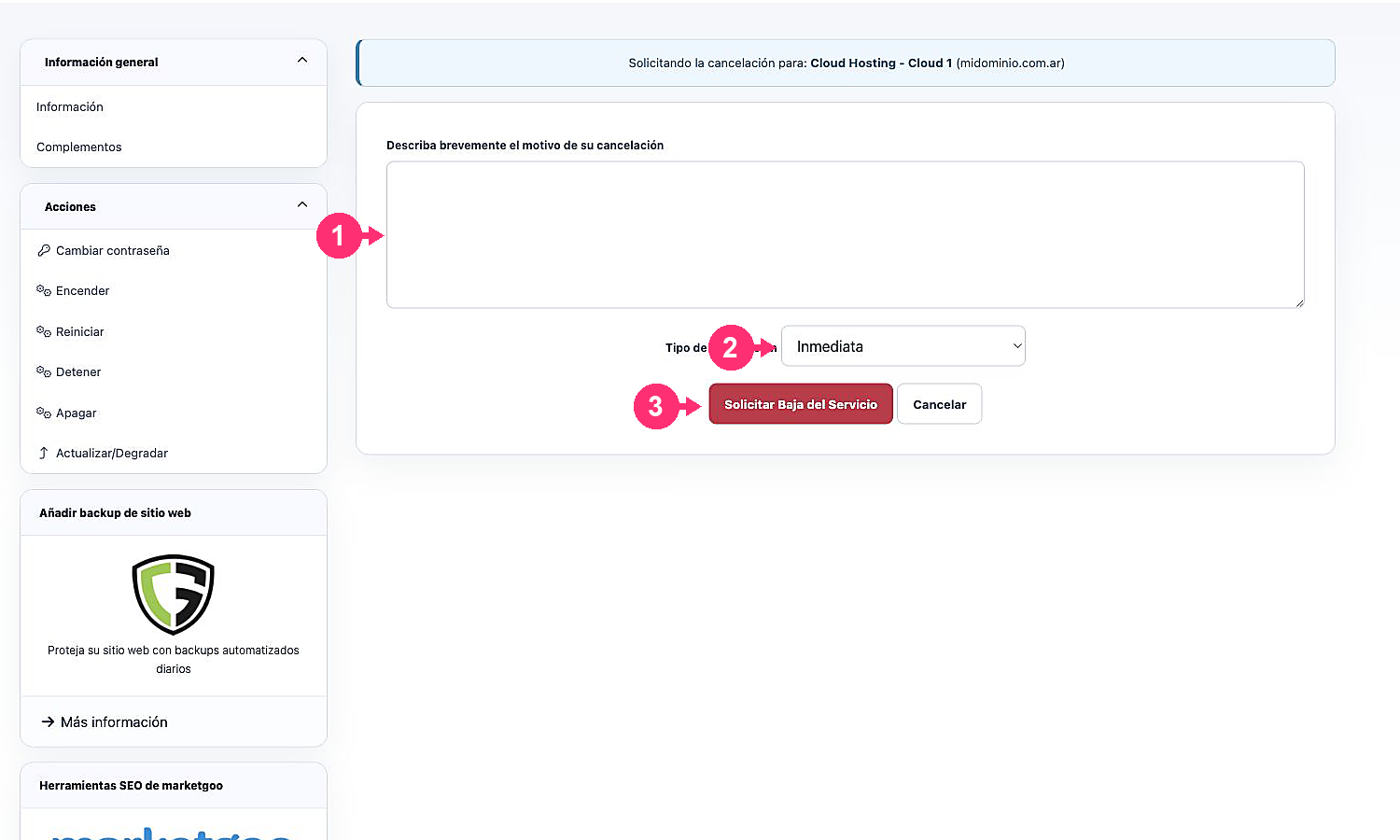
- Briefly write the reason.
- Choose the type of cancellation:
- Immediate: requests cancellation without waiting for the next due date.
- End of billing period: keeps the service until the current period ends.
- Review the product name and the domain before pressing Request Service Cancellation.