How to access a database created in HestiaCP?
You can access and manage a database using phpMyAdmin.
Follow these steps to enter phpMyAdmin:
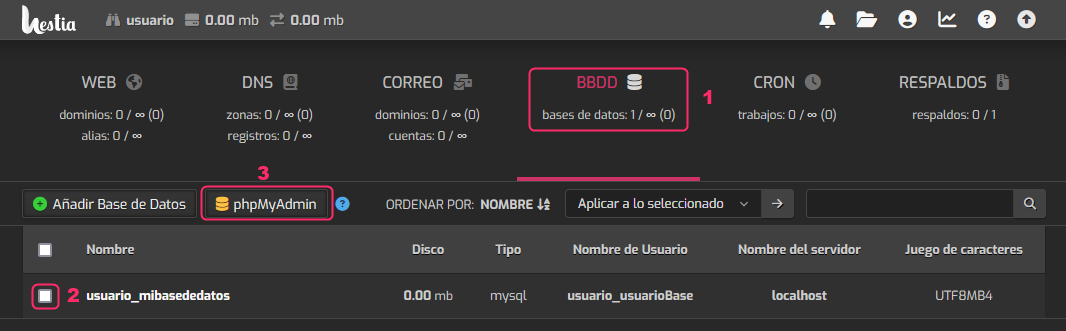
- First, go to the Databases area within the account that has the database.
- Select the database you want to access.
- Press the phpMyAdmin button to manage the database.