

How to Install an SSL Certificate in Plesk?
SSL certificates are very important on online shopping portals or sites that need to encrypt sensitive information transferred between the user and the website.
They are also important to avoid security warnings that browsers may show.
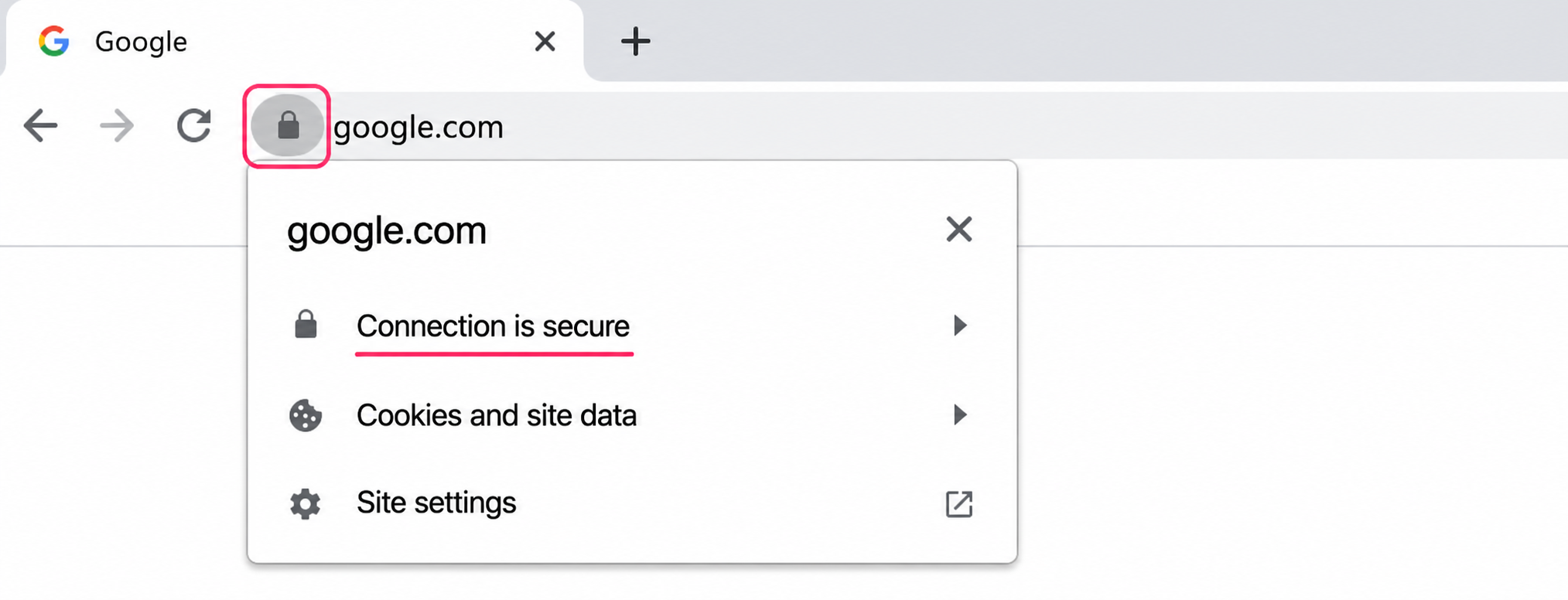
Website protected by its SSL certificate
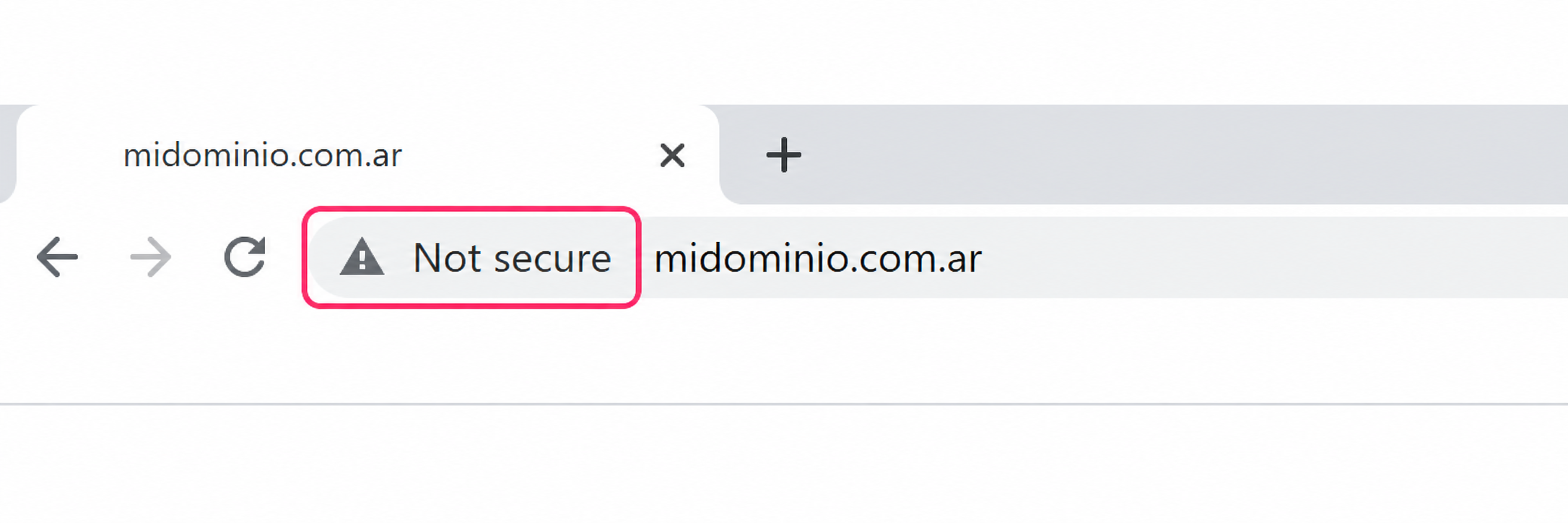
Website without SSL certificate
To install the SSL certificate in Plesk follow these steps:
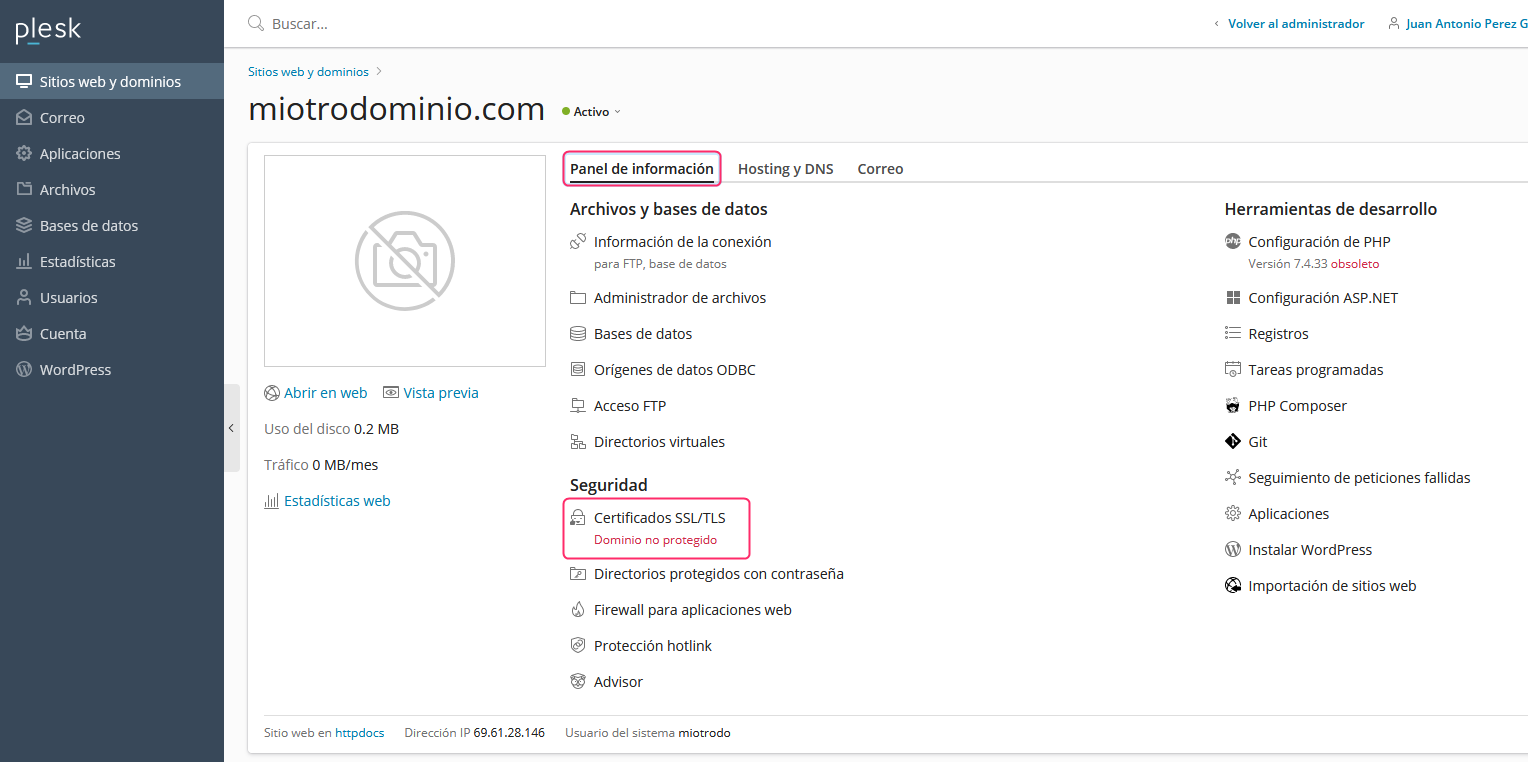
- First, check the current status of your SSL coverage. From the Information Panel tab, option SSL/TLS Certificates. Enter to view the SSL certificate in more detail.
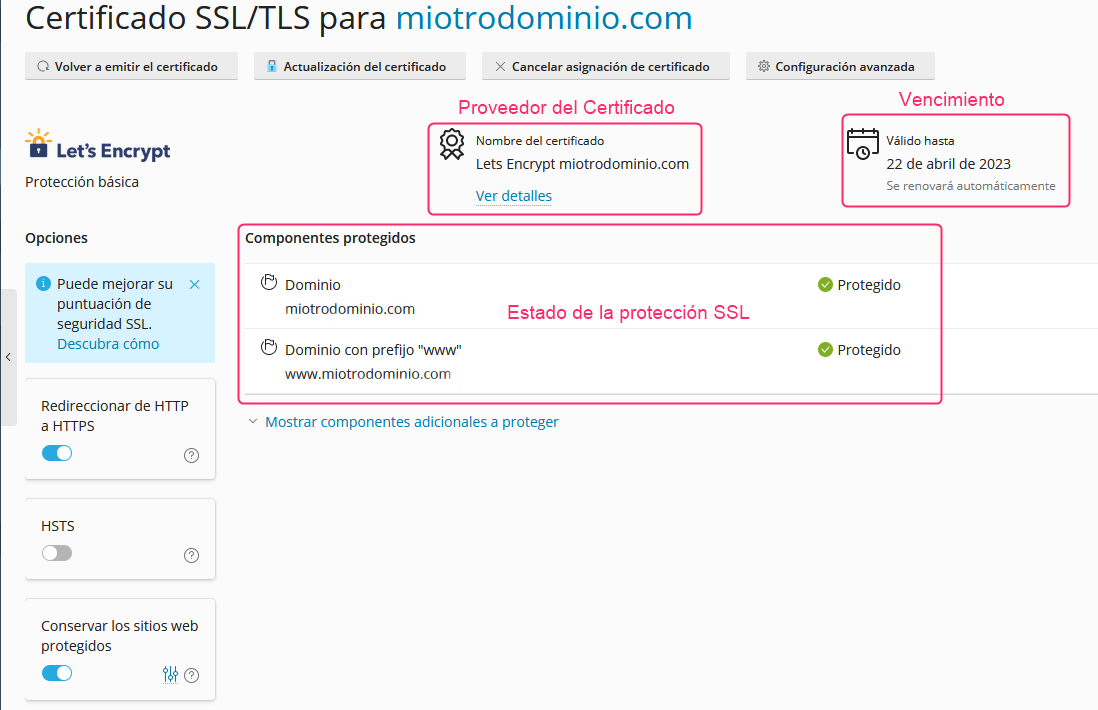
On the new screen you’ll see the status of your coverage for each domain and subdomain, the certificate’s expiration, and the SSL certificate provider.
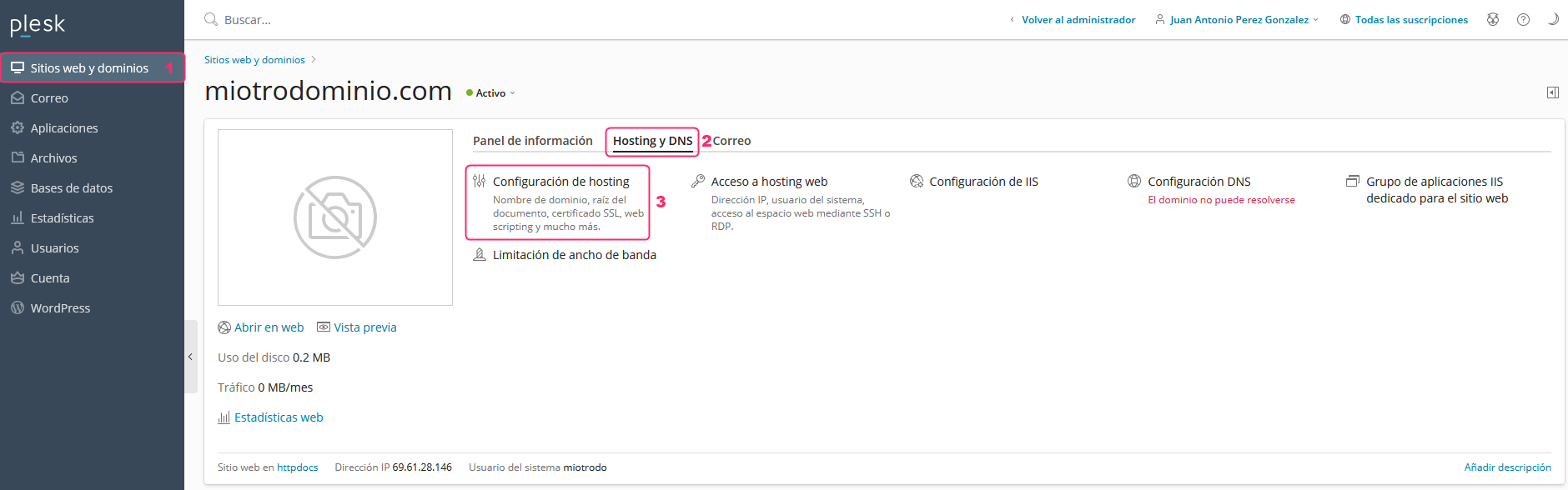
- If the SSL certificate is not installed, return to the main control panel page, from Websites & Domains in the left menu.
Then click on the Hosting & DNS tab and enter Hosting Settings.
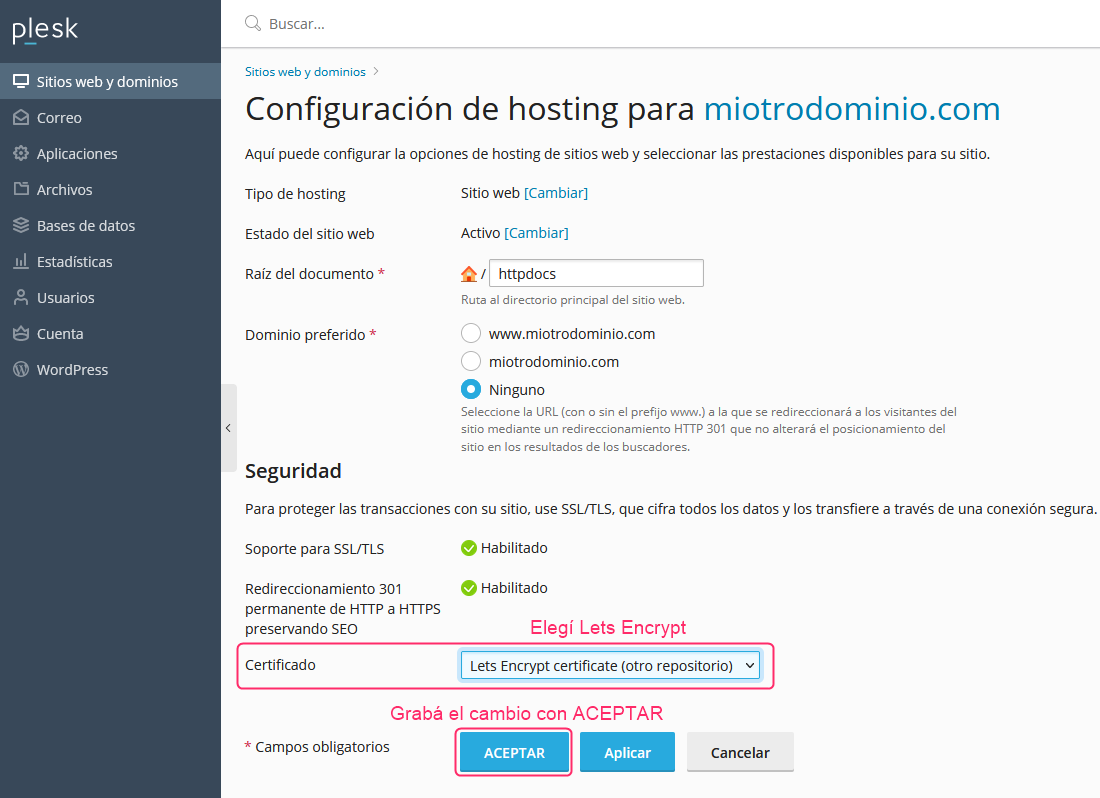
- On the settings screen look for the Certificate dropdown and choose Lets Encrypt.
Then, at the bottom, save the change with the OK button.
That’s it, your hosting account will be protected by the SSL certificate.