

How to configure my email account in Apple Mail?
Below we will show you how to set up an email account in Apple Mail.
- Open the Apple Mail application. In the menu click Mail and then choose Add Account.
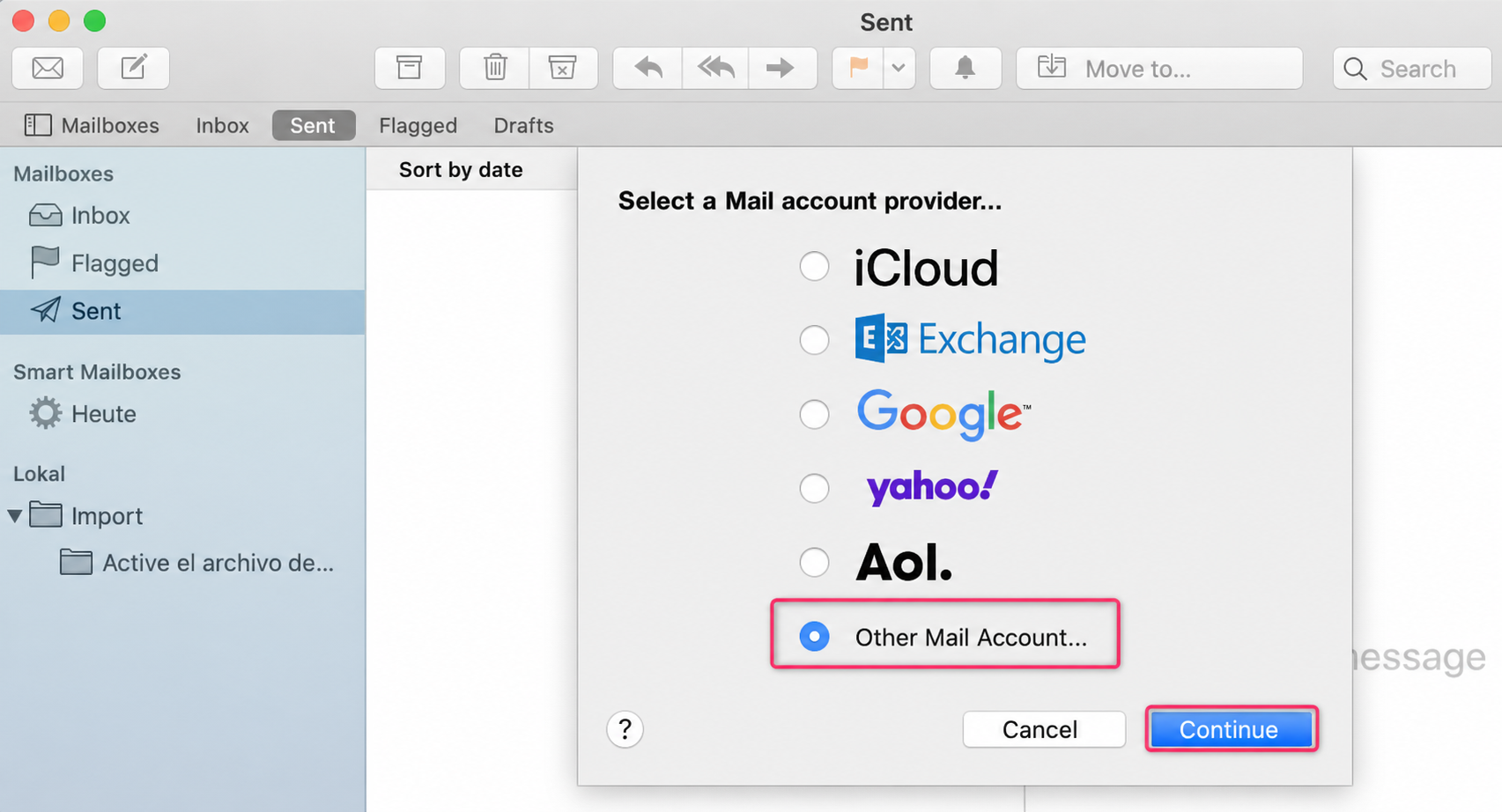
- Select the option Other Mail Account. Then press Continue.
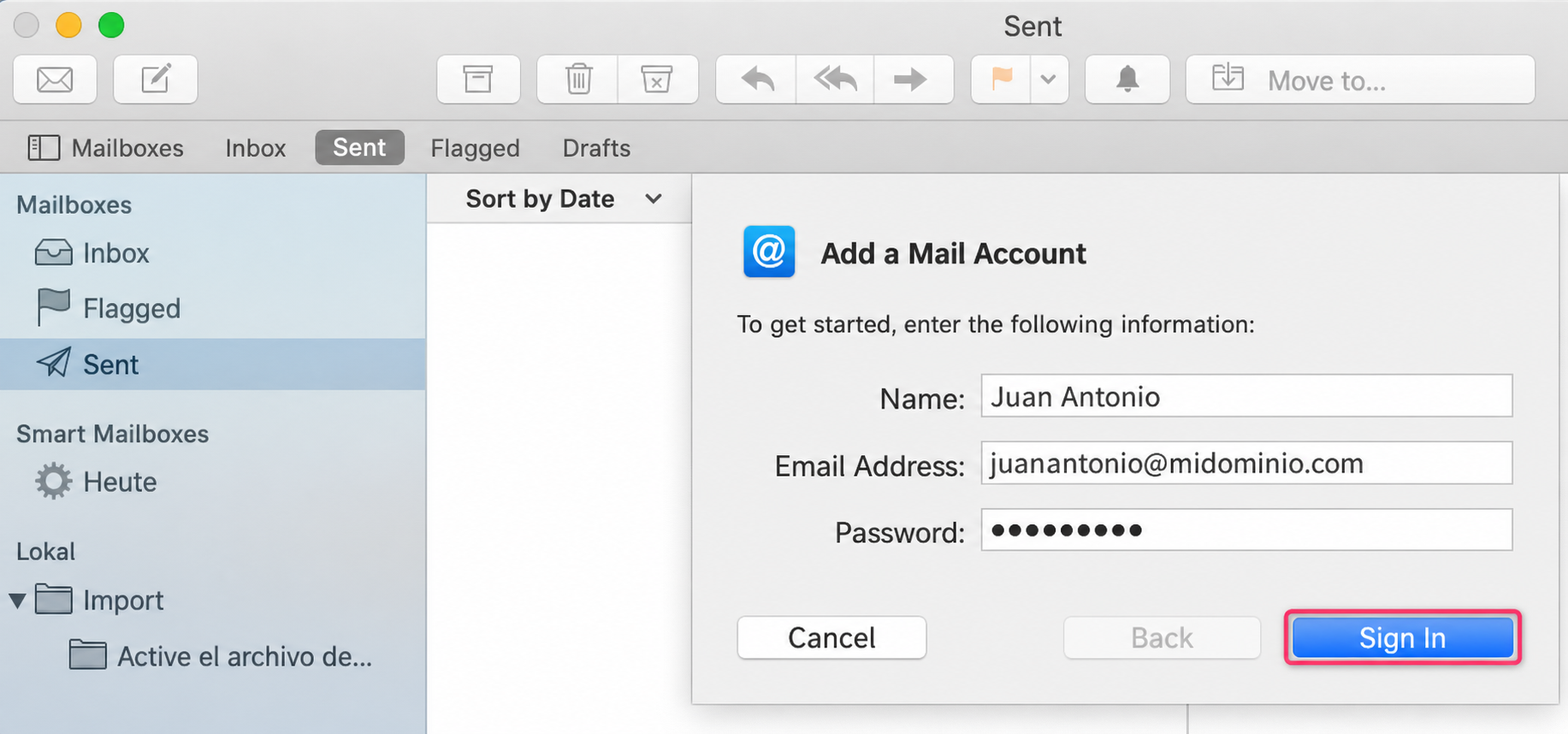
- Enter your name, email address, and password. Then press the Sign In button.
- Fill in the fields with your details as shown in the image below. Once done, you will have added your account to Apple Mail.
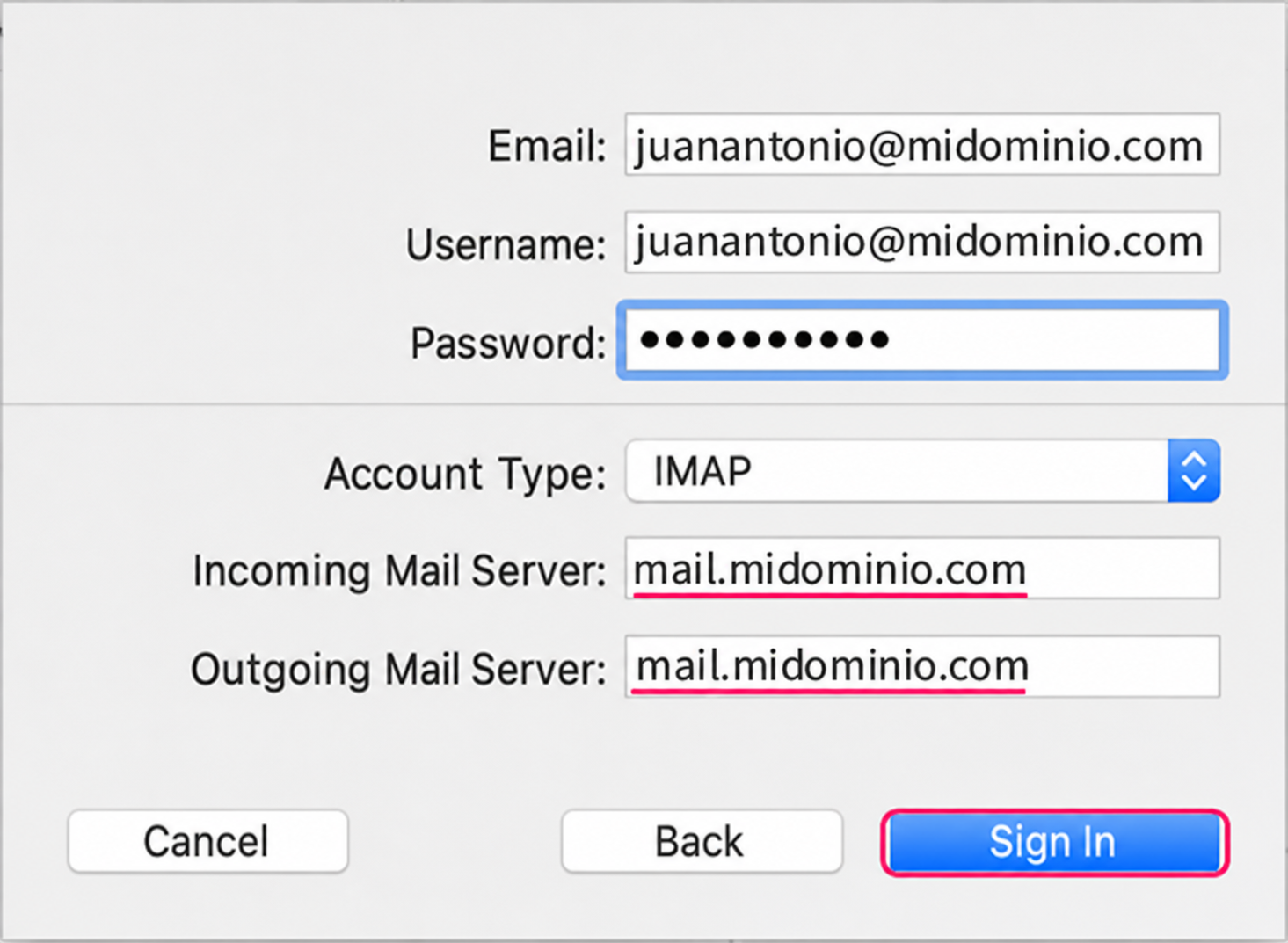
The POP3 account type will show the same options