How to configure automatic email forwarding in HestiaCP?
To create automatic email forwards, from one mailbox to another, follow these steps:
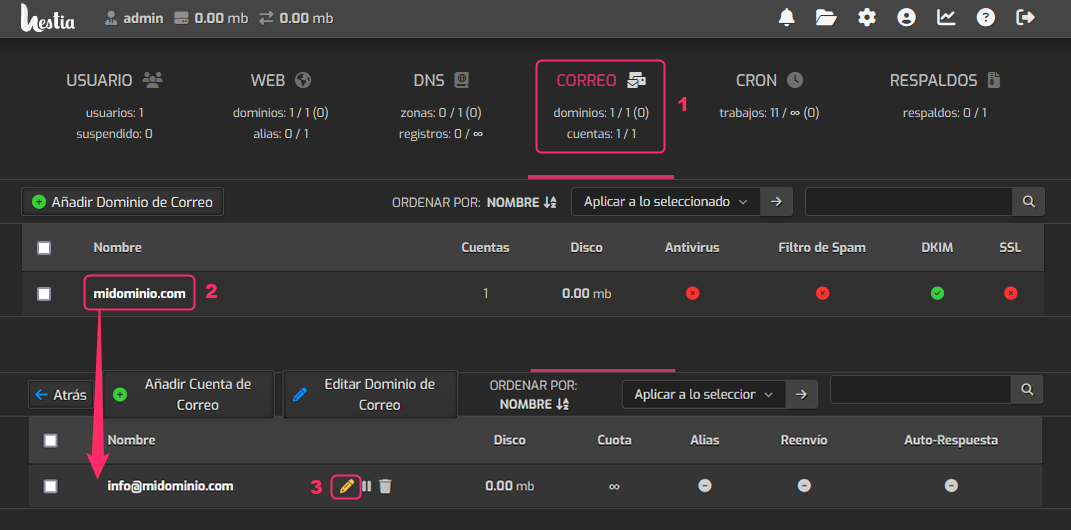
- Log in to the MAIL area within the account you want to modify.
- Click on the domain of the mailbox you want to modify.
- You will see the list of created mailboxes. On the right, click the pencil icon for the mailbox you want to edit.
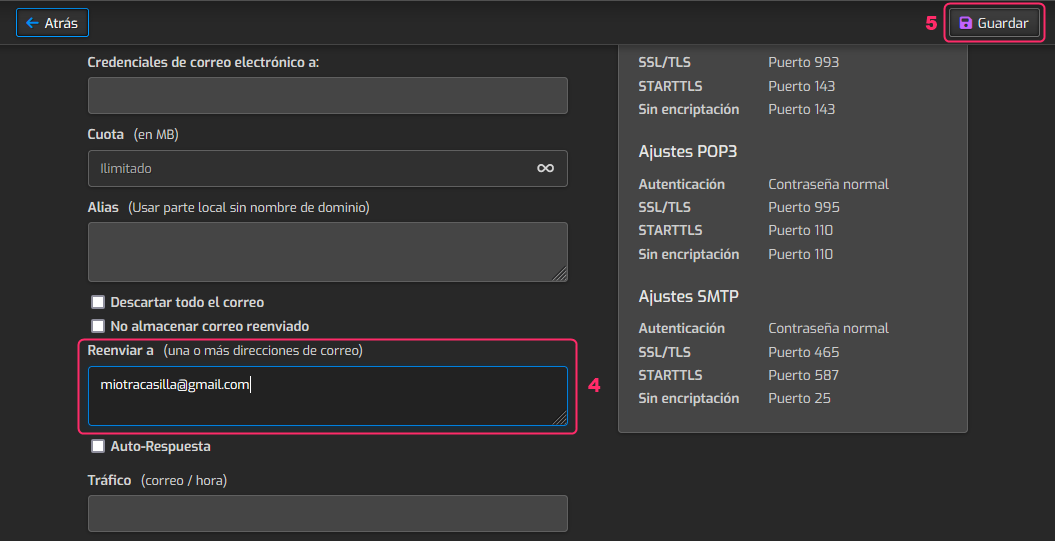
- In the mailbox configuration options, look for the option “Forward to”. Enter the mailbox to which you will forward the emails.
- Finally, save the changes using the Save button, which is at the top right.