Incremental Backups for Clouds
From your Client Area you can access your Cloud server to manage the backups that have been generated.
Follow these steps to view the backups area of your cloud:
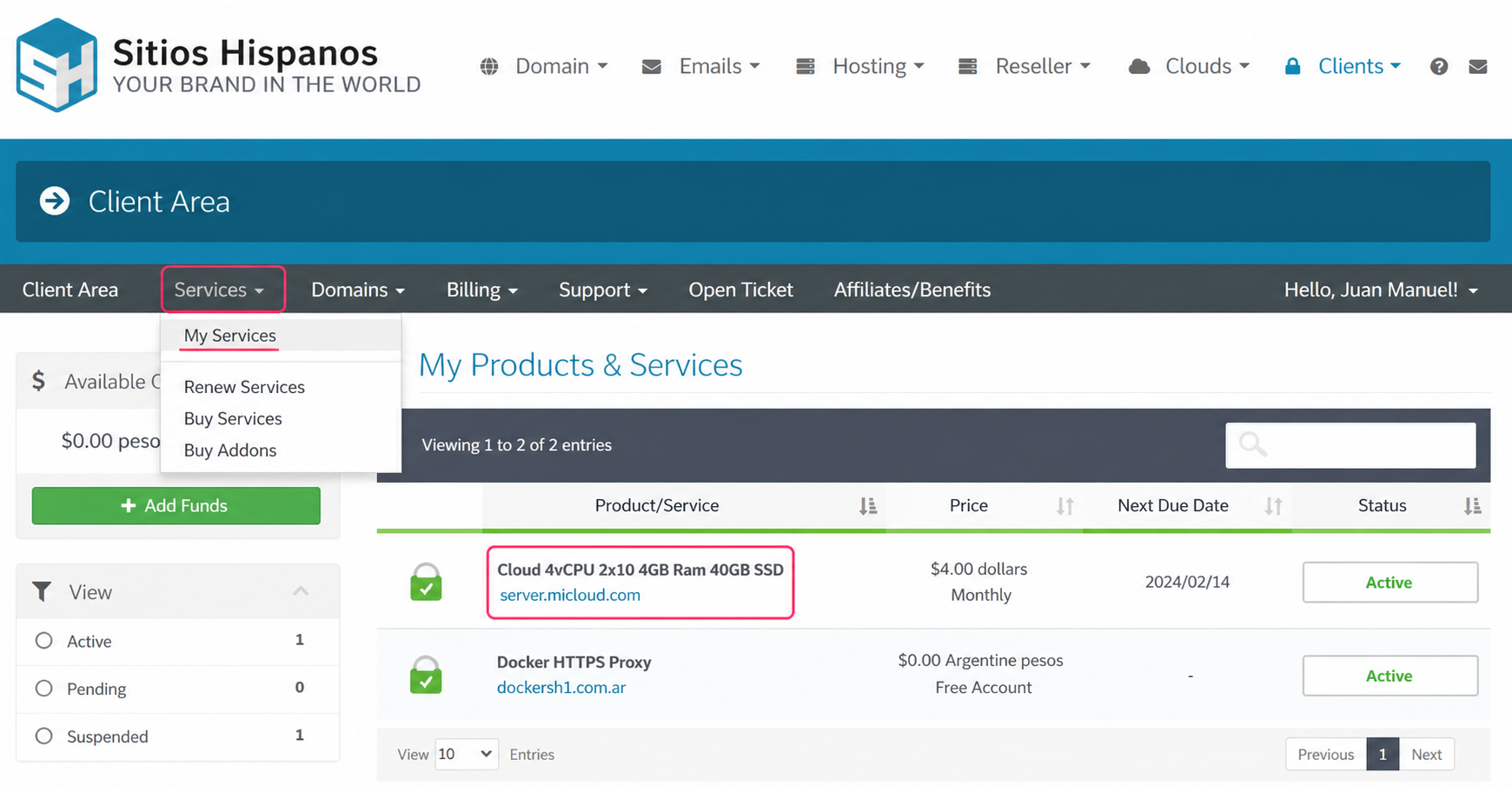
- Log in to your Client Area and then go to Services=>My Services.
- In the list of plans, select your cloud server plan.
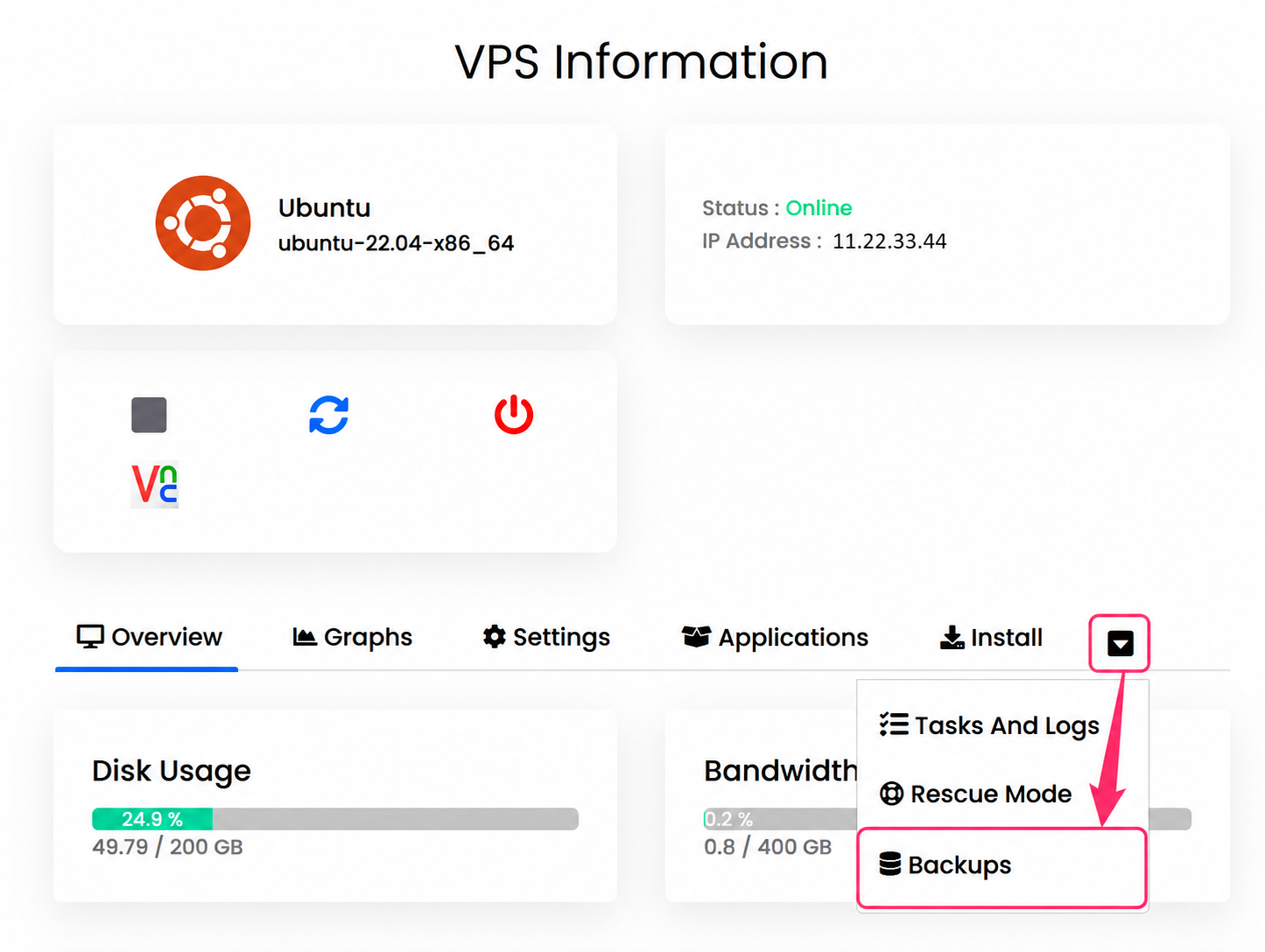
- In the VPS Information section you can see your server details along with the panel to power it off, power it on, reboot it, etc.
Below, you’ll find the options menu for your cloud. Open the menu by pressing the arrow and go to the Backups option.
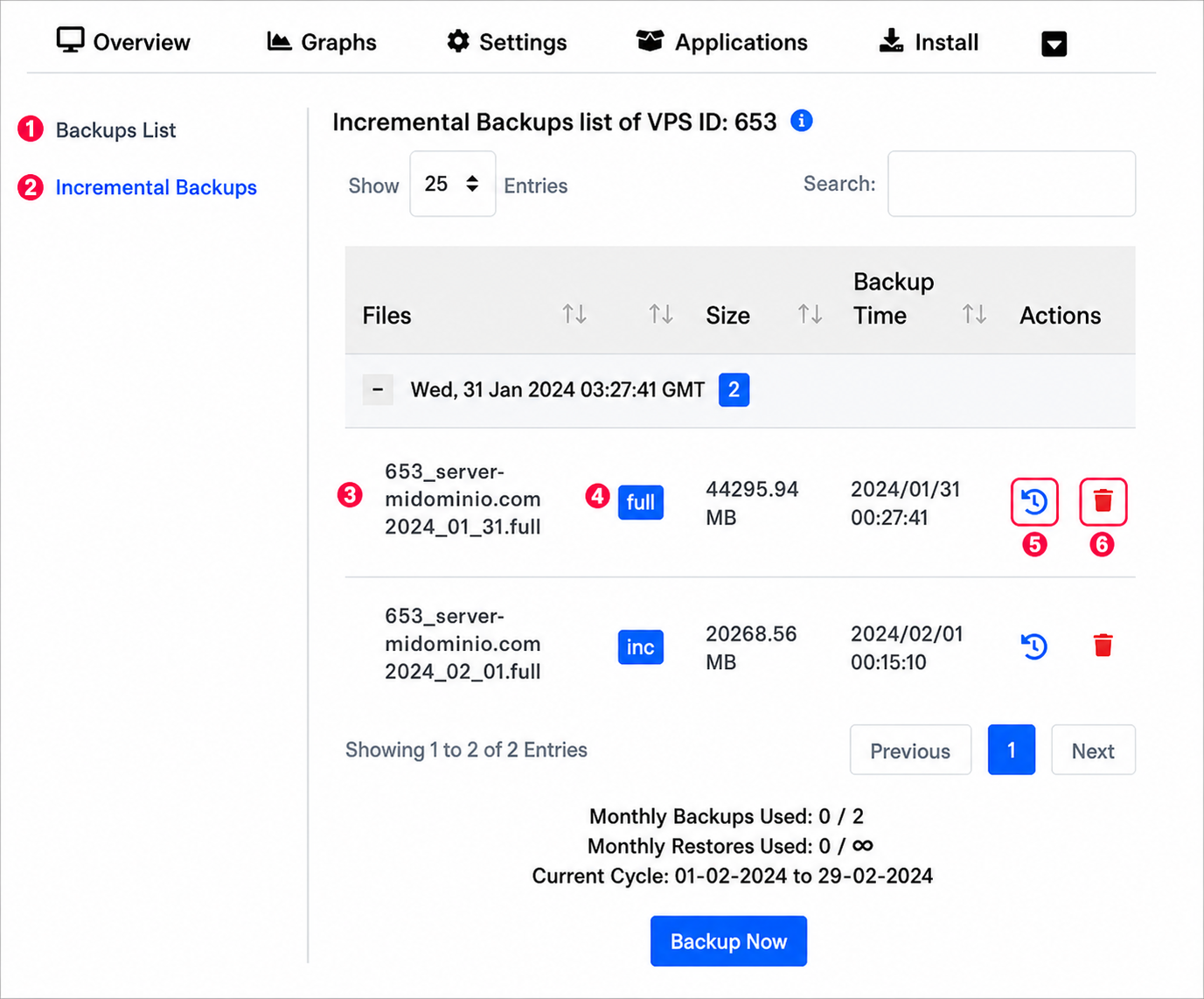
On the new screen you’ll find the following:
- The list of generated backups.
- The Incremental Backups area.
- The list of generated backups.
- The Full or Inc icon will indicate whether the backup is full or incremental. There will be one full backup and then several incremental ones.
- To the right of each backup you’ll find a button to restore the cloud with that backup.
- The last button will allow you to delete the generated backup.