How do I create contact lists?
To create contact lists follow these steps:
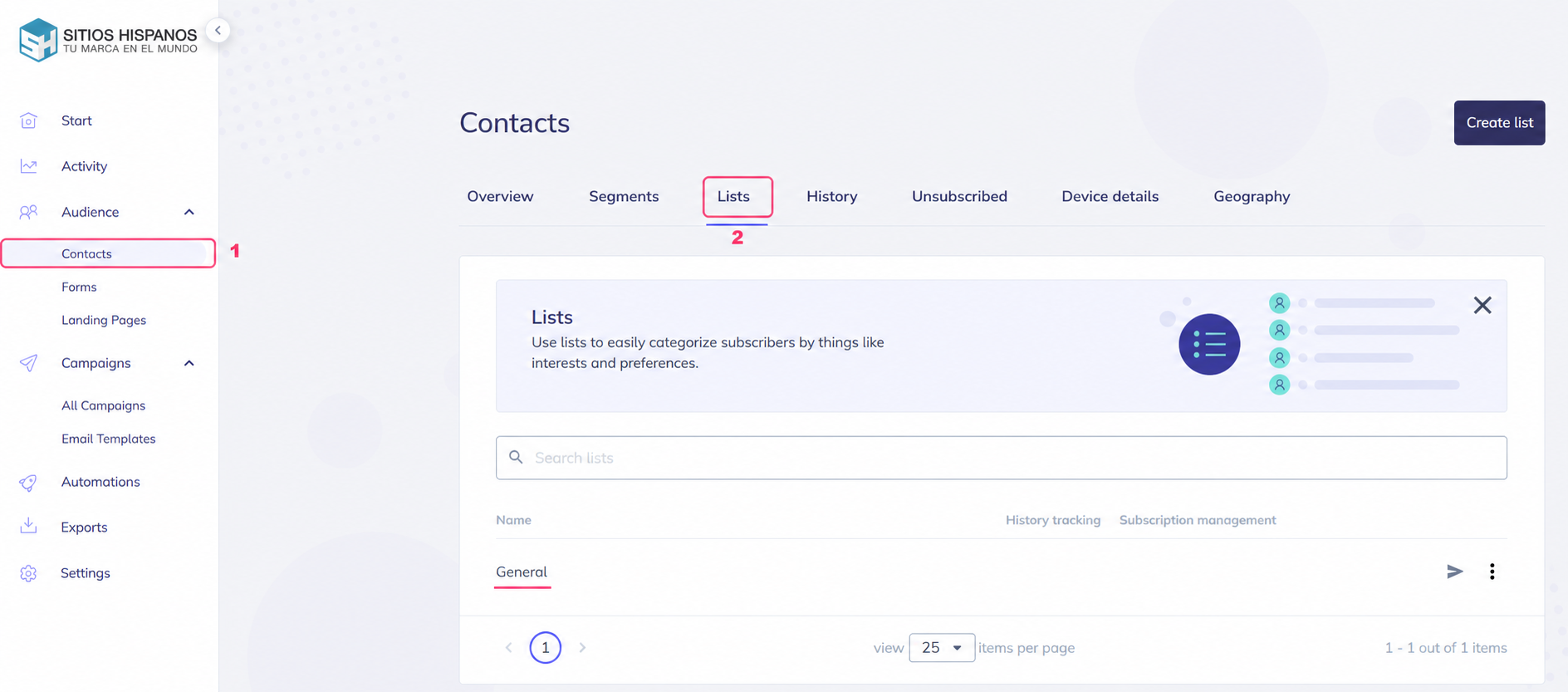
- In the left menu, go to Audience=>Contacts.
- In the central options bar you’ll see the Lists option. Select that option.
- When you choose Lists you’ll see your created contact lists in the center. At the top right, you’ll see the Create List button.
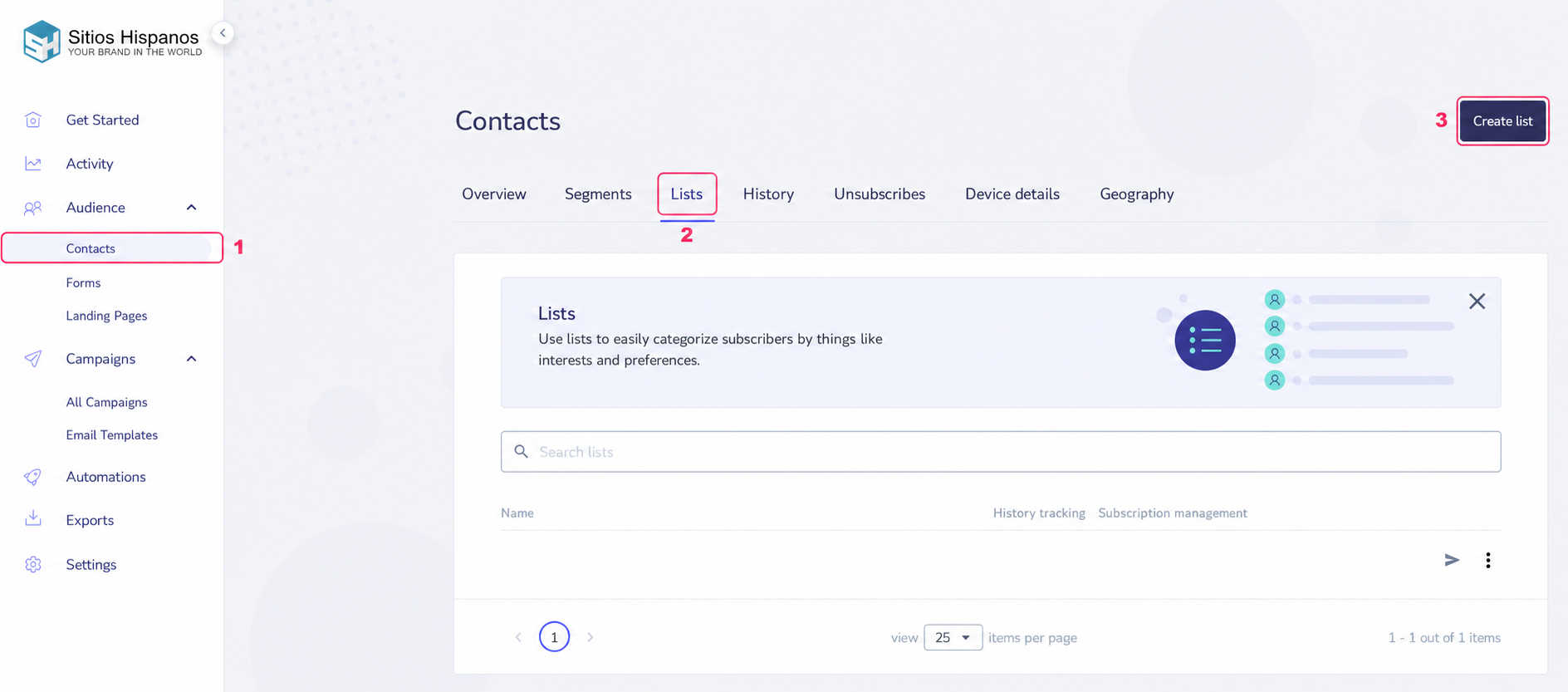
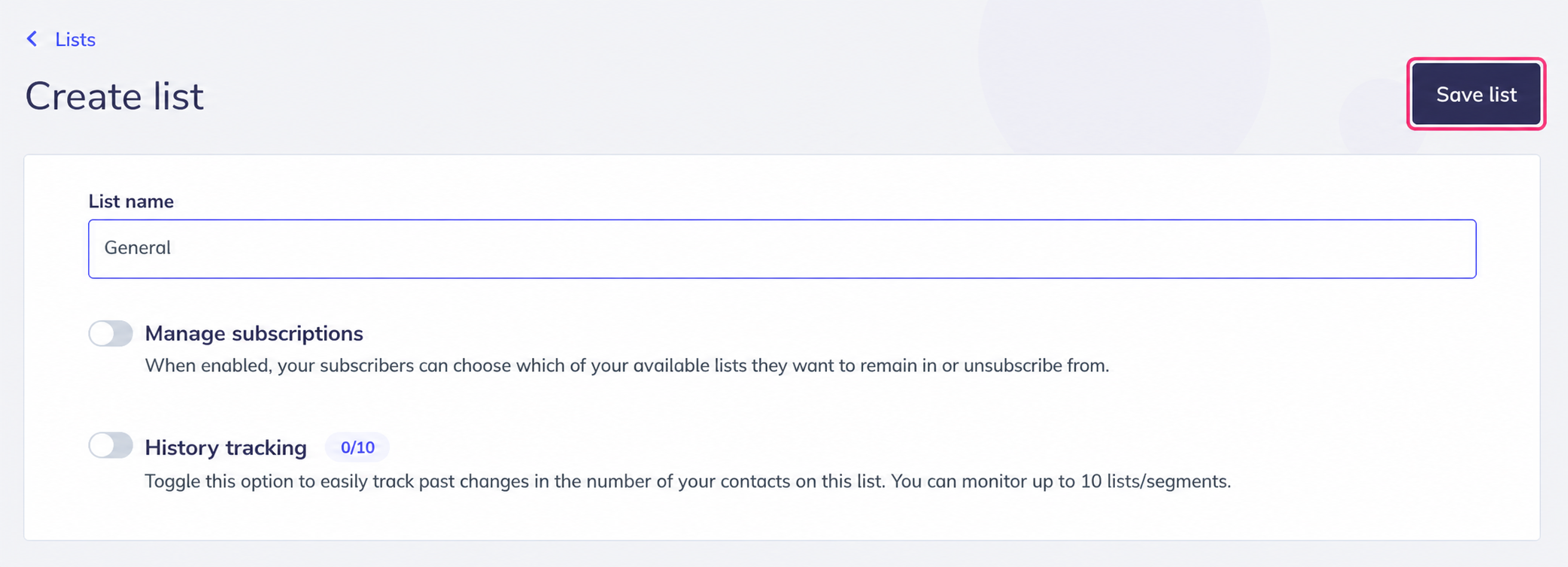
Creating a contact list is quite simple. It will ask you for a name and let you choose options related to list management.
At the top right, you’ll see the button to save the new list.
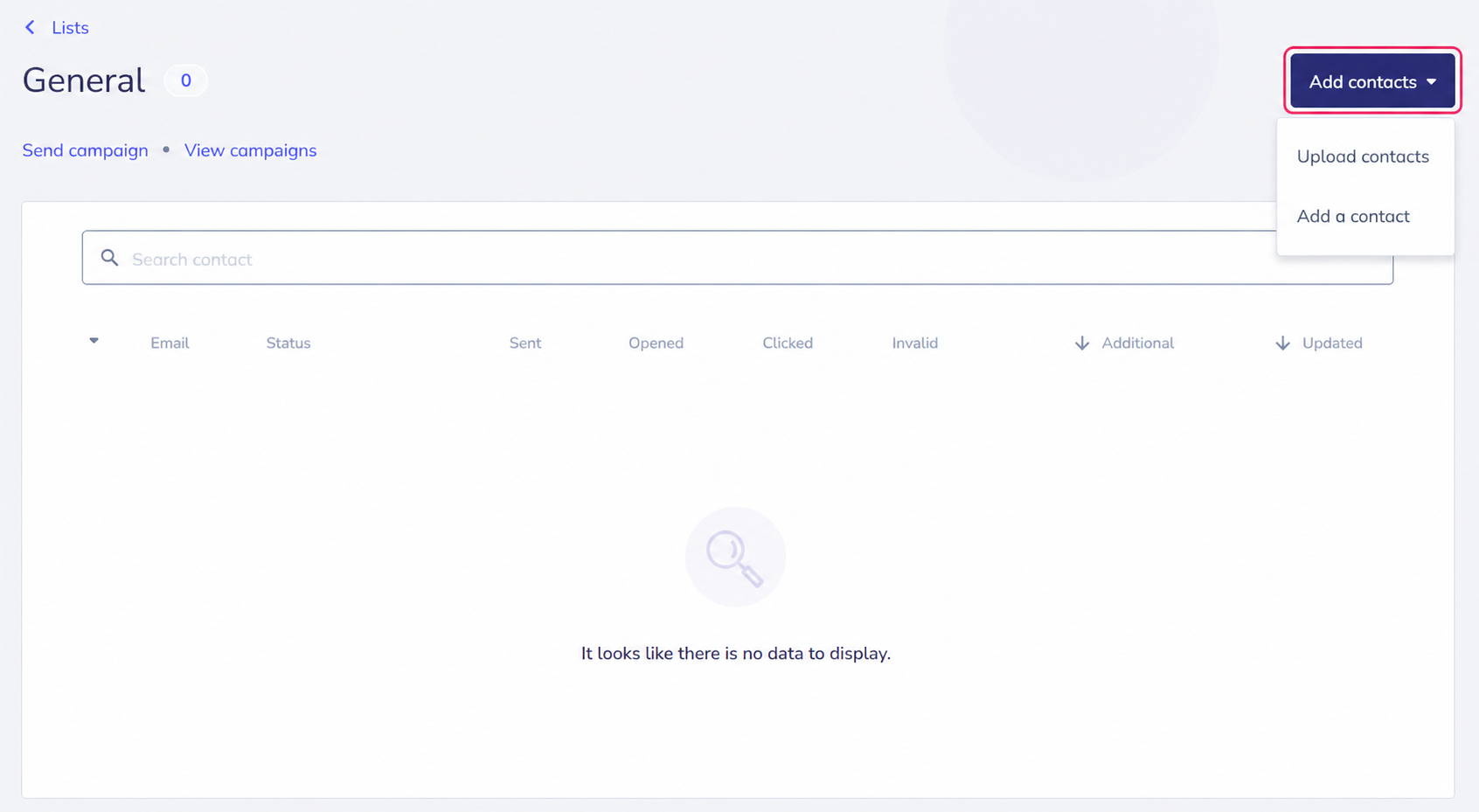
If the list you are creating is your first contact list, a screen to add new contacts will appear. You can add them by pressing the Add contacts button.
When you have created your contact list you can view it by going to Audience=>Contacts, then Lists, and in the center of the screen you will see all your contact lists.
You can enter each one to see the contacts it contains and add new ones.