

How do I enable and disable WhatsApp notifications?
From your Client Area, you can enable or disable notifications sent via WhatsApp.
This feature can be useful to follow support tickets or to receive notifications that might be blocked by email filters.
To enable or disable notifications sent via WhatsApp, follow these steps:
- Log in to your Client Area.
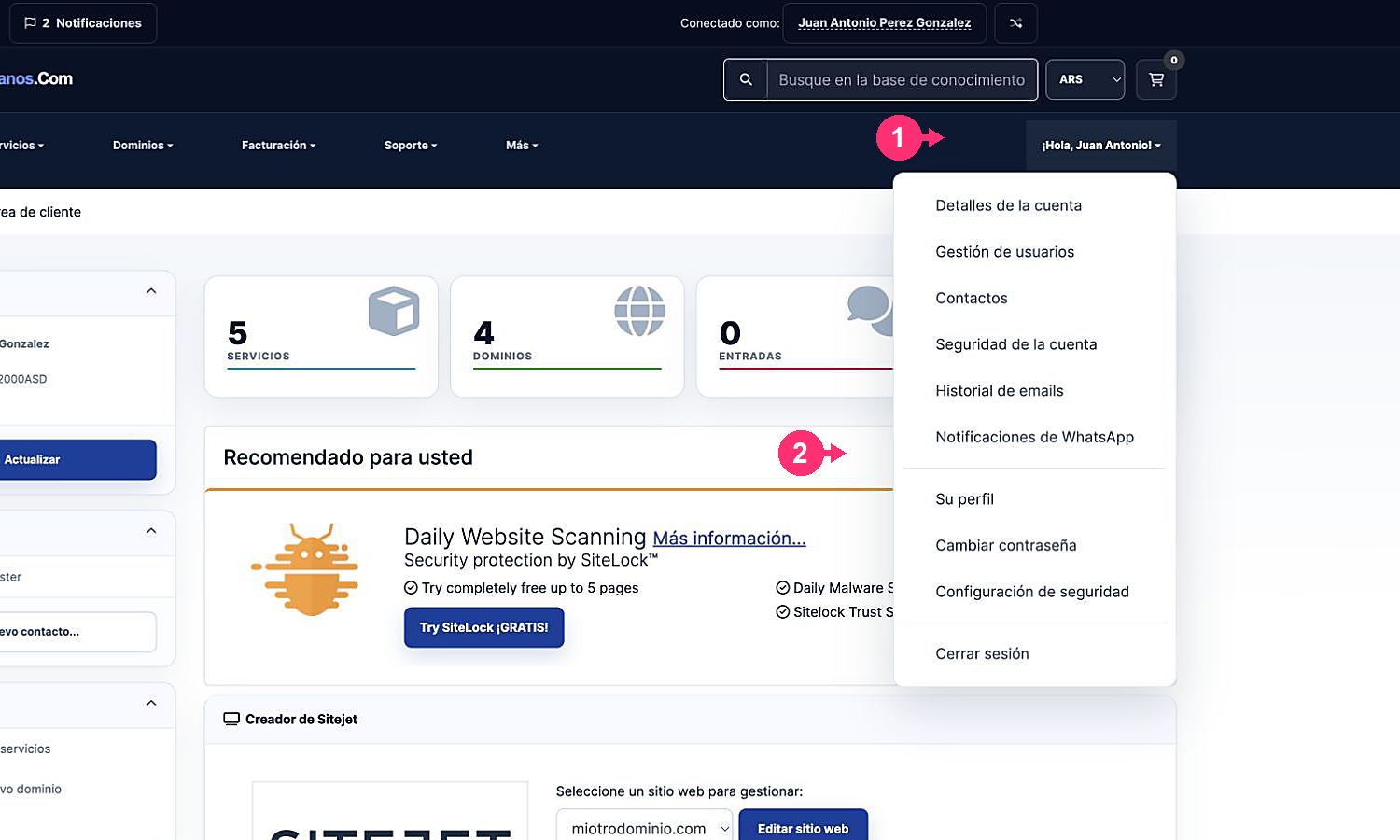
If you don’t remember how to log in follow this link: How to access the Client Area - Open the Hello, [your name]! menu you will see at the top right.
- Select WhatsApp Notifications.
-
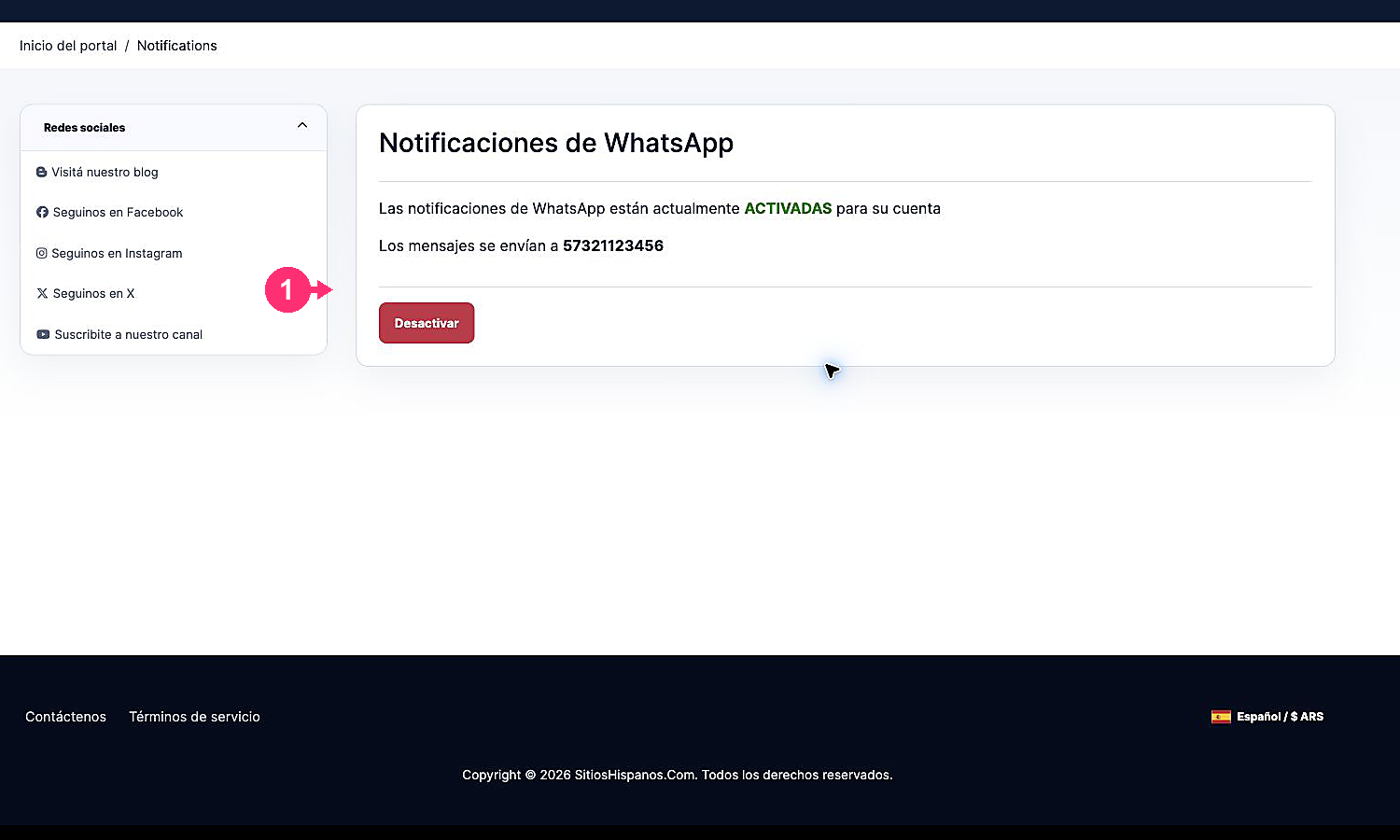
The screen will indicate whether notifications are enabled or disabled and will show the number they are sent to.
-
Use the available button to enable or disable the feature.
That’s all. Remember to configure a valid WhatsApp contact number to be able to use this feature.