

How do I associate my client area with another client?
The user management feature allows you to give another person access to fully or partially manage your account without sharing your password.
How to invite a user
- Log in to your Client Area. If you don’t remember how to do this, see How to access the Client Area.
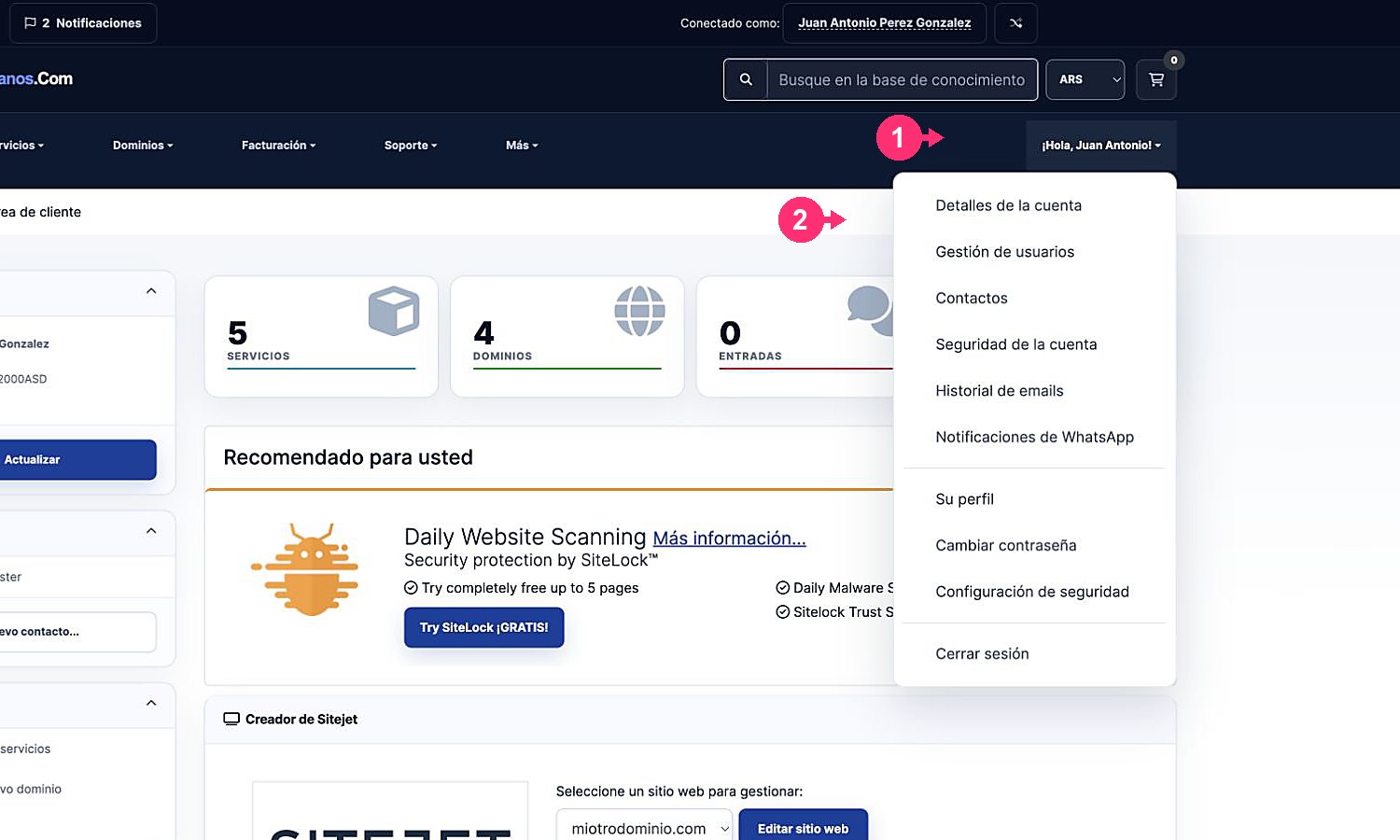
- Open the Hello, [your name]! menu and select User Management.
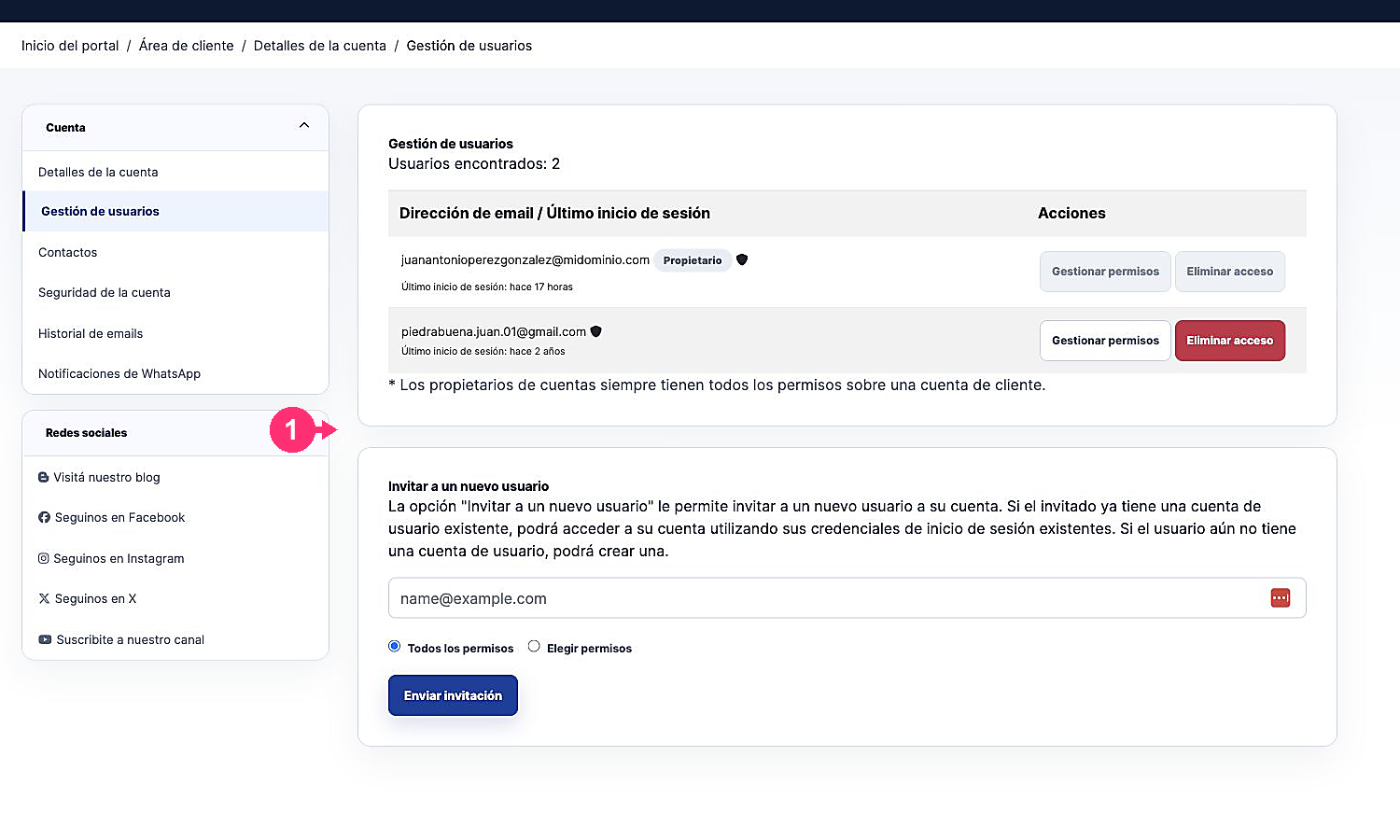
- Review the users who already have access and the actions available to manage their permissions or remove their access.
- Under Invite a new user, enter the email address of the person you want to invite.
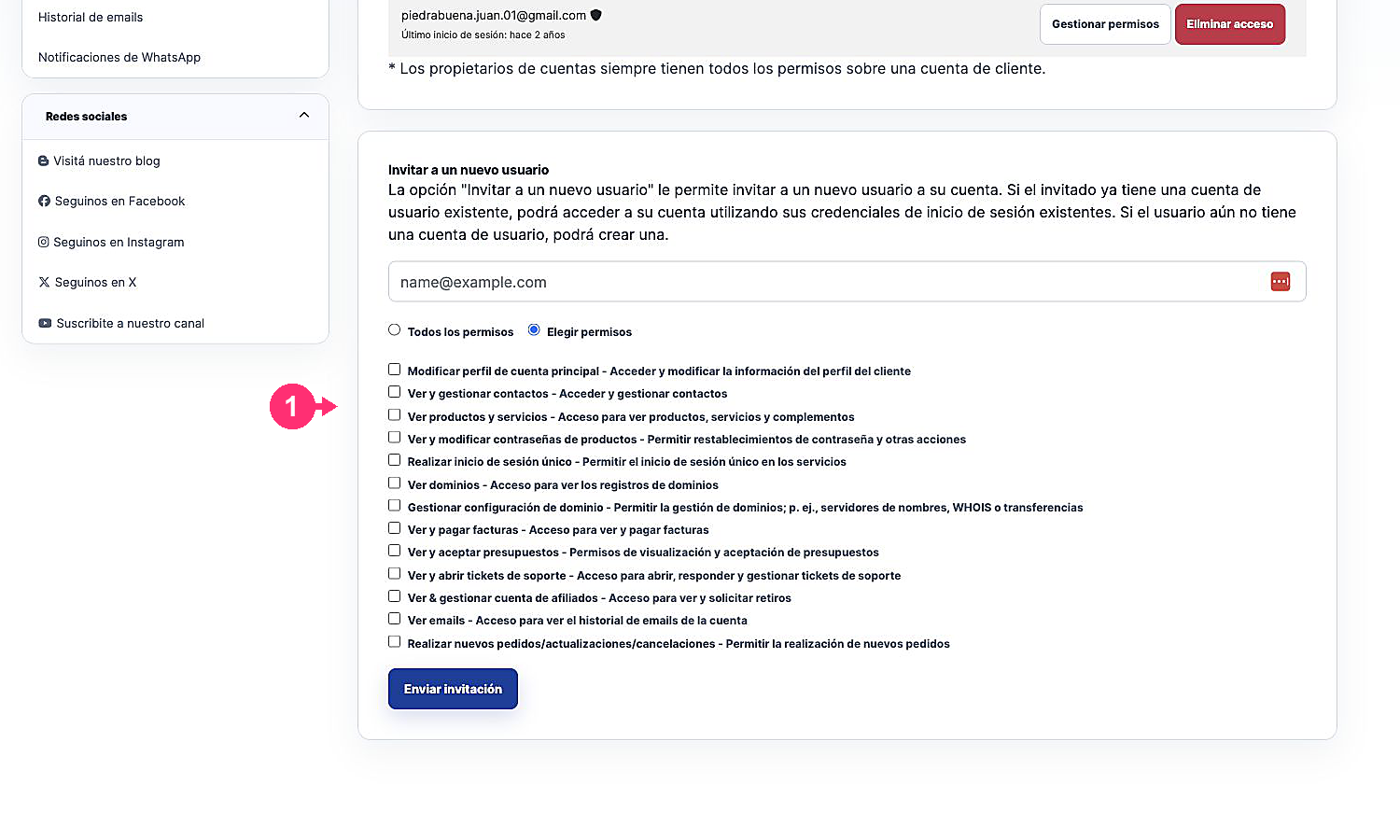
- Choose All permissions or Choose permissions.
- If you choose specific permissions, check only the functions that person needs to manage.
- Press Send invitation. Access is not enabled until the other person accepts the invitation.
How to modify or remove access
- Go back to User Management.
- Next to the corresponding user, select Manage permissions to change their access or Remove access to revoke it.
- Confirm the operation only after verifying the affected user’s email.
The account owner always retains all permissions.