How to create a subdomain in HestiaCP?
Subdomain Creation
A Subdomain is a subdivision of a website within the same domain. Subdomains are usually used to separate functions of a complex web page.
For example, midominio.com could show a main site with product offers, while compras.midominio.com will show the shopping cart to process an order.
Follow these steps to create a Subdomain:
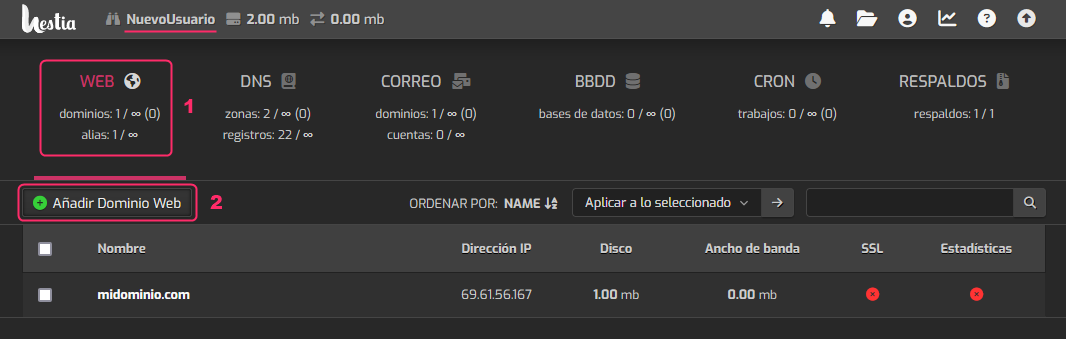
- Within the hosting account where you want to add a subdomain, go to the WEB area.
- Then, press the Add Web Domain button.
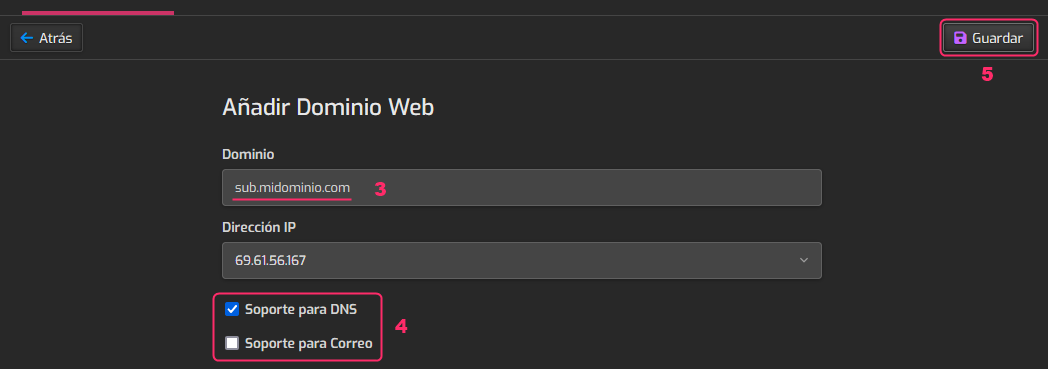
- Enter the subdomain you want the account to have.
- You must check the DNS Support option.
The Email Support checkbox will allow you to create mailboxes with the new subdomain. Its activation is optional. - Finally, save the new subdomain by pressing Save.
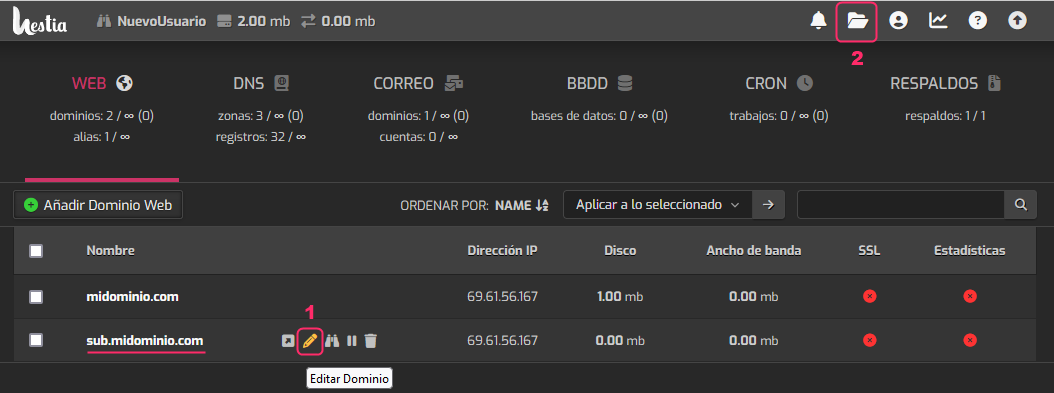
Back on the account main screen, within the WEB area, you will see the new subdomain.
- You can edit the subdomain with the pencil icon, for example to enable the SSL certificate.
- You can also enter the File Manager to upload the content you need.
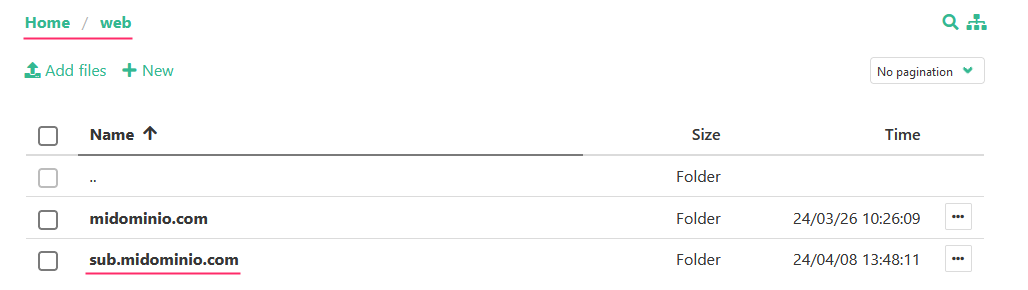
The subdomain will create a directory at the path:
home/web/subdominio