How to manage my Cloud from my Client Area?
Below we will show you how to view information about your service, consumption statistics and how to restart it, all from your Client Area.
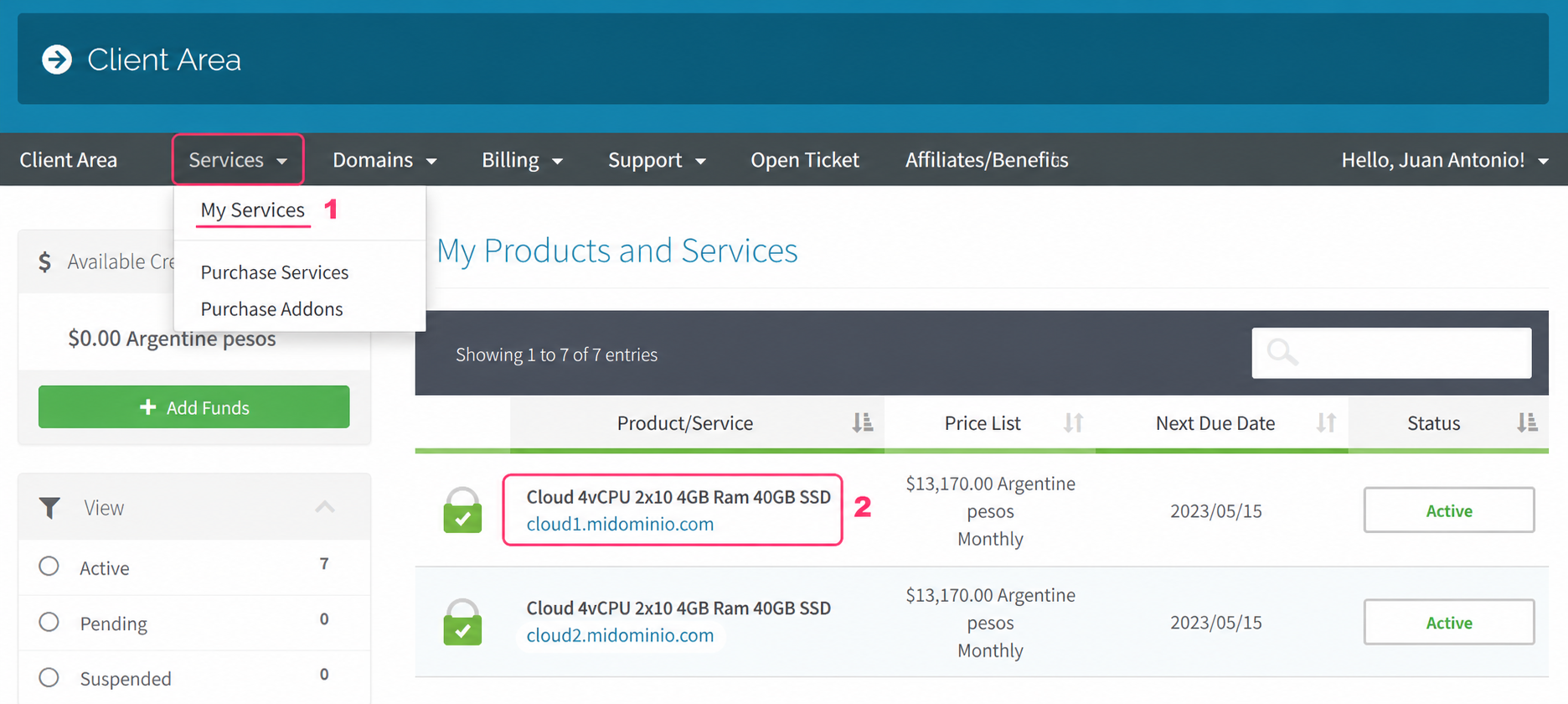
- First, go to Services, in the grey menu, and then to My Services.
- Then, if you click on your cloud, you will be able to see its information and controls.
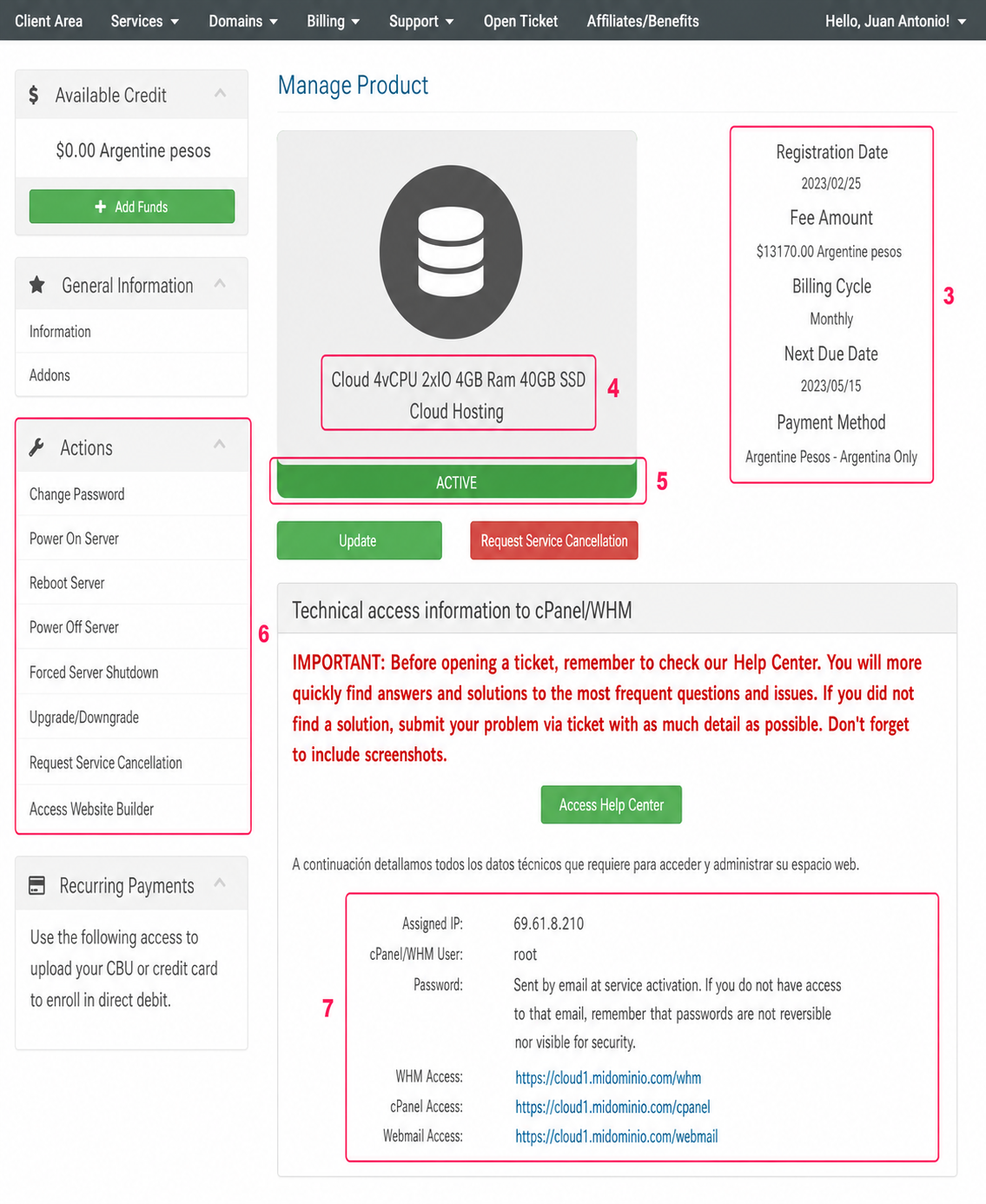
On your cloud’s management screen you will see the following:
- General information about your cloud, such as expirations, billing cycle, its price, etc.
- Information about the cloud’s hardware.
- The server status, whether it is active or inactive.
- In the Actions menu you can change your cloud password, power it on, power it off, restart it, etc. Some of these options you will also see further down.
- In this section you will see access information for your cloud control panel, in case you have cPanel/WHM. You will also see the server IP number.
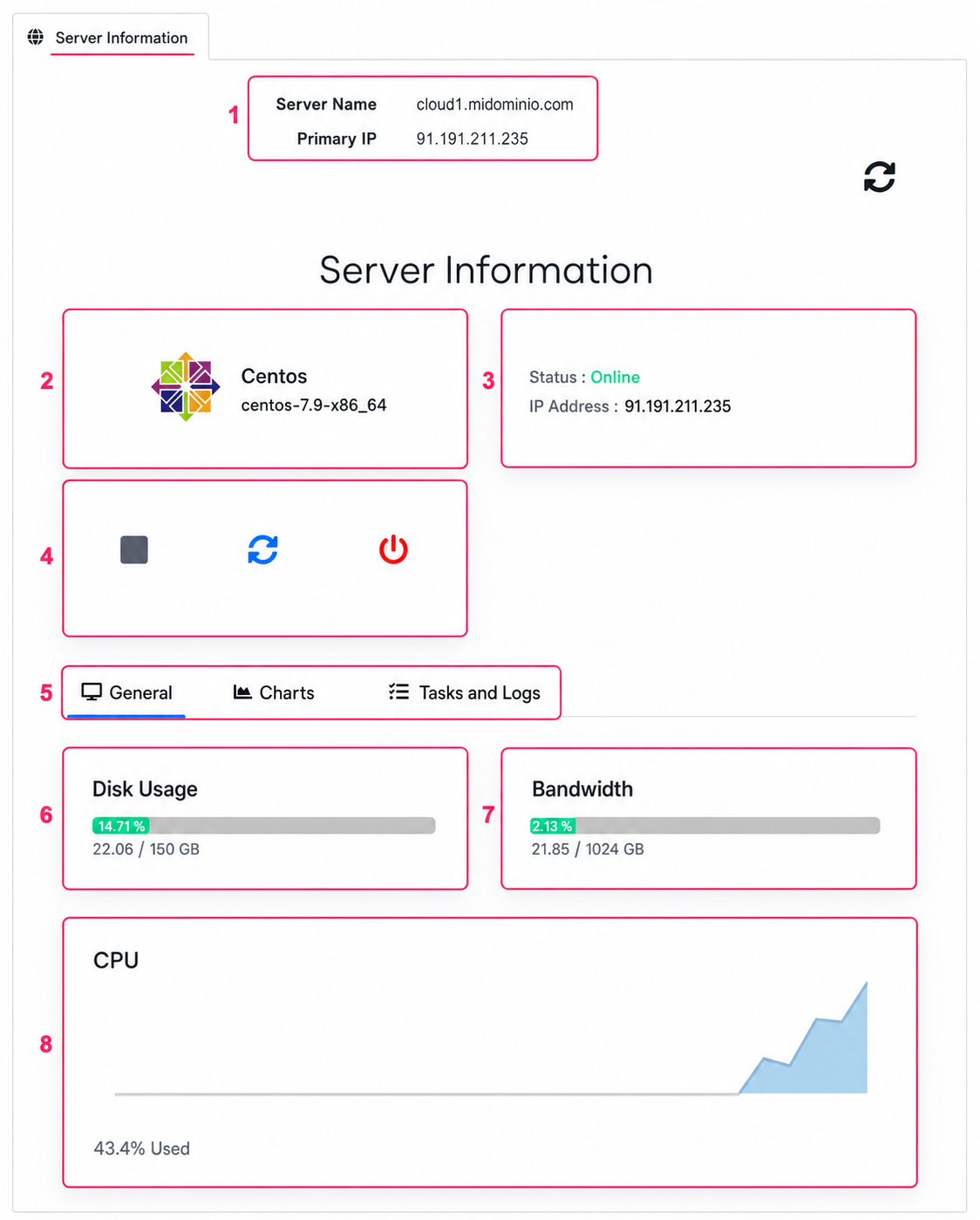
Below, you’ll see more information about your server. This panel may take a few seconds to appear. In this section you will see the following:
- The Hostname and IP address of your server.
- The installed operating system and its version.
- The status of your server and its IP address again.
- The controls to shut down, power on, restart or perform a full shutdown of your cloud.
- The General tab will show consumption information for your cloud.
- You will see disk space usage and its maximum space.
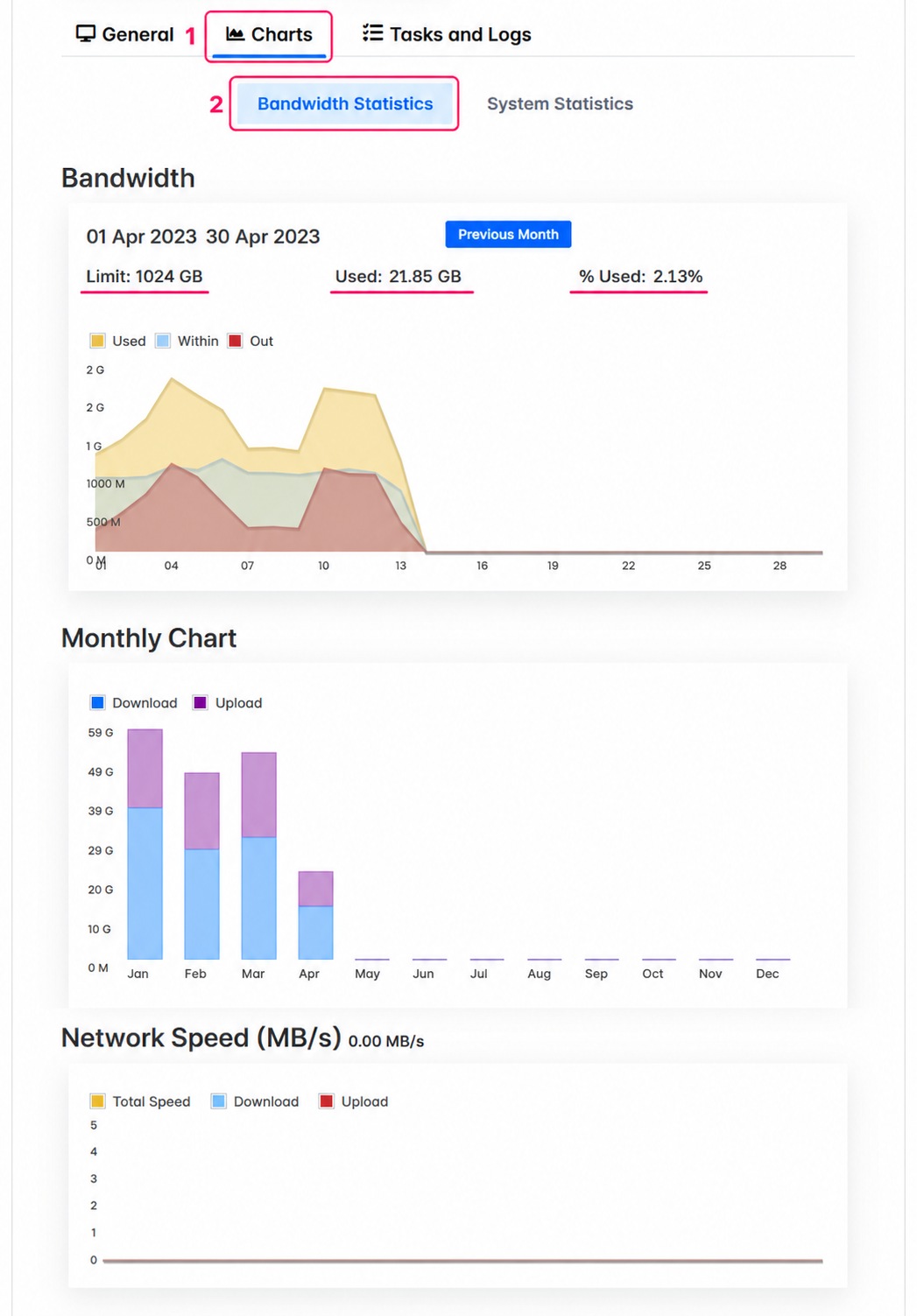
- You will see bandwidth used and the monthly limit.
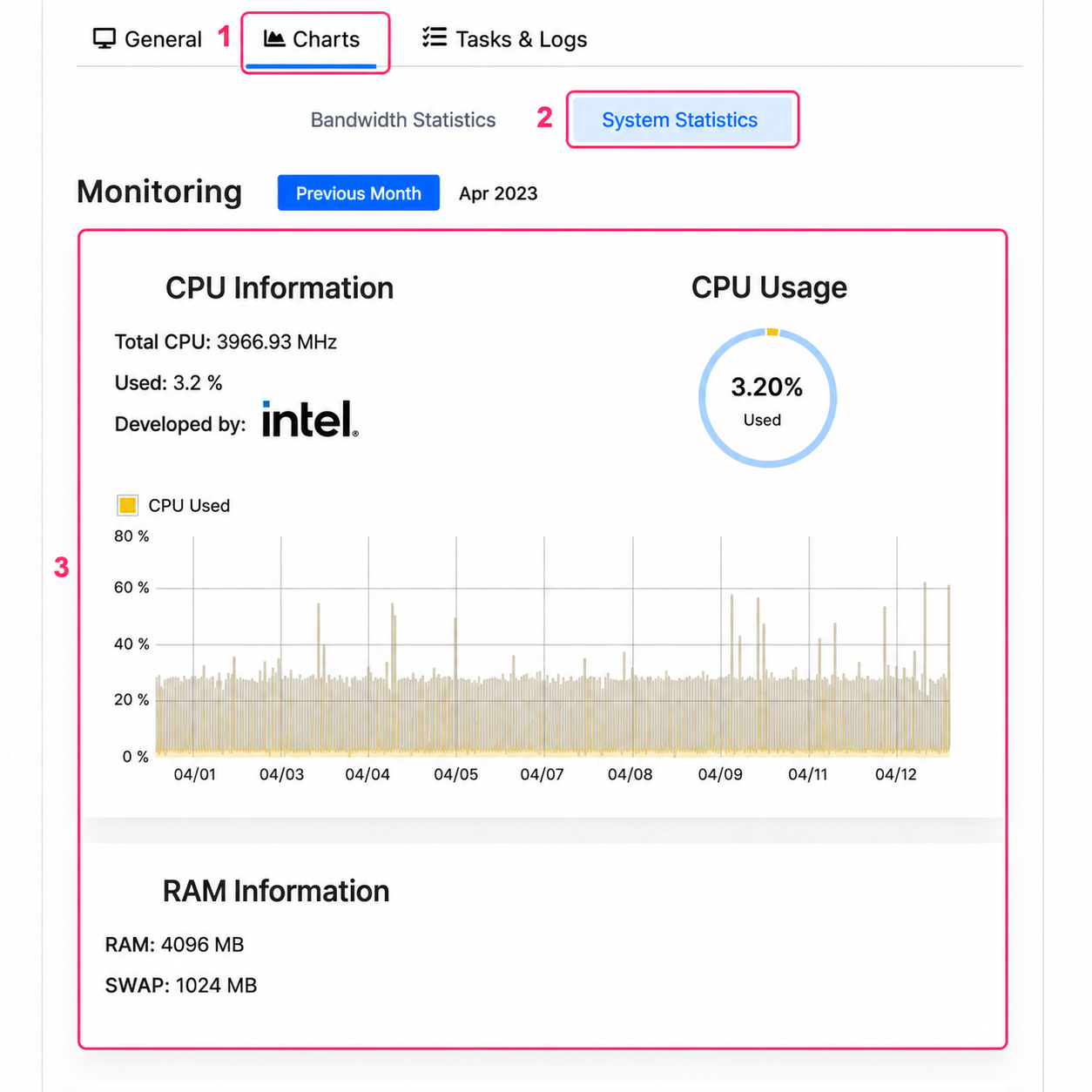
- And finally you will see CPU usage. This is useful to monitor possible overloads.
In the Graphs tab, selecting Bandwidth Statistics, you will see bandwidth consumption statistics.
In the Graphs tab, if you choose the System Statistics option, you will see CPU consumption statistics.
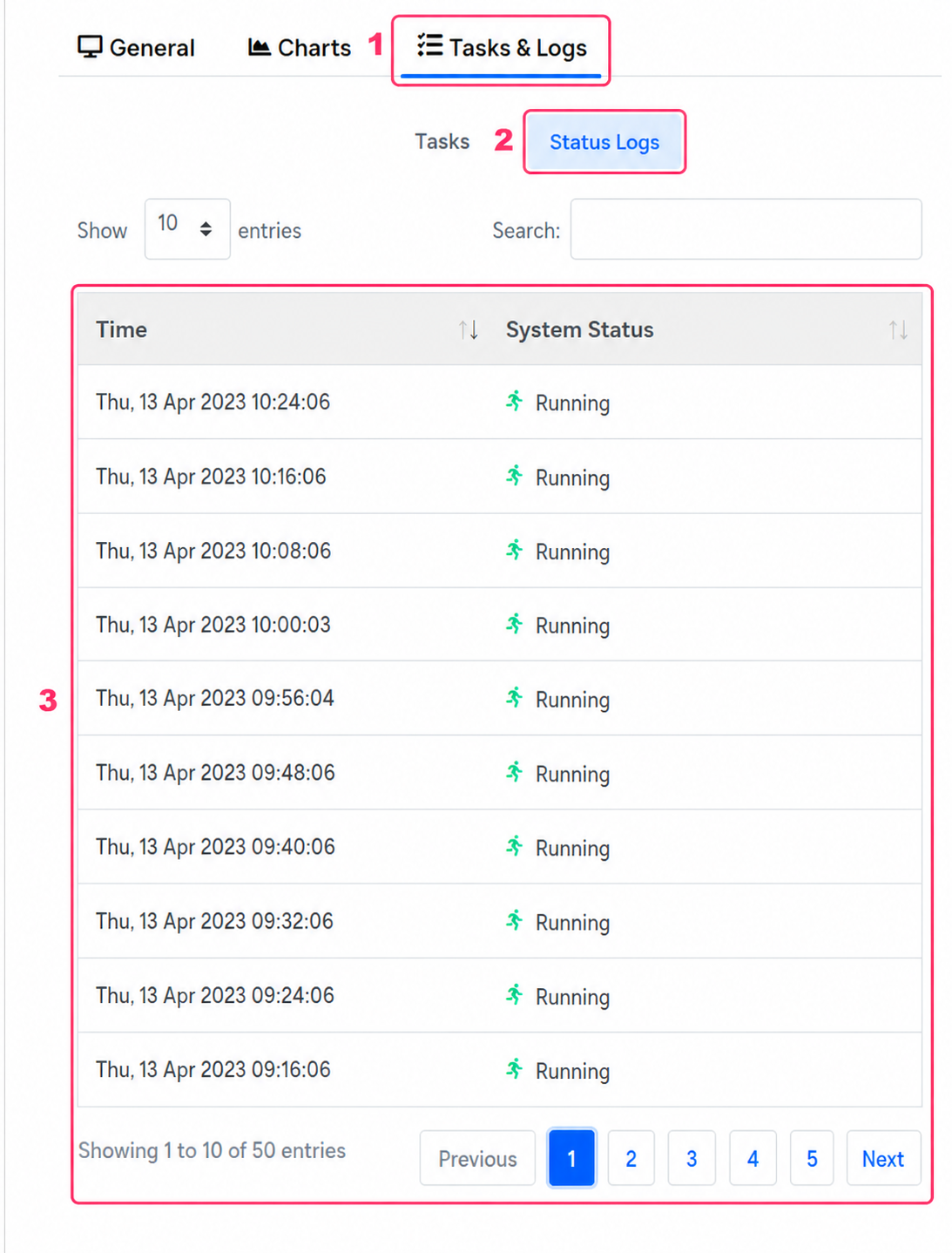
Finally, in the Tasks and Logs tab, selecting the Status Logs option, you will see the action and status log of your server. Here you will see if there was a restart, shutdown or change of server state.