How to use Softaculous App Installer in cPanel?
In Softaculous App Installer you will find a wide variety of tools, Apps, CMSs and modules to create your website. Follow these steps to install an application:
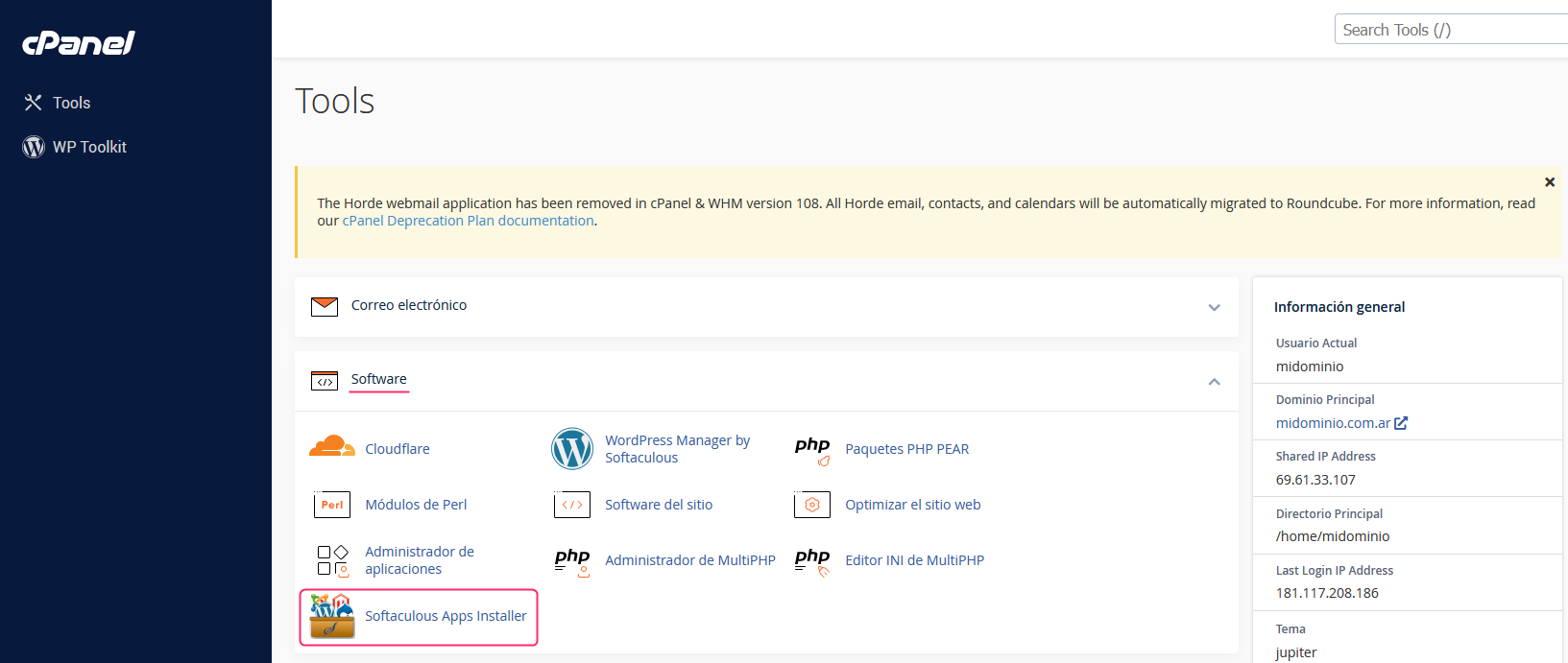
- In the control panel, go to Softaculous Apps Installer, in the Software box.
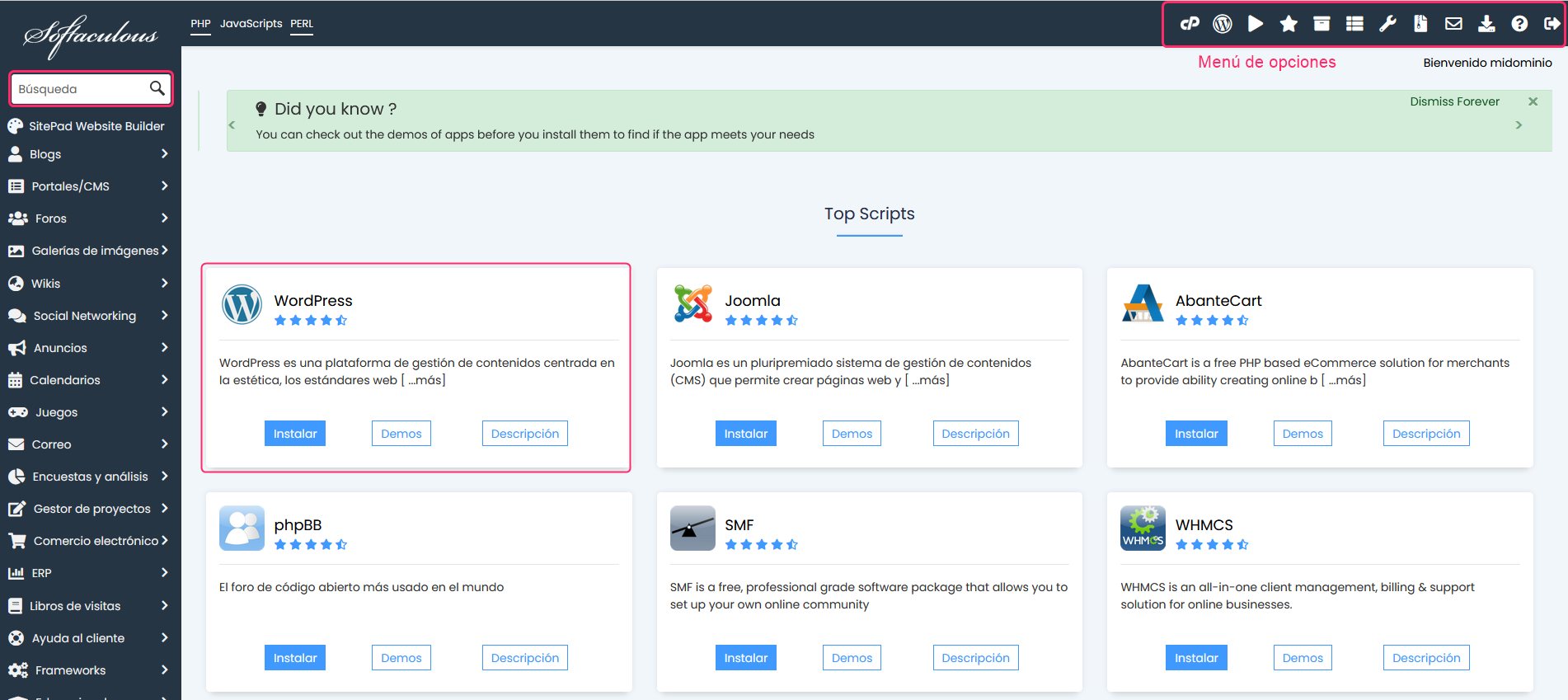
- On the Softaculous screen you will find the most popular Apps and CMSs. On the left you will see the different tools organized by category and the search box.
- The installation method is very simple and intuitive. Very similar to the other tool, WP Toolkit.
Example
Let’s see an example with a Moodle installation.
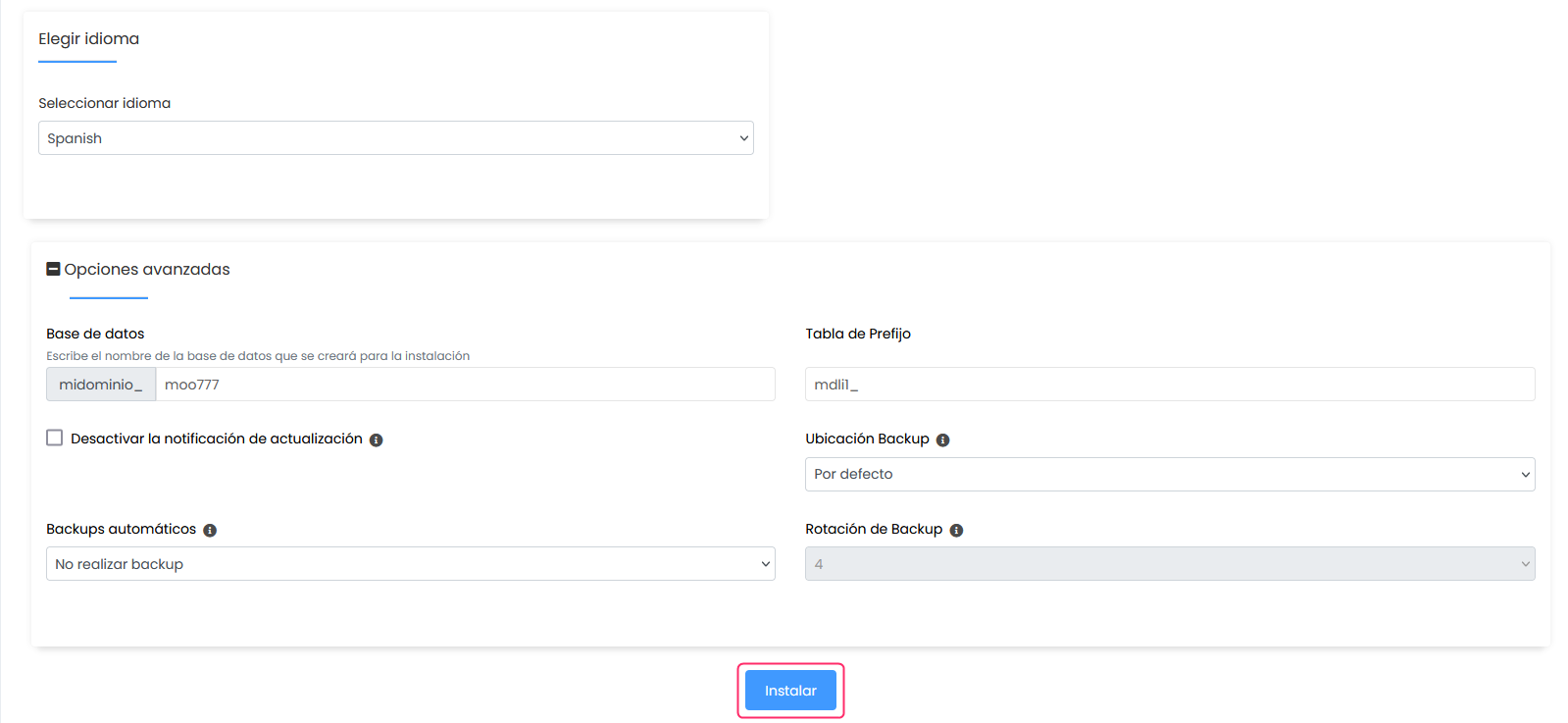
- When choosing a CMS or App you will see the information required to install it.
.png)
- At the end of the installation details form you will see the Install button that will start the platform installation on your hosting plan.