How to enable or disable ModSecurity in Plesk?
If you find that your website shows a 403, 405, or 406 error, it is very likely that some element of your site is being blocked by a ModSecurity rule.
ModSecurity is an application firewall. It blocks certain requests or code executions that it deems dangerous. You can configure ModSecurity to allow or block certain executions, according to your website’s needs.
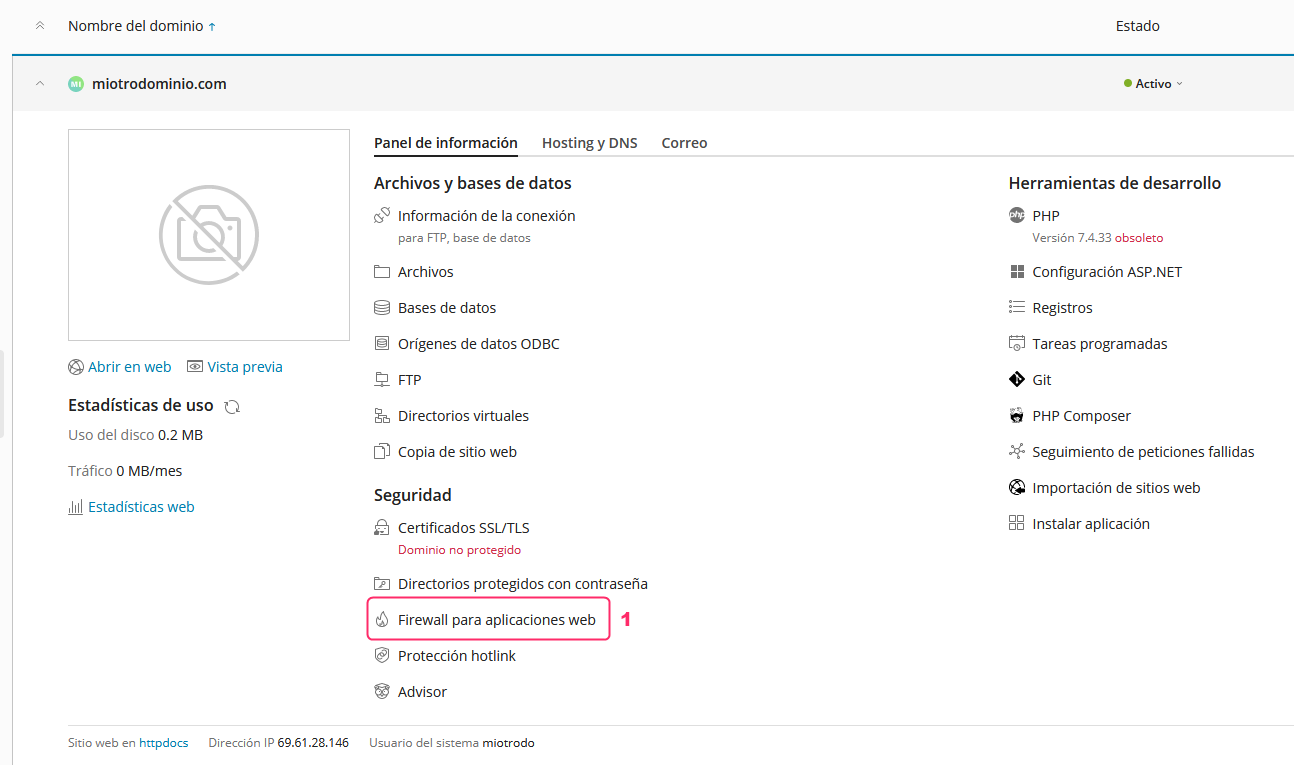
In the Plesk control panel, you can access the ModSecurity settings by following these steps:
- From the main menu of your account in Plesk, go to Web Application Firewall.
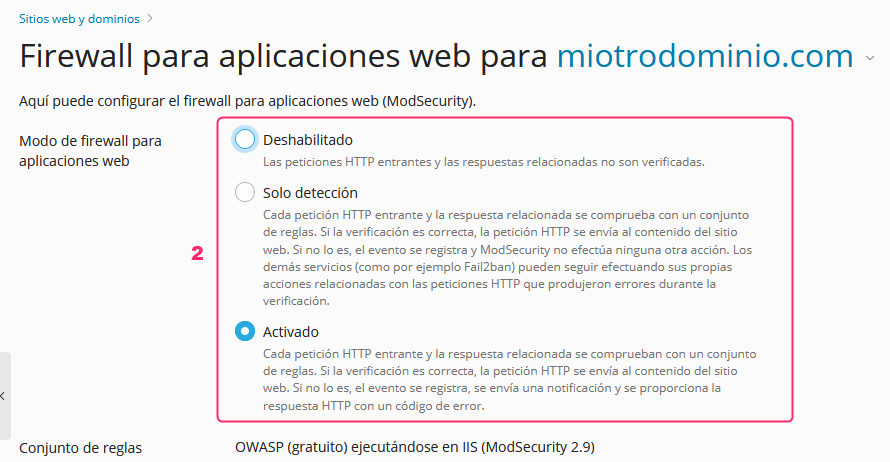
- The first options will allow you to disable or enable ModSecurity or enable it in detection only mode. In this mode it will generate detection logs but will not block the site’s operation.
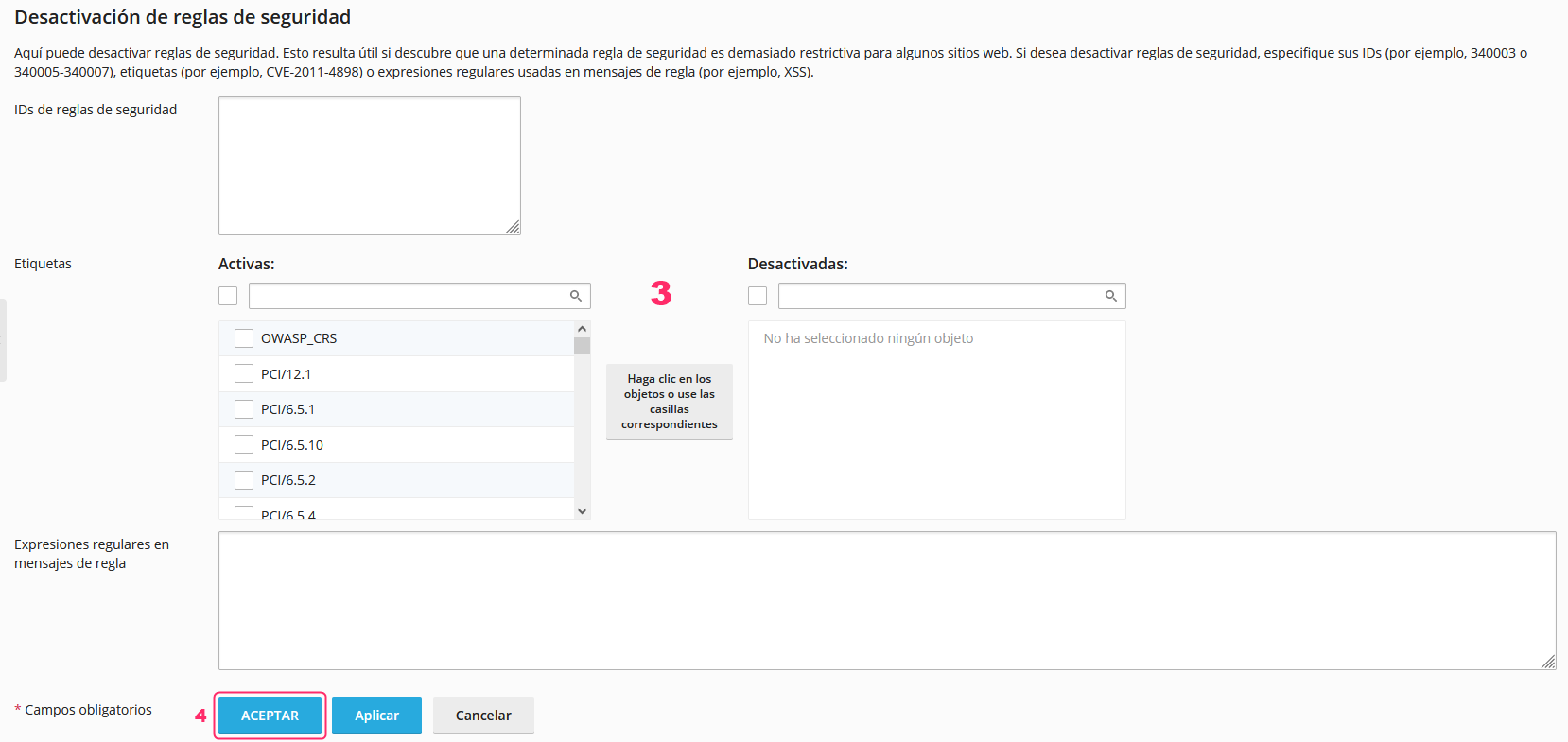
- Below, you will find the ModSecurity rules configuration. This is an advanced section and should only be configured by the webmaster or a specialized technician.
- Once you have made a change to the ModSecurity configuration you will need to save the changes by pressing the ACCEPT button.