Where to view the error logs for my website in Plesk?
To view the error logs that your website may be generating, follow these steps:
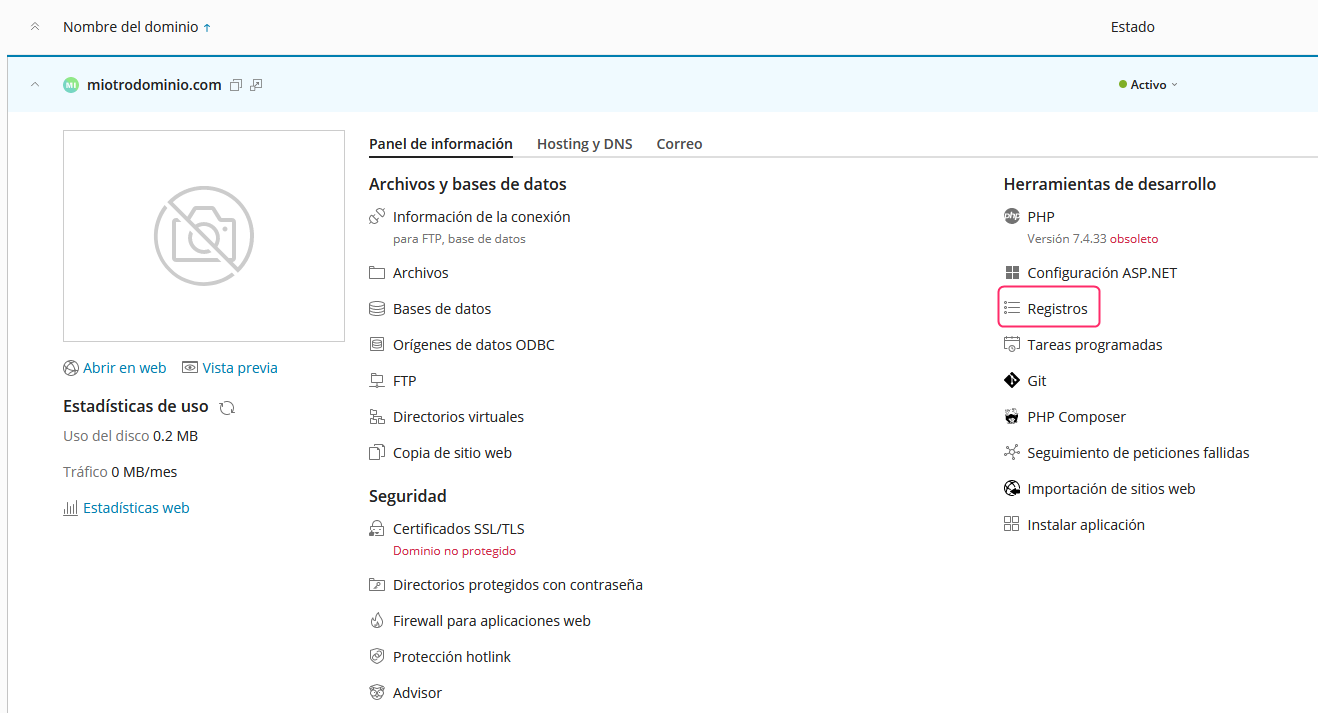
- Access your account control panel and then, in the central options, go to Logs.
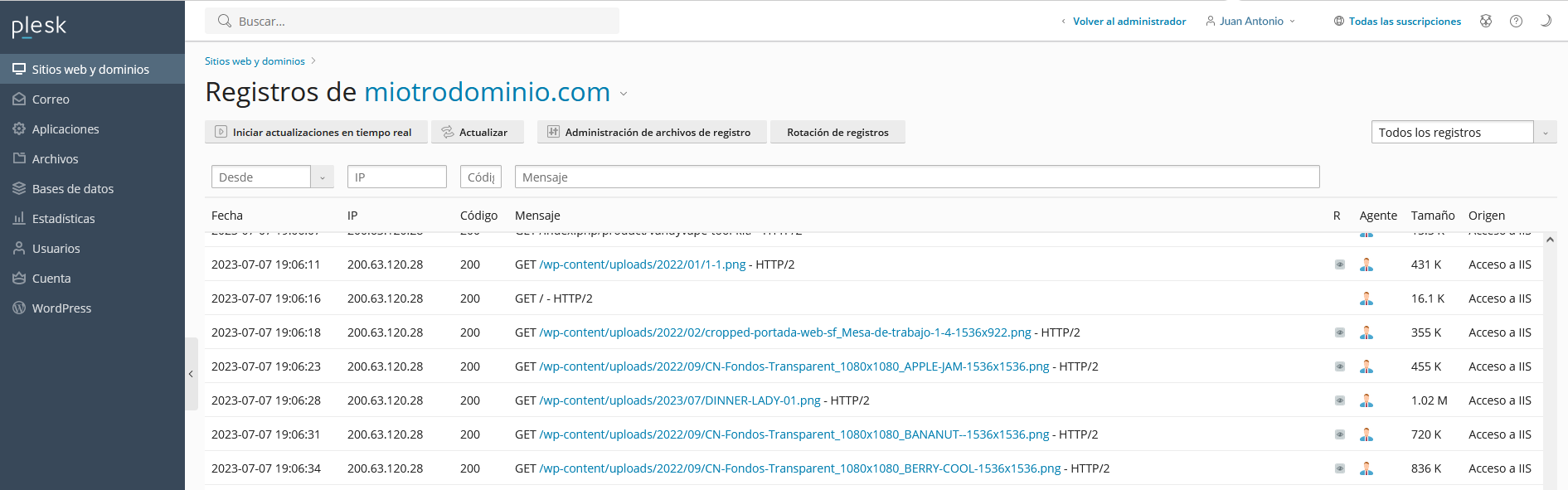
- You will see the contents of the error log.
You can also view PHP error logs by following these steps:
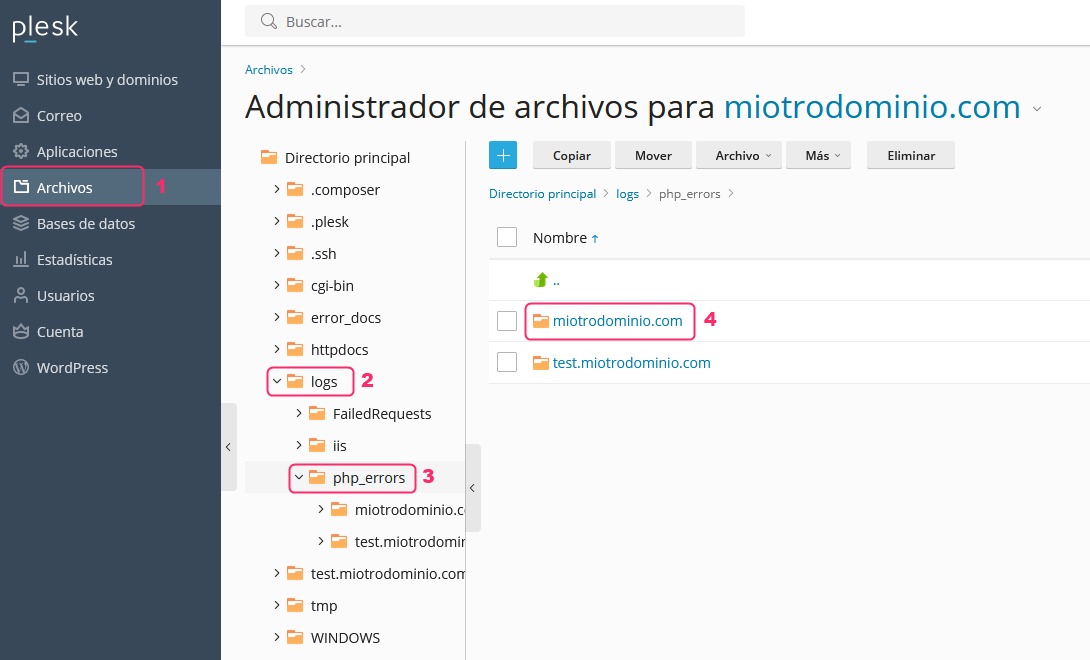
- Go to the File Manager from the Files option in the left-hand menu.
- Then follow the directory path Logs=>php_errors=>yourdomain.
- If your website uses PHP and generated errors, you will see them in the file inside your domain’s directory.